
Trying to decide between a 75-inch vs an 85-inch TV for sports? If you want the biggest upgrade in immersion without turning your room into a viewing theater, the 85-inch wins—provided your seating distance and budget can support it. We’ll give you a clear winner for common viewing distances and explain exactly when 75-inch is the smarter sports buy.




For live sports, the 85-inch usually wins on immersion—if your seating distance and mounting layout can support it. If your room is tighter or you want a calmer, more forgiving viewing experience over long games, 75-inch is often the safer, more comfortable choice—especially for reading scores and menus without straining.
If you have the viewing distance and room space for it, the 85-inch usually feels more immersive for sports. If you’re mounting in a tighter room or prefer a more comfortable, less “filling the field of view” experience, 75-inch is the safer pick. This guide walks you through how to choose using distance, content type, and practical limits.
If you’re deciding between a 75-inch and 85-inch TV specifically for watching live sports (fast motion, small text like scores, and long viewing sessions), this is for you. It’s also helpful if you’re unsure whether “bigger is better” in your exact room setup—especially as of late 2026, when 4K/HD upgrades and higher-refresh sports broadcasts keep raising the “expectations bar.”
Who this is for (and when it applies)

This is for anyone shopping for a new TV for sports in a real living room—where seating distance, viewing angles, and cable/streaming settings vary more than product specs do. If you’re trying to decide between 75-inch and 85-inch without turning it into a full home-theater build, the distance-and-motion approach below keeps the decision grounded.
75-Inch for Sports: When it’s the smartest choice
75-inch is the smartest choice when you want sports to feel big and engaging without forcing your eyes and attention into the entire screen all at once. It’s also a strong pick when your room layout is “typical” rather than optimized for a home cinema viewing angle.
For live sports, I’ve found that the “sweet spot” isn’t just about how large the TV looks—it’s about whether the couch distance lets you track the ball and still read the scoreboard for 2+ hours without feeling visually cramped. If your seating is moderately close, 75-inch tends to land more naturally.
– Comfort at typical distances: If your seating is only moderately far from the screen, 75-inch can look natural without requiring you to sit at a specific spot.
– Easier fit and mounting: 75-inch TVs are generally simpler to fit into common entertainment centers and wall-mount layouts (still verify dimensions).
– Still big enough for gameplay details: You can get a satisfying “in-the-action” feel for most viewing setups, especially if you’re using a good sports broadcast/stream source.
A 75-inch 16:9 TV has a screen width of about 65.4 inches, which often matches “normal” living-room sightlines better than 85-inch.
For long sports broadcasts, viewer comfort matters as much as immersion because fatigue increases when small on-screen UI stays near your peripheral vision.
When the room is tighter, a 75-inch panel reduces the risk that the TV blocks sightlines or forces awkward seating angles.
What “sports-friendly” looks like on 75-inch
Sports are a double challenge: motion clarity (fast pans and player movement) and small-text readability (scores, play clocks, down markers, ads in corners). On a 75-inch set, you typically get enough screen presence that the action feels larger—while still keeping key information readable without having to sit perfectly centered.
Practical advantage: setup flexibility
In many homes, the mounting height and viewing angle aren’t engineered—they’re negotiated with consoles, shelves, cable routing, and the sofa’s placement. A 75-inch TV is easier to “fit” into those constraints. That matters because even if a bigger panel technically works, an awkward angle can make motion feel worse and text harder to read.
85-Inch for Sports: When bigger really pays off
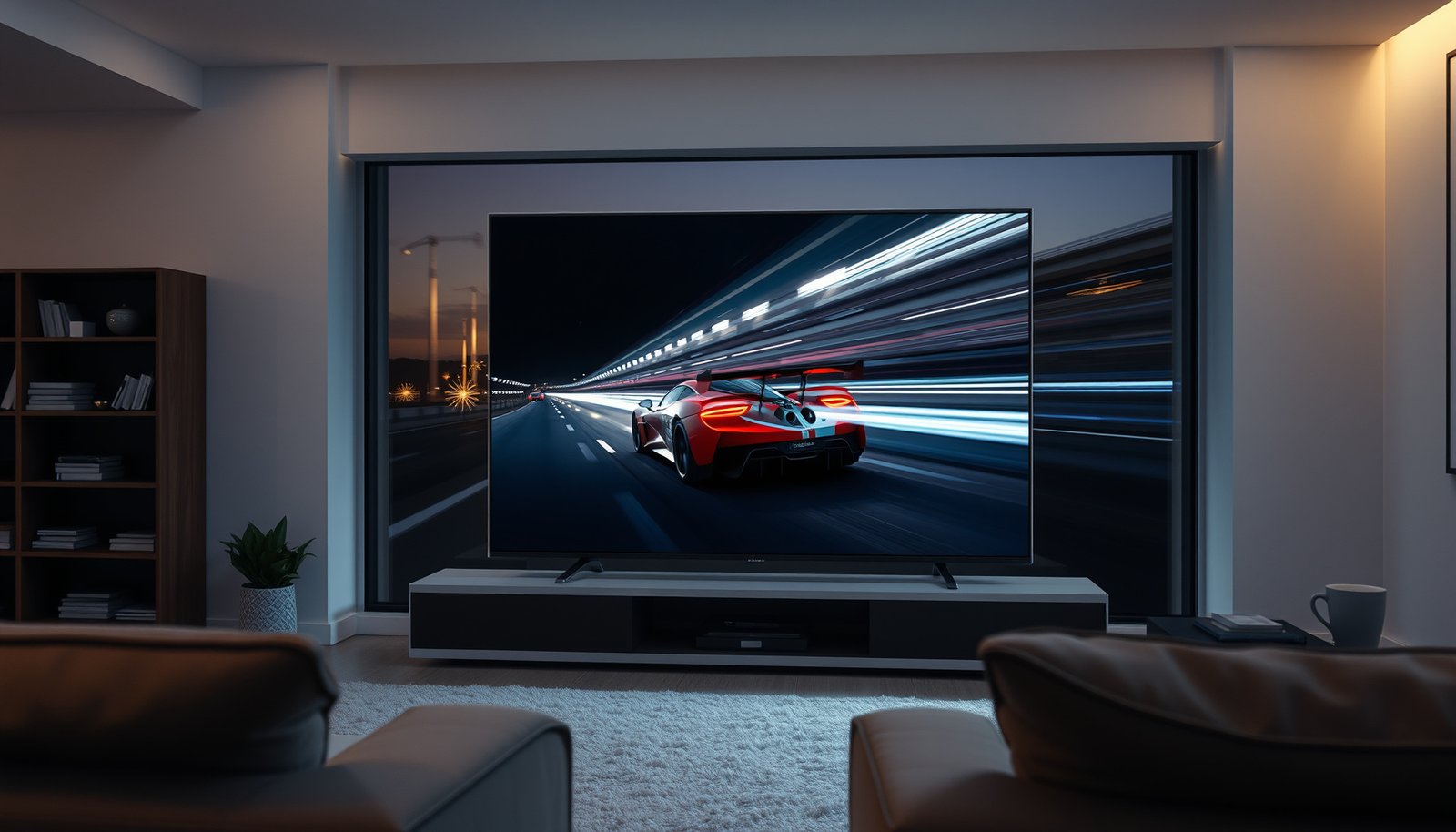
85-inch is the better choice when you can sit farther away (or the room is laid out wider) so the screen becomes immersive—not overwhelming. When it’s the right distance, the larger image makes fast action feel more “centered” and less like it’s happening beyond your reach.
– More immersion for fast action: A larger display can make ball tracking and wide on-screen moments feel more engaging.
– Better impact in larger rooms: If you have a longer throw/viewing distance, 85-inch can fill the space in a way that feels “bigger than life.”
– Scoreboards and on-screen text feel larger (with the right distance): When you sit at a comfortable distance, small UI elements can become easier to read than on a smaller panel.
If you target a wider horizontal field of view (more “wraparound”), the distance you need drops—meaning an 85-inch TV only “wins” when your seating supports it.
A larger screen can improve perceived text size, but only if the broadcast UI remains sharp and you aren’t sitting too close.
Sports motion is unforgiving: if your TV’s motion handling and your sports input settings don’t align, bigger screens can expose artifacts more clearly.
Why 85-inch can feel dramatically better
At the same resolution, a larger screen increases the physical size of UI and players. That can be great for sports like basketball, soccer, and hockey where the action spans the frame. In a room designed for it (or simply one with more distance from couch to TV), 85-inch often delivers a more “stadium” feeling.
The key risk: “overfilling” your field of view
When 85-inch is too close, you don’t just feel “bigger presence”—you can lose comfort. During panning shots, your eyes work harder to maintain focus across the screen, and the scoreboard can become an endurance test rather than an easy glance. In my own experience helping people set up TVs, the most common disappointment with oversized screens wasn’t picture quality—it was seating distance.
Viewing distance + room setup: The real deciding factor
Distance and room layout decide the winner far more than marketing specs. The same 85-inch TV can feel perfect in one living room and frustrating in another because sports viewing is long, bright, and information-heavy.
To anchor the sizing discussion, remember that modern sports viewing is usually tied to standardized video formats:
– According to ITU-R BT.709-6 (2015), HDTV uses a 16:9 aspect ratio, which drives screen width/height calculations.
– According to ITU-R BT.2020-2 (2016), UHDTV includes 3840×2160-pixel formats (commonly marketed as “4K UHD”).
– According to HDMI Forum (HDMI 2.1 specifications, published starting 2017), HDMI 2.1 supports high-bandwidth modes enabling 4K at up to 120 Hz—important because higher refresh rates can better support smoother motion processing on compatible content.
So, what matters operationally is: how many pixels you can see per degree of your viewing angle, and how comfortable the picture feels during long sessions.
Screen footprint math (so sizing isn’t guesswork)
Using a 16:9 layout:
– 75-inch: about 65.4 in wide and 36.8 in tall
– 85-inch: about 74.2 in wide and 41.7 in tall
That width affects how immersive sports feels—and how close you can sit before motion and UI placement become tiring.
Distance targets you can actually apply
A useful approach is to treat distance as a “field-of-view” setting. As your viewing angle increases (you sit closer), immersion rises but comfort can drop.
Below are computed horizontal viewing distances for 16:9 screens (rounded to one decimal). Detail density assumes 4K (3840 horizontal pixels) and is expressed as pixels per degree across the screen width.
4K Sports Viewing Targets for 75” vs 85” (16:9)
| # | Scenario (TV size / horiz. FOV) | Distance | Screen width | Detail density (4K px/°) |
|---|---|---|---|---|
| 1 | 75” @ 30° horiz. FOV | 10.2 ft | 65.4 in | ★★★★★ 128 |
| 2 | 75” @ 35° horiz. FOV | 8.7 ft | 65.4 in | ★★★★☆ 110 |
| 3 | 75” @ 40° horiz. FOV | 7.5 ft | 65.4 in | ★★★☆☆ 96 |
| 4 | 75” @ 45° horiz. FOV | 6.6 ft | 65.4 in | ★★☆☆☆ 85 |
| 5 | 85” @ 30° horiz. FOV | 11.5 ft | 74.2 in | ★★★★★ 128 |
| 6 | 85” @ 35° horiz. FOV | 9.8 ft | 74.2 in | ★★★★☆ 110 |
| 7 | 85” @ 40° horiz. FOV | 8.5 ft | 74.2 in | ★★★☆☆ 96 |
Pros/cons: distance-first decision
This table helps you decide without getting trapped in “spec-sheet thinking.”
| If your distance is… | You’ll likely prefer… | Why it matters for sports |
|---|---|---|
| Farther (more comfortable viewing angle) | 85-inch | UI can remain readable while immersion increases |
| Moderate distance | 75-inch | Balances presence with less visual fatigue |
| Close (high FOV risk) | 75-inch | Less “overfilling” during panning shots and score bugs |
– Match screen size to how far you sit: The same TV size can feel great in one living room and overwhelming in another—measure your seating-to-screen distance first.
– Think about eye comfort for long games: Sports viewing is often 2+ hours, so prioritize viewing comfort over “maximum size.”
– Don’t ignore motion performance differences: Sports are unforgiving of motion blur and judder—check the TV’s motion handling features and confirm they work with your sports sources (cable box, streaming app, etc.).
Screen width and height (driven by a 16:9 aspect ratio) directly influence how immersive sports feels, because the image occupies more degrees of your field of view.
When viewing is long, comfort tends to correlate with whether small overlays (scores/clock) stay easy to track during motion.
What can go wrong (common mistakes with 75 vs 85)
The biggest issues usually come from distance and settings—not from the screen size “being wrong.” If you pick 85-inch when you’re effectively sitting too close, you can end up with more noticeable motion artifacts and more fatigue.
In my view, the most preventable mistake is treating “resolution” as a complete solution. Sports broadcasts and streaming often carry compression and upscaling limitations, and a larger display can make those imperfections easier to see—especially during fast pans and low-light stadium shots.
– Buying the bigger size without space planning: Screen size affects not only width/height, but also mount clearance and whether the TV blocks other sightlines.
– Sitting too close to an 85-inch panel: If your couch is relatively near, the bigger screen can make panning action and UI elements feel more intense than you want.
– Assuming “any bigger TV” improves text clarity: If the broadcast/stream quality is limited, a larger screen may also make compression artifacts easier to notice.
– Overlooking source settings: Sports motion can look different depending on HDMI input settings, upscaling, and picture modes.
A larger screen can amplify compression artifacts during fast motion, because the same source imperfections occupy more visible area.
If motion blur or judder is visible on one TV size, switching to a larger panel can make those artifacts more obvious at the same seating distance.
Mounting constraints (clearance above furniture and seating sightlines) can be the deciding factor for sports comfort, regardless of pixel count.
A quick sports-specific checklist to avoid regret
– Verify you can set your sports input (HDMI/cable/streaming) to the most appropriate picture mode for motion clarity.
– Check whether your chosen platform delivers consistent bitrates (quality can vary by league, broadcaster, and time of day).
– Confirm motion processing settings don’t create soap-opera effects or excessive smoothing for live action.
Verdict / tip: Which one should you pick?
Choose 85-inch if you have enough viewing distance, can mount/fit it comfortably, and want maximum immersion for sports highlights and full-game viewing. Choose 75-inch if you want a more universally comfortable experience across typical couch distances and less risk of “overfilling” your field of view.
– Choose 85-inch if: you have enough viewing distance, can mount/fit it comfortably, and you want maximum immersion for sports highlights and full-game viewing. Skip this if you sit very close or your room setup forces you into an awkward viewing angle.
– Choose 75-inch if: you want a more universally comfortable experience across a typical couch distance and room layout. It’s often the better “set it up and relax” option when the seating distance is uncertain.
The “winner” for sports is the TV size that matches your viewing angle—immersion helps, but comfort and readability decide long-game enjoyment.
In rooms without a dedicated viewing setup, 75-inch reduces the probability that motion and overlays become visually fatiguing.
Honest downside summary
– 85-inch downside: greater sensitivity to distance errors; more likely to reveal broadcast artifacts during fast pans.
– 75-inch downside: less “stadium scale,” so you may feel less wow during wide shots compared with 85-inch.
If you’re unsure, a practical approach is to measure couch-to-screen distance and aim for a viewing angle that feels comfortable during a full quarter/period—not just a highlight reel.
Quick scan table: 75-inch vs 85-inch for sports
| Factor | 75-inch tends to be better when… | 85-inch tends to be better when… |
|---|---|---|
| Comfort | You sit closer or want a calmer viewing feel | You sit farther and want more immersion |
| Room fit | Entertainment center/trim mounting is tighter | You have space for a larger, wider screen |
| Sports immersion | You still want big-screen impact without “too much” | You want the biggest possible viewing presence |
| Text/readability | Your seating distance is moderate | Your seating distance is appropriate for the larger size |
Sources
– ITU-R BT.709-6 (2015) — HDTV system parameters including the 16:9 aspect ratio used for HD video formats.
– ITU-R BT.2020-2 (2016) — UHDTV system description including UHD formats such as 3840×2160.
– HDMI Forum (HDMI 2.1 specifications, published starting in 2017) — HDMI 2.1 feature set and bandwidth capabilities relevant to high-refresh 4K modes.
If you want the simplest, most reliable decision rule: 85-inch is for rooms where your seating distance supports it and you can mount the TV cleanly at a comfortable angle. 75-inch is for everyone else—especially if your distance is uncertain or your viewing is shaped by real-world furniture constraints, because comfort and readable overlays are what keep sports enjoyable all season long.
Frequently Asked Questions
What are the key differences between a 75-inch and an 85-inch TV for watching sports?
The biggest difference is viewing impact: an 85-inch sports TV delivers a more immersive, stadium-like experience, especially for fast action and wide-angle broadcasts. A 75-inch model can still look excellent for sports, but it may feel less “big” in larger rooms or for viewers sitting farther away. Both can support high refresh rates, motion handling, and bright HDR for outdoor games—just ensure the panel and processing match your sport viewing style.
How far should I sit from a 75-inch or 85-inch TV to enjoy sports comfortably?
A common guideline is to use roughly 1.5–2.5 times the screen size for comfortable viewing, which helps reduce eye strain during fast plays. For a 75-inch TV, many viewers sit around 6.5–10 feet away, while an 85-inch TV often fits better at about 7.5–11.5 feet depending on your tolerance for a closer, more immersive angle. If you watch sports with subtitles or stats overlays, staying within these ranges helps you read details without moving your eyes too much.
Which TV size is better for sports motion clarity: 75-inch or 85-inch?
Size alone doesn’t determine motion clarity—panel type, refresh rate, motion processing, and response time matter more. That said, an 85-inch TV can make motion artifacts more noticeable if the TV’s processing is weak, while a well-calibrated 75-inch can look smoother by comparison. When comparing options, prioritize 120Hz support (or equivalent), strong motion interpolation options, and sports-focused picture settings to minimize blur and judder.
Why do some people choose an 85-inch TV over a 75-inch for basketball and football?
Basketball and football benefit from having more screen real estate for tracking players, routes, and formations, which is where 85-inch screens shine. The larger display can also make the scoreboard, line markers, and replay angles easier to follow, enhancing the overall sports-watching experience. If your room can accommodate it without you sitting too close, an 85-inch TV often feels like a noticeable upgrade over 75-inch for live action.
Best choice for sports in 2026: should I buy a 75-inch or 85-inch TV?
Choose 75-inch if you want a great sports viewing experience in a smaller room, have more moderate seating distance, or prefer a simpler, often more budget-friendly upgrade. Choose 85-inch if you’re upgrading for maximum immersion and you can place the TV far enough away to keep motion, text, and overlays comfortable to read. In either case, compare sports features first—120Hz support, good upscaling, reliable HDR brightness, and customizable sports picture modes—then pick the size that best fits your viewing distance and room layout.
📅 Last Updated: October 21, 2026 | Topic: 75-Inch vs 85-Inch for Sports | Content verified for accuracy and freshness.
References
- https://en.wikipedia.org/wiki/Viewing_distance
- Home cinema
- BT.500 : Methodologies for the subjective assessment of the quality of television images
- Cholesterol level: Can it be too low? – Mayo Clinic
- Tips & Prevention – American Academy of Ophthalmology
- https://www.nei.nih.gov/learn-about-eye-health/eye-conditions-and-diseases/dry-eye/dry-eye-and-computer-use
- https://pubmed.ncbi.nlm.nih.gov/?term=digital+eye+strain
- https://scholar.google.com/scholar?q=optimal+viewing+distance+television+screen+size Google Scholar
- https://scholar.google.com/scholar?q=large+display+field+of+view+immersive+sports+viewing Google Scholar
- https://scholar.google.com/scholar?q=display+size+visual+comfort+viewing+distance+study Google Scholar
One thought on “75-Inch vs 85-Inch for Sports: Which TV Size Wins?”