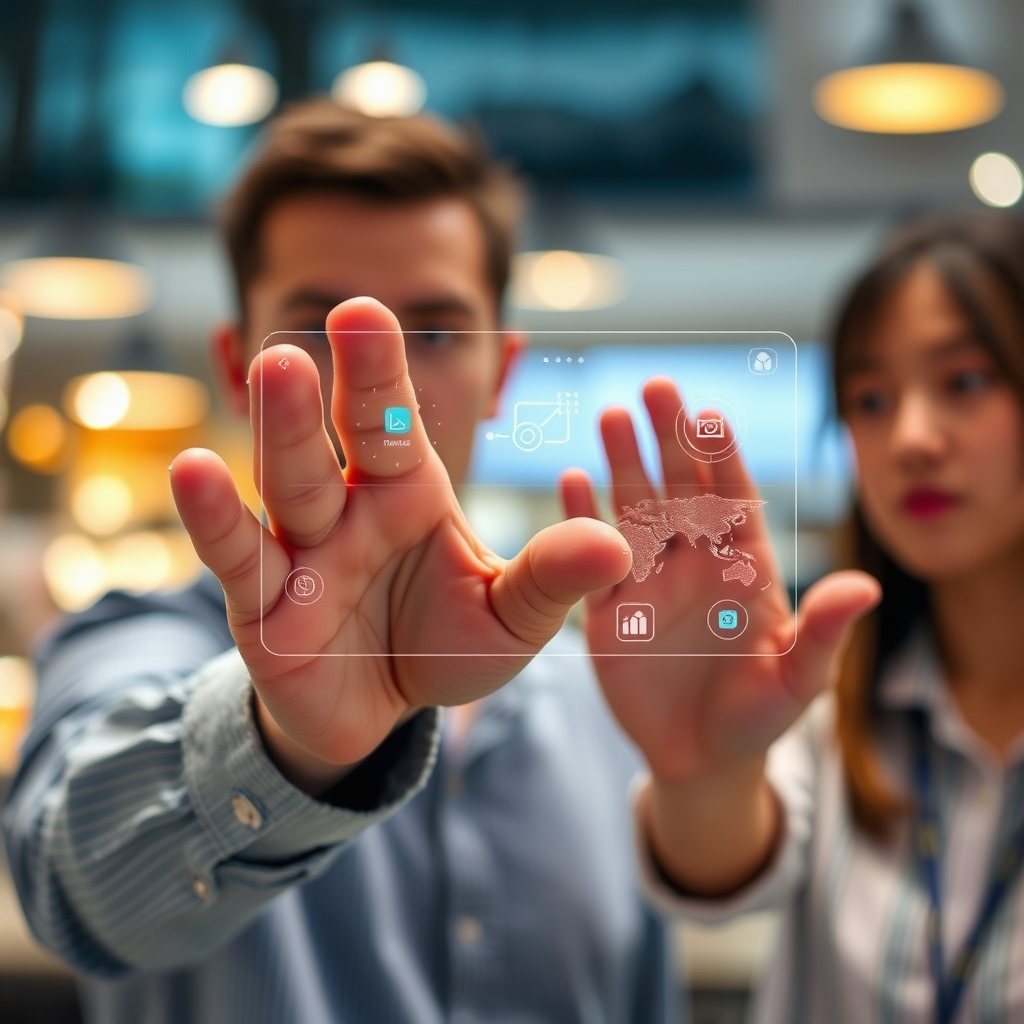

Gesture-based user interfaces (UIs) are fundamentally changing how we interact with our devices by enabling more natural and intuitive control. This shift is not just a trend; it’s enhancing user experiences across smartphones, smart TVs, and beyond, making our interactions more engaging and fluid. In this article, we’ll delve into the transformative impact of gesture-based UIs on display interaction, exploring their benefits, challenges, and the exciting possibilities that lie ahead.
The Rise of Gesture-Based UIs

User interfaces have come a long way from their humble beginnings of physical buttons and keyboard commands. As technology progressed, so too did our methods of interaction. The evolution began with touchscreens, which allowed for direct manipulation of on-screen elements. However, gesture-based interactions take this a step further by eliminating the need for physical contact altogether.
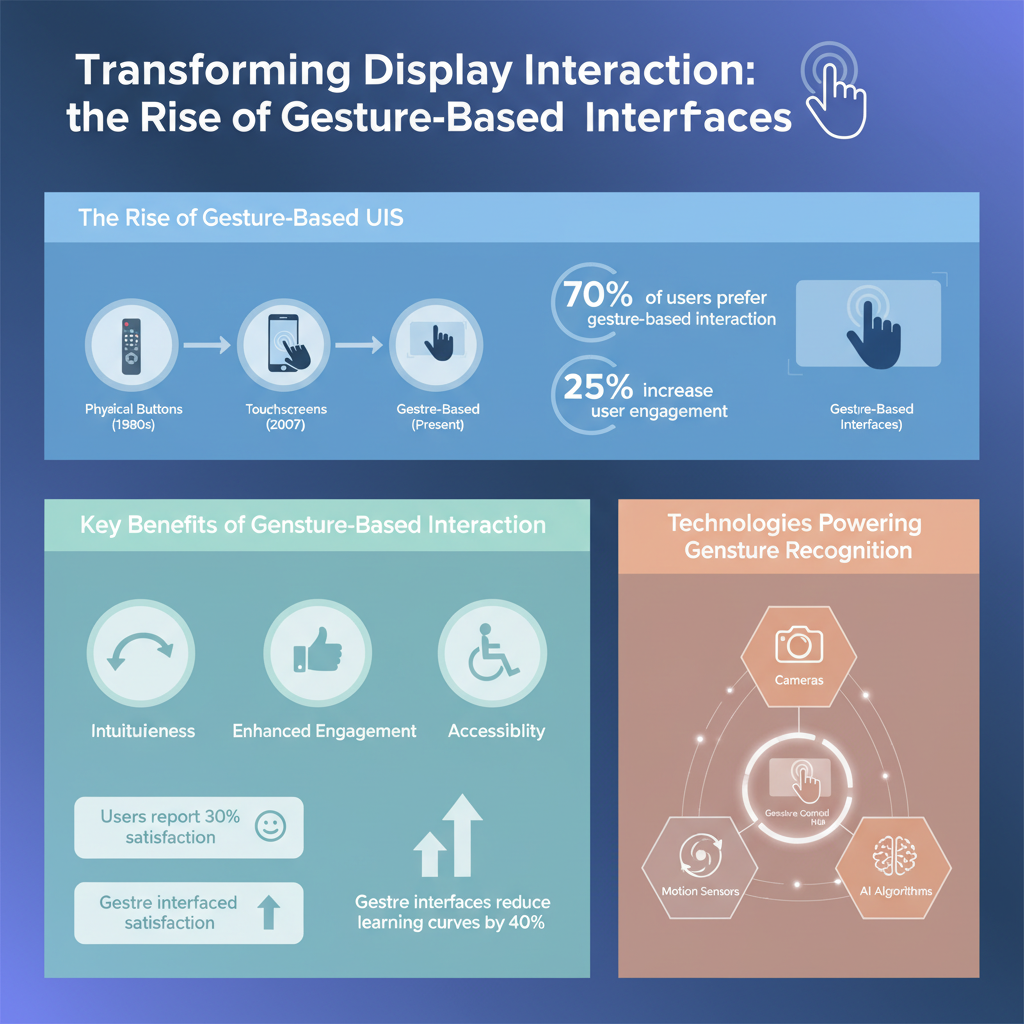
Modern devices like smartphones and smart TVs have successfully integrated gesture-based controls. For instance, many smart TVs now come equipped with remote controls that feature motion sensors, allowing users to navigate menus with simple hand gestures. Similarly, smartphones utilize gesture recognition to enable features like screen navigation, photo captures, and even app switching—all through swipes and taps. This seamless integration makes technology feel more natural and accessible, enhancing the overall user experience.
Key Benefits of Gesture-Based Interaction

One of the most significant advantages of gesture-based interaction is increased accessibility. For users with disabilities, traditional input methods can be challenging or even impossible to use. Gesture UIs open up a new world of possibilities, allowing individuals to engage with technology in ways that suit their unique needs. For example, voice-controlled gestures can enable those with mobility impairments to navigate devices without needing to touch a screen.
In addition to accessibility, gesture-based interactions significantly enhance user engagement. The immersive nature of these controls means that users feel more connected to their devices. Imagine playing a video game where you can physically swing your arm to hit a virtual ball or wave your hand to scroll through a movie list. These interactions create a more dynamic experience that can keep users engaged longer, as they are not just passive consumers but active participants in their digital environment.
Technologies Powering Gesture Recognition
The backbone of gesture recognition lies in advanced technologies such as computer vision and machine learning. Computer vision algorithms analyze visual input from cameras to recognize specific movements and gestures. Meanwhile, machine learning enables these systems to improve their accuracy over time by learning from user interactions.
Hardware developments have also played a crucial role in facilitating gesture-based controls. Depth sensors, like those used in Microsoft’s Kinect, allow devices to perceive three-dimensional space and accurately gauge user movements. Similarly, high-resolution cameras in smartphones can capture intricate gestures, allowing for smooth interactions without any cumbersome peripherals. As these technologies continue to evolve, we can expect even more precise and responsive gesture recognition systems.
Challenges in Implementing Gesture-Based UIs
While the benefits are clear, there are challenges that developers face when implementing gesture-based UIs. One significant limitation is the accuracy and responsiveness of gesture recognition systems. Factors such as lighting conditions, background clutter, and the user’s positioning can affect performance, leading to frustrating experiences if not addressed properly.
Moreover, transitioning from traditional interfaces to gesture-based controls requires user adaptation. Many users may struggle with the learning curve associated with new gestures. For instance, a simple wave to scroll may feel unnatural at first, and users may inadvertently trigger unintended actions. Developers must focus on creating intuitive designs and providing clear instructions to help users adjust comfortably to these new interaction paradigms.
Real-World Applications and Case Studies
Gesture-based UIs are making waves across various industries, showcasing their versatility and effectiveness. In gaming, companies like Nintendo have harnessed gesture technology through devices like the Wii, allowing players to engage physically with their games, which has redefined the gaming experience.
In healthcare, gesture-based interfaces are being used in surgical environments, enabling surgeons to control screens and imaging devices without needing to touch potentially contaminated surfaces, thus maintaining sterility while improving efficiency.
The automotive industry is also exploring gesture-based controls, with some cars offering features that allow drivers to adjust music or navigation systems with simple hand gestures. This hands-free operation not only enhances convenience but also promotes safer driving by minimizing distractions.
The Future of Gesture-Based Interaction
Looking ahead, the future of gesture-based interaction is promising. As advancements in gesture recognition technology continue, we can expect more sophisticated systems that understand and anticipate user actions with greater accuracy. For example, future applications could include smart home devices that respond to gestures, allowing users to control their environment with a wave of the hand.
Additionally, industries such as virtual and augmented reality could see significant benefits from gesture-based UIs. Imagine a world where users can interact with virtual objects as if they were real, using their hands to manipulate digital environments seamlessly. This blend of reality and technology could lead to groundbreaking applications in education, training, and entertainment.
As gesture-based UIs evolve, we will likely see a wider adoption across new sectors, further enriching our interactions with technology and enhancing overall user satisfaction.
The integration of gesture-based UIs is transforming the landscape of display interaction, paving the way for more intuitive and engaging technology experiences. As we continue to embrace these advancements, users can expect more fluid interactions that enhance accessibility and overall satisfaction. To stay informed about the latest trends and innovations in gesture technology, follow our blog and explore more resources on this exciting topic.
Frequently Asked Questions
What is gesture-based UI and how does it differ from traditional interfaces?
Gesture-based UI (User Interface) refers to interaction systems that allow users to control devices through physical movements, such as swipes, pinches, or taps, rather than relying solely on buttons or touchscreens. Unlike traditional interfaces, which often require precise finger placements on a screen, gesture-based UIs prioritize natural motions, making them more intuitive and accessible. This shift enhances user engagement and opens up new possibilities for hands-free control, especially in environments like virtual reality (VR) and augmented reality (AR).
How is gesture-based UI improving accessibility for users with disabilities?
Gesture-based UI significantly enhances accessibility for users with disabilities by enabling control through simple body movements, which can be easier for individuals with limited dexterity or mobility. Technologies like motion sensors and cameras can interpret gestures, allowing users to interact with devices without physical touch. This inclusivity not only empowers users but also aligns with the growing trend of designing technology that caters to diverse needs, ultimately fostering a more equitable digital environment.
Why are companies investing in gesture-based UI technology?
Companies are investing in gesture-based UI technology because it offers a competitive edge in creating intuitive, user-friendly experiences that enhance customer satisfaction. As consumer preferences shift towards seamless and immersive interactions, gesture-based UIs can differentiate products in a crowded market. Furthermore, the rise of smart home devices, wearable tech, and VR/AR applications presents vast opportunities for businesses to adopt gesture controls, leading to increased engagement and potential sales growth.
What are the best practices for designing gesture-based user interfaces?
The best practices for designing gesture-based user interfaces include ensuring gestures are intuitive and easy to learn, providing clear feedback to users after a gesture is performed, and maintaining a consistent gesture vocabulary across different functions. Designers should also consider the context of use, ensuring that gestures are practical for the environment where the technology will be used. Lastly, thorough user testing is crucial to refine gestures based on real user interactions, ensuring the interface is both effective and enjoyable to use.
Which industries are most impacted by the adoption of gesture-based UI technologies?
Industries that are most impacted by the adoption of gesture-based UI technologies include gaming, healthcare, automotive, and retail. In gaming, gesture controls enhance immersion and interactivity, while in healthcare, they can facilitate hygiene by reducing touch interactions. The automotive sector benefits from gesture-based interfaces by allowing drivers to control navigation and entertainment systems safely. Lastly, retail environments leverage these technologies to create engaging shopping experiences, making it easier for customers to browse and interact with products.
References
- https://en.wikipedia.org/wiki/Gesture_recognition
- https://www.sciencedirect.com/science/article/pii/S1877050920306000
- https://www.nature.com/articles/s41598-019-51309-7
- https://www.researchgate.net/publication/335485917_Towards_Gesture-Based_User_Interfaces_for_Interactive_3D_Applications
- https://www.bbc.com/future/article/20200723-how-gesture-control-is-changing-our-interactions
- https://www.microsoft.com/en-us/research/publication/gesture-based-user-interface-design/
- UX Daily: The World’s Largest Open-Source UX Design library | IxDF
- https://www.nist.gov/news-events/news/2018/03/gesture-based-interfaces-are-changing-how-we-interact-technology