

High Dynamic Range (HDR) significantly improves video quality by expanding the range of colors and contrast, allowing for a more vivid and realistic viewing experience. By leveraging advanced technology, HDR elevates your visuals to new heights, making everything from your favorite movies to video games look more lifelike. In this article, you’ll discover how HDR works, its benefits, and what you need to consider to fully enjoy HDR content.
What is HDR?

HDR stands for High Dynamic Range, a technology designed to enhance the contrast and color accuracy of video displays. Unlike standard dynamic range (SDR), which has a limited scope of brightness and color, HDR captures a broader spectrum of light. This means that dark areas can appear deeper and richer, while bright areas shine with intensity, creating a more balanced and dynamic image. Essentially, HDR allows for greater detail in both the highlights and shadows of a scene, which translates into a viewing experience that feels more immersive and true to life.
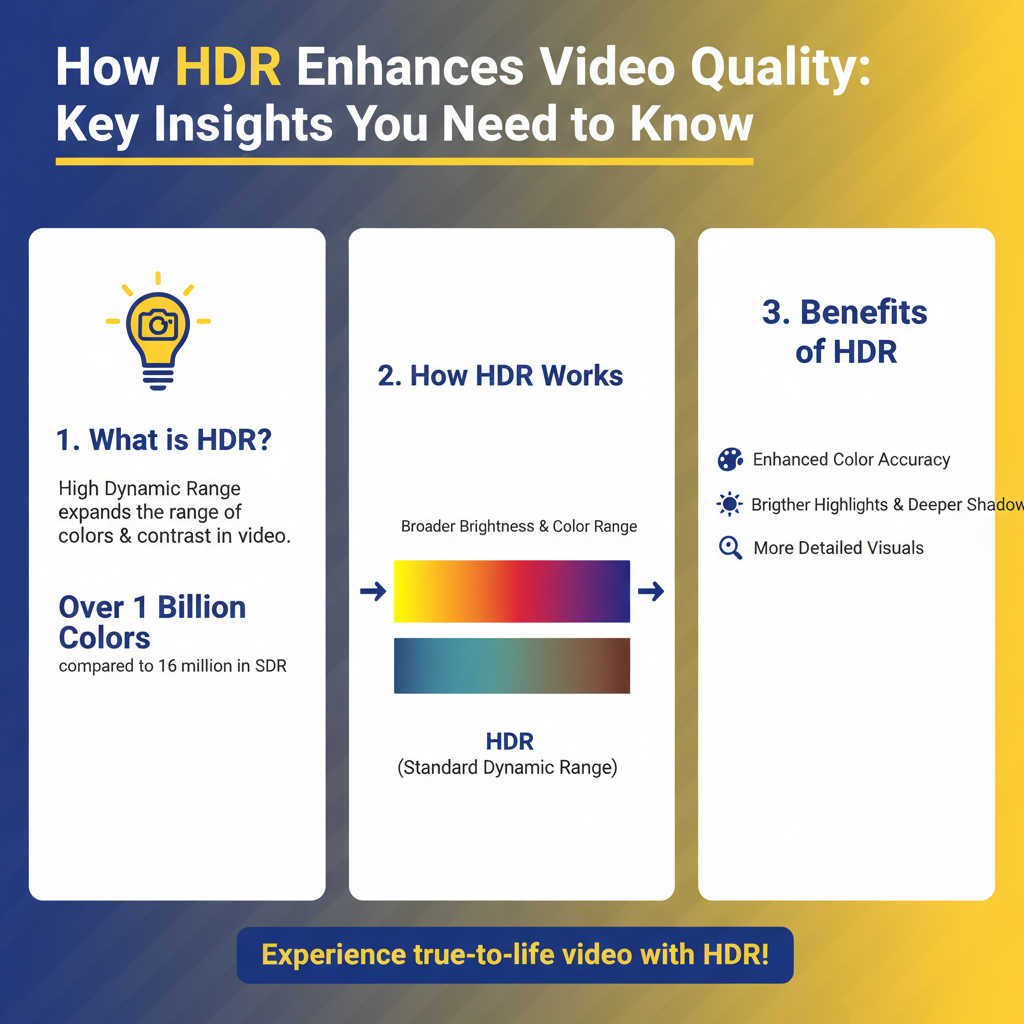
For instance, when watching a sunset scene in HDR, you’ll notice the deep oranges and pinks of the sky are more vibrant, while the silhouettes of trees can be seen more distinctly against that backdrop, something that could be washed out in SDR. This capability to present a more extensive range of colors and contrasts is what makes HDR not just a luxury but an advancement in how we experience video.
How HDR Works

HDR utilizes metadata to convey essential color and brightness information to the display, optimizing how scenes are rendered for the viewer. This metadata essentially acts as a guide, informing the display on how to adjust its brightness and contrast levels for each scene dynamically. The technology employs advanced encoding methods that allow for more detail in both shadows and highlights, leading to an overall richer image.
In practical terms, when an HDR video is played, the display interprets the metadata and adjusts its settings accordingly. For example, if a scene features a bright sun against a dark landscape, HDR ensures that the sunlight appears dazzling and overpowering without losing details in the shadows of the landscape. This means viewers can appreciate the full spectrum of a scene without the typical compromises that come with standard formats.
Benefits of HDR for Video Quality
One of the standout benefits of HDR is enhanced realism. HDR creates images that closely mimic what the human eye naturally sees, making scenes more lifelike. This is especially noticeable in films and documentaries that showcase nature, where the vibrant colors of flowers or the subtle hues of a sunset can be experienced in their full glory.
Improved detail is another significant advantage of HDR. Viewers can discern finer details in shadows and highlights that would otherwise be lost in standard dynamic range formats. For instance, in a dark alley scene, you may be able to spot intricate architectural details that SDR would render as mere blackness. This clarity allows for a more engaging storytelling experience, where viewers feel like they are part of the action rather than just watching from a distance.
HDR Formats Explained
When it comes to HDR, several formats exist, each with unique features and compatibility requirements. The most common formats include HDR10, Dolby Vision, and HLG (Hybrid Log-Gamma).
HDR10 is the most widely adopted format and is supported by most HDR-capable devices. It uses static metadata, which means that the settings are applied uniformly across the entire video. On the other hand, Dolby Vision takes things a step further by using dynamic metadata, allowing for scene-by-scene adjustments that enhance the viewing experience even more. HLG, often used for live broadcasts, is another format that’s gaining traction due to its compatibility with standard dynamic range displays.
Understanding these formats is crucial for consumers who want to choose the right equipment and content for the best viewing experience. For example, if you invest in a high-end TV that supports Dolby Vision, you’ll want to ensure that the content you’re watching is also mastered in that format to take full advantage of the technology.
Equipment Needed for HDR
To fully enjoy HDR content, you’ll need a few key pieces of equipment. First and foremost, an HDR-compatible display is essential—this could be a 4K UHD TV or monitor that explicitly supports HDR formats. When you’re shopping for a new TV, look for labels like “HDR10,” “Dolby Vision,” or “HDR10+” to ensure compatibility.
In addition to the display, you’ll need a streaming device, gaming console, or Blu-ray player that supports HDR playback. Most modern devices, such as the latest PlayStation and Xbox models, come with HDR compatibility, as do many streaming services like Netflix, Amazon Prime Video, and Disney+. Make sure to check the specifications of your current devices to see if they support HDR, or consider upgrading if you want to elevate your viewing experience.
Common Misconceptions about HDR
There are several misconceptions surrounding HDR that can lead to confusion. One common belief is that HDR automatically improves all content. While HDR can enhance the viewing experience, it primarily benefits content specifically mastered for HDR. Watching standard SDR content on an HDR display won’t magically make it look better; instead, it may just appear brighter.
Another misconception is that HDR requires expensive equipment. While high-end TVs and projectors can be costly, there are many affordable options that still provide a fantastic HDR experience. Brands like TCL and Hisense offer budget-friendly models that include HDR capabilities, proving that you don’t have to break the bank to enjoy stunning visuals.
Tips for Enjoying HDR Content
To maximize your enjoyment of HDR content, here are some practical tips. First, look for HDR content on streaming services or Blu-ray discs that explicitly state HDR compatibility. Platforms like Netflix even have a dedicated section for HDR content, making it easy to find films and shows that will take full advantage of your display.
Next, adjust your display settings to optimize HDR playback. Many TVs come with preset modes for HDR content, so experiment with these settings to find what looks best for you. Additionally, consider your viewing environment; a room that’s too bright can diminish the impact of HDR, so try to watch in a darker setting to truly appreciate the depth and vibrancy of HDR visuals.
By following these tips and understanding HDR technology, you can unlock a new level of realism in your viewing experience.
In summary, High Dynamic Range (HDR) is a revolutionary technology that enhances video quality by expanding the range of colors and contrast, allowing for a more lifelike viewing experience. Understanding how HDR works, the different formats available, and the equipment needed can significantly enhance your enjoyment of movies and games. By debunking common misconceptions and following practical tips, you can maximize your HDR experience and dive into a world of stunning visuals. So, gear up and start exploring HDR content—you’re in for a treat!
Frequently Asked Questions
What is HDR and how does it improve video quality?
HDR, or High Dynamic Range, is a technology that enhances the contrast and color accuracy in video content. By allowing a wider range of brightness levels, HDR delivers deeper blacks and brighter whites, resulting in a more lifelike and immersive viewing experience. This improvement in video quality is particularly noticeable in scenes with varying light conditions, making details more visible in both shadows and highlights.
How can I tell if my TV supports HDR?
To determine if your TV supports HDR, check the specifications provided by the manufacturer, usually found in the user manual or on their website. Look for terms like HDR10, Dolby Vision, or HLG, as these indicate HDR compatibility. Additionally, ensure that your HDMI ports are compatible, as HDR requires HDMI 2.0 or higher to function effectively.
Why is HDR content important for a better viewing experience?
HDR content is essential for a better viewing experience because it utilizes the full spectrum of colors and brightness levels that modern displays can produce. This means that viewers can enjoy more vibrant colors and realistic images, particularly in high-action scenes or detailed landscapes. Without HDR content, even a high-quality 4K display may not fully showcase its capabilities, resulting in a less engaging viewing experience.
What types of devices can I use to watch HDR content?
You can watch HDR content on a variety of devices, including HDR-compatible televisions, streaming devices (like Roku, Apple TV, or Amazon Fire Stick), gaming consoles (like PlayStation and Xbox), and Blu-ray players that support HDR formats. Many streaming services, such as Netflix, Amazon Prime Video, and Disney+, also offer a selection of HDR titles that can enhance your viewing experience.
Which HDR format is the best for home viewing?
The best HDR format for home viewing largely depends on your specific setup and content preferences. HDR10 is the most widely supported format and is compatible with most devices, while Dolby Vision offers dynamic HDR that adjusts scene-by-scene for optimal quality. If your equipment supports both, Dolby Vision may provide a superior experience, but HDR10 remains an excellent choice for its broad compatibility.
References
- High dynamic range
- https://www.nytimes.com/2020/09/25/technology/hdr-television-explained.html
- https://www.cnet.com/tech/home-entertainment/what-is-hdr-in-tv-and-why-you-need-it/
- https://www.techradar.com/news/what-is-hdr-and-why-do-you-need-it
- https://www.wired.com/story/hdr-video-what-you-need-to-know/
- https://www.sciencedirect.com/science/article/pii/S136184151930225X
- https://www.imaging.org/site/IST/Research/High_Dynamic_Range_Imaging.aspx
- https://www.itu.int/en/ITU-T/studygroups/2017-2020/16/Pages/faq.aspx