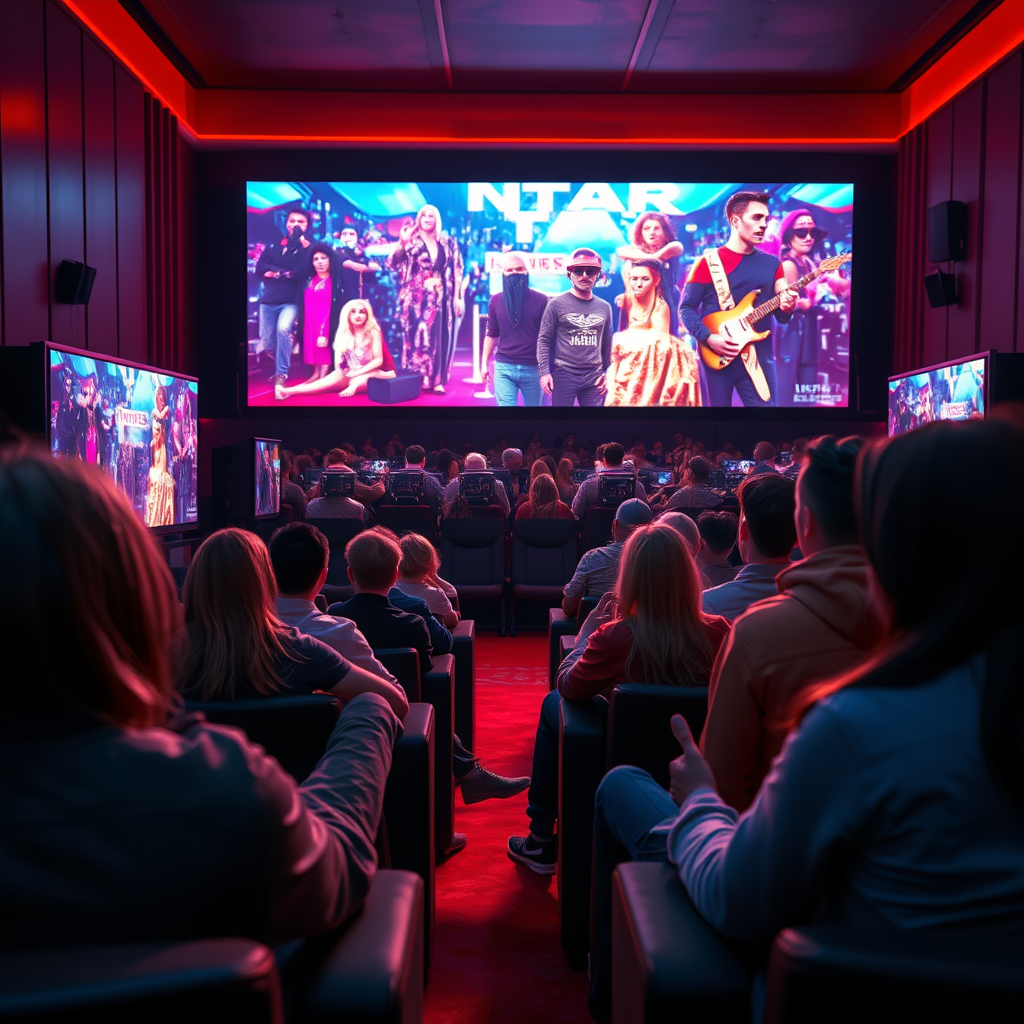
Local dimming significantly enhances the performance of TVs and monitors by improving contrast ratios and overall picture quality. This technology allows for deeper blacks and more vibrant colors, making the viewing experience more immersive. Whether you’re binge-watching your favorite series, playing the latest video game, or simply browsing the web, local dimming can transform your display. In this article, we’ll explore how local dimming works, its benefits, and factors to consider when choosing a display.




What is Local Dimming?

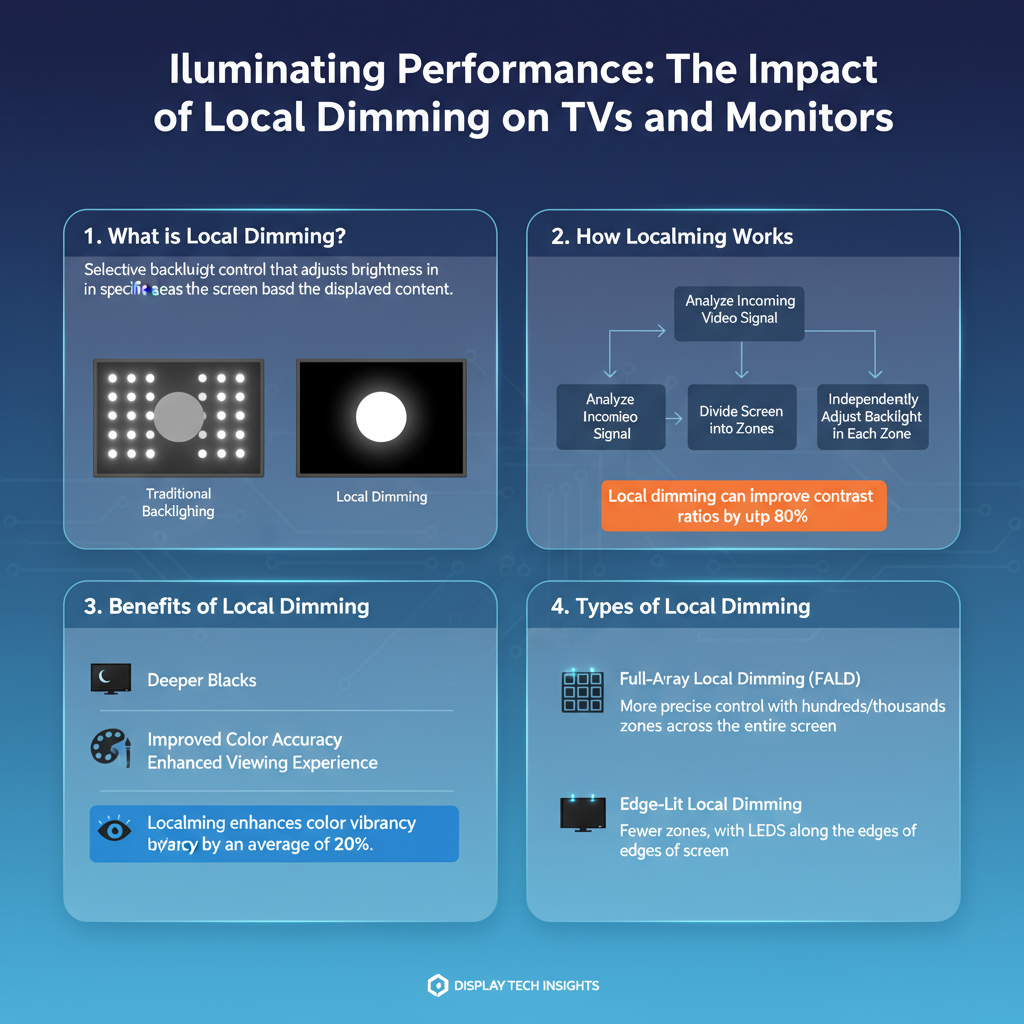
Local dimming is a sophisticated technology designed to enhance the viewing experience by adjusting the brightness of specific areas of the screen. Unlike traditional displays that illuminate the entire panel uniformly, local dimming allows for selective control over the backlighting in different zones. This feature can be implemented in both LED and OLED displays, effectively bolstering the contrast between light and dark areas of the image. By dimming the backlight in darker regions while keeping brighter areas well-lit, local dimming creates a more lifelike and engaging picture, which is especially noticeable in movies and games with varied lighting.
How Local Dimming Works

The inner workings of local dimming revolve around the concept of zones. In a display equipped with this technology, the screen is divided into several segments, each capable of independent brightness control. For instance, if a scene features a bright moon in a dark night sky, local dimming can reduce the brightness of the areas around the moon while keeping the moon itself brilliantly illuminated. This results in better black levels in dark scenes, where traditional displays might struggle to achieve true black, often resulting in a washed-out appearance. The precision of this control allows viewers to appreciate the nuances of dark scenes, enhancing the overall depth of the image without sacrificing the vibrancy of lighter areas.
Benefits of Local Dimming
The benefits of local dimming are numerous and impactful. First and foremost, enhanced contrast ratios create a more dynamic viewing experience, making colors pop and details stand out. For example, a movie scene set in a dimly lit room can convey a sense of mood and atmosphere that is significantly enhanced by the deep blacks and subtle gradients made possible by local dimming. Additionally, improved color accuracy translates to more lifelike images. When blacks are truly black and whites are bright, the spectrum of colors in between becomes more vibrant and true to life. Whether you’re watching a nature documentary or a fast-paced action movie, local dimming brings out the best in every frame.
Types of Local Dimming
When considering local dimming, it’s essential to recognize that not all implementations are created equal. The two primary types are full-array local dimming (FALD) and edge-lit local dimming.
– Full-array local dimming (FALD) utilizes a grid of backlight zones that cover the entire screen. This method allows for greater precision and control, as it can dim or brighten many small areas independently, resulting in more dramatic contrast and improved image quality. High-end TVs often employ FALD for a premium viewing experience.
– Edge-lit local dimming, on the other hand, places LED lights only along the edges of the screen. While this approach is typically more cost-effective and results in thinner displays, it is less effective at achieving deep blacks because the light has to spread across the entire screen. This can lead to uneven brightness and less impressive contrast, especially in scenes with a mix of light and dark areas.
Choosing between these types of local dimming can significantly impact your overall satisfaction with a display, so it’s worth considering your viewing habits and preferences.
Impact on Gaming and Motion
For gamers, local dimming can be a game-changer—literally! The technology not only improves the overall visual experience but can also enhance performance in fast-paced scenarios. Local dimming can help reduce motion blur and improve clarity in scenes with rapid movement, allowing players to react faster and with greater precision. Imagine playing a high-intensity racing game where every detail counts; local dimming ensures that you can see the road clearly, even when the action gets hectic. Furthermore, the more vibrant visuals fostered by local dimming can make gaming more immersive, pulling players deeper into their virtual worlds.
Considerations When Choosing a Display
When shopping for a TV or monitor with local dimming, there are several key factors to keep in mind.
– Number of Dimming Zones: Generally, more dimming zones lead to better performance. A display with 100 zones will likely provide superior contrast and detail compared to one with just a few zones. This is especially true for scenes with complex lighting.
– Display Technology: OLED displays often outperform LED displays in terms of black levels. This is because OLED technology allows each pixel to emit its own light and turn off completely, achieving true black. If deep blacks and vibrant colors are your priority, an OLED with local dimming may be the way to go.
– Use Case: Consider how you plan to use the display. For movie watching, a FALD-equipped LED or OLED may provide the cinematic experience you desire. For gaming, low input lag and fast refresh rates are equally crucial, so finding a balance between local dimming and these factors is essential.
Troubleshooting Common Issues with Local Dimming
While local dimming can dramatically improve picture quality, it’s not without its potential downsides. Some displays may exhibit blooming or halo effects, where bright objects bleed into adjacent dark areas, creating a distracting glow. This is more common in edge-lit displays than in FALD models. Understanding the limitations of your specific model is key to managing expectations.
Adjusting your display settings can often mitigate these issues. Many televisions offer various picture modes that can help reduce blooming, such as “Game Mode” or specific local dimming settings. Experimenting with these options can lead to a more satisfying viewing experience. Additionally, keeping your software up to date can improve performance and minimize issues related to local dimming.
Local dimming is a crucial feature that can drastically improve the visual quality of your TV or monitor. By understanding how it works and what to look for, you can make an informed decision that enhances your viewing experience. Whether you’re into movies, gaming, or everyday use, consider local dimming as a valuable factor when shopping for your next display. With the right knowledge, you can ensure that your investment leads to countless hours of spectacular viewing enjoyment.
Frequently Asked Questions
What is local dimming and how does it work in TVs and monitors?
Local dimming is a technology used in LED-backlit TVs and monitors that allows specific zones of the screen to dim independently from others. This means that when a scene contains both bright and dark areas, local dimming can enhance contrast by reducing the brightness of the dark zones, resulting in deeper blacks and more vibrant colors. This technology improves overall picture quality, especially in high-contrast scenes, making it a desirable feature for viewers looking for a cinematic experience.
How does local dimming affect the overall picture quality of a TV or monitor?
Local dimming significantly enhances picture quality by increasing contrast ratios and improving black levels. This is particularly noticeable in dark scenes where traditional backlighting may cause a “halo” effect around bright objects. By accurately controlling the light output in specific screen areas, local dimming allows for a more immersive viewing experience, making colors appear richer and details more defined, which is especially beneficial for movie watchers and gamers.
Why is local dimming important for HDR (High Dynamic Range) content?
Local dimming plays a crucial role in optimizing HDR content because HDR relies on a wider range of brightness levels and improved contrast. With local dimming, TVs and monitors can better display the bright highlights and deep shadows that HDR content offers, resulting in a more dynamic and realistic image. This technology allows viewers to appreciate the full potential of HDR, enhancing their overall viewing experience by showcasing subtle details and vibrant colors.
Which types of local dimming are available, and which is the best for gaming?
There are two main types of local dimming: edge-lit and full-array. Edge-lit local dimming uses LEDs positioned along the edges of the screen, while full-array local dimming features a grid of LEDs behind the entire screen, allowing for precise control over light output. For gaming, full-array local dimming is typically the best choice due to its superior contrast and faster response times, providing gamers with more accurate visuals and a competitive edge in dark scenes.
What are the potential downsides of local dimming in TVs and monitors?
One of the potential downsides of local dimming is the occurrence of blooming, where bright objects can create a halo effect in adjacent dark areas due to light bleed. This can detract from the viewing experience, particularly in scenes with sharp transitions between light and dark. Additionally, local dimming can sometimes lead to a slight decrease in brightness levels in non-HDR content, which may not appeal to all viewers. It’s essential to consider these factors when evaluating a display for your specific viewing preferences.
References
- Backlight
- https://www.techhive.com/article/3401442/local-dimming-explained.html
- Product Support: Help Library | LG USA Support
- https://www.rtings.com/tv/learn/local-dimming
- https://www.digitaltrends.com/home-theater/local-dimming-explained/
- https://www.cnet.com/tech/home-entertainment/what-is-local-dimming/

3 thoughts on “How Local Dimming Influences TV and Monitor Performance”