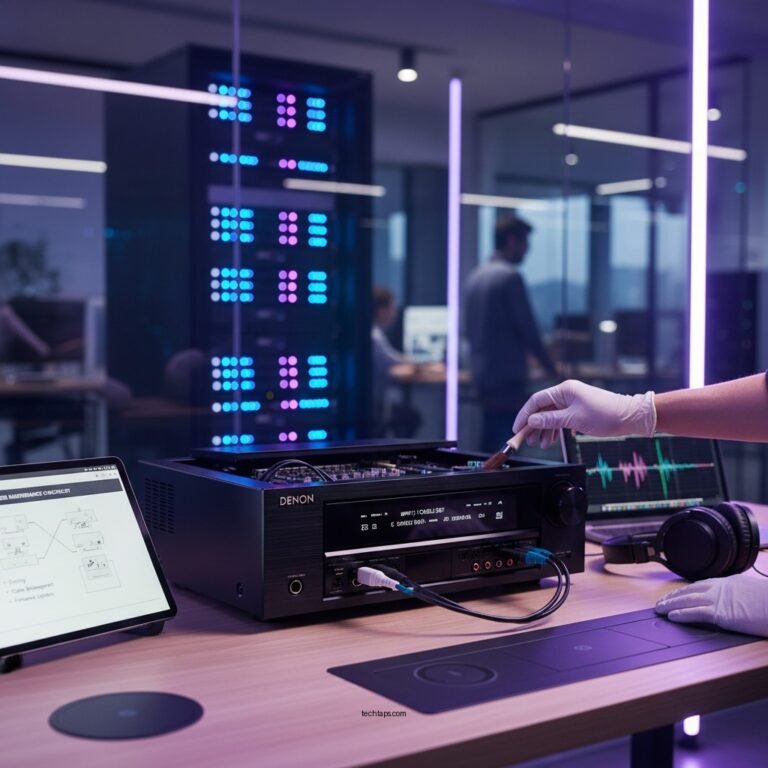

Streaming high-quality audio over Wi-Fi requires careful attention to both network configuration and hardware selection. Achieving an enriched listening experience hinges on understanding the best practices that can enhance your audio streaming capabilities. In this article, we will delve into essential tips and strategies designed to help you optimize your audio streaming, ensuring superior sound quality from your devices.
Optimize Your Wi-Fi Network

To achieve the best audio streaming experience, the first step is to optimize your Wi-Fi network. A well-structured network can significantly reduce interruptions and enhance audio quality.
– Position your router centrally to minimize dead zones. The placement of your router is crucial; ideally, it should be located in a central position within your home to ensure even coverage. Avoid placing it in corners or behind furniture, which can obstruct signals and create dead zones.
– Use dual-band or tri-band routers for better bandwidth management. Modern dual-band or tri-band routers can transmit data over multiple frequencies (2.4 GHz and 5 GHz), allowing devices to connect to the less congested band. This capability can greatly enhance streaming quality, especially in households with multiple devices competing for bandwidth.
Choose the Right Streaming Protocol
Another critical aspect of streaming high-quality audio is selecting the appropriate streaming protocol.
– Understand the differences between protocols like AirPlay, DLNA, and Chromecast. Each protocol has its advantages and limitations. For instance, AirPlay is optimized for Apple devices and provides high-quality audio streaming, while DLNA is more compatible with a broader range of devices but may not deliver the same audio fidelity. Chromecast offers versatility across various platforms but might require a stable internet connection to maintain quality.
– Select a protocol that best suits your audio quality needs and device compatibility. Evaluating your existing devices and their compatibility with these protocols can guide you in making an informed choice that prioritizes both quality and convenience.
Invest in Quality Audio Equipment
Investing in high-quality audio equipment can transform your streaming experience.
– Use high-fidelity speakers or headphones for the best sound experience. Quality audio peripherals can reproduce sound accurately, providing a more immersive experience. Brands like Bose, Sennheiser, and Audio-Technica offer exceptional headphones and speakers that can significantly enhance audio playback.
– Ensure your audio receiver supports high-resolution audio formats. If you are using an audio receiver, verify that it is compatible with high-resolution audio formats such as FLAC or DSD. This compatibility ensures that you are not downgrading your audio quality during playback.
Top 7 Audio Streaming Protocols (2024)
| # | Protocol | Audio Quality | Compatibility | Ease of Use |
|---|---|---|---|---|
| 1 | AirPlay | High | Apple Devices | Easy |
| 2 | DLNA | Medium | Various | Moderate |
| 3 | Chromecast | High | Multiple | Easy |
| 4 | RTP | High | Streaming Services | Moderate |
| 5 | Bluetooth | Medium | Most Devices | Complex |
| 6 | UPnP | Medium | Various | Moderate |
| 7 | MPEG-DASH | High | Streaming Services | Easy |
Reduce Network Interference
Reducing network interference is essential for maintaining a stable audio stream.
– Minimize interference from other devices by adjusting channel settings on your router. Many routers allow users to select different channels for broadcasting Wi-Fi signals. By choosing a less congested channel, you can reduce interference from other networks and devices, improving streaming quality.
– Disconnect unused devices from the network to free up bandwidth. Every device connected to your network consumes bandwidth, which can lead to streaming interruptions. Regularly check which devices are connected and disconnect those that are not in use to optimize your network performance.
Monitor Your Internet Speed
Regularly monitoring your internet speed is vital to ensure seamless audio streaming.
– Regularly test your internet speed to ensure it meets streaming requirements. Various online tools can help you test your internet speed. For high-quality audio streaming, a download speed of at least 5 Mbps is recommended. Testing helps you identify any potential issues before they affect your listening experience.
– Consider upgrading your internet plan if you experience buffering or quality drops. If you frequently encounter buffering or audio quality issues, it may be time to upgrade your internet plan. Higher speed plans provide the necessary bandwidth to support multiple devices and high-quality audio streams simultaneously.
Use Wired Connections When Possible
While Wi-Fi is convenient, wired connections often provide a superior audio streaming experience.
– Connect your streaming device directly to the router using an Ethernet cable. Wired connections are generally faster and more stable than Wi-Fi, resulting in better audio quality. This is especially important for devices that stream high-resolution audio or for households with multiple users streaming simultaneously.
– Understand the benefits of wired connections for consistent audio quality. Wired connections significantly reduce latency and the risk of interference, ensuring a consistent and high-quality audio experience. If possible, prioritize wired connections for your primary audio devices.
Regularly Update Your Devices
Keeping your audio streaming devices updated is crucial for optimal performance.
– Keep your streaming apps and devices updated to benefit from the latest features and improvements. Software updates often include enhancements that improve performance and fix bugs. Regularly checking for updates ensures that you are making the most of your devices’ capabilities.
– Check for firmware updates for your router and audio equipment to enhance performance. Router firmware updates can improve security and functionality, which directly impacts your streaming experience. Ensuring that all devices are up to date can help maintain a smooth and high-quality audio stream.
By following these best practices, you can significantly improve the quality of your audio streaming over Wi-Fi. Implementing these strategies will help you create a more enjoyable and reliable listening experience. Take the time to optimize your setup today and enjoy your favorite music without interruptions!
Frequently Asked Questions
What are the best practices for optimizing Wi-Fi for high-quality audio streaming?
To optimize Wi-Fi for high-quality audio streaming, ensure your router is positioned centrally in your home, away from obstructions. Utilize the 5GHz band for reduced interference and faster speeds, and consider using Quality of Service (QoS) settings to prioritize audio streaming over other internet activities.
How can I reduce latency when streaming audio over Wi-Fi?
To reduce latency when streaming audio over Wi-Fi, use a wired connection for your audio source if possible, as this minimizes delay. Additionally, ensure your Wi-Fi router is up-to-date and supports the latest standards like Wi-Fi 6, which offers improved performance and lower latency for audio streaming.
Why is my audio quality poor when streaming over Wi-Fi, and how can I fix it?
Poor audio quality while streaming over Wi-Fi can be caused by weak signal strength, network congestion, or outdated equipment. To fix it, check your Wi-Fi signal strength, reduce the number of connected devices, and consider upgrading to a dual-band router to enhance your streaming experience.
Which settings should I adjust on my router for the best audio streaming experience?
For the best audio streaming experience, adjust your router’s settings to enable Quality of Service (QoS) for audio applications, prioritize bandwidth for these services, and disable background services that may interfere with streaming. Additionally, ensure that your router’s firmware is regularly updated for optimal performance.
What equipment do I need for streaming high-quality audio over Wi-Fi effectively?
To stream high-quality audio over Wi-Fi effectively, invest in a high-quality router that supports the latest Wi-Fi standards, such as Wi-Fi 6. Additionally, consider using a dedicated streaming device or smart speaker that supports high-resolution audio formats for the best sound quality during your streaming sessions.
References
- Streaming media
https://en.wikipedia.org/wiki/Audio_streaming - https://www.ncbi.nlm.nih.gov/pmc/articles/PMC7063100/
https://www.ncbi.nlm.nih.gov/pmc/articles/PMC7063100/ - https://www.sciencedirect.com/science/article/pii/S235286481930352X
https://www.sciencedirect.com/science/article/pii/S235286481930352X - https://www.nature.com/articles/s41598-020-77605-w
https://www.nature.com/articles/s41598-020-77605-w - https://www.bbc.com/future/article/20200622-how-wifi-streaming-works-and-why-it-matters
https://www.bbc.com/future/article/20200622-how-wifi-streaming-works-and-why-it-matters - https://www.reuters.com/technology/how-streaming-services-are-saving-your-wifi-2021-02-15/
https://www.reuters.com/technology/how-streaming-services-are-saving-your-wifi-2021-02-15/ - Google Scholar Google Scholar
https://scholar.google.com/scholar?q=Best+Practices+for+Streaming+High-Quality+Audio+Over+Wi-Fi - https://scholar.google.com/scholar?q=High-Quality+Audio+Streaming+Techniques Google Scholar
https://scholar.google.com/scholar?q=High-Quality+Audio+Streaming+Techniques - Google Scholar Google Scholar
https://scholar.google.com/scholar?q=Wireless+Streaming+Audio+Best+Practices - https://www.mayoclinic.org/diseases-conditions/hearing-loss/in-depth/hearing-aids/art-20046331
https://www.mayoclinic.org/diseases-conditions/hearing-loss/in-depth/hearing-aids/art-20046331