
Dual-screen laptops significantly enhance productivity by allowing users to multitask more efficiently and access multiple applications simultaneously. With the ability to have two screens working in tandem, users can streamline their workflows, manage tasks more effectively, and foster a more organized digital workspace. This innovative technology not only caters to various professional needs but also transforms the way we approach daily work tasks. In this article, we’ll explore the key benefits of dual-screen laptops and how they can revolutionize your work experience.
Increased Screen Real Estate

One of the most immediate advantages of dual-screen laptops is the increase in screen real estate. With two screens, you can expand your visual workspace significantly, accommodating more open applications without feeling cramped. For instance, imagine having your email client open on one screen while you draft a report on the other. This setup reduces the need for constant tab-switching, which can disrupt your flow and waste valuable time. Instead of juggling between multiple windows, you can view everything you need at a glance, making it easier to stay focused.
This expanded workspace is particularly beneficial for professionals in fields such as graphic design, data analysis, and software development, where multiple applications need to be accessed simultaneously. With dual screens, designers can work on their projects while keeping their design tools and resources open, leading to a smoother creative process. Similarly, data analysts can compare multiple data sets side by side, enhancing their ability to draw insights without the constant back-and-forth.
Enhanced Multitasking Capabilities
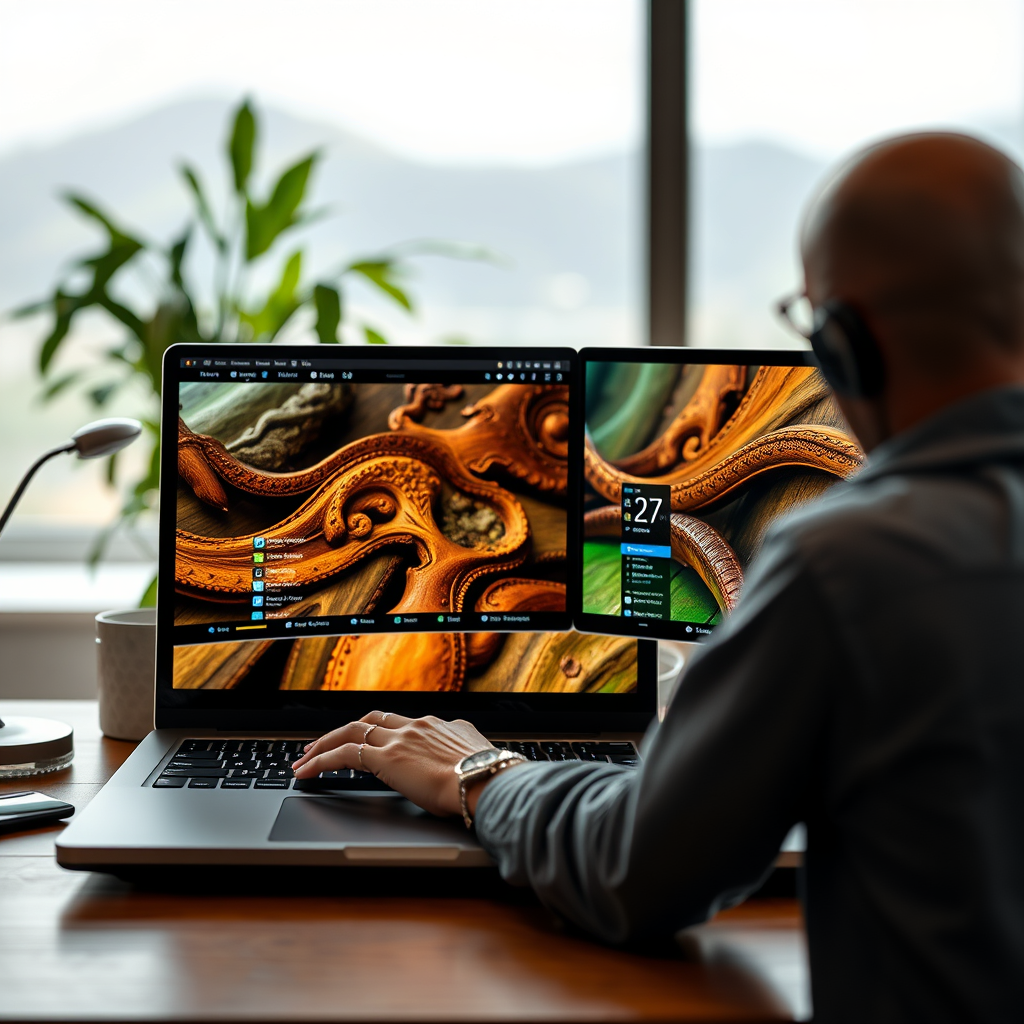
Enhanced multitasking is another standout feature of dual-screen laptops. The ability to seamlessly run multiple programs side by side—like video conferencing software and a document editor—means you can engage in meetings while taking notes or making edits in real time. This is especially valuable in today’s remote work environment, where collaboration is often done through virtual meetings.
For example, during a client call, you can share your screen with presentation slides on one display while referring to your notes or project plans on the other. This eliminates the hassle of minimizing and maximizing windows, allowing for smoother interactions and less disruption. Moreover, it makes it possible to compare documents or data without losing track of either one, which can significantly speed up decision-making processes.
Improved Focus and Organization
Dual-screen laptops also contribute to improved focus and organization. By dedicating one screen to specific tasks, users can keep distractions at bay and maintain a clearer mental space. For instance, one screen can be used strictly for communication tools like Slack or Microsoft Teams, while the other can be reserved for project work. This separation helps to create boundaries in your work environment, minimizing interruptions and enhancing productivity.
Additionally, organizing work materials becomes a breeze with dual screens. Important files, charts, or resources can be kept open and easily accessible, allowing for quick reference without the need to search through folders or tabs. This level of organization not only saves time but also reduces stress, enabling you to tackle tasks more effectively.
Greater Flexibility in Workflow
The flexibility offered by dual-screen laptops is a game-changer for many users. Whether you’re working on creative projects, coding, or managing large datasets, having two screens allows for a more personalized setup tailored to your individual work style and needs. For example, a writer could use one screen for drafting content while having research materials or reference documents open on the second screen.
This flexibility is equally beneficial for professionals in tech, where coding and debugging can happen simultaneously. Developers can view their code on one screen while testing it in real time on the other, making troubleshooting much more straightforward. The ability to customize your workspace according to the task at hand not only improves efficiency but also enhances job satisfaction as you can work in a way that feels most natural to you.
Collaboration Made Easier
Collaboration is another area where dual-screen laptops shine. They simplify the process of sharing and working together on projects by allowing users to display notes or presentations on one screen while discussing them on the other. This is particularly useful in team settings, whether in-person or remote, where visual aids can enhance discussions and improve understanding.
For instance, during a brainstorming session, one screen can showcase a shared document or whiteboard, while team members can offer input or suggestions on the other screen. This dual display setup not only facilitates clearer communication but also enhances remote work effectiveness by accommodating video calls and project management tools simultaneously. It’s a win-win that promotes teamwork and collective problem-solving.
Potential Challenges and Considerations
While the advantages of dual-screen laptops are numerous, it’s essential to acknowledge some potential challenges and considerations. There may be a learning curve associated with adapting to dual-screen setups, particularly for those who are accustomed to traditional single-screen laptops. Users might find themselves overwhelmed initially, needing time to adjust to this new way of working.
Additionally, it’s worth considering the physical workspace. Dual-screen laptops can take up more desk space, which may not be feasible for everyone. Users should also keep an eye on power consumption, as running two screens can drain battery life more quickly than a single screen. It’s important to ensure that your setup is ergonomic and that you have the necessary resources to support a dual-screen environment effectively.
In summary, dual-screen laptops are powerful tools that can significantly boost productivity through enhanced multitasking, better organization, and increased flexibility. If you’re looking to transform your work experience, consider integrating a dual-screen laptop into your setup to unlock its full potential. Explore different models and find the one that best fits your needs today! Whether you’re a creative professional, a data analyst, or simply someone seeking to improve productivity, the dual-screen setup could be your new best friend in the digital workspace.
Frequently Asked Questions
How do dual-screen laptops improve multitasking capabilities?
Dual-screen laptops significantly enhance multitasking by allowing users to run multiple applications simultaneously across two displays. This setup enables you to have a document open on one screen while referencing web pages or spreadsheets on the other, reducing the need to switch between tabs and applications. As a result, this seamless workflow can increase efficiency and productivity, making it ideal for professionals who require constant access to different types of information.
What are the best use cases for dual-screen laptops in a business environment?
Dual-screen laptops are particularly beneficial for business professionals who engage in tasks such as data analysis, content creation, and project management. For instance, marketers can use one screen for social media analytics while drafting campaigns on the other. Additionally, software developers can write code on one display while testing applications on the other, optimizing their workflow and reducing the time spent on task-switching.
Why should I consider investing in a dual-screen laptop over a traditional single-screen model?
Investing in a dual-screen laptop can lead to substantial productivity gains and better organization of tasks compared to traditional single-screen models. With two screens, you can easily compare documents, edit presentations, or communicate with team members while working on projects, which minimizes distractions and enhances focus. The dual setup can also reduce eye strain as you have the flexibility to arrange your workspace according to your comfort.
Which dual-screen laptops are the most effective for enhancing productivity?
Some of the most effective dual-screen laptops for enhancing productivity include models like the Asus ZenBook Duo, Microsoft Surface Duo, and Lenovo ThinkBook Plus. These laptops are designed with high-resolution displays that offer crisp visuals and are equipped with powerful processors for efficient multitasking. Each model features unique capabilities, so choosing one depends on your specific needs, whether it’s portability, performance, or display quality.
How can I optimize my workflow with a dual-screen laptop?
To optimize your workflow with a dual-screen laptop, consider organizing your workspace by allocating specific tasks to each screen. For example, keep communication tools like email or messaging apps on one screen while dedicating the other to your main work. Utilizing software tools that support dual-screen functionality, such as task managers and graphic design programs, can also enhance your efficiency. Finally, adjust your screen settings to ensure comfortable viewing angles and reduce eye fatigue during prolonged use.
References
- https://en.wikipedia.org/wiki/Dual-screen_laptop
- https://www.sciencedirect.com/science/article/pii/S1877050919311416
- https://www.nytimes.com/2020/09/09/technology/personaltech/dual-screen-laptops.html
- https://www.wired.com/story/dual-screen-laptops/
- https://www.forbes.com/sites/bernardmarr/2020/01/20/dual-screen-laptops-are-they-worth-it/
- https://www.researchgate.net/publication/334789115_The_Impact_of_Dual-Screen_Devices_on_Productivity
- https://www.microsoft.com/en-us/microsoft-365/blog/2020/01/07/a-new-kind-of-productivity-with-dual-screen-devices/