

Graphics cards are essential for achieving high-quality gaming display, influencing everything from frame rates to visual fidelity. A good graphics card ensures that your games run smoothly, look stunning, and provide an immersive experience. In this article, you’ll learn how graphics cards influence gaming performance, what specific features to look for, and how to enhance your gaming experience.
Understanding Graphics Card Basics

At the heart of every gaming PC is the graphics processing unit (GPU), which is responsible for rendering images, animations, and video in games. The architecture of a GPU consists of several key components, including cores, memory, and cooling systems. The cores perform the calculations needed to create graphics, while the memory (or VRAM) stores textures and other graphical data for quick access.
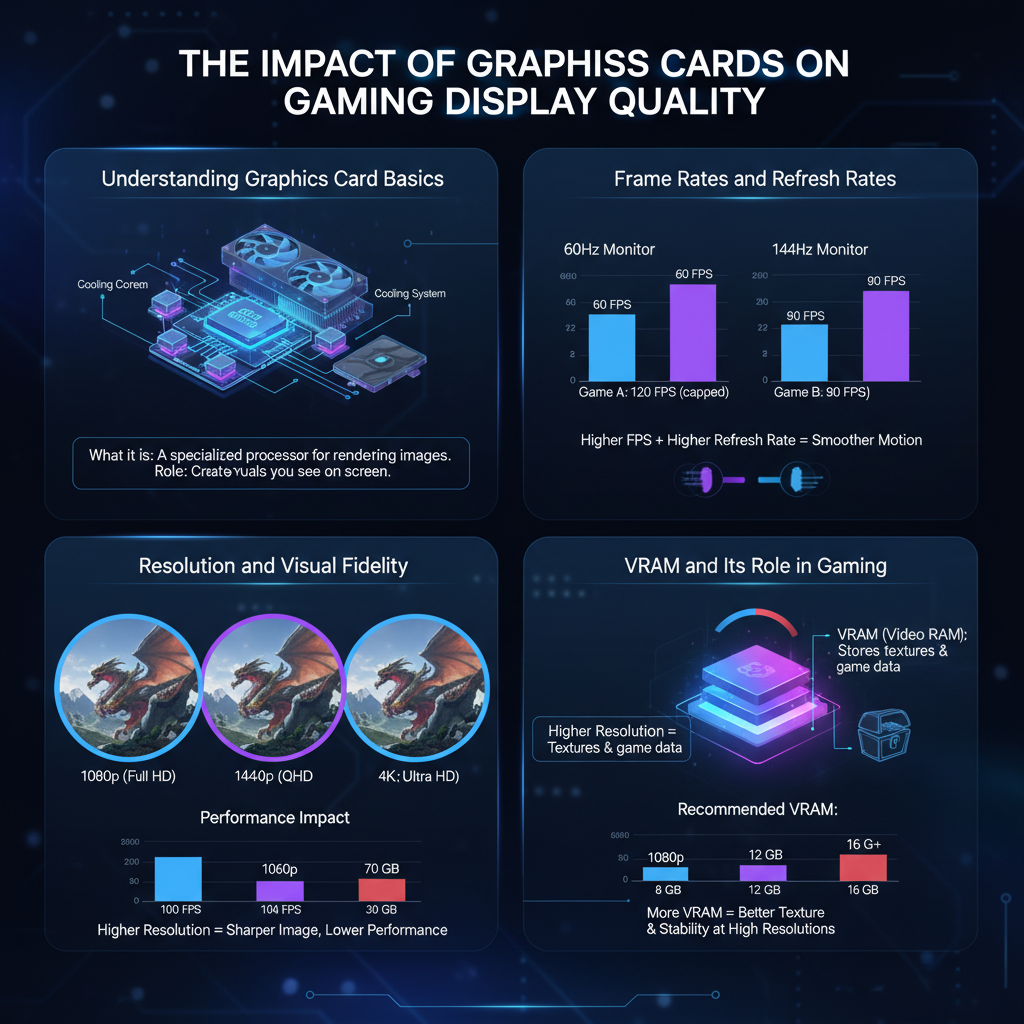
There are two main types of graphics cards: integrated and dedicated. Integrated graphics are built into the CPU and share memory with the system, making them suitable for basic gaming and everyday tasks. However, they lack the power and capabilities of dedicated graphics cards, which have their own memory and processing resources. Dedicated graphics cards are ideal for serious gamers, offering superior performance, higher frame rates, and enhanced visual fidelity.
Frame Rates and Refresh Rates

Frames per second (FPS) is a critical measure of gaming performance, indicating how many individual images your GPU can render in one second. Higher FPS leads to smoother gameplay, making it easier to react to in-game events and enjoy a more fluid experience. For most gamers, aiming for at least 60 FPS is essential, especially in fast-paced games like first-person shooters or racing titles.
On the other hand, refresh rates, measured in hertz (Hz), refer to how often your monitor can refresh the image displayed on the screen. A monitor with a higher refresh rate (like 120Hz or 144Hz) can show more frames per second, resulting in smoother visuals. When paired with a capable graphics card, a high-refresh-rate monitor can significantly enhance gameplay, reducing motion blur and improving responsiveness.
Resolution and Visual Fidelity
The resolution of your games greatly affects the quality of your gaming experience. Common resolutions include 1080p (Full HD), 1440p (Quad HD), and 4K (Ultra HD). A powerful graphics card is necessary to render these higher resolutions effectively. For instance, while a mid-range GPU can handle 1080p gaming with ease, it may struggle at 4K, leading to lower frame rates and reduced visual quality.
Moreover, graphics cards also impact visual fidelity through the enhancement of textures, shadows, and lighting effects. Modern GPUs support advanced graphical features like real-time ray tracing, which simulates realistic lighting and reflections. For example, in games like “Cyberpunk 2077,” a high-end graphics card enables players to experience stunning visuals that bring the game’s world to life. The more powerful your graphics card, the richer and more immersive your gaming experience will be.
VRAM and Its Role in Gaming
Video RAM (VRAM) is a specialized type of memory used by the graphics card to store image data. It plays a crucial role in how well a game performs, particularly at higher resolutions or when using detailed textures. For instance, a game with high-resolution textures requires more VRAM to load assets quickly, preventing stuttering or frame drops during gameplay.
When shopping for a graphics card, consider its VRAM capacity. For 1080p gaming, 4GB of VRAM is often sufficient, but many modern games benefit from 6GB or more, especially at 1440p or 4K resolutions. If you’re aiming to play graphically demanding titles, a card with 8GB or more of VRAM will provide a smoother experience and allow for higher graphical settings.
Compatibility with Monitors
Matching your graphics card with your monitor specifications is vital for achieving optimal display quality. A powerful graphics card paired with a low-resolution or low-refresh-rate monitor can lead to underwhelming performance, while a more modest GPU can be bottlenecked by a high-end display.
Technologies like G-Sync and FreeSync help synchronize the frame output of the GPU with the refresh rate of the monitor, reducing screen tearing and stuttering. For example, if you own an NVIDIA graphics card, opting for a G-Sync monitor can significantly improve your gaming visuals, ensuring a smoother experience regardless of the frame rates. Understanding these technologies and ensuring compatibility can enhance your gaming setup tremendously.
Upgrading Your Graphics Card
Recognizing when to upgrade your graphics card is essential for maintaining an enjoyable gaming experience. Signs that it might be time to consider an upgrade include consistently low frame rates, inability to play new titles, or a noticeable decline in visual quality. If your graphics card struggles to keep up with the latest games, it’s a clear indication that an upgrade is in order.
When shopping for a new graphics card, focus on key features such as performance benchmarks, VRAM capacity, and compatibility with your system. Researching user reviews and professional benchmarks can help you identify cards that provide excellent value for money. Brands like NVIDIA and AMD offer a range of options catering to different budgets and performance needs, so there’s something available for every gamer.
Optimizing Game Settings for Best Performance
To achieve the best performance and visual quality, adjusting your game settings is crucial. Start by finding a balance between quality and performance—sometimes lowering specific settings like shadows or anti-aliasing can significantly boost frame rates without drastically affecting visual appeal.
For popular games, many online forums and community guides provide recommended settings based on specific hardware capabilities. For example, if you have a mid-range graphics card, settings that prioritize frame rates while maintaining decent visual quality can enhance your experience without overloading your system. Experimenting with these settings can lead to a personalized gaming experience that suits your style.
With a better understanding of how graphics cards affect gaming display quality, you can make informed decisions about upgrading your hardware or optimizing your gaming setup. By focusing on key aspects like frame rates, resolution, and compatibility, you can significantly enhance your gaming experience. Take the next step in elevating your gameplay by evaluating your current graphics card and considering an upgrade if necessary. Remember, the right graphics card can transform your gaming sessions into truly immersive adventures!
Frequently Asked Questions
How do graphics cards influence gaming display quality?
Graphics cards are crucial for rendering images and animations in video games, significantly affecting display quality. A powerful graphics card enhances frame rates and allows for higher resolutions, smoother textures, and improved visual effects. This results in a more immersive gaming experience with less lag and more detailed graphics, especially in demanding titles.
What factors should I consider when choosing a graphics card for gaming?
When selecting a graphics card for gaming, consider factors such as compatibility with your motherboard, VRAM (Video RAM) size, GPU (Graphics Processing Unit) performance, and cooling solutions. Additionally, assess your gaming resolution preferences—1080p, 1440p, or 4K—as different cards excel at different resolutions. Lastly, take into account your budget and the types of games you play to find the best balance between performance and cost.
Why is VRAM important in gaming graphics cards?
VRAM (Video RAM) is essential for storing textures, images, and other graphical data that your GPU uses while rendering games. A higher VRAM capacity allows for better performance at higher resolutions and more complex textures, preventing bottlenecks that can lead to stuttering or reduced frame rates. Games with detailed graphics or large open worlds particularly benefit from adequate VRAM, ensuring smooth gameplay and enhanced visual fidelity.
Which graphics card brands are best for gaming performance?
Some of the best graphics card brands for gaming performance include NVIDIA and AMD, known for their cutting-edge technology and robust performance. NVIDIA’s GeForce RTX series offers excellent ray tracing capabilities and DLSS (Deep Learning Super Sampling), while AMD’s Radeon RX series provides competitive performance with a focus on value and efficiency. Your choice may depend on specific features, such as software support and pricing, so it’s advisable to compare models based on your gaming needs.
How can I optimize my graphics card settings for better gaming display quality?
To optimize your graphics card settings for enhanced gaming display quality, start by updating your drivers regularly to ensure compatibility with the latest games. Adjust in-game graphics settings such as resolution, texture quality, and anti-aliasing based on your hardware capabilities. Utilizing software like NVIDIA Control Panel or AMD Radeon Software allows for further customization, enabling you to tailor performance and visual quality for a smoother gaming experience.
References
- Graphics processing unit
- Graphics Cards by GeForce | NVIDIA
- AMD × together we advance_AI
- https://www.tomshardware.com/reviews/graphics-cards,4863.html
- https://www.sciencedirect.com/science/article/pii/S1474667017306125
- https://www.techradar.com/news/what-is-a-graphics-card
- https://www.howtogeek.com/789422/how-a-graphics-card-affects-your-gaming-experience/
- https://www.ign.com/articles/graphics-card-guide
- https://www.digitaltrends.com/computing/graphics-card-guide/