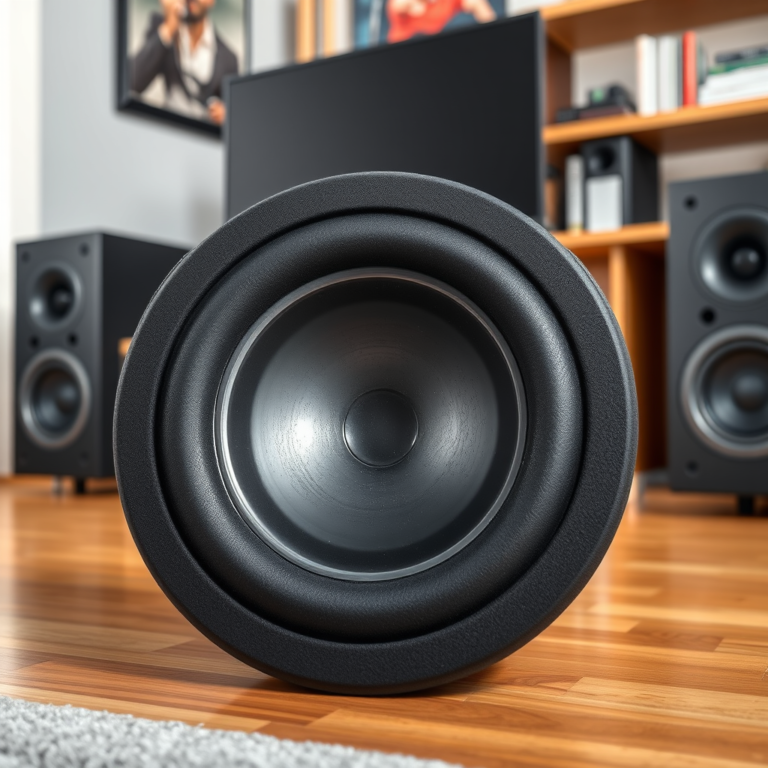

To resolve intermittent audio issues in multi-room wireless systems, start by ensuring your Wi-Fi signal is strong and that devices are within range. You’ll also want to check for firmware updates and interference from other electronics. By taking these steps, you can enhance your audio experience and minimize frustrating interruptions. In this article, we will explore common causes of intermittent audio and provide practical solutions to improve your multi-room audio setup.
Understanding the Causes of Intermittent Audio

Intermittent audio issues can stem from a variety of factors that affect wireless communication between devices in a multi-room setup. Understanding these causes is crucial for effective troubleshooting.
1. Wi-Fi Interference: Many household devices, such as microwaves and cordless phones, can interfere with Wi-Fi signals, leading to audio drops. The 2.4 GHz frequency band, commonly used by these devices, overlaps with Wi-Fi channels, causing potential disruptions.
2. Distance from the Router: The physical distance between your audio devices and the Wi-Fi router can significantly impact audio quality. If devices are too far from the router, they may not receive a strong enough signal, leading to interruptions.
3. Poorly Configured Network Settings: Incorrect network settings can create bottlenecks in data transfer, affecting the performance of your multi-room audio system. This might include outdated firmware, improper Quality of Service (QoS) settings, or incorrect IP configuration.
By understanding these common causes, you can better strategize how to enhance your audio performance.
Check Your Wi-Fi Signal Strength

A strong Wi-Fi signal is essential for uninterrupted audio streaming. Here are some steps to assess and improve your signal strength:
– Wi-Fi Analyzer Apps: Utilize apps like NetSpot or Wi-Fi Analyzer to check the signal quality in different areas of your home. These tools can help you identify dead zones where the signal is weak.
– Central and Elevated Router Placement: Position your router in a central location within your home and elevate it off the ground. This can improve coverage, reducing the distance your audio devices need to communicate with the router.
– Upgrade to a Dual-Band Router: If you are still using a single-band router, consider upgrading to a dual-band router that supports both 2.4 GHz and 5 GHz frequencies. The 5 GHz band offers higher speeds and less interference, which is ideal for audio streaming.
Update Firmware and Software
Keeping your devices updated is vital for maintaining optimal performance. Here’s how to ensure everything is current:
– Firmware Updates for Audio Devices: Regularly check for firmware updates for your wireless audio devices. Manufacturers often release updates that improve performance and fix bugs.
– Router Firmware: Don’t forget to update your router’s firmware. An updated router can handle more devices and provide a more stable connection.
– Update Associated Apps: Ensure any apps associated with your audio devices are also up to date. This can prevent compatibility issues that may lead to audio interruptions.
Optimize Your Network Configuration
Configuring your network settings appropriately can enhance your audio streaming experience. Here are some strategies:
– Quality of Service (QoS) Settings: Enable QoS on your router to prioritize audio streaming over other types of internet traffic. This ensures that your audio devices receive the bandwidth they need for smooth operation.
– Static IP Addresses: Assign static IP addresses to your audio devices. This can help prevent connection drops that may occur if devices are assigned dynamic IPs that change.
– Dedicated Network for Audio Devices: If possible, create a dedicated network for your audio devices. This minimizes congestion from other devices in your home, allowing for a more reliable connection.
Common Causes of Intermittent Audio Issues
| # | Cause | Impact Level | Solution |
|---|---|---|---|
| 1 | Wi-Fi Interference | High | Minimize electronics proximity |
| 2 | Distance from Router | High | Relocate devices closer |
| 3 | Network Configuration | Medium | Adjust QoS settings |
| 4 | Firmware Issues | High | Regular updates |
| 5 | Device Overload | Medium | Limit connected devices |
| 6 | Interference from Other Networks | Medium | Change Wi-Fi channel |
| 7 | Signal Obstruction | Medium | Remove obstacles |
Reduce Interference from Other Devices
The presence of other electronic devices can lead to audio interruptions in your multi-room system. To reduce interference, consider the following:
– Reposition Electronics: Move devices that may cause interference, such as microwaves, cordless phones, and baby monitors, away from your audio system and router.
– Disable Bluetooth Devices: Bluetooth devices can also interfere with Wi-Fi signals. If not in use, consider turning them off to minimize potential disruptions.
– Change Wi-Fi Channels: If interference persists, switch your Wi-Fi channel in the router settings. This can help avoid overlap with neighboring networks that may be impacting your audio performance.
Consider Hardware Upgrades
If problems continue despite troubleshooting, it may be time to consider hardware upgrades. Here are some options:
– Wi-Fi Range Extender: Invest in a Wi-Fi range extender to improve coverage, especially in larger homes where signals may struggle to reach certain areas.
– Upgrade Your Audio System: If your current wireless audio system is outdated or of lower quality, consider upgrading to a more robust solution that is specifically designed for multi-room audio streaming.
– Mesh Network Systems: For the best possible coverage, explore mesh network systems. These systems utilize multiple access points to provide seamless connectivity throughout your home, ensuring a stable audio experience.
Hardware Upgrades for Multi-Room Audio
Testing and Monitoring Your Setup
After implementing changes, it’s important to monitor your audio system to ensure optimal performance. Here are some strategies for effective testing:
– Conduct Regular Tests: After making any adjustments to your network or equipment, test your audio system in various rooms to ensure that audio is consistent and clear.
– Monitor Performance Patterns: Pay attention to audio performance at different times of the day. This can help identify if network congestion during peak hours is impacting streaming quality.
– Keep a Log: Maintain a log of changes made to your setup along with their effects on audio performance. This will aid in effectively troubleshooting future issues and optimizing your system over time.
By following these strategies, you can effectively troubleshoot and fix intermittent audio issues in your multi-room wireless systems. Addressing Wi-Fi strength, updating devices, and minimizing interference are key steps to achieving a seamless audio experience. If problems persist after trying these solutions, consider consulting with an audio professional for more tailored assistance.
In summary, maintaining a strong Wi-Fi signal, ensuring firmware is current, optimizing network configuration, minimizing interference, considering hardware upgrades, and consistently testing your setup will significantly enhance your audio experience in multi-room wireless systems. By being proactive and methodical in your approach, you can enjoy a high-quality, uninterrupted audio experience throughout your home.
Frequently Asked Questions
What are the common causes of intermittent audio in multi-room wireless systems?
Common causes of intermittent audio in multi-room wireless systems include poor Wi-Fi connectivity, signal interference from other electronic devices, and outdated firmware on the audio devices. Additionally, physical obstructions like walls and furniture can disrupt the wireless signal, leading to audio dropouts.
How can I improve the Wi-Fi signal strength for my multi-room audio system?
To improve Wi-Fi signal strength for your multi-room audio system, consider relocating your router to a central position in your home and minimizing obstructions. Using a Wi-Fi extender or a mesh network can also enhance coverage. Additionally, ensure your router is on the latest firmware to optimize performance.
Why is my multi-room audio system cutting out during streaming?
Your multi-room audio system may cut out during streaming due to a weak Internet connection or bandwidth limitations. If multiple devices are using the same network, it can lead to congestion, affecting audio playback. Checking your network speed and upgrading your Internet plan can help resolve these issues.
What is the best way to troubleshoot audio dropouts in wireless speakers?
The best way to troubleshoot audio dropouts in wireless speakers is to first reboot both your speakers and router. Next, check for software updates for your audio devices and consider switching to a less crowded Wi-Fi channel. If problems persist, connecting your speakers via Ethernet or using a powerline adapter may provide a more stable connection.
Which settings should I adjust to fix audio lag in multi-room setups?
To fix audio lag in multi-room setups, adjust the audio delay settings in your audio system’s app or interface. Ensuring that all devices are on the same firmware version can also help synchronize playback. Additionally, reducing the distance between devices and your router can minimize latency, leading to improved audio performance.
References
- Wireless
https://en.wikipedia.org/wiki/Wireless_audio - https://www.sciencedirect.com/topics/engineering/wireless-audio
https://www.sciencedirect.com/topics/engineering/wireless-audio - https://www.ncbi.nlm.nih.gov/pmc/articles/PMC7362256/
https://www.ncbi.nlm.nih.gov/pmc/articles/PMC7362256/ - https://www.ncbi.nlm.nih.gov/pmc/articles/PMC6949488/
https://www.ncbi.nlm.nih.gov/pmc/articles/PMC6949488/ - Google Scholar Google Scholar
https://scholar.google.com/scholar?q=Intermittent+Audio+Multi-Room+Wireless+Systems - Google Scholar Google Scholar
https://scholar.google.com/scholar?q=Wireless+Audio+System+Troubleshooting - https://www.cdc.gov/nceh/lead/lead-in-water.htm
https://www.cdc.gov/nceh/lead/lead-in-water.htm - https://www.bbc.com/news/technology-57013793
https://www.bbc.com/news/technology-57013793 - https://www.theguardian.com/technology/2021/may/12/how-to-fix-your-wifi
https://www.theguardian.com/technology/2021/may/12/how-to-fix-your-wifi - https://pubmed.ncbi.nlm.nih.gov/32888347/
https://pubmed.ncbi.nlm.nih.gov/32888347/