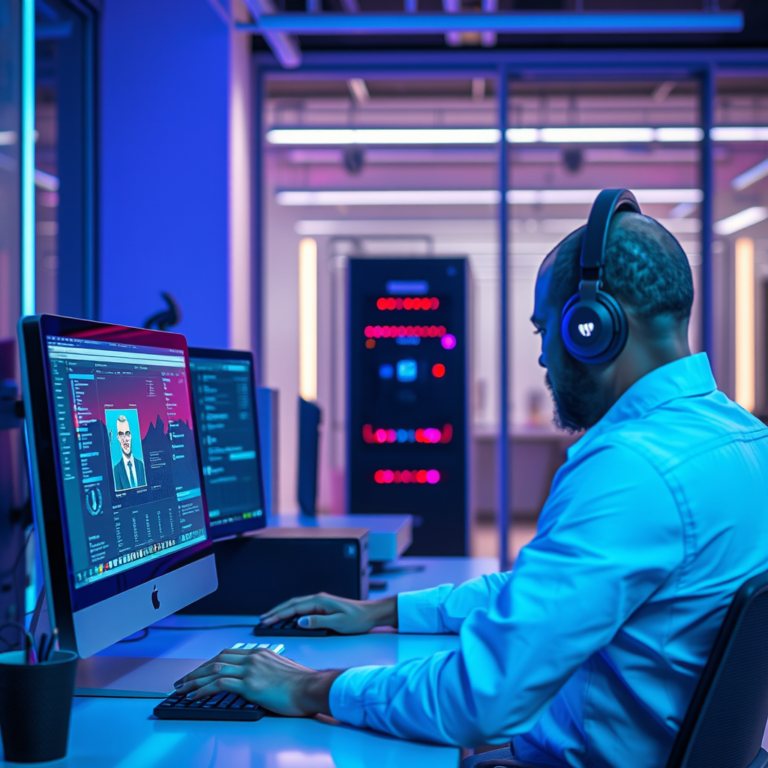

Chroma key, commonly known as green screen, is a powerful visual effects technique used in video editing that enables creators to replace a solid color background—most often green or blue—with any other image or video. This technique is a staple in the film and photography industries, allowing for incredible creativity and storytelling possibilities. In this article, you’ll learn how chroma key works, explore its various applications across media, and gather essential tips to achieve the best results in your own projects.
Understanding Chroma Key Technology

Chroma keying is a fascinating process that involves selecting a specific color range in a video clip and removing it to create a composite image. This is done by identifying the chosen color—typically a bright green or blue, known as the chroma key color—and making it transparent, allowing a different background to be placed behind the subject. The reason behind the preference for green and blue is that these hues are less likely to appear in human skin tones, making it easier to isolate the subject effectively. The technology relies on advanced algorithms that analyze the color data in the video footage, ensuring a clean removal of the chroma key color while preserving the integrity of the subject in the foreground.
How Chroma Key Works
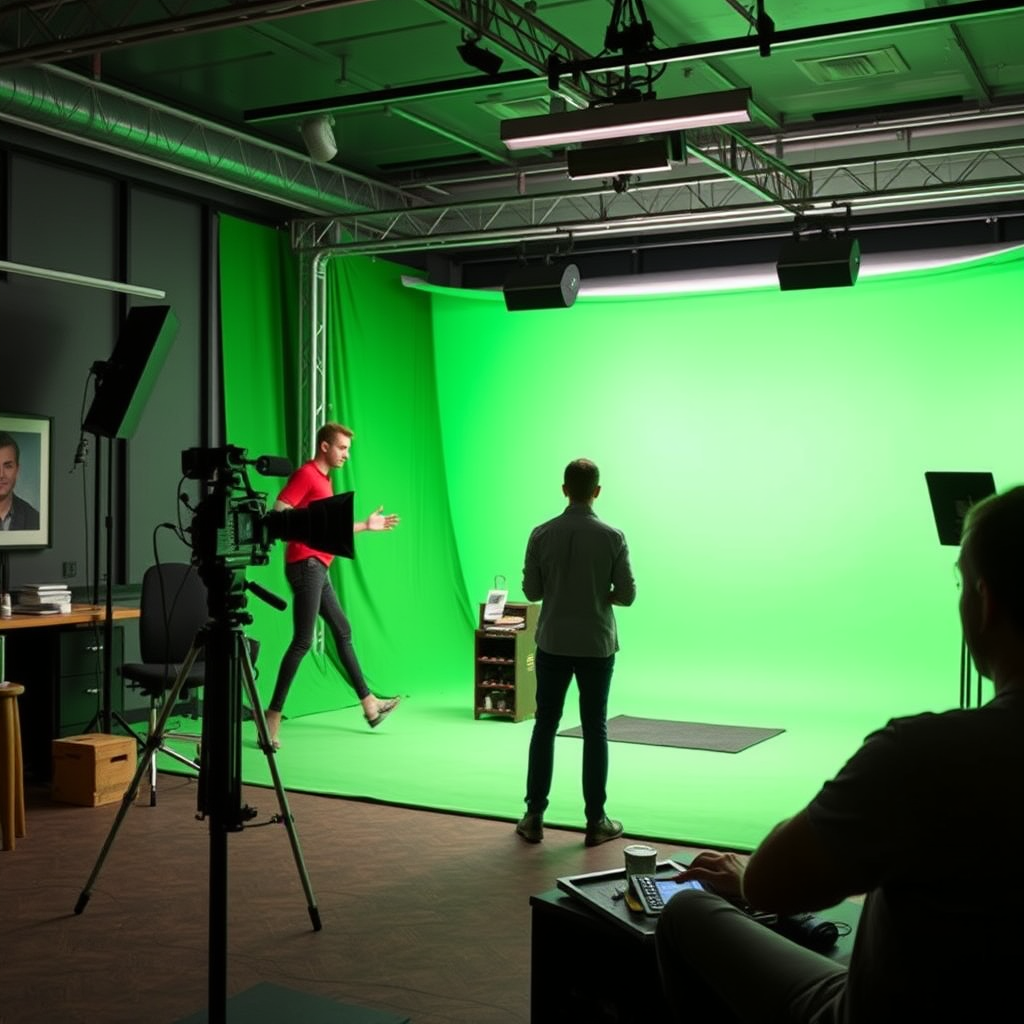
The process of chroma keying begins with filming a subject against a uniform backdrop, usually a green or blue screen. It’s crucial that the screen is evenly lit to avoid shadows or color variations that could complicate the editing process later on. Once the footage is captured, video editing software comes into play. Editors use chroma keying tools within the software to select the specific color of the background and remove it. This is where the magic happens; the software analyzes each pixel of the video frame, removing the designated color while retaining the other elements, such as the subject in the foreground. The result is a seamless integration of the subject with a new background, whether it be a breathtaking landscape, a bustling cityscape, or an entirely animated world.
Applications of Chroma Key in Video Production
Chroma key technology is an essential resource in various media formats, with its most prominent applications found in film and television production. Major motion pictures often utilize green screens to create stunning special effects, allowing filmmakers to transport actors to fantastical environments or to create complex visual narratives that would be impossible to achieve with traditional filming methods. Television shows, especially news programs, leverage chroma keying for dynamic backgrounds, such as weather forecasts that can display real-time graphics over a presenter’s shoulder.
In addition to film and television, social media influencers and content creators have embraced green screen technology to enhance their videos on platforms like YouTube and TikTok. By using chroma keying, they can add engaging backgrounds that resonate with their content, making their videos more entertaining and visually appealing. The versatility of chroma keying continues to expand into live broadcasting as well, allowing for real-time graphics to be layered over presenters, creating a more interactive viewing experience.
Tips for Effective Use of Chroma Key
To achieve the best results when using chroma key, there are several tips worth considering. First and foremost, ensure that the green screen is evenly lit. Shadows can create inconsistencies that make it difficult for editing software to accurately remove the chroma key color. Using softbox lights or LED panels can help achieve uniform lighting.
Next, filming with high-quality footage is crucial. Higher resolution videos provide more detail, making it easier for the software to differentiate between the subject and the background. Additionally, dressing your subject in colors that contrast with the green or blue screen is essential. Avoid clothing that closely resembles the chroma key color to prevent parts of your subject from disappearing in the edit. Lastly, experiment with different background images or videos to find what complements your subject best; this can significantly enhance the overall impact of your project.
Common Mistakes to Avoid
While chroma keying can open up a world of creative possibilities, there are common pitfalls that can hinder the effectiveness of the technique. One major mistake is filming with colors similar to the green or blue screen. If an actor wears a green shirt, for example, that part of their clothing may disappear during the editing process, leading to unintended visual effects.
Another frequent error is poor lighting. Inconsistent lighting on the green screen can create unwanted shadows, which complicates the editing and can lead to a less polished final product. Additionally, failing to maintain a safe distance between the subject and the green screen can result in color spill—where the green reflects onto the subject, causing an unnatural hue. Being mindful of these common mistakes will help you achieve cleaner and more professional results in your video projects.
Recommended Tools for Chroma Key Editing
When it comes to editing your chroma key footage, several software options are available to cater to different skill levels and needs. For professional-grade editing, Adobe Premiere Pro, Final Cut Pro, and DaVinci Resolve are top choices. These programs offer robust chroma keying tools and advanced features that allow for precise control over the editing process.
For beginners or those looking for more user-friendly options, programs like iMovie and Filmora also provide straightforward chroma key functionalities. These platforms typically come with built-in tutorials and user-friendly interfaces, making them ideal for those just starting their video editing journey. Regardless of your skill level, there’s a tool out there that can help you harness the power of chroma keying effectively.
Future Trends in Chroma Key Technology
The world of chroma key technology is rapidly evolving, with exciting advancements on the horizon. One of the most significant trends is the integration of artificial intelligence (AI) and machine learning into video editing software. These technologies can automate the chroma keying process, making it easier and more efficient for users to achieve high-quality results without extensive manual adjustments.
Moreover, the rise of virtual reality (VR) and augmented reality (AR) is expanding the applications of green screen techniques. As these technologies develop, the need for seamless integration of real and virtual elements in videos will grow, making chroma keying an even more vital skill for content creators. As we move forward, staying updated on these trends will help you remain competitive in the ever-changing landscape of video production.
Chroma keying is an invaluable tool in video editing that opens up a world of creative possibilities. By understanding its principles and applications, you can enhance your video production skills and bring your creative visions to life. Whether you’re a seasoned filmmaker or just starting your journey in content creation, mastering the art of chroma keying can elevate your projects to new heights. Ready to try it out? Gather your equipment, experiment with backgrounds, and unleash your creativity!
Frequently Asked Questions
What is Chroma Key (Green Screen) in video editing?
Chroma Key, commonly referred to as Green Screen, is a visual effects technique used in video editing to remove a specific color from a video frame, allowing for the replacement of the background. Typically, a bright green or blue backdrop is used because these colors are least likely to be found in skin tones. This technique enables editors to superimpose subjects over various backgrounds, creating dynamic scenes that enhance storytelling and visual appeal.
How does the Chroma Key process work in video editing?
The Chroma Key process involves filming a subject against a solid color background, usually green or blue. In post-production, video editing software identifies and removes that specific color, making it transparent. Editors then replace the background with any desired image or video, allowing for seamless integration of the subject into new environments. Key factors for a successful Chroma Key include proper lighting, even color distribution, and avoiding shadows on the green screen.
Why is green typically used for Chroma Key instead of other colors?
Green is predominantly used in Chroma Key techniques because of its brightness and distinctiveness from most skin tones and clothing colors. This reduces the chances of the subject inadvertently blending into the background. Additionally, digital cameras are more sensitive to green wavelengths, resulting in cleaner keying and better quality footage. However, blue screens can also be used, particularly when subjects contain green elements.
What are the best practices for setting up a green screen for video editing?
To set up a green screen effectively, ensure that the backdrop is wrinkle-free and evenly lit to avoid shadows or variations in color. Place the subject at least three to six feet away from the green screen to minimize green spill onto the subject. Using soft lighting can help achieve an even look. Additionally, consider the camera settings and ensure the subject is well-lit to create a clear distinction from the background.
Which video editing software is best for Chroma Key effects?
Several video editing software options are great for Chroma Key effects, but popular choices include Adobe Premiere Pro, Final Cut Pro, and DaVinci Resolve. Each of these programs offers advanced Chroma Key tools that allow users to fine-tune the keying process, adjust color spill suppression, and create high-quality composites. For beginners, user-friendly software like iMovie or Filmora also provides effective Chroma Key functionality at a more accessible level.
References
- Chroma key
- https://www.pbs.org/newshour/nation/chroma-key-green-screen-technology
- https://www.npr.org/sections/monkeysee/2014/07/30/336131992/the-magic-of-green-screen-technology
- How to Use a Green Screen (with Pictures) – wikiHow
- https://www.adobe.com/creativecloud/video/discover/green-screen.html
- https://www.nytimes.com/2021/10/12/technology/green-screen-video.html
- https://www.bbc.co.uk/news/technology-49020532