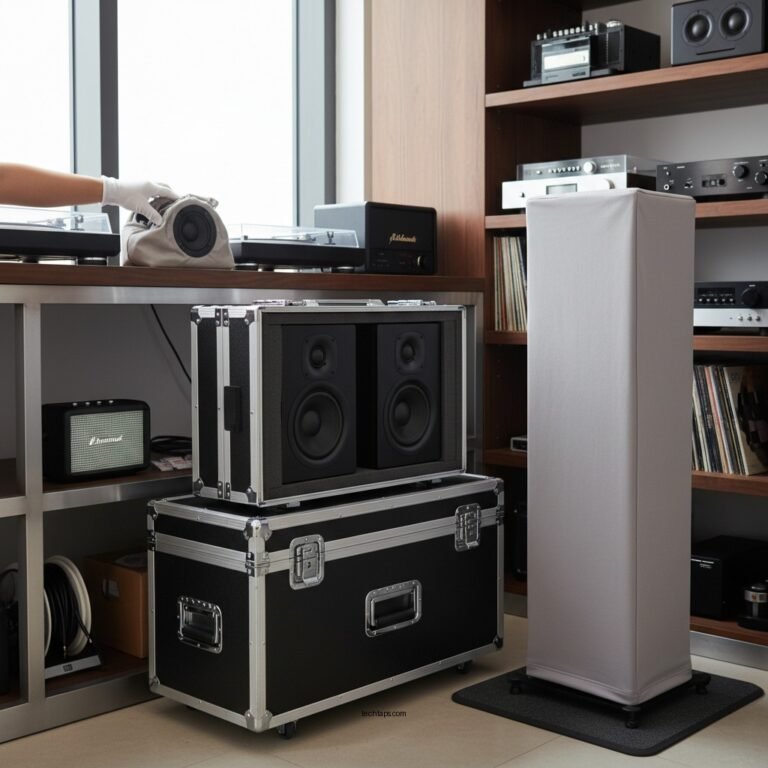
If your audio system cuts out randomly, the first step is to check all connections and power sources. Loose cables or faulty power can often be the culprit. Addressing these issues promptly can save you time and frustration. In this article, we’ll explore common causes and troubleshooting steps to help you identify and resolve the issue effectively. Whether you’re listening to your favorite music, watching a movie, or conducting a conference call, having a reliable audio system is paramount.
Check All Connections

One of the most straightforward yet often overlooked steps in troubleshooting audio issues is to check all connections. Begin by inspecting all cables connected to your audio system for signs of damage, such as fraying or kinks. Any physical damage can lead to intermittent connectivity issues, causing your audio to cut out unexpectedly.
Next, ensure that all audio input and output ports are securely plugged in. This includes checking connections to speakers, receivers, or any devices that are part of your audio setup. Sometimes, a connection may appear to be secure but isn’t fully engaged, leading to audio interruptions. For devices using optical or HDMI cables, ensure that they are properly seated to guarantee a stable signal.
Additionally, consider the use of extension cords or adapters, which can sometimes introduce issues if they’re not compatible. It’s a good practice to connect your audio system directly to the wall outlet to rule out any issues caused by extensions.
Power Supply Issues

Power supply issues are a common cause of audio system malfunctions. Start by verifying that the power outlet is functioning correctly. Use another device, such as a lamp or phone charger, to check if the outlet provides power. If the outlet is not working, you may need to reset the circuit breaker or replace a blown fuse.
In some cases, power strips may be the culprit. If your audio system is plugged into a power strip, try plugging it directly into the wall to eliminate the possibility of a bad power strip causing the cut-out. Additionally, ensure that the audio system’s power supply unit is functioning properly. If the unit shows any signs of damage or overheating, it may need to be replaced.
Device Compatibility
Device compatibility can also play a significant role in the performance of your audio system. Before proceeding with more complex troubleshooting, confirm that all devices connected to the audio system are compatible. This includes checking the specifications of your speakers, receivers, and other audio components.
If your setup includes Bluetooth devices, ensure that they are updated to the latest firmware. Outdated software can lead to connectivity issues that may manifest as random audio dropouts. Regularly check for updates from manufacturers and install them as needed. If you have recently added new devices to your setup, consider whether they may be causing any conflicts.
Interference from Other Devices
Electromagnetic interference from other electronic devices can disrupt the signal to your audio system, leading to random cut-outs. To troubleshoot this, identify any potential sources of interference in close proximity to your audio equipment. Common culprits include wireless routers, microwaves, and even other audio devices.
To minimize interference, try repositioning your audio components and the devices that may be causing the disruption. For instance, move your speakers further away from the router or relocate your audio system to a different area of the room. Sometimes, even the orientation of devices can impact performance, so experimenting with different placements may yield better results.
Resetting Your Audio System
If you have gone through all previous troubleshooting steps without success, performing a factory reset on your audio system may be necessary. This step should be considered a last resort, as it will revert all settings to their original factory defaults. Before proceeding, ensure that you have noted any specific settings you would like to restore afterward.
Refer to the manufacturer’s instructions for the correct procedure to reset your device. This often involves a combination of button presses or accessing a menu within the system. After resetting, reconfigure your settings and connections to see if the audio issues have been resolved.
Seeking Professional Help
If troubleshooting doesn’t resolve the issue, it may be time to seek professional help. This could involve contacting customer support for your audio system or consulting with a professional technician who specializes in audio equipment. They can provide insights into complex issues that may not be immediately apparent through basic troubleshooting.
Before reaching out, ensure that you have all relevant information on hand, including the make and model of your audio system, details of any troubleshooting steps you’ve already taken, and warranty information. Having this information ready can streamline the process and facilitate a quicker resolution.
Common Causes of Audio System Cut-Outs
| # | Cause | Frequency (%) | Potential Fix |
|---|---|---|---|
| 1 | Loose Connections | 35% | Check all cables |
| 2 | Power Supply Issues | 25% | Test outlet & fuses |
| 3 | Device Compatibility | 20% | Update firmware |
| 4 | Interference | 15% | Reposition devices |
| 5 | Faulty Equipment | 5% | Seek repair |
Frequency of Audio System Cut-Outs by Cause
By following these steps, you can effectively troubleshoot and potentially resolve the issue of your audio system cutting out randomly. Remember to systematically check each component and connection. If problems persist, don’t hesitate to seek professional assistance to ensure your audio experience is uninterrupted. Ensuring a stable audio system not only enhances your listening experience but also contributes to overall satisfaction with your electronic devices.
Frequently Asked Questions
What are the common causes of an audio system cutting out randomly?
Common causes of an audio system cutting out randomly include loose connections, faulty cables, power supply issues, and overheating components. Additionally, interference from other electronic devices or software glitches in streaming applications can also lead to audio disruptions. Identifying the root cause is essential for effective troubleshooting.
How can I troubleshoot my audio system if it keeps cutting out?
To troubleshoot your audio system, start by checking all physical connections and ensuring they are secure. Next, inspect cables for damage and try using different ones to rule out defects. Additionally, restart your audio system and any connected devices, and check for any software updates that may resolve potential bugs.
Why does my wireless audio system cut out during playback?
A wireless audio system may cut out during playback due to weak Wi-Fi signals, interference from other wireless devices, or low battery levels in the transmitter or receiver. To improve connectivity, ensure your router is positioned optimally, reduce interference from other devices, and keep your audio system charged or plugged in.
What should I do if my audio system cuts out after a firmware update?
If your audio system cuts out after a firmware update, the first step is to check for any additional updates that may have been released to fix bugs. If the problem persists, consider performing a factory reset on the system to restore default settings. Ensure that all components are compatible with the new firmware version.
Which type of audio cables is least likely to cause dropouts in sound?
Optical or digital audio cables are least likely to cause dropouts in sound because they transmit data in a digital format, minimizing interference and signal degradation. Compared to analog cables, which can be susceptible to noise and connection issues, digital cables provide a more reliable audio experience.
References
- Audio signal processing
https://en.wikipedia.org/wiki/Audio_signal_processing - Vegetarian diet: How to get the best nutrition – Mayo Clinic
https://www.mayoclinic.org/healthy-lifestyle/consumer-health/in-depth/hearing-aids/art-20046446 - https://www.sciencedirect.com/topics/engineering/audio-signal-processing
https://www.sciencedirect.com/topics/engineering/audio-signal-processing - https://www.nature.com/articles/s41598-021-90465-2
https://www.nature.com/articles/s41598-021-90465-2 - https://pubmed.ncbi.nlm.nih.gov/31994862/
https://pubmed.ncbi.nlm.nih.gov/31994862/ - https://www.cdc.gov/nceh/hearing_loss/what_to_do.html
https://www.cdc.gov/nceh/hearing_loss/what_to_do.html - https://www.bbc.com/future/article/20200123-how-to-fix-your-audio-problems
https://www.bbc.com/future/article/20200123-how-to-fix-your-audio-problems - Google Scholar Google Scholar
https://scholar.google.com/scholar?q=Audio+System+Cutting+Out+Randomly - Google Scholar Google Scholar
https://scholar.google.com/scholar?q=Audio+System+Troubleshooting - Google Scholar Google Scholar
https://scholar.google.com/scholar?q=Audio+Signal+Interruption+Solutions