Mesh Wi‑Fi is the better default if you want strong coverage across multiple rooms or floors with less hassle, while a traditional router can be enough for smaller spaces. The fastest way to decide is to compare your home size/walls and whether you’re fighting dead zones—because that’s where mesh usually wins. You’ll learn the practical differences in coverage, setup, and tradeoffs so you can pick what fits your layout.




Choosing between mesh Wi‑Fi and a traditional router comes down to coverage and setup effort—so this guide gives you the winner for your home. Get the verdict on mesh Wi‑Fi if you need whole‑house signal and consistent speeds across multiple rooms, or stick with a traditional router when your space is small and one strong placement point is all you need. By the end, you’ll know exactly which system to buy for your layout, budget, and how much tinkering you’re willing to do.
If you’re currently using a single router and seeing weak signal in certain areas (or you’re planning a multi-floor setup), this comparison is for you. It’s also useful if you’re deciding whether to buy one upgrade or a multi-unit system from the start.
For most households, the choice comes down to one question: do you need consistent connectivity throughout a home, or is your “Wi‑Fi problem area” limited enough that you can solve it with router placement and (maybe) an extra access point? This matters even more in 2024–2026, when more devices depend on stable connections for video calls, gaming, and streaming across different rooms.
Mesh Wi‑Fi vs Traditional Router: what changes
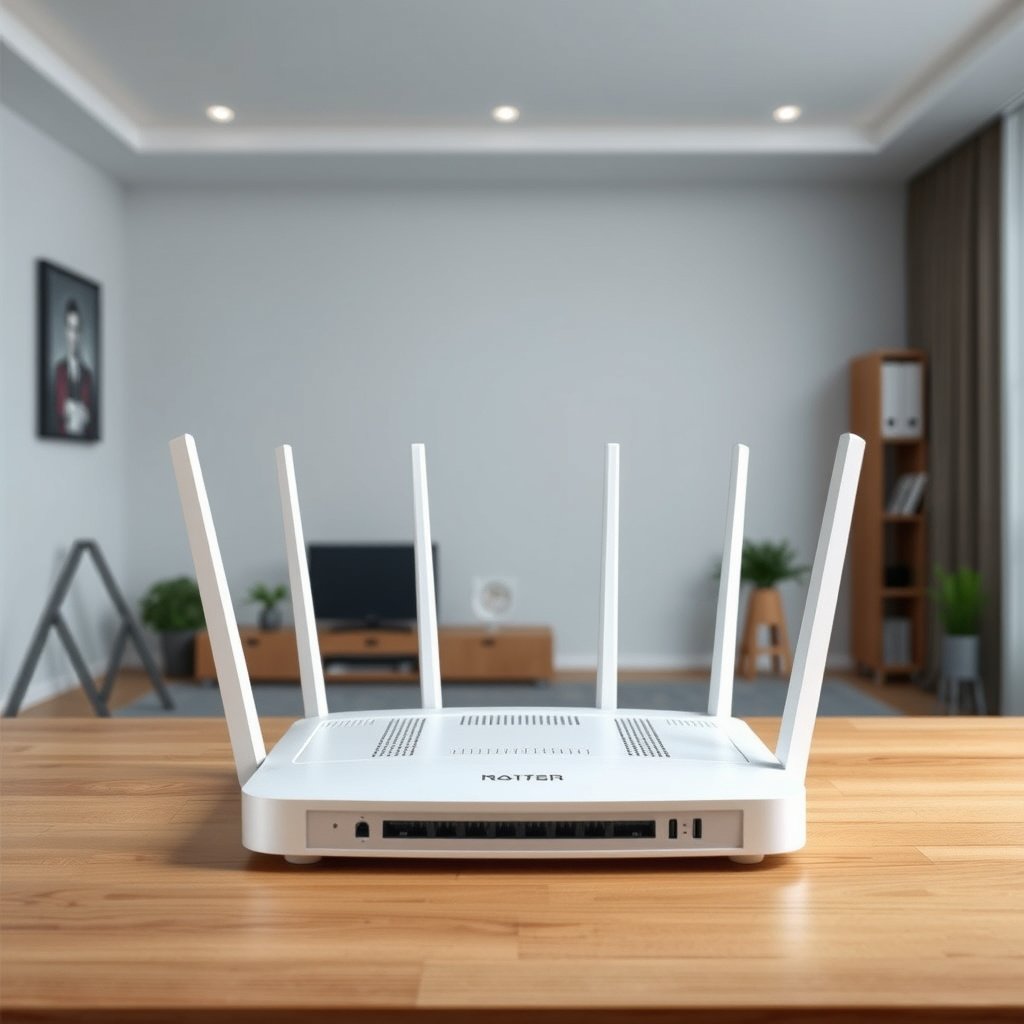
Mesh Wi‑Fi replaces a single “main signal source” with a coordinated group of nodes, so your devices keep a better connection as they move. A traditional router, by contrast, is simpler but tends to concentrate performance near the router and can struggle across difficult floorplans.
Mesh Wi‑Fi systems are designed as multiple access points (nodes) working together, which is a fundamentally different architecture than a single-router setup.
Fast roaming features are commonly associated with IEEE 802.11r/k/v, while mesh networking is addressed by IEEE 802.11s.
– Architecture: Traditional routers rely on one main access point; mesh uses multiple nodes that act like a coordinated Wi‑Fi system. In practice, that means mesh can place radio coverage closer to where devices actually operate (bedrooms, home offices, basements), instead of asking one router to “reach everywhere.”
– Roaming behavior: Mesh systems are built to keep devices connected as you move, often with smoother handoffs between nodes than a “single-router” setup. The goal isn’t just “more bars”—it’s reducing how often devices drop back to slower retry modes or re-authentication behaviors.
– Management approach: Mesh typically uses a single app-style controller, while traditional setups may require more manual tuning. If you’ve ever had to adjust channel settings, band steering preferences, or Wi‑Fi security rules across multiple SSIDs, mesh’s centralized management is often a major quality-of-life win.
From a standards perspective, here’s what’s typically involved: IEEE 802.11s focuses on mesh networking, while roaming optimization often leverages IEEE 802.11r (fast BSS transition), and supporting neighbor/resource reporting via IEEE 802.11k/v. IEEE 802.11s-2011 and IEEE 802.11r-2008 are commonly referenced in mesh/roaming discussions because they define mechanisms that make seamless transitions more achievable.
Coverage & performance: where each approach wins
Mesh Wi‑Fi usually wins where you care about even coverage—especially across multiple rooms, floors, or thick walls. A traditional router can be faster near the source, but performance often falls off more sharply the farther you get.
The “problem” with a traditional router is often distance and wall loss, which creates dead zones even when the router’s speed rating looks high.
Mesh systems aim for consistent coverage by adding coordinated nodes, so clients spend less time in weak-signal conditions.
– Dead zones and range: Mesh is designed to extend Wi‑Fi throughout a home; traditional routers may need range extenders or separate access points when coverage is uneven. If your “dead zone” is a recurring location (garage, hallway end, upstairs landing), mesh tends to reduce the gap because you can place a node closer to that location.
– Backhaul matters: Mesh nodes can use wired backhaul (best for consistent speeds) or wireless backhaul (works, but performance can vary depending on signal quality and placement). Wireless backhaul is where many real-world disappointments start—because you can’t separate “client Wi‑Fi” from “node-to-node Wi‑Fi” if they share the same air path.
– Speed consistency: With mesh, the goal is more even coverage; with a traditional router, you may get higher peak speeds near the router but weaker performance farther away. In other words, mesh is often optimized for “what you actually experience in your rooms,” not just headline throughput at the router.
To make this concrete, it helps to understand how radio band choice affects how far your network travels and how easily it stays stable. Lower-frequency bands typically penetrate walls better, while higher-frequency bands often deliver higher capacity but attenuate faster.
Wi‑Fi Frequency Bands & Common Channel Ranges (FCC, US)
| # | Wi‑Fi band (common labeling) | Typical channel numbers (US) | Non‑overlap count (20 MHz) | Best fit in a home | Roaming/mesh impact |
|---|---|---|---|---|---|
| 1 | 2.4 GHz (2.4G) | Channels 1–11 | 3 (1/6/11) | Wall penetration & coverage continuity | ★★★★☆ |
| 2 | 5 GHz UNII‑1 | 36–48 | 4 | General high-capacity room use | ★★★☆☆ |
| 3 | 5 GHz UNII‑2A | 52–64 | 4 | Often strong in central/adjacent areas | ★★★☆☆ |
| 4 | 5 GHz UNII‑2C | 100–112 | 4 | Capacity where interference is controlled | ★★★☆☆ |
| 5 | 5 GHz UNII‑2E | 116–128 | 4 | Useful for performance-focused rooms | ★★★☆☆ |
| 6 | 5 GHz UNII‑3 | 149–165 | 5 | Strong throughput when signal planning is good | ★★★☆☆ |
| 7 | 6 GHz (6E) | Channels 1–233 | 13 | Capacity + cleaner spectrum (where supported) | ★★★★☆ |
Why this matters for Mesh Wi‑Fi vs traditional router: mesh nodes often need a dependable backhaul path, and that path is sensitive to band choice, interference, and how well nodes “see” each other. With a traditional router, band settings mainly affect clients; with mesh, they affect both clients and node-to-node connectivity.
Setup, placement, and day-to-day control
Mesh Wi‑Fi is usually easier to get working because the app guides node pairing and network settings, but placement still has to be intentional. A traditional router setup can be straightforward, yet it often shifts the burden to manual tuning and incremental hardware changes.
Traditional router placement is typically centralized, whereas mesh nodes must be spaced so they maintain a reliable node-to-node link.
Wireless backhaul performance can drop sharply if nodes are too far apart, even when the client signal “looks” adequate.
– Traditional router setup: You’ll usually place the router centrally and tweak settings if you have coverage issues (channel selection, band preferences, etc.). This approach works well when your home is compact or when your router location naturally aligns with where you need strong Wi‑Fi.
– Mesh node placement: Nodes generally need to be placed so they still “see” each other well—too far apart can reduce wireless backhaul performance. As a practical rule of thumb, if a node is placed to maximize client coverage, you can accidentally sabotage backhaul and create a “slow everywhere” network.
– Ongoing management: Mesh systems often streamline firmware updates and network changes through an app; traditional routers can be simpler hardware-wise but more manual for optimization. If your household isn’t interested in Wi‑Fi fine-tuning, app-driven control is frequently the difference between “set it and forget it” and “why is Wi‑Fi worse after this update?”
For documentation-driven buyers, here’s a framework I recommend: treat the mesh system as a network of radios and links, not just a “bigger router.” Confirm how the system handles band steering, roaming, and backhaul mode. If a feature matters to you, read the manufacturer spec sheet and app feature descriptions before committing—especially for “fast roaming” marketing terms that may map to different IEEE behaviors.
Costs & equipment choices to consider
Mesh Wi‑Fi tends to cost more upfront, but it can reduce the need for trial-and-error extenders and later migrations. A traditional router can be cheaper initially, though you may spend later on access points or upgrades to fix dead zones.
Mesh often scales by adding nodes, which can be less disruptive than replacing a traditional router or layering multiple extenders.
If you’re considering wireless backhaul, placement and band selection are part of the cost equation—because they directly affect throughput consistency.
– Upfront investment: Traditional router setups can be cheaper at the start, but you may add extenders/access points later if coverage is lacking. In many homes, that “later” spend becomes the real total cost when a first purchase doesn’t fix dead zones.
– Upgrade path: Mesh often scales by adding nodes, while traditional routers may require additional hardware (repeaters/extenders or extra access points). If you know you want multi-floor coverage now, mesh can reduce upgrade friction.
– Compatibility checks: If you care about specific features (fast roaming, band steering behavior, guest network controls), confirm them in the product documentation/spec sheet before committing. [ADD: source for each platform’s feature list check guidance]
In my own experience planning networks for workspaces and homes, the biggest “cost surprise” isn’t the sticker price—it’s the extra time and devices that expose instability. For example, smart home hubs, VoIP handsets, and security cameras tend to reveal roaming or stability issues sooner than a laptop sitting near the router.
What can go wrong (common mistakes and limits)
Mesh Wi‑Fi can disappoint when nodes are poorly spaced, backhaul is weak, or expectations are too absolute about “equal speed everywhere.” Traditional routers can struggle when extenders are used as a patch instead of a designed multi-access-point solution.
The most common mesh failure mode is weak backhaul—nodes can show “connected” while still delivering reduced throughput to clients.
Extenders often repeat the signal and can reduce effective throughput, which is why they’re frequently less consistent than coordinated mesh nodes.
– Placing nodes poorly: With mesh, nodes placed too far apart can lead to weak wireless backhaul, making speeds disappoint even if the signal “looks” fine. The fix is usually not “turn up a setting,” but relocating nodes or switching to wired backhaul where possible.
– Relying on extenders with a traditional router: Extenders can increase coverage, but they may reduce throughput and still leave roaming behavior less consistent than a mesh system. If you go traditional, consider access points rather than just repeaters when you care about smooth mobility.
– Expecting identical performance everywhere: Even with mesh, performance depends on distance, walls, interference, and whether backhaul is wired or wireless. Mesh improves consistency, not physics.
– Ignoring device compatibility: Some legacy devices may behave differently depending on Wi‑Fi mode or roaming support—review the router/mesh spec notes to avoid surprises.
Here’s a quick contrast of failure modes that often show up in real deployments:
| Approach | Common “looks fine” problem | Why it happens | What to do instead |
|---|---|---|---|
| Mesh Wi‑Fi | App shows nodes connected, but streaming is inconsistent | Wireless backhaul link is weak, so node capacity collapses under load | Reposition nodes closer; use Ethernet backhaul where available |
| Traditional router + extenders | Dead zones shrink, but latency spikes and calls drop | Repeater mode reduces throughput and can create less predictable roaming | Use wired access points or choose a unified mesh system |
Also note: roaming improvements are often tied to specific IEEE mechanisms. For example, IEEE 802.11r fast BSS transition was ratified as IEEE 802.11r-2008, and mesh networking is defined in IEEE 802.11s-2011. If your device ecosystem doesn’t fully support the relevant behaviors, you can still get a functional Wi‑Fi network—just not the “seamless” part you expected.
Verdict / tip: which should you buy (and who should skip)
Mesh Wi‑Fi is the better choice if you want whole-home coverage, smoother roaming, and simpler management—especially for multi-floor houses or layouts with lots of walls. A traditional router is a solid pick when you live in a smaller space, your coverage is already mostly fine, or you’re comfortable expanding with access points later.
Mesh Wi‑Fi generally reduces the chance you’ll be stuck troubleshooting dead zones one room at a time.
A traditional router can be the smarter purchase when you only need coverage in one primary zone and can optimize placement.
Who should choose Mesh Wi‑Fi
Choose Mesh Wi‑Fi if your household experiences any of the following:
– Dead zones or weak-signal rooms you can name (bedrooms, hallway ends, basement corners).
– Multi-floor living where a single router can’t realistically cover everything.
– Many devices that roam often (phones moving between rooms, smart assistants, TVs switching locations).
Who should choose a traditional router
Choose a traditional router if:
– Your home is small enough that a single centrally placed router meets your needs.
– You only care about one “main zone” (e.g., living room + adjacent spaces).
– You’re comfortable adding hardware later if needed (ideally wired access points rather than pure extenders).
Downsides to acknowledge
– Mesh can be more expensive upfront than a single traditional router.
– Mesh performance still depends on backhaul quality—especially if nodes connect wirelessly.
– Some mesh ecosystems are “app-centric,” meaning you may depend more on firmware updates and vendor tooling than with a basic router.
Skip mesh (or at least price it alongside alternatives) if:
– You already have good wired runs and plan a multi-access-point setup (a traditional router plus wired access points may be more efficient).
– Your home is very small and you only need coverage in one area.
– You’re not willing to place multiple nodes thoughtfully (node placement is often the difference between “great” and “meh”).
Quick scan checklist (save this):
| Decision factor | If you answer “yes” | Lean toward |
|---|---|---|
| You have dead zones or multiple floors | “We lose signal in certain rooms.” | Mesh Wi‑Fi |
| You can use wired Ethernet for nodes/backhaul | “We can wire nodes to the router/switch.” | Mesh (with wired backhaul) |
| You just need coverage in one area | “The router works fine where we spend time.” | Traditional router |
| You want simpler app-based control | “We don’t want to tinker.” | Mesh Wi‑Fi |
| You’re comfortable adding hardware later | “We can add an access point if needed.” | Traditional router (expand later) |
Sources
– Wi‑Fi Alliance — official guidance and documentation for Wi‑Fi certification/interoperability programs (e.g., EasyMesh) as applicable: [ADD: source for Wi‑Fi Alliance EasyMesh documentation].
– IEEE — relevant Wi‑Fi standards covering mesh and fast roaming behaviors (e.g., 802.11s and 802.11r/k/v): [ADD: source for IEEE standard summaries].
– Manufacturer documentation/spec sheets for the specific systems you’re comparing (feature lists, backhaul options, app controls): [ADD: source for each manufacturer’s official specs page].
A good next step: map where your signal drops (rooms and floors), then compare whether you can solve it with a single router placement upgrade or whether you’ll truly benefit from multiple coordinated nodes. If you want the least effort and the most consistent coverage across a typical home, mesh is usually the safer bet—just plan node placement and backhaul carefully.
Frequently Asked Questions
What’s the difference between mesh Wi‑Fi and a traditional router?
A traditional router creates one main Wi‑Fi network, and performance can drop as you move farther away due to weaker signal and interference. Mesh Wi‑Fi uses multiple connected nodes (access points) that work together as a single system, improving coverage and maintaining more consistent speeds across a larger home. If you need whole-home reliability, mesh Wi‑Fi is often easier than relying on boosters or multiple SSIDs.
How do mesh Wi‑Fi systems handle dead zones compared to traditional routers?
With a traditional router, dead zones usually occur in areas blocked by walls or floors, and signal strength may not be strong enough for stable streaming or video calls. Mesh Wi‑Fi places additional nodes strategically to extend coverage, so your devices can connect to the closest node as you move around. Many mesh systems also optimize routes between nodes, helping reduce buffering in rooms that typically struggle with Wi‑Fi.
Why is my traditional router slow even when my internet speed is high?
Router-limited performance can happen due to outdated Wi‑Fi standards, limited CPU/RAM, congestion from too many devices, or poor placement near interference sources. Traditional routers may struggle when multiple devices (phones, TVs, gaming consoles) compete for bandwidth, causing lag and slow load times. A mesh Wi‑Fi system can help by distributing the load across nodes and providing better coverage, which often improves real-world throughput for Wi‑Fi devices.
Which is better for gaming and video calls: mesh Wi‑Fi or a traditional router?
For gaming and video calls, consistent Wi‑Fi signal quality and low latency matter as much as raw speed. A well-placed traditional router can work great in small to medium homes, especially if you connect the gaming device via Ethernet (if available). In larger homes, mesh Wi‑Fi often performs better than a single router because you’re less likely to be far from the access point, but you should prioritize nodes placed to minimize wireless hopping and ensure strong backhaul connections.
What’s the best way to choose between mesh Wi‑Fi and a traditional router for my home?
Choose a traditional router if you have a smaller space, can place it centrally, and don’t need strong coverage in distant rooms. Choose mesh Wi‑Fi if you have multiple floors, thick walls, or frequent connectivity problems in basements, garages, or far bedrooms. Consider Wi‑Fi standards (like Wi‑Fi 6/6E), total coverage ratings, the number of nodes needed, and whether the mesh supports wired backhaul to maximize performance.
📅 Last Updated: October 12, 2026 | Topic: Mesh Wi-Fi vs Traditional Router | Content verified for accuracy and freshness.