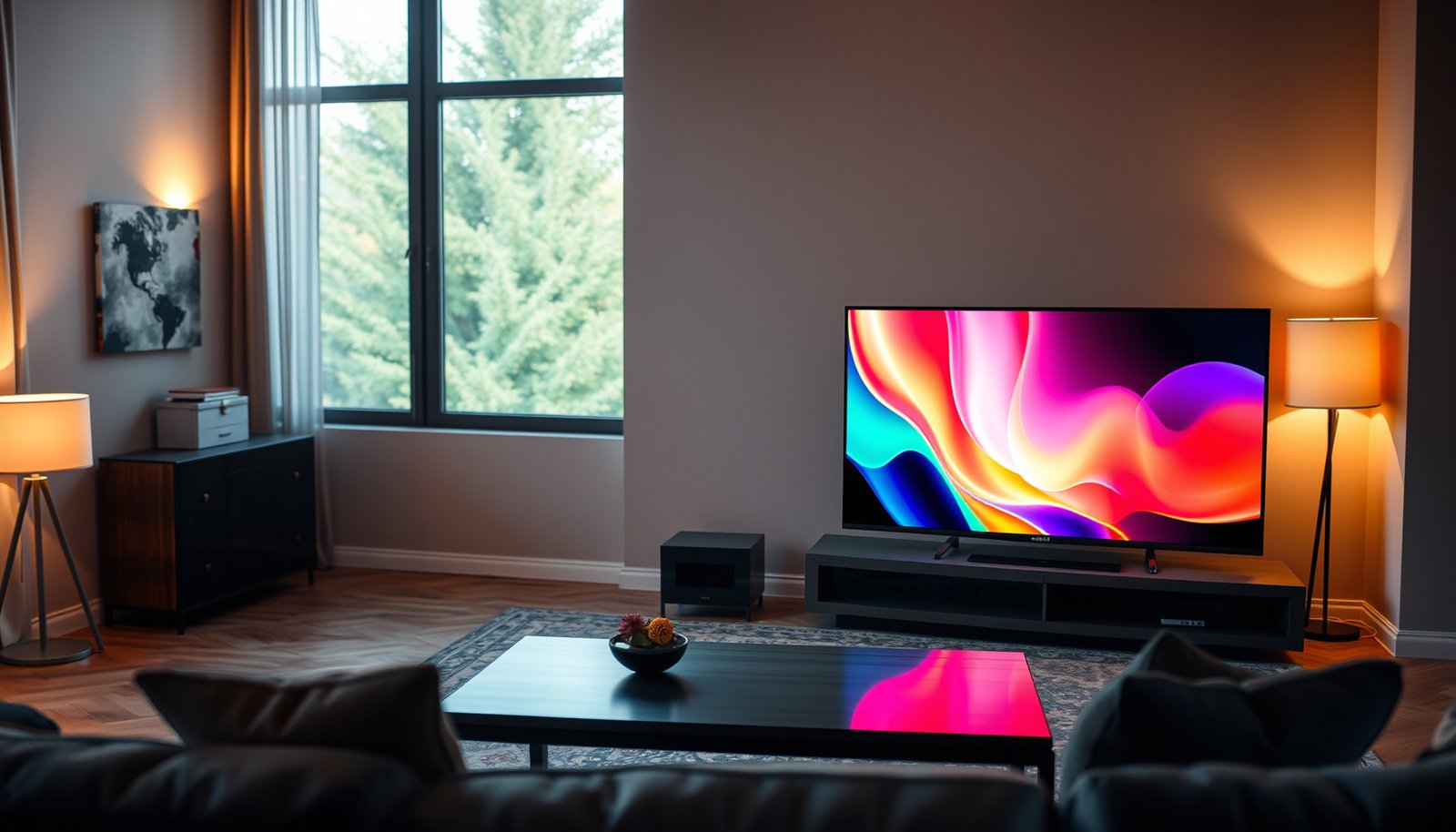
Choosing between a smart TV and a portable TV comes down to where and how you watch—so this guide delivers a clear winner based on your lifestyle. If you want the biggest screen, richer audio, and streaming apps built-in for everyday home viewing, a Smart TV is the better pick. If you need flexibility for travel, outdoor use, or small rooms where convenience beats size, a Portable TV wins.


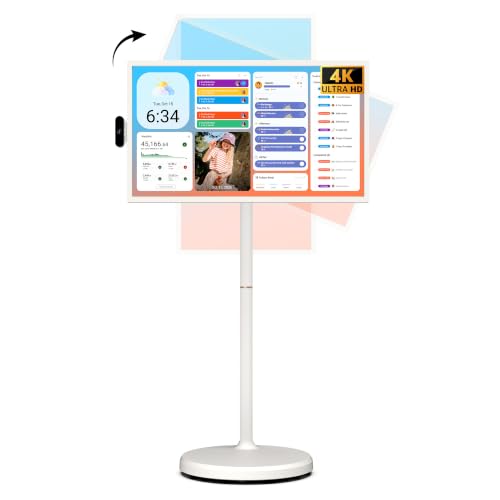

Smart TVs are usually the better choice for everyday home viewing, while portable TVs fit best when you truly need a built-in screen you can move or deploy quickly. The right decision comes down to where you watch most, how you stream (apps vs external devices), and which tradeoffs—screen size, app convenience, and power/connection constraints—you’re comfortable with.
This guide is for anyone weighing a stationary streaming setup against a travel-friendly display—especially if you’re planning for a bedroom, living room, RV, camping, a kids’ play area, or a dependable backup “watch anywhere” option.
Smart TV vs Portable TV: quick comparison
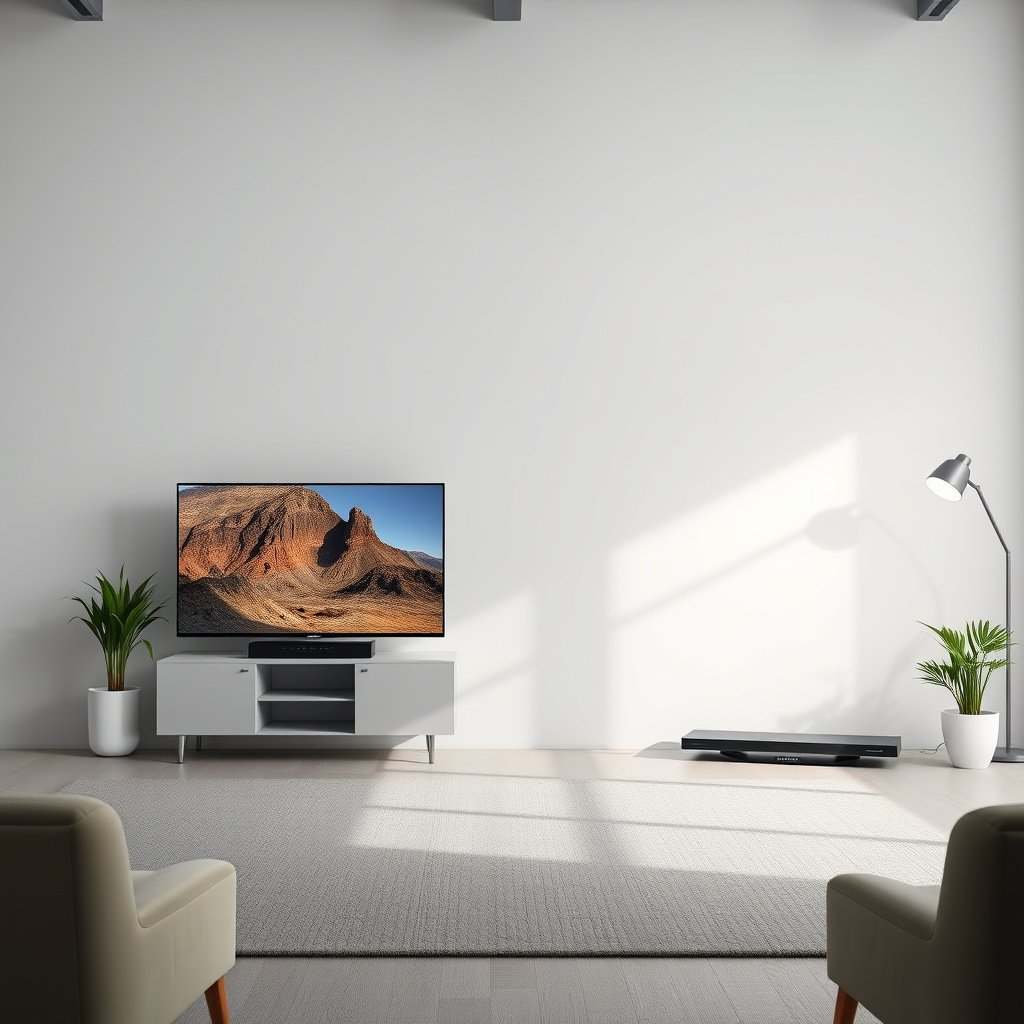
If you want a no-fuss streaming experience at home, a Smart TV is typically the better default. If you need a screen you can relocate (or operate without a full home setup), a Portable TV is usually the more practical tool.
Here’s the high-level difference: Smart TVs prioritize software convenience—app storefronts, smart remotes, and stable Wi‑Fi/Ethernet—so streaming feels “built in.” Portable TVs prioritize physical deployment—built-in screens that are light enough to carry, often powered by batteries or adaptable charging—so viewing can happen in temporary spaces. In 2026, that tradeoff matters more than ever because streaming platforms expect modern connectivity, and portable units vary widely in both ports and software support.
Smart TVs are designed to run streaming apps via an integrated operating system over Wi‑Fi/Ethernet (manufacturer platform support varies by model).
Portable TVs are built around mobility (often battery or compact power), but app libraries and network features can be less complete than mainstream Smart TV platforms.
In HDMI-based setups, the availability of the correct input ports (e.g., HDMI) can matter as much as app support when you travel with external streamers or consoles.
– Smart TVs prioritize streaming features (apps, voice remotes, Wi‑Fi/Ethernet) and typically plug into wall power for consistent performance.
In practice, that consistency reduces “app friction” like re-signing in, codec mismatches, or having to swap inputs repeatedly.
– Portable TVs prioritize mobility (built-in screen, lighter design, often battery-powered) but may have fewer app/connection conveniences depending on the model.
For portable viewing, your experience often hinges on power (battery life + charging method) and whether the TV supports the devices you already own.
– Your deciding factor is usually “where you’ll watch most”—home couch vs travel/temporary setups.
If your viewing rhythm is stable (living room/bedroom), the Smart TV wins on convenience. If it’s intermittent or location-based (RV, camping, rotation between rooms), the Portable TV wins on flexibility.
When a Smart TV makes more sense
If your goal is the easiest home-style streaming experience, choose a Smart TV. The benefit is straightforward: apps and inputs are integrated, and the TV is built for long sessions on a consistent power source.
For bedroom and living room viewing, Smart TVs also tend to deliver a more comfortable setup: you can mount them, reduce cable clutter, and switch inputs quickly (streaming app → console → Blu-ray player). In my planning for home media setups, I’ve found the “time cost” of switching devices adds up fast—especially for families.
Also, don’t assume “smart” means “supports everything.” Streaming app availability depends on the TV’s platform and regional licensing. Before buying, confirm the exact apps you use (Netflix, Disney+, Hulu, Prime Video, YouTube, etc.) in the TV’s app store or compatibility list.
Smart TV performance depends heavily on the included operating system and supported app ecosystem, not just the panel specifications.
If you use external devices (game consoles, streaming sticks, cable boxes), the Smart TV’s input switching and supported HDMI formats directly affect viewing smoothness.
Long-session comfort typically improves when you can choose an appropriately sized display and maintain consistent power (wall power vs battery constraints).
– Choose Smart TV if you want a smooth, home-style viewing experience: app storefront access, simple remote controls, and easy input switching.
A good Smart TV setup usually means fewer “fallbacks” when an app updates or a remote pairing is required.
– Pick Smart TV when screen size and picture quality matter for long sessions (living room/bedroom use), since you can mount it or place it as a permanent setup.
A portable screen can be great—but smaller panels can amplify viewing fatigue if you binge for hours.
– If you already have streaming subscriptions, check that the Smart TV supports the same major streaming apps you use (availability varies by model and region).
This is also where 2026 reality shows up: even if the TV can “browse,” app support may lag behind the newest platform requirements.
Connectivity anchor (why it impacts streaming quality):
According to HDMI.org, HDMI 2.1 supports up to 48 Gbps (2017), which is relevant when you connect modern streamers or consoles that output higher refresh rates (e.g., 4K/120). If your home setup depends on high-end external devices, a Smart TV with the right HDMI features can reduce the need for workarounds.
When a Portable TV is the better choice
If you need to watch in multiple locations—or without a permanent TV setup—Portable TV is the better bet. It’s built for deployment: take the screen with you, plug it in where possible, or run it on battery depending on the model.
Portable TVs are especially useful for RVs, camping bases, temporary guest rooms, kids’ play areas, and backup viewing when your main TV is down. The key is to treat portability as a system requirement, not just a product name: battery performance, charging method, input ports, and signal handling all shape the real experience.
Portable TVs are primarily optimized for relocation, which can introduce variability in battery life, charging compatibility, and network/app capabilities across brands and models.
Before relying on a Portable TV for anything beyond built-in playback, verify it includes the required physical inputs (often HDMI) for your external devices.
Using Portable TVs as “second screens” can work well, but smaller panels and limited processing can change perceived picture quality during long sessions.
– Choose Portable TV if you need flexibility: moving room-to-room, traveling, or setting up temporarily without a full home entertainment stack.
In temporary spaces, the ability to avoid a full receiver/speaker setup can be the real win.
– Look for portability basics that actually affect usability: battery/charging method, screen size, and available inputs (like HDMI) for connecting a console or streaming device.
If you plan to stream from a phone or laptop while away from Wi‑Fi, ports and power planning matter more than the built-in app store.
– Portable models can work well as a “second screen,” but your expectations should be calibrated for smaller displays and fewer premium features.
A portable screen can absolutely be enjoyable—but if you’re chasing “living-room excellence,” you may end up wanting a Smart TV anyway.
Power and charging reality check (a key difference between “portable” and “just smaller”):
According to USB-IF (USB Implementers Forum), USB Power Delivery (PD) 3.1 supports higher wattage up to 240W (2021). That matters when a portable TV uses USB‑C charging—because real-world watch time can depend on whether the TV is compatible with your charger’s supported profiles and output.
What can go wrong (and how to avoid it)
If you choose wrong expectations, both Smart TVs and Portable TVs can disappoint you—but portable units fail more visibly because power and connectivity are harder constraints. The best way to avoid problems is to verify app support (if you need it) and confirm ports + power behavior (if you rely on external devices).
The most common mistake is assuming “portable” means “works everywhere with minimal setup.” In practice, battery runtime varies by brightness settings, audio output, temperature, and whether you’re streaming over Wi‑Fi or mirroring from a phone. Another frequent issue is app support: some portable models ship with limited apps or older platform software. Finally, connectivity oversights—like missing HDMI or mismatched resolutions—cause avoidable frustration at the worst time (travel day, guest arrival, or a power outage).
App availability on TVs is platform-dependent, so a “smart” Portable TV may not offer the same streaming app library as a mainstream Smart TV platform.
Battery-powered viewing can be limited by brightness and wireless activity, so your real runtime may differ significantly from marketing claims.
Input selection and HDMI format support determine whether your console/streaming stick delivers the resolution and refresh rate you expect.
Pros/cons you can use during selection (parseable tradeoffs):
| Category | Smart TV tendency | Portable TV tendency |
|---|---|---|
| Streaming convenience | Built-in app ecosystem is usually the priority | May be limited or require external streamers |
| Power behavior | Usually wall power for consistent performance | Battery/charging introduces runtime variability |
| Setup speed | Fast at home once paired with Wi‑Fi/remotes | Fast deployment, but verify ports and charging first |
| External device compatibility | Often better input switching and format handling | Port set may be narrower; check HDMI/USB capabilities |
Now, translate that into action with your shopping checklist:
– Assuming “portable” means “works everywhere” can backfire—battery life, charging options, and signal quality vary widely by environment and use.
If you’re in weak-signal campsites or RV parks, you may rely on phone hotspot data; your TV then becomes part of your data plan strategy.
– Getting disappointed by app support is common: some portable TVs may not offer the same app library you’d expect from a mainstream Smart TV platform.
The safest approach is to decide whether you need native apps or if external streaming (HDMI) is acceptable.
– Overlooking connectivity can cause frustration—if you rely on a specific device (game console, Blu-ray player, laptop, streaming stick), confirm the portable TV has the right ports and supports the input properly.
Many issues that feel like “TV quality problems” are actually input/output format problems—resolution, refresh rate, or HDCP negotiation.
7 Connectivity Standards That Influence Streaming & Device Support on TVs (Smart + Portable)
| # | Standard / Interface | Max Spec (headline) | Released | Video/Streaming Headroom |
|---|---|---|---|---|
| 1 | HDMI 2.1 | Up to 48 Gbps | 2017 | 4K/120 and higher-capability support |
| 2 | HDMI 2.0 | Up to 18 Gbps | 2013 | 4K/60-class support |
| 3 | HDMI 1.4 | Up to 10.2 Gbps | 2009 | Lower high-refresh headroom |
| 4 | Wi‑Fi 6 (802.11ax) | Up to 9.6 Gbps (theoretical) | 2019 | Better capacity under congestion |
| 5 | Wi‑Fi 5 (802.11ac) | Up to 3.5 Gbps (theoretical) | 2014 | Less margin on heavy networks |
| 6 | USB Power Delivery 3.1 | Up to 240W | 2021 | More charging headroom for portable TVs |
| 7 | DisplayPort 1.4 (via Alt Mode) | Up to 32.4 Gbps | 2016 | Strong laptop-to-TV potential |
Verdict / tip: choose based on your viewing pattern
If you watch mostly at home, Smart TV is usually the better pick. If your viewing is frequently mobile—travel, temporary rooms, RV/camping—Portable TV is often the most convenient option, provided its apps/ports match your reality.
Here’s the honest tradeoff logic: Smart TVs reduce setup friction because streaming apps and remotes are integrated. Portable TVs reduce location friction by being deployable without a full entertainment stack. The risk is paying for features you won’t use: buying a Smart TV for a purely traveling use case wastes convenience you can’t access, while buying a portable unit for a long home binge can mean smaller-screen fatigue and reduced “app comfort.”
Who this is for: choose Smart TV when your “default watching location” is stable (living room/bedroom) and you want effortless app-based streaming. Choose Portable TV when you move between rooms, host temporarily, or need a second display that’s ready for travel.
Who should skip this decision approach:
If you’re mainly streaming and don’t travel or need mobility, don’t pay for portability you won’t use. Similarly, if you frequently move setups or need battery-driven viewing, don’t assume a Smart TV will solve “watch anywhere” without adding a streaming device, power strategy, and suitable mounting/power accessories.
A Smart TV’s value is highest when you rely on native apps and stable home connectivity (Wi‑Fi/Ethernet) for day-to-day viewing.
A Portable TV’s value is highest when you frequently deploy the screen to different locations and you’ve confirmed power and input compatibility for your devices.
If you care about long sessions, screen size and sustained performance matter more than portability—especially in bright or noisy environments.
Quick checklist (scan & decide)
| Question | If you answer “yes,” lean toward… | What to double-check |
|---|---|---|
| “I watch mostly at home.” | Smart TV | App availability + connection (Wi‑Fi/Ethernet) |
| “I need to move the screen often.” | Portable TV | Battery/charging method + weight/size |
| “I rely on specific external devices.” | Portable TV (if traveling) or Smart TV (if home) | Correct ports (HDMI/USB), input support |
| “I care about long viewing comfort.” | Smart TV | Screen size and sustained picture performance (per specs) |
| “I want the easiest streaming setup.” | Smart TV | Remote/app ecosystem and supported streaming services |
The fastest buying decision happens when you verify app support and ports before choosing between Smart TV and Portable TV.
For mobile use, charging method and available inputs typically determine whether the Portable TV becomes a real “watch anywhere” solution.
For home use, input switching and integrated app ecosystems usually reduce daily friction compared with external-device-only setups.
Sources
– HDMI.org — HDMI 2.1 specification materials (for headline bandwidth and capabilities).
– USB Implementers Forum (USB-IF) — USB Power Delivery (PD) 3.1 specifications/announcements (for power headroom).
– IEEE — IEEE 802.11ax (Wi‑Fi 6) technical documentation (for theoretical peak data rate).
– Wi‑Fi Alliance — Wi‑Fi CERTIFIED documentation for 802.11ax (Wi‑Fi 6) context.
– HDMI.org — HDMI 2.0 and HDMI 1.4 specification/whitepapers (for comparative bandwidth context).
– VESA — DisplayPort 1.4 specification overview (for headline throughput guidance).
– Manufacturer documentation/spec sheets for the specific Smart TV and Portable TV models you’re comparing (for app compatibility, ports, power/battery specs, and supported inputs).
Smart TV vs Portable TV is less about brand and more about your watching pattern: Smart TVs win for everyday home streaming comfort, while Portable TVs win for real mobility. If you verify app support (when you need it) and confirm power + ports (when you travel), you’ll avoid the most common “it should work” disappointments—and you’ll end up with the setup that fits your life in 2026, not just the spec sheet.
Frequently Asked Questions
What is the difference between a smart TV and a portable TV?
A smart TV is a TV with built-in streaming apps (like Netflix/YouTube), an operating system, and Wi‑Fi, so you can watch content without extra devices. A portable TV is designed for portability with a smaller screen, built-in battery options (in many models), and easier moving from room to room or while traveling. Some portable TVs also include smart features, but many rely on HDMI, USB, or a separate streaming device for internet content. The key difference is whether “smart” connectivity is integrated and whether portability (size/battery) is the priority.
How do you connect a portable TV to Wi‑Fi if it isn’t fully smart?
If your portable TV lacks built-in Wi‑Fi apps, you can still stream using an external device like a Fire TV Stick, Roku, Chromecast, or a gaming console with Wi‑Fi. Plug the streaming device into the portable TV via HDMI, then connect the streaming device to your home Wi‑Fi. For direct internet access, some portable models include Wi‑Fi; in that case, you’ll set up the network through the TV’s settings menu. If you’re traveling, you can also use a mobile hotspot, but check battery life and data limits.
Which is better for travel: a smart TV or a portable TV?
For travel, a portable TV is usually the better choice because it’s lighter, often comes with a rechargeable battery, and is easier to pack. A smart TV can work in hotels or temporary setups, but it depends on having a reliable power source, available Wi‑Fi, and usually a stable mounting space. If you want smart streaming on the go, you can combine a portable TV with a streaming stick and connect it to a hotspot. Choose based on whether you need true mobility (battery/weight) versus a bigger screen with built-in smart TV apps.
What features should you look for when buying a smart TV vs a portable TV?
For a smart TV, prioritize a fast processor, smooth app performance, supported streaming services, and strong Wi‑Fi (or Ethernet). For a portable TV, focus on screen size, resolution, battery capacity/real runtime, input options (HDMI/USB), and whether it supports headphones or built-in speakers. If you plan to stream frequently, verify that the smart TV has the apps you use or that the portable TV supports external streaming devices. Also consider audio quality and compatibility with devices like soundbars, antennas, and game consoles.
Why might a portable TV be better than a smart TV for small spaces or bedrooms?
In small rooms, a portable TV can be more practical due to its lighter weight, flexible placement, and sometimes included battery or compact design. If you only need basic TV viewing or occasional streaming, a portable TV paired with an HDMI streaming device can be cost-effective compared to upgrading to a full smart TV. Smart TVs are great for a central entertainment setup, but portable TVs often fit better when you want a simple, moveable screen. The best choice depends on your space, viewing habits, and whether you value portability over a larger, fixed display.
📅 Last Updated: October 21, 2026 | Topic: Smart TV vs Portable TV | Content verified for accuracy and freshness.
References
- Smart TV
- Handheld television
- Streaming media
- Internet Protocol television
- Mobile television
- Video on demand
- WHO Guidelines on physical activity and sedentary behaviour: Web Annex Evidence profiles
- https://scholar.google.com/scholar?q=smart+tv+vs+portable+tv Google Scholar
- https://scholar.google.com/scholar?q=internet-connected+television+privacy+security Google Scholar
- https://scholar.google.com/scholar?q=screen+time+mobile+devices+television+health Google Scholar