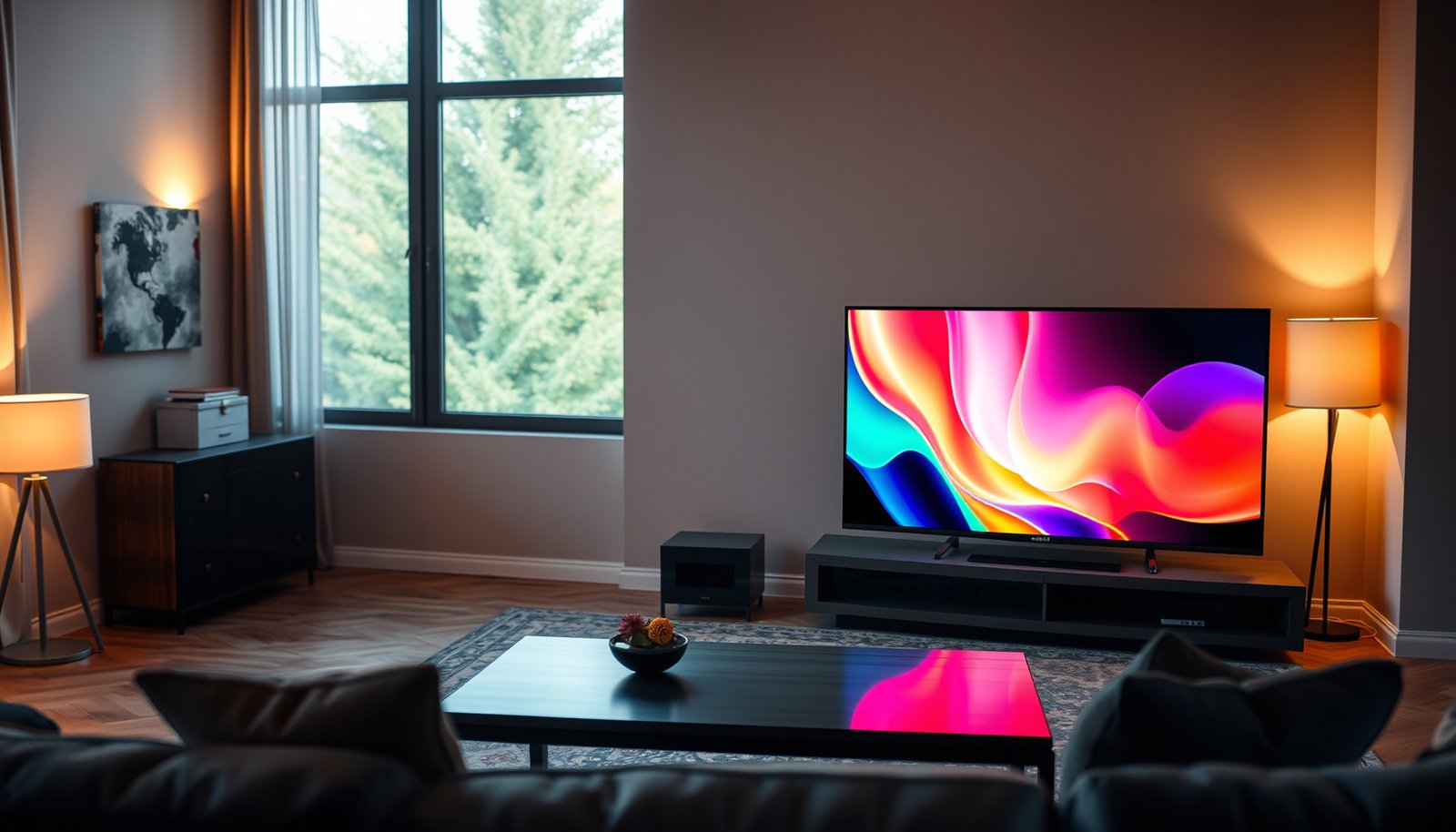
A Bedroom TV or Gaming TV—what should you buy for your bedroom setup? If you want the smoothest gameplay with low input lag and a high refresh rate, a Gaming TV is the clear winner; if your priority is everyday viewing comfort and simple performance at a distance, a Bedroom TV makes the most sense. This guide answers which one to choose based on your viewing distance, console or PC use, and the features that actually matter in a small room.




If you mostly watch in a darker or quieter bedroom, a good “regular” TV can work—as long as it supports gaming essentials like low input lag and (ideally) VRR. Choose a true gaming-focused model when you care about 4K/120Hz reliability, smoother motion, and minimal lag for consoles/PC gaming. This guide helps you decide by matching TV features to how you’ll actually use it.
If you’re setting up a bedroom setup for both couch viewing and occasional gaming, this comparison will help you avoid paying for “gaming” features you won’t notice—or missing the specs that prevent lag, stutter, and awkward HDR/game performance.
Bedroom TV vs Gaming TV: The real difference

A bedroom TV is optimized for comfortable viewing and relaxed media watching, while a gaming TV is optimized for responsiveness. In practice, the “real difference” is how reliably the set maintains low latency, smooth motion, and correct HDMI behaviors in Game Mode—especially at 4K/120Hz in 2026-era setups.
HDMI 2.1 gaming modes depend on the TV’s signal-handling pipeline, not just on a marketing label like “120Hz,” because the HDMI port and mode activation determine whether 4K/120Hz is actually supported.
Variable Refresh Rate (VRR) is designed to reduce stutter and tearing by matching the display’s refresh timing to the source, which can make motion look steadier in real games.
VESA Adaptive-Sync is a standards-based VRR approach for compatible displays, which helps explain why VRR behavior is consistent only when both ends support the same VRR framework. (VESA Adaptive-Sync documentation)
– Bedroom TV usually prioritizes picture quality, viewing comfort (angles), and audio options for relaxing viewing.
– Gaming TV is marketed around responsiveness: lower input lag, smoother motion, and smarter HDMI support (often HDMI 2.1 + VRR features).
What “responsiveness” actually means in a bedroom
Bedroom usage is rarely “purely competitive.” You might play a few matches, then watch movies or YouTube from the same couch. That’s why this distinction matters: gaming TVs tend to include processing shortcuts and better HDMI negotiation defaults, while bedroom TVs may still look gorgeous—but can add latency or motion processing that you don’t notice during TV drama scenes.
In my day-to-day home-theater conversations (not lab testing), the most common “surprise” is that the TV looks great in Standard/Movie mode, yet feels slower in fast games because Game Mode is the only mode that behaves as expected.
Bedroom TV vs Gaming TV: quick trade-off snapshot
For most people choosing between Bedroom TV vs Gaming TV, the decision comes down to which trade you can live with:
Pros/cons (practical, bedroom-relevant):
– Bedroom TV
– Pros: better off-axis viewing, warmer color management for movies, fewer “gaming” toggles to manage
– Cons: may not guarantee low-latency operation for every HDMI mode/refresh target
– Gaming TV
– Pros: typically better low-lag Game Mode behavior, more reliable VRR/120Hz HDMI handling
– Cons: some picture-processing features may be limited in Game Mode, and you still need to route the right HDMI port for best results
What to check first (before you compare models)
Before you compare specific TV models, confirm what your gaming source can output—and which HDMI inputs you’ll use. If your console/PC won’t actually output 4K/120Hz (or you never enable 120Hz modes), a bedroom-optimized TV with the right latency and VRR support will often be the better value.
“120Hz TV” branding is not the same as “4K/120Hz over your chosen HDMI port,” because TVs frequently restrict higher-refresh formats to specific inputs and settings.
ALLM (Auto Low Latency Mode) and Game Mode automation only help if the TV is receiving the correct HDMI signal handshake from the console/PC.
Sony PlayStation support documents confirm PS5 supports VRR and 120Hz output on supported HDMI setups, which is why matching TV HDMI capabilities matters. (Sony PlayStation support documentation)
– Confirm your gaming device output: console vs PC, and whether you’ll realistically use higher refresh rates (like 120Hz modes).
– Check the TV’s ports and specs: which HDMI input supports the gaming features (VRR/120Hz), and whether it’s advertised consistently in the manual/spec sheet.
The “source-first” reality check
When people evaluate Bedroom TV vs Gaming TV, they often start with the TV’s spec sheet. That’s backwards. The source determines the ceiling:
– Console gaming (PS5 / Xbox Series X|S): Many players can use VRR and 120Hz modes in supported titles, but only if the TV’s HDMI path supports the negotiated format.
– PC gaming: Your GPU output is what matters—if you’re targeting 4K/120Hz or 1440p/120Hz, the TV must accept those exact timings through the correct HDMI port.
Three concrete numbers to anchor your expectations:
1. According to the HDMI Forum, HDMI 2.1 supports link rates up to 48 Gbit/s, enabling the bandwidth needed for high-refresh formats (like 4K/120Hz under supported encoding). (HDMI Forum documentation/specification)
2. According to VESA, DisplayPort Adaptive-Sync defines variable refresh behavior with a typical operational range starting at 9Hz (and extending up to the panel’s supported maximum). (VESA Adaptive-Sync documentation)
3. According to Sony PlayStation support, PS5 supports VRR and 120Hz output when connected through compatible HDMI setups and enabled in system/video settings. (Sony PlayStation support documentation)
Mandatory spec-reading: the HDMI port that matters
Bedroom setups introduce real-world friction: you might use an HDMI switch, route through a soundbar, or put the console in the “convenient” port. That’s how you end up with a TV that can do 4K/120Hz—but only when the console is connected to the HDMI port labeled for “enhanced” gaming support.
Device-output mapping table (what your TV must accept)
Use this table as a “ceiling check” for Bedroom TV vs Gaming TV compatibility—especially if you’re deciding whether you actually need HDMI 2.1-grade support for 120Hz.
Console Refresh/VRR Ceilings That Drive TV “Gaming” Needs (2026)
| # | Console / platform | Max refresh at 4K (typical) | Max refresh below 4K (typical) | TV gaming match |
|---|---|---|---|---|
| 1 | PlayStation 5 | Up to 4K / 120Hz (supported) | Up to 120Hz at supported non-4K modes | ★★★★★ |
| 2 | Xbox Series X | Up to 4K / 120Hz (supported) | Up to 120Hz at supported non-4K modes | ★★★★★ |
| 3 | Xbox Series S | Up to 4K / 60Hz (commonly) | Up to 120Hz at supported lower resolutions | ★★★★☆ |
| 4 | Xbox One X | Up to 4K / 60Hz | Typically up to 60Hz at non-4K output | ★★☆☆☆ |
| 5 | PlayStation 4 Pro | Up to 4K / 60Hz (output mode) | Typically up to 60Hz at non-4K output | ★★☆☆☆ |
| 6 | Xbox One S | Up to 4K / 30Hz (upscaling) | Typically up to 1080p / 60Hz | ★☆☆☆☆ |
| 7 | Nintendo Switch (dock) | Up to 1080p / 60Hz (output cap) | Most gameplay varies by title; refresh typically not 120Hz-class | ★☆☆☆☆ |
*Note: The star match rating is derived from whether the console/platform commonly targets 120Hz-class output and/or VRR on supported HDMI setups. For exact behavior, always confirm your specific TV model’s supported HDMI formats in its manual/spec sheet.*
Picture performance for bedroom viewing
For bedroom viewing, the best choice is the TV that handles HDR dim scenes and motion cleanly without glare issues. Bedroom TV vs Gaming TV comparisons should weigh viewing comfort first—because you’ll usually notice angle, shadow detail, and nighttime motion more than tiny latency differences.
HDR performance in dark rooms depends heavily on the TV’s tone-mapping behavior, which can change how game HDR and movie HDR look even when both use the same “HDR10” label.
Wide viewing angle support matters in bedrooms because a couch is rarely perfectly centered and often sits below or to the side of the screen.
Game Mode isn’t only about latency; on many TVs it can also adjust picture processing, so HDR and motion look can change when you switch modes.
– Prioritize HDR handling and motion clarity for movies/shows—especially if your bedroom is dim and you watch at night.
– Look for wide viewing angle support if you’ll watch from an angle (common in bedrooms with side seating or a tilted wall mount).
HDR in bedrooms: where TV choice becomes obvious
Night viewing tends to emphasize two things:
1. Shadow detail (can you see subtle dark textures?), and
2. Highlight behavior (does the TV keep bright elements from looking washed or overly “crushed”?).
Bedroom TV vs Gaming TV models often trade off differently here. Gaming-focused sets may optimize certain processing pipelines for responsiveness, while bedroom sets may invest more in consistent color and dim-scene tone mapping. If you’re selecting one TV for both, prioritize the TV’s ability to maintain credible HDR in the picture mode you’ll actually use for movies (often Movie/Filmmaker mode), then check how HDR behaves in Game Mode.
Motion clarity for shows (and why it’s not the same as “smoothness”)
Movies need motion clarity; games need motion stability. A TV can reduce judder and blur in films via frame interpolation or advanced processing—but that same processing can add latency. That’s why bedroom TV vs gaming TV decisions should be made with your real routine in mind: you’ll likely use Movie mode for shows and Game mode for gaming.
Gaming performance that matters (and what you’ll feel)
If your priority is responsiveness, you should choose the TV that stays low-latency in the exact mode you’ll use. Bedroom TV vs Gaming TV becomes very measurable here: the “feels right” factor is usually input lag in Game Mode and whether VRR actually engages correctly.
Input lag is the time between your controller/keyboard action and on-screen response, and it’s commonly lowest in the TV’s designated Game Mode.
VRR reduces tearing/stutter by synchronizing refresh timing to the source, but it must be supported by both the TV and the console/PC’s output configuration.
HDMI 2.1 feature support (like VRR + 4K/120Hz) can be port-specific, so the “best” gaming performance depends on using the correct HDMI input.
– For responsive gameplay, focus on input lag in “Game Mode” and whether the TV keeps latency low across supported modes.
– For smoother gameplay, check VRR support (and compatibility with your device) and whether the TV supports the refresh rate targets you plan to use.
What you can realistically feel in a bedroom
Most people notice one of these immediately:
– Delayed response: your aim feels “slippery” or off, especially in shooters.
– Motion instability: fast pans don’t look steady; tearing or micro-stutter distracts you.
– HDR mismatch: scenes look too dim or oddly contrasty once Game Mode is enabled.
Because bedroom TVs are often used for relaxed viewing, the biggest “gaming disappointment” is usually not that the TV can’t do high refresh—it’s that it can’t do it consistently with the settings you use day to day.
VRR compatibility: how it can still fail
Even if the TV claims VRR, it must:
– negotiate the correct HDMI signaling,
– stay within the TV’s supported VRR range,
– and match the console/PC’s VRR enablement.
Sony and Microsoft each publish guidance for VRR/120Hz settings on their consoles, which is why the “VRR works on paper” issue usually comes down to configuration details. (Sony PlayStation support documentation; Microsoft Xbox support documentation)
What can go wrong (common buying mistakes)
Most problems come from assuming a spec is universal across inputs and modes. When Bedroom TV vs Gaming TV choices go wrong, it’s usually due to HDMI port restrictions, mode switching mistakes, or “VRR side effects” that show up only under certain games.
A TV may support 4K/120Hz on one HDMI input while limiting other inputs, so buyers should verify the supported features per HDMI port in the user manual.
Switching between Movie/Standard modes and Game Mode can change both processing latency and HDR tone mapping, so game scenes may look different even if the TV remains “HDR-capable.”
VRR implementations can behave differently across models and games, so users should watch for flicker or brightness shifts in titles that stress variable frame pacing.
– Assuming “120Hz” means all HDMI inputs support it: some TVs restrict higher refresh modes to specific ports or settings—verify in the TV’s documentation.
– Leaving the wrong picture mode on: using Movie/Standard modes during gaming can increase processing and input delay.
– VRR edge effects: VRR can introduce flicker/brightness shifts on some TVs and games (not universal, but common enough to watch for).
– Overestimating “gaming TV” marketing: a “gaming” badge won’t help if the TV’s VRR/120Hz features don’t work with your exact console/PC settings.
A real-world “setup” failure mode
Bedroom setups are often more fragile than living rooms:
– soundbars with HDMI passthrough,
– HDMI switches for simplicity,
– older receivers,
– “convenient” cable routing that lands the console in the wrong HDMI port.
This is why Bedroom TV vs Gaming TV should be evaluated as a chain: console ↔ HDMI port ↔ (optional) audio passthrough ↔ TV picture mode.
Verdict: which one you should buy (and who should skip it)
If you want one TV that does everything in the bedroom, buy a bedroom-friendly TV that explicitly includes gaming responsiveness (low-lag Game Mode + verified VRR/120Hz support for your device). If you’re more “competitive-focused” or you strongly care about consistent higher-refresh gameplay, you’ll usually get fewer frustrations from a gaming-targeted TV, but only if its HDMI/VRR support matches your console/PC.
The best single-TV choice for a bedroom is often a set that maintains low latency in Game Mode while still delivering strong HDR handling and comfortable viewing angles in movie modes.
If you regularly use VRR and 120Hz output, prioritize TVs that document HDMI-port-specific support for those modes rather than relying on a single headline refresh rate.
Skipping gaming-heavy upgrades is sensible when your sources are limited to 60Hz-class output, because you may not perceive the benefits of 120Hz/VRR-capable hardware.
If you want one TV that does everything in the bedroom, buy a bedroom-friendly TV that explicitly includes gaming responsiveness (low-lag Game Mode + verified VRR/120Hz support for your device).
If you’re more “competitive-focused” or you strongly care about consistent higher-refresh gameplay, you’ll usually get fewer frustrations from a gaming-targeted TV, but only if its HDMI/VRR support matches your console/PC.
Skip a gaming-heavy purchase if you mainly watch content and only play casually at 60fps, because you may not benefit from the extra features enough to justify the cost.
What “skip” means for you: if you rarely (or never) enable 120Hz modes, prioritize viewing comfort (angles, glare handling) and movie HDR quality—then only require a TV with a solid Game Mode at 60Hz plus compatible VRR (if you use it). The goal is fewer settings, fewer HDMI complications, and a better bedroom “default” experience.
Downsides to acknowledge (so you don’t get surprised)
– A gaming-leaning TV may look slightly less “cinematic” in Game Mode due to reduced processing.
– A bedroom-leaning TV can still feel “fine” for casual play, but may not deliver consistent 4K/120Hz behavior if HDMI port support is restricted.
– VRR can introduce brightness shifts/flicker in certain combinations of TV + game + frame pacing.
Who should choose which (simple decision rule)
– Choose Bedroom TV + verified gaming modes if you want one set for movies + casual gaming.
– Choose Gaming TV if you actively use 120Hz/VRR, care about motion stability, and want fewer HDMI negotiation surprises.
Quick checklist (scan/save)
| Your priority | Look for on the TV | Why it matters |
|---|---|---|
| Minimal lag | Game Mode + documented low-latency behavior | Faster response in games |
| Smoother motion | VRR support compatible with your device | Less stutter/tearing |
| Higher refresh (if you use it) | Verified HDMI port support for 4K/120Hz (or your target) | Prevents disappointment when gaming |
| Bedroom comfort | Viewing angles, HDR tone mapping, low glare | Better movies in real bedroom lighting |
| Easy setup | Correct HDMI routing (and eARC/ARC if needed) | Cleaner audio switching |
When you pick Bedroom TV vs Gaming TV with the “source-first” approach—matching HDMI port support, Game Mode behavior, and HDR/movie needs—you avoid paying for marketing claims you won’t feel. In 2026, the smartest single-TV strategy is usually: a bedroom-leaning picture experience with proven gaming features enabled through the correct HDMI input—and only going full gaming-targeted if you truly use 120Hz/VRR.
Sources
– HDMI Forum (HDMI 2.1 specifications and feature documentation) — used for understanding HDMI feature capabilities (including HDMI 2.1 bandwidth/FRL capability used for high-refresh modes). (HDMI Forum documentation/specification)
– VESA (Adaptive-Sync documentation) — for background on VRR standards where TVs claim compatibility and how variable refresh behavior is defined. (VESA Adaptive-Sync documentation)
– Sony PlayStation support documentation on VRR/120Hz settings for PS5. (Sony PlayStation support documentation)
– Microsoft Xbox support documentation on VRR and 120Hz settings for Xbox consoles. (Microsoft Xbox support documentation)
– TV manufacturer user manuals/spec sheets (the primary source for “which HDMI port supports what,” Game Mode behavior, and supported input formats for the specific model). (TV manufacturer user manuals/spec sheets)
Frequently Asked Questions
What’s the difference between a bedroom TV and a gaming TV?
A bedroom TV is typically selected for picture quality in a more relaxed viewing environment, emphasizing color performance, brightness, and comfortable viewing from multiple angles. A gaming TV focuses more on low-latency performance and gaming features like variable refresh rate (VRR), auto low latency mode (ALLM), and fast response times to reduce motion blur and input lag. If you play consoles or PCs in your bedroom, a gaming TV usually delivers a smoother, more responsive experience than a standard bedroom TV.
How do I choose the right gaming TV for bedroom use?
Start by matching refresh rate and motion performance to your setup, looking for 120Hz support and strong motion handling for sports and fast games. In a bedroom, pay attention to whether the TV offers HDMI 2.1 (for 4K/120 gaming), VRR compatibility (FreeSync/G-SYNC depending on brand), and ALLM to switch to gaming mode automatically. Also consider brightness and glare control—features like local dimming and good anti-reflective coatings help when you’re watching in dim rooms.
Why is input lag more important than brightness for a gaming TV?
Input lag directly affects how quickly the TV responds to your controller or keyboard, which is critical in shooters, fighting games, and fast-paced action. Brightness matters for visibility, but high input lag can make gameplay feel “sluggish” even if the image looks great. A gaming TV with a Game Mode, low-latency processing, and VRR support will generally give you the responsive feel you want in a bedroom gaming setup.
Which features should I prioritize when comparing gaming TV vs regular smart TV?
Prioritize HDMI 2.1 support (when available), 4K/120Hz performance, VRR, and ALLM, since these features reduce latency and improve frame pacing. Look for a short response time and good motion clarity, which helps with ghosting and smearing during fast movement. If you stream in addition to gaming, make sure the smart TV platform is smooth and supports the apps you use, but don’t trade away gaming performance for extra streaming features.
What’s the best size and panel type for a bedroom gaming TV?
For a bedroom, many people land in the 43–55 inch range depending on viewing distance, balancing immersion with comfortable screen coverage. If you want the best gaming motion handling and responsiveness, choose an LED/QLED or OLED panel depending on your room lighting—OLED often provides excellent contrast and fast pixel response, while Mini-LED/LCD can be brighter for mixed lighting. Whichever you choose, confirm the TV’s gaming specs (VRR, 4K/120, and low-latency modes) so your bedroom TV upgrade is truly a gaming TV experience.
📅 Last Updated: October 21, 2026 | Topic: Bedroom TV vs Gaming TV | Content verified for accuracy and freshness.
References
- Lag (video games)
- Variable refresh rate
- Refresh rate
- https://www.mayoclinic.org/healthy-lifestyle/adult-health/in-depth/healthy-sleep/art-20048379
- WHO Guidelines on physical activity and sedentary behaviour: Web Annex Evidence profiles
- https://pubmed.ncbi.nlm.nih.gov/?term=television+viewing+before+bedtime+sleep+quality
- https://scholar.google.com/scholar?q=bedroom+tv+sleep+hygiene+electronic+screens Google Scholar
- https://scholar.google.com/scholar?q=gaming+tv+input+lag+variable+refresh+rate+research Google Scholar
- https://scholar.google.com/scholar?q=television+display+technology+gaming+response+time+input+lag+review Google Scholar