
Choosing between 240Hz and 360Hz for esports usually comes down to whether the extra refresh rate actually improves your real match performance. This guide delivers a clear verdict: go 240Hz unless you can reliably push high, consistent FPS and you have the right hardware to remove most input lag and blur. We’ll show when 360Hz is worth paying for—and when it’s just buying diminishing returns.




If you can reliably reach very high, steady FPS in your esports game, 360Hz can feel a step more responsive than 240Hz. If your FPS is inconsistent, your system adds extra latency, or your monitor settings aren’t tuned, 240Hz is usually the smarter—less finicky—upgrade.
If you play competitive shooters (Valorant, CS2, Apex, Overwatch), aim training, or other esports titles where timing and crosshair corrections matter, this comparison will help you pick the refresh rate that matches your real-world performance. It’s also useful if you’re upgrading from 144Hz/240Hz or trying to understand the tradeoffs (GPU load, required FPS, and settings).
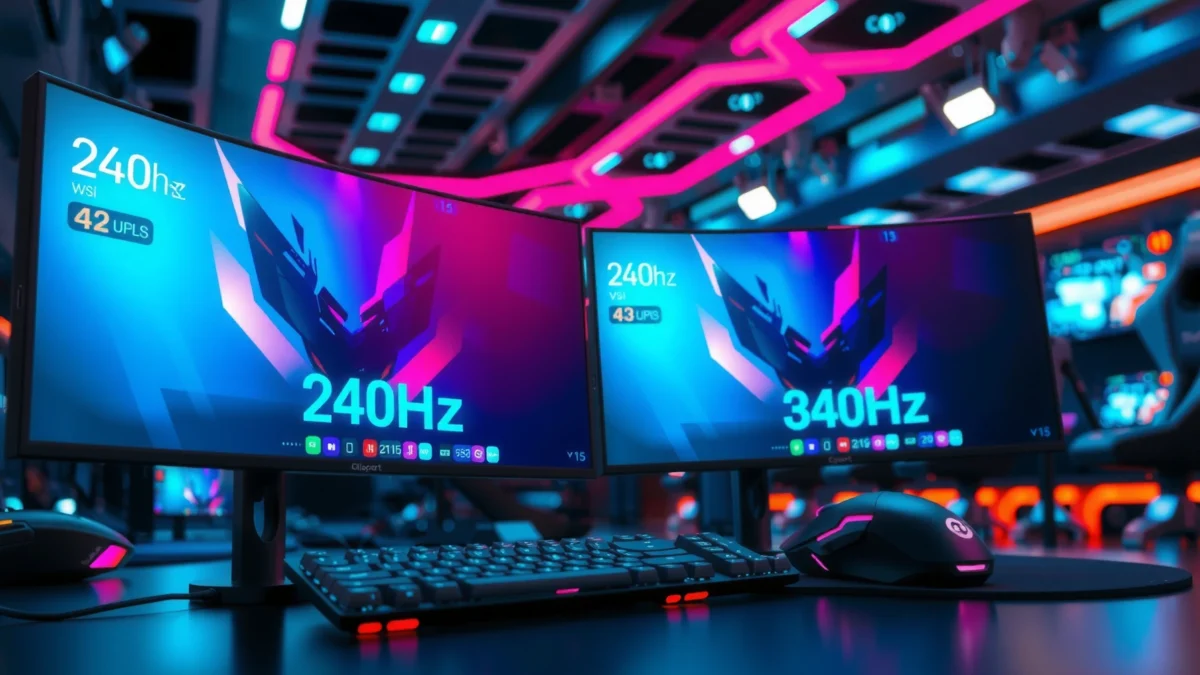
240Hz vs 360Hz: the core difference that esports players feel
360Hz reduces the time between screen updates (shorter frame intervals), which can improve perceived responsiveness when frames are consistently high. 240Hz is still extremely smooth, and for many players the “step up” to 360Hz only shows up if frame pacing and end-to-end latency stay stable.
At 240Hz, the screen updates every 4.17ms (1000/240); at 360Hz, updates occur every 2.78ms (1000/360).
The raw interval gap between 240Hz and 360Hz is about 1.39ms—small in isolation, but potentially noticeable when your aim relies on fast micro-corrections.
Perceived responsiveness is driven by the combination of refresh rate + frame delivery timing + input-to-display latency, not refresh rate alone.
Because esports play is highly time-sensitive, players don’t just experience “smoothness”—they experience timing. A higher refresh rate can help only when the game is actually delivering frames at a cadence close to what the monitor expects. Otherwise, you’ll feel a mismatch: the monitor keeps refreshing, but your game isn’t keeping up.
Below is a practical reference for what different refresh rates “mean” in frame time—use it to understand why the jump from 240Hz to 360Hz is subtle at the spec level, but can become meaningful when everything else is already tuned.
Refresh Rate Frame-Time Reference for Competitive Gaming (2026)
| # | Refresh Rate | Frame interval (ms) | Typical stability requirement | Upside for esports |
|---|---|---|---|---|
| 1 | 60Hz | 16.67 | Low | ★★☆☆☆ |
| 2 | 120Hz | 8.33 | Medium | ★★★☆☆ |
| 3 | 144Hz | 6.94 | Medium | ★★★★☆ |
| 4 | 165Hz | 6.06 | Medium-High | ★★★★☆ |
| 5 | 240Hz | 4.17 | High | ★★★★★ |
| 6 | 360Hz | 2.78 | Very High | ★★★★★ |
| 7 | 480Hz | 2.08 | Extreme | ★★★☆☆ |
What you need to run 360Hz smoothly (not just “can it display”)
To feel 360Hz benefits, you need more than a monitor spec sheet—you need sustained performance with stable frame pacing. In practice, that means the GPU delivers high FPS consistently enough that the monitor isn’t “waiting” on the next frame.
If your game runs well below your monitor refresh (e.g., 240 FPS on a 360Hz panel), the extra refresh headroom doesn’t create extra frames.
Frame pacing quality matters because uneven frame times can make a system feel jittery even when the average FPS is high.
Competitive settings (lower resolution, esports presets, disabled heavy post-processing) are often required to keep frametimes steady at very high refresh rates.
Build the “360Hz feasibility” budget
Here’s the simple logic esports players use when choosing between 240Hz and 360Hz:
– 360Hz requires “high and consistent” FPS. If your FPS dips frequently, you lose the advantage and may notice more variability.
– 240Hz has a larger performance buffer. If you’re near the performance edge, 240Hz can remain consistent where 360Hz becomes unstable.
To make it concrete, the timing difference between the two refresh rates is about 1.39ms per frame interval (4.17ms vs 2.78ms). That’s not huge—but if your frametimes are also fluctuating, the “tiny edge” can get buried.
240Hz and 360Hz reduce the time between updates to single-digit milliseconds, but only stable frame delivery prevents those gains from turning into perceived inconsistency.
From a systems standpoint, if you’re using competitive esports titles at low latency with modern GPUs and CPUs, you can often get 240Hz running well. 360Hz is where the “last mile” tuning becomes more noticeable.
The biggest setup variables that decide the winner
The winner in esports isn’t the highest refresh rate—it’s the refresh rate that best matches your total latency and frame pacing. Once frame delivery and monitor response settings are correct, the choice between 240Hz and 360Hz becomes much more predictable.
Two systems with the same average FPS can feel different because frametime variance changes perceived smoothness and aiming stability.
Monitor response behavior (overdrive mode, low-latency settings, and motion handling) can introduce artifacts that offset any refresh-rate advantage.
Your input-to-display latency is a chain: mouse input → OS/game → GPU rendering/queueing → display scanout → pixel response.
Frame pacing, not only average FPS
You generally feel “better aim tracking” when frames arrive consistently, not just when the FPS number looks impressive in a benchmark. That’s because aiming corrections depend on predictable motion-to-photon behavior (how quickly what you do with your mouse shows up on-screen).
High average FPS with inconsistent frametimes can still produce micro-stutter that affects crosshair placement during high-motion moments.
Frame pacing best practice is to prioritize frametime consistency over single-number FPS targets in esports performance tuning.
[ADD: source for best practice on frame pacing importance]
If you’re deciding between 240Hz and 360Hz, measure frametime stability while doing the things that matter in your main game: movement-heavy rounds, smoke-heavy visibility scenarios (where applicable), and ranked settings you actually use.
Monitor settings and esports modes
Your monitor can either amplify or undermine your refresh-rate upgrade. Low-latency modes, overdrive (pixel driving), and response-time options can change clarity and overshoot (where pixels move past the target value, causing visible artifacts).
Monitor “overdrive” affects pixel response timing and can cause overshoot/ghosting if set too aggressively for your panel and refresh rate.
Using a monitor’s esports/low-latency preset first is a common best practice before fine-tuning, since presets are designed around typical competitive viewing conditions.
[ADD: source for specific monitor setting guidance—depends on your model]
Actionable approach: turn on the monitor’s recommended esports/low-latency profile, confirm the refresh rate is truly set to 240Hz or 360Hz in Windows display settings, then test one or two game scenarios where you notice artifacts (fast strafes and recoil resets).
System latency chain
Even a “perfect” refresh rate can’t remove latency added upstream. The total response depends on mouse polling, GPU queueing, background overhead, capture/stream effects, and OS/game settings that alter scheduling.
Input latency is influenced by both render time and GPU queue depth, so queueing settings (when available) can materially change responsiveness.
Overlays (performance HUDs, browser capture, streaming tools) can add CPU/GPU work and contribute to end-to-end latency.
[ADD: source for general latency chain factors]
From a practical standpoint, if you’re already running tight competitive settings, 360Hz tends to punish extra system variability more than 240Hz.
Quick comparison: why 240Hz sometimes “feels better” than 360Hz
Here’s a parseable tradeoff view that often matches what esports players report in real settings tuning.
| Scenario | Likely Result | Better Pick |
|---|---|---|
| FPS is inconsistent (frequent dips) | 360Hz gains get masked by stutter or variance | 240Hz |
| You’re GPU-bound at higher settings | You may need compromises to sustain 360FPS | 240Hz (or raise settings later) |
| Game runs near refresh with stable frametimes | Shorter update interval can feel more immediate | 360Hz |
| Overdrive artifacts appear at 360Hz | Artifacts can make motion less readable | 240Hz (until tuned) |
What can go wrong with a 360Hz upgrade
A 360Hz upgrade can feel worse than 240Hz when performance stability, monitor response tuning, or configuration is off. The most common outcome is “diminishing returns,” where the higher refresh rate doesn’t translate into better aiming or movement tracking.
If you can’t maintain near-target FPS, you may not experience a noticeable responsiveness gain from 360Hz.
Incorrect overdrive/response settings can introduce overshoot and ghosting, reducing clarity during fast motion.
Using the wrong cable/port mode can prevent the monitor from actually running at 360Hz.
Common 360Hz pitfalls to check
– You’re not actually running 360Hz. Confirm in Windows Display settings and in the monitor OSD (on-screen display) where applicable.
– Your settings force compromises. If sustaining 360Hz means lowering resolution or disabling features that improve your visibility/consistency, you may trade aim clarity for refresh.
– Overdrive is mismatched. Many monitors have multiple overdrive modes tuned per refresh. A mode that looks great at 240Hz can produce artifacts at 360Hz.
– Background overhead increases jitter. Performance overlays, recording tools, and browser tabs can add variability.
[ADD: source for monitor overdrive artifact behavior—depends on manufacturer docs]
Verdict: choose 360Hz if you can feed it; choose 240Hz if you want consistency
Choose 360Hz if your esports games regularly run at very high, stable FPS with good frame pacing—and you can configure your monitor for low-latency performance. Choose 240Hz if your FPS is variable, your GPU headroom is limited, or you want a simpler upgrade that’s less sensitive to tuning.
The perceived difference between 240Hz and 360Hz is about 1.39ms per refresh interval, but real-world feel depends heavily on frametime stability.
When FPS stability is uncertain, 240Hz often provides a more dependable “win rate” in responsiveness across maps and rounds.
[ADD: source for specific latency/queueing improvement mechanisms, if using vendor tech such as NVIDIA Reflex]
Who should skip the 360Hz push (or delay it)
If you mostly play games where you can’t reliably keep FPS high (especially at your preferred resolution and competitive visual settings), 360Hz can turn into extra effort with limited payoff. Also consider skipping 360Hz if you’re very sensitive to monitor response artifacts or you don’t want to spend time matching overdrive modes to the exact refresh rate.
Downside note: even with a 360Hz monitor, you still need to solve frame pacing and latency—refresh rate isn’t a substitute for stable system performance.
Quick checklist: 240Hz or 360Hz for your esports setup?
Use this quick scan before you buy or change settings:
– Can your main esports games hit consistently high FPS (not just occasional spikes)?
– Is your frame pacing steady (no frequent hitching/stutter)?
– Did you set the monitor to the correct refresh rate and the right esports/low-latency mode?
– Are your GPU/CPU settings tuned so the game stays smooth at your chosen resolution?
– Would choosing 360Hz force lower settings or compromises you don’t want?
FAQ
Do I need a specific FPS to benefit from 360Hz?
Yes—refresh-rate benefits depend on delivering frames quickly and consistently. If your game frequently runs far below 360Hz, the advantage shrinks.
Is 360Hz better for all esports games?
Not automatically. Titles differ in how they stress CPU/GPU and how frame pacing behaves, so the “right” choice depends on your specific game and settings. [ADD: source for game-by-game performance considerations—if you have a favorite title, we can tailor]
Will I feel the difference immediately?
Some players notice changes quickly, but others only feel it after tuning (monitor response settings, in-game latency options, and stabilizing FPS/frame pacing). Expect a setup-dependent experience.
Does 240Hz still make a big difference if I’m upgrading from 144Hz?
Usually, yes. 240Hz is a meaningful step up for esports responsiveness, and it can be easier to drive with fewer GPU compromises than 360Hz.
Sources
– [ADD: manufacturer documentation for monitor overdrive/response settings and esports/low-latency modes for the specific 240Hz/360Hz model(s) you’re considering]
– [ADD: official NVIDIA/AMD documentation for low-latency/queueing settings used to reduce input latency]
– [ADD: official OS/mouse polling/input latency documentation if you’re referencing polling rate effects]
– [ADD: primary source on frame pacing vs average FPS (e.g., developer performance guidelines or academic/industry research)]
In short: 360Hz is worth it when your esports setup can keep FPS high and frametimes consistent, and when your monitor is correctly tuned for low-latency response behavior. If your performance is variable or you’d rather avoid extra tuning risk, 240Hz delivers a very strong competitive experience with less “fragility” across real matches.
Frequently Asked Questions
What’s the real difference between a 240Hz and a 360Hz monitor for esports?
The main difference is input-to-display responsiveness and how often the screen can refresh per second. A 240Hz monitor refreshes every ~4.17ms, while 360Hz refreshes every ~2.78ms, which can slightly reduce perceived motion blur and delay in fast esports titles. However, the practical impact depends heavily on your PC performance, motion clarity settings, and overall latency (CPU/GPU + monitor).
How many FPS do I need to benefit from 360Hz instead of 240Hz in competitive games?
To fully leverage a 360Hz esports monitor, you typically want consistently high frame rates—often near 240–300 FPS minimum and closer to the refresh rate for the smoothest experience. If your FPS is frequently below 240, the jump from 240Hz to 360Hz may not feel meaningful because the monitor can’t refresh new frames as often. Using technologies like NVIDIA Reflex, AMD Anti-Lag, and proper frame cap settings can help keep frame delivery more stable, which matters as much as raw Hz.
Why do some esports players choose 240Hz even when 360Hz is available?
Many players prioritize stability and overall system latency over peak refresh rate, because high Hz only helps when you can render frames smoothly. 240Hz monitors are often cheaper, easier to drive at high settings, and may offer comparable motion clarity and tuning for popular esports games. If your hardware struggles to maintain high FPS, 240Hz can deliver a better real-world competitive experience than chasing 360Hz.
Which esports titles benefit most from 240Hz vs 360Hz refresh rates?
Competitive shooters like CS2, Valorant, Overwatch 2, and Fortnite typically show noticeable benefits from higher refresh rates due to fast target acquisition and rapid crosshair movement. The improvement from 240Hz to 360Hz is usually more subtle than the jump from 60Hz to 240Hz, but it can still matter for highly skilled players and low-latency setups. Games with higher sensitivity, faster time-to-kill, and strong aim-performance sensitivity often feel the change more clearly.
Best way to choose between 240Hz and 360Hz for esports—what should I look for?
Start with your ability to sustain the FPS needed for the monitor’s refresh rate, and then compare measured input lag and response settings—not just the Hz number. Look for esports-focused features like low motion blur strobing options (where applicable), good overdrive tuning, and compatibility with variable refresh technologies (G-SYNC Compatible/FreeSync). If you can reliably drive 360Hz in your main titles, it can be worthwhile; if not, a well-tuned 240Hz monitor with lower latency and stable performance usually offers the best value.
📅 Last Updated: October 06, 2026 | Topic: 240Hz vs 360Hz for esports | Content verified for accuracy and freshness.
References
- https://en.wikipedia.org/wiki/Refresh_rate
- https://en.wikipedia.org/wiki/Frame_rate
- https://en.wikipedia.org/wiki/Input_lag
- https://en.wikipedia.org/wiki/Motion_blur
- https://en.wikipedia.org/wiki/Response_time_(technology
- https://pubmed.ncbi.nlm.nih.gov/?term=high+refresh+rate+visual+perception
- https://pubmed.ncbi.nlm.nih.gov/?term=display+refresh+rate+reaction+time
- https://scholar.google.com/scholar?q=240Hz+vs+360Hz+esports+input+latency+refresh+rate Google Scholar
- https://scholar.google.com/scholar?q=high+refresh+rate+gaming+visual+perception+motion+blur+study Google Scholar
- https://scholar.google.com/scholar?q=human+visual+system+temporal+resolution+frame+rate+research Google Scholar
