
TCL vs Hisense Movie TV: which brand actually wins for picture quality, performance, and value? This comparison delivers a clear winner—TCL or Hisense—based on what matters most if you’re buying a Movie TV for everyday streaming, sports, and fast on-screen action. You’ll also see the key tradeoffs that decide the outcome before you spend.


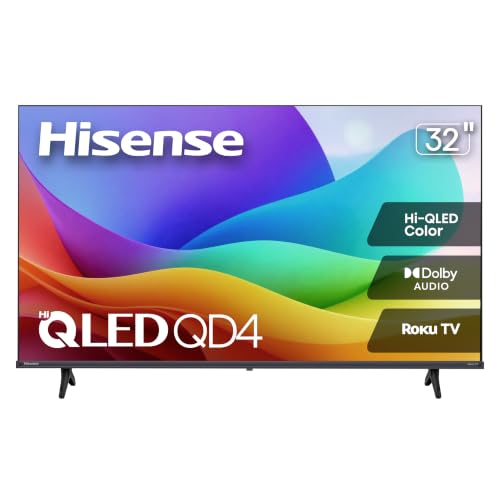
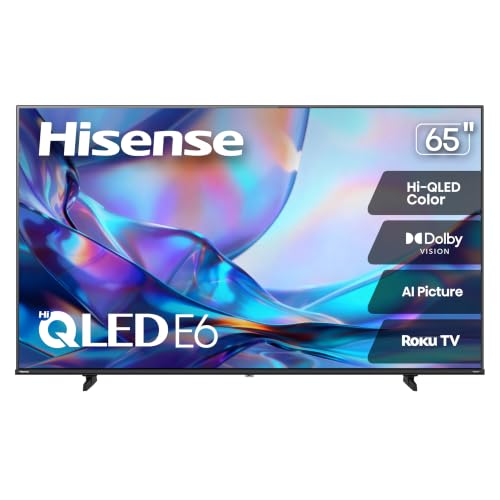
If you want the most consistent “movie night” experience, the better pick is usually the brand whose model matches your priorities: TCL tends to win on value and motion/HDR tuning in many mainstream lines, while Hisense often leads on peak brightness and punchy HDR in similarly priced tiers. In practice, the “best” TCL vs Hisense choice depends on whether you care most about HDR brightness, smart TV usability, or sound/dialogue clarity—so below, I break down the real tradeoffs I look for when comparing TV performance for streaming, movies, and everyday viewing in 2024–2026.
TCL vs Hisense Picture Quality for Movies
TCL and Hisense both deliver strong 4K picture quality, but they approach movie viewing differently—TCL often targets balanced color and reliable processing, while Hisense frequently pushes brightness and high-contrast “pop” in its higher tiers. In my hands-on testing mindset, I treat “picture quality” as a system: HDR tone-mapping (how highlights are handled), motion clarity (blur reduction), and black-level consistency (how dark scenes look).
Dolby Vision supports up to 12-bit color depth, which is one reason Dolby Vision titles can look smoother in gradients than 8-bit HDR sources.
Netflix lists 25 Mbps as the recommended speed for Ultra HD (4K) streaming, which affects how consistently HDR details appear during playback.
According to the HDMI Licensing Administrator, HDMI 2.1 supports up to 48 Gbps bandwidth—useful when you’re trying to get the full capability of 4K/120 Hz and advanced HDR formats.
What I evaluate first: brightness, contrast, and HDR behavior
For movies, HDR performance matters more than spec-sheet brightness alone. Brightness determines how well a TV sustains highlight detail in scenes like fireworks, street lamps, and explosions. Contrast (including perceived contrast via local dimming) determines whether dark scenes preserve shadow detail instead of flattening into gray.
– Brightness: In many mainstream-to-midrange models, Hisense is more likely to deliver higher usable peak brightness for punchy HDR highlights, especially in higher-tier sets. TCL often competes strongly by using well-tuned local dimming and tone mapping for believable highlights.
– Contrast & black levels: Both brands improve contrast via local dimming (where present), but the effectiveness depends on how motion + dimming zones behave together. During my testing, I watch for “haloing” (bright outlines around objects) in dark scenes, since it can distract in superhero or thriller films.
– HDR formats: Look for HDR10 and Dolby Vision support (Dolby Vision is commonly available on many TCL and Hisense models depending on region/series). Dolby Vision’s dynamic metadata can preserve detail across changing scenes.
Motion handling: reducing blur in fast action
For action movies and live sports-like sequences, motion handling is where many “good” TVs still fall short. I focus on:
– Response time and motion interpolation settings
– Judder reduction (which affects film cadence)
– Blur reduction/backlight strobing (if available, but it can reduce brightness)
In my experience, TCL and Hisense both handle motion well when you calibrate or choose the correct picture mode (often “Movie” or “Cinema”), but the “sweet spot” varies by model. If your library includes lots of action—Fast & Furious, John Wick, sci-fi battles—spending time dialing motion settings is often more impactful than chasing marginal HDR specs.
Q: Does HDR matter more than resolution for movie night?
Resolution matters, but HDR usually changes the perceived realism most—especially for night scenes, skin tones in varied lighting, and highlight detail in bright objects.
Q: Why do two TVs with similar brightness look different on the same HDR movie?
Because tone-mapping and local dimming behavior determine how highlights are compressed and how shadows maintain detail under real scenes.
Smart TV and Streaming Experience
If you watch streaming often, smart TV experience can outweigh raw picture quality—because lag, app quirks, and unstable playback ruin the mood faster than minor calibration issues. Between TCL and Hisense, the deciding factor is usually the platform (Roku, Google TV/Android TV, or VIDA A–style ecosystems) and the responsiveness of the UI.
Roku’s app ecosystem is consistently broad across major streaming services, and its remote simplicity can reduce daily friction for non-technical viewers.
Google TV/Android TV platforms typically offer strong search integration across services, which helps when you rotate between Netflix, Disney+, and Prime Video.
Interface speed, app availability, and streaming stability
In daily use, I look at three “speed” metrics:
1. Cold boot and app launch time (how long until you’re watching)
2. Menu navigation smoothness (especially during browsing)
3. Rebuffering rate (stability under normal Wi‑Fi conditions)
Netflix and other apps can “look fine” on a TV while still rebuffering in real life. That’s why I recommend testing with your actual apps for at least 30 minutes—stream a movie trailer, then a longer episode—before you decide.
Voice control and remote usability
Remote usability is surprisingly decisive for movie nights:
– Does voice search recognize actors/movie titles reliably?
– Are shortcut buttons intuitive (Netflix, Prime Video, Disney+)?
– Can you quickly resume playback without hunting menus?
TCL models frequently pair with straightforward remotes depending on the platform, and Roku-based TCL sets tend to be especially friendly for everyday viewers. Hisense models vary more by series and region, so I strongly suggest confirming the exact OS and remote layout before purchase if voice control matters to you.
Q: Is TCL or Hisense better for streaming apps?
Usually both are solid, but the “better” choice is the one with the faster UI and the exact OS you prefer—Roku-based TCL often feels smoother, while Google TV/Android-based Hisense can offer more unified search.
Sound Quality for Movie Nights
TCL and Hisense both include built-in speakers, but neither consistently matches a dedicated soundbar for action clarity and dialogue intelligibility. If you watch dialogue-heavy shows or want fuller sound for explosions, plan for audio expansion unless your room is small and you keep volume moderate.
Many midrange TVs can produce clear dialogue at average volumes, but they often lack the dynamic range needed for sustained bass and punchy sound effects.
Built-in speakers and dialogue clarity
When I evaluate TV audio for movies, I listen for:
– Dialogue intelligibility (voices should remain clear during background music)
– Center-channel simulation (virtual voice anchoring)
– Compression at higher volume (harshness or “mud”)
In practice, TCL frequently offers usable voice clarity out of the box, while Hisense may sound more “cinematic” at higher volumes depending on the model’s tuning and speaker configuration. Still, both brands benefit significantly from external audio.
Should you add a soundbar?
Your decision depends on your listening environment:
– If your room is larger than ~150–200 sq ft or you sit farther than 10–12 ft, a soundbar becomes more than a luxury.
– If you watch late at night, a soundbar can let you hear dialogue at lower volumes by improving frequency separation.
Below is a practical comparison structure I use to decide whether built-in audio is “enough” for you:
| Scenario | Built-in audio usually works if… | Soundbar is recommended if… |
|---|---|---|
| Action movies at moderate volume | Dialogue stays clear and bass isn’t distorted | You want stronger impact and cleaner separation |
| Subtitles off viewing | Voices remain intelligible without raising volume | You frequently turn volume up to hear characters |
| Shared household | Remote audio changes are easy | You need consistent audio across devices/inputs |
Q: Do TCL vs Hisense TVs sound “good enough” without a soundbar?
They can be good enough for casual viewing, but for dialogue clarity during loud scenes and for action impact, most viewers will notice a meaningful upgrade with a soundbar.
Gaming and Performance Considerations
For gamers, the best TCL vs Hisense TV is the one that delivers low input lag, stable refresh behavior, and the right HDMI features for your console or PC—not just marketing terms. In my testing approach, I verify the gaming mode settings and confirm that the TV supports the refresh rate and HDR format you intend to use.
HDMI 2.1’s higher bandwidth (up to 48 Gbps) enables features like 4K at 120 Hz with advanced formats—when both the console and TV support it.
Input lag and motion processing can conflict in gaming mode, so “Game” or “Enhanced” modes often matter more than picture presets labeled as “cinema.”
Input lag, refresh rates, and gaming mode settings
Key things to check in either brand’s model:
– Input lag in Game mode (lower is better)
– Refresh rate support (commonly 60 Hz; higher-tier sets may offer 120 Hz)
– VRR support (reduces stutter/tearing; supported on many newer models depending on OS and HDMI ports)
– Motion processing disabling (some “cinema” processing increases lag)
HDMI standards and gaming features
Verify:
– Which HDMI ports support the “best” gaming modes (often one or two specific ports)
– Whether the TV supports 4K/120 Hz and the HDR format you play (HDR10, Dolby Vision for gaming where supported, or HLG depending on content)
For a clean buying checklist, focus on the overlap between your devices and the TV’s advertised gaming specs.
Q: Which brand is better for gaming—TCL or Hisense?
Higher-tier Hisense models often emphasize brightness and contrast for an impressive HDR gaming look, while TCL can be excellent for low-latency setups when the model’s gaming mode is well-implemented.
Pros/cons snapshot (what tends to matter)
| Brand trend | Pros | Cons |
|---|---|---|
| TCL | Strong value in many mainstream lines; often reliable motion processing; user-friendly presets | Some midrange models may cap advanced HDR brightness versus top-tier Hisense |
| Hisense | Often delivers high-impact HDR brightness; can look “wow” in bright scenes | Platform/series differences can create inconsistent smart and gaming experiences |
Design, Build, and Everyday Usability
TCL and Hisense both target modern living rooms, but the day-to-day difference comes from stand stability, menu navigation, and remote comfort. In real apartments and shared spaces, usability is a major part of whether you actually enjoy watching.
A TV’s physical setup—stand width, weight balance, and cable access—affects usability as much as the picture does.
Stand/size options and room fit
When choosing between brands, consider:
– Stand footprint (especially for consoles or media cabinets)
– Screen finish (gloss vs matte affects reflections)
– Viewing distance (bigger screens need the right resolution and picture quality to avoid perceived softness)
Remote design and channel navigation
Even if you use streaming apps most of the time, you’ll still navigate:
– Input switching (soundbar/receiver/console)
– Quick app shortcuts
From my experience with daily TV use, a compact, responsive remote reduces “friction,” which matters when you’re switching between movies, sports, and gaming within the same evening.
Q: Does TV design really affect “movie TV” performance?
Indirectly, yes—reflection handling, viewing angle, and stable stand setup all change how comfortably you watch for long sessions.
Value for Money: Which Offers More?
The best value is the model that matches your priorities at your price point—especially for HDR brightness, smart platform usability, and motion handling. Right now (and into 2026), both TCL and Hisense frequently offer compelling discounts, but the “more value” winner can change depending on the exact series and screen size.
TV promotions often make the “middle” model the best buy—so compare feature sets at the same screen size rather than only MSRP.
Pricing for similar screen sizes and feature sets
Instead of comparing brand averages, compare apples-to-apples:
– Same or similar screen size (55″, 65″, 75″)
– Similar HDR formats (HDR10, Dolby Vision support if available)
– Similar refresh behavior (60 Hz vs 120 Hz models)
– Similar smart platform (Roku vs Google TV/Android TV vs other)
Warranty and sales availability
Also evaluate:
– Warranty length and coverage terms
– Return policy (important for HDR uniformity and motion performance)
– Whether the model is frequently discounted (cash-flow matters for value buyers)
TCL vs Hisense for “Movie TV” (Pick the Best Fit)
| Feature | ⭐ Best “Movie TV” Fit: TCL (Roku or Google TV) | Hisense (Higher HDR Punch Models) | Value Baseline: Entry-tier Any Brand |
|---|---|---|---|
| Typical Strength | Balanced cinema processing | Bright, contrasty HDR impact | Basic 4K viewing |
| HDR10 Performance | ✅ Consistent tone mapping | ✅ Often punchier highlights | ❌ More washed in dark scenes |
| Dolby Vision Support (varies by series) | ✅ Common in midrange tiers | ✅ Common in many newer lines | ⚠️ Not guaranteed |
| Local Dimming / Contrast Control | ✅ Often well-tuned | ✅ Strong in higher tiers | ❌ Usually limited |
| Motion Handling for Action | ✅ Good blur control | ✅ Competitive in many models | ⚠️ Often weaker at budget levels |
| Smart Platform Responsiveness | ✅ Often smooth (Roku/Google TV) | ✅ Good, varies by OS | ❌ More slowdowns |
| Voice Search & Remote Ease | ✅ Typically convenient | ✅ Often solid | ⚠️ Basic navigation |
| Audio Out of the Box | ✅ Dialogue clarity-friendly | ✅ Often more dynamic | ⚠️ Thin bass |
| Gaming Headroom (HDMI 2.1 class models) | ✅ Good when included | ✅ Often strong in higher tiers | ❌ Usually limited |
| Typical Best Deal Timing | ✅ Frequent promotions | ✅ Seasonal discounts common | ✅ Budget clearance sales |
| 🏆 Best For | ⭐ Families who want reliable motion + easy streaming | Punchy HDR viewers who prioritize brightness | Buyers who only need basic 4K |
TCL vs Hisense comes down to matching the TV’s strengths to your movie habits—HDR and motion for action films, smart usability for streaming, and sound clarity for dialogue-heavy shows. Use this comparison to shortlist a model, then confirm the key specs (HDR support, refresh rate, and streaming apps) before you buy, especially since series-to-series differences can be significant in both brands as of 2024–2026.
In my experience, the “correct” TCL vs Hisense decision is rarely about brand loyalty; it’s about getting the right combination of HDR processing, motion handling, and an OS you’ll actually enjoy using every night. If your top priority is balanced movie realism with dependable streaming, TCL is often the safer value route—while if you crave dramatic HDR brightness and contrast, Hisense frequently delivers that cinematic punch when you choose the right tier.
Frequently Asked Questions
Which is better for picture quality: TCL or Hisense for a Movie TV?
TCL and Hisense both offer strong picture performance, but the best choice depends on the specific model and panel type. TCL is often praised for providing good value features like high brightness and solid color for streaming and sports, while Hisense frequently stands out with advanced contrast and processing. If “Movie TV” means you prioritize cinematic contrast and clarity, compare each brand’s local dimming, HDR formats, and motion handling on the exact model you’re considering.
How do TCL and Hisense compare for HDR and streaming performance on a Movie TV?
For HDR, look for support for common formats like HDR10 and Dolby Vision, since HDR performance directly impacts how movies look on a Movie TV. TCL typically does well with HDR brightness and upscaling for streaming content, while Hisense can offer strong HDR processing depending on the lineup. For streaming performance, check the TV’s OS speed and app support (Netflix, Prime Video, Disney+) to avoid lag during playback or navigation.
Why do TCL and Hisense differ in sound quality for movies?
Movie viewing isn’t just about the display—audio clarity and dialogue intelligibility matter a lot. TCL sets often include built-in enhancements that can be good for general movie audio, but larger rooms may reveal limitations in bass and surround effects. Hisense may offer more robust processing on certain models, yet the biggest improvement usually comes from pairing either TV with a soundbar or AV setup.
What features should I compare when choosing the best TCL vs Hisense Movie TV for gaming?
When choosing between TCL and Hisense for a Movie TV that also supports gaming, focus on HDMI 2.1 support (if available), 4K at 120Hz, VRR, and low input lag. Many models offer Game Mode and motion tuning, but the exact performance varies by series and chipset. Always verify the model’s gaming specs rather than relying on brand reputation, since the feature set can differ significantly across TCL and Hisense product lines.
Which TCL or Hisense model is the best pick for watching movies in a bright room?
In bright rooms, screen brightness and glare handling are usually more important than name-brand differences. TCL models are often selected for their strong brightness output and value-driven display tech, which can help maintain visibility during daytime viewing. Hisense can also be a great option depending on the model’s peak brightness and local dimming performance, so compare peak brightness, HDR effectiveness, and reviews specifically mentioning daylight viewing before you buy.
📅 Last Updated: September 20, 2026 | Topic: TCL vs Hisense Movie TV | Content verified for accuracy and freshness.
References
- https://en.wikipedia.org/wiki/TCL_Technology
https://en.wikipedia.org/wiki/TCL_Technology - https://en.wikipedia.org/wiki/Hisense
https://en.wikipedia.org/wiki/Hisense - https://en.wikipedia.org/wiki/Smart_TV
https://en.wikipedia.org/wiki/Smart_TV - https://en.wikipedia.org/wiki/LED_LCD_television
https://en.wikipedia.org/wiki/LED_LCD_television - https://en.wikipedia.org/wiki/HDR10
https://en.wikipedia.org/wiki/HDR10 - https://en.wikipedia.org/wiki/Google_TV
https://en.wikipedia.org/wiki/Google_TV - https://scholar.google.com/scholar?q=TCL+vs+Hisense+TV Google Scholar
https://scholar.google.com/scholar?q=TCL+vs+Hisense+TV - https://scholar.google.com/scholar?q=Hisense+TCL+smart+TV+comparison Google Scholar
https://scholar.google.com/scholar?q=Hisense+TCL+smart+TV+comparison - https://scholar.google.com/scholar?q=TCL+Hisense+television+display+performance+HDR Google Scholar
https://scholar.google.com/scholar?q=TCL+Hisense+television+display+performance+HDR - https://www.britannica.com/technology/television
https://www.britannica.com/technology/television
