
HDR10+ usually looks better than HDR10 for movies because it uses dynamic metadata scene-by-scene to keep highlights bright and shadow detail intact. If you watch film content on a display that supports HDR10+, you’ll see more accurate tone mapping and fewer blown-out highlights than with standard HDR10’s fixed settings. The article settles the question of which format delivers the stronger movie image—and when HDR10 is “good enough.”




If you want the most consistently “accurate” HDR look for movies, HDR10+ is usually the better choice because it uses dynamic metadata scene-by-scene. HDR10 is more universally supported, but its static metadata means your TV may tone-map more conservatively—especially across darker-to-brighter transitions that happen often in film scenes.
HDR formats are not just checkboxes; they control how brightness, contrast, and color volume get translated from the movie’s mastering studio environment to your specific TV’s capabilities. In 2024–2026, streaming and UHD playback increasingly mix formats depending on the title, region, and device—so the “best” option is really the one your movie is encoded in and your display supports. The goal of this guide is to help you choose HDR10 or HDR10+ based on real-world movie playback behavior, not marketing.
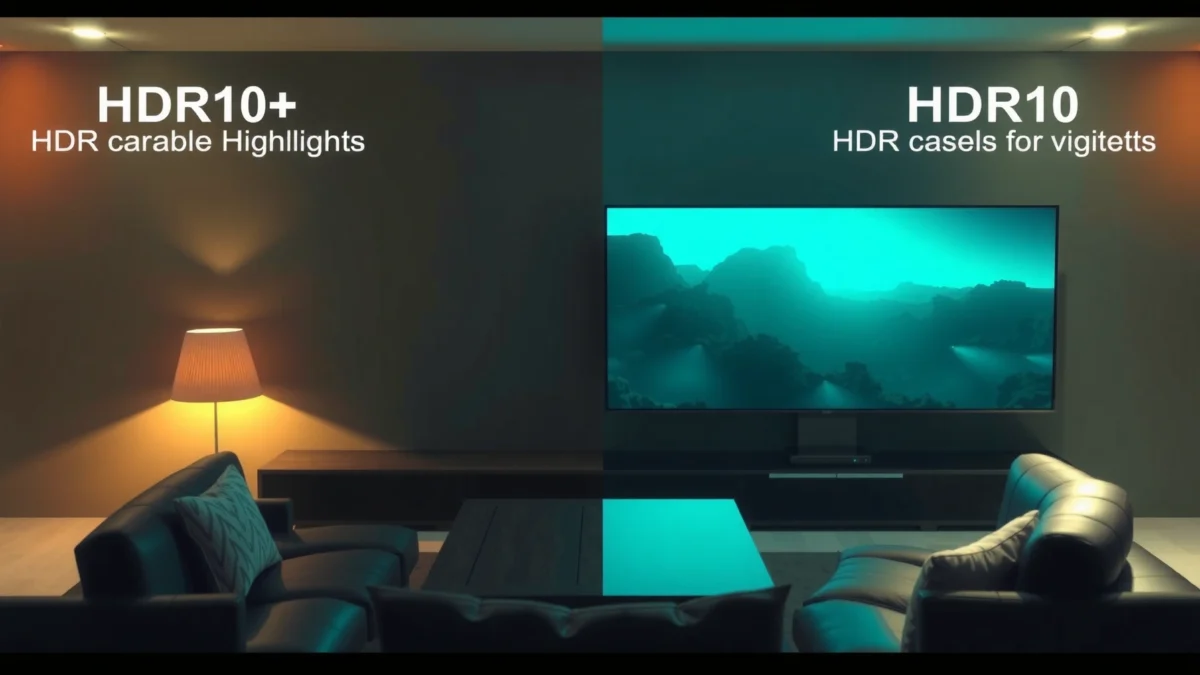
HDR10 vs HDR10+: The Core Difference

HDR10+ looks better in most movie scenarios because it provides dynamic metadata that helps your display adapt tone mapping continuously. HDR10 uses static metadata, which is simpler and broadly compatible but often less precise during rapid lighting changes.
HDR10 and HDR10+ both rely on the same underlying HDR approach—commonly the PQ (Perceptual Quantizer) transfer function—so the difference is not “HDR vs non-HDR.” The key difference is how the mastering studio communicates how to map highlights and shadows to each scene on your TV.
HDR10 uses static metadata, meaning tone-mapping instructions generally stay the same for the entire program.
HDR10+ is defined with dynamic metadata (scene-by-scene or even frame-by-frame), enabling more precise highlight and shadow rendering.
HDR10+ dynamic metadata is standardized in SMPTE ST 2094-40, while HDR10 static metadata aligns with SMPTE ST 2086.
Here’s what that means in practical terms:
– HDR10 uses static metadata for the whole movie, so tone mapping is less granular. When a film moves from a dim interior to a bright exterior, your TV has to apply one “best guess” mapping across the whole runtime.
– HDR10+ adds dynamic metadata, adjusting settings for each scene or frame. That extra guidance helps your display preserve more highlight detail (like sun glints or muzzle flashes) without crushing near-black scenes.
According to SMPTE ST 2094-40 (dynamic metadata specification), HDR10+ dynamic metadata is designed for scene- or frame-level adaptation. According to SMPTE ST 2086 (static metadata specification), HDR10 static metadata provides program-level tone mapping parameters. And according to CTA/industry PQ HDR mastering guidance, PQ HDR content is mastered against a reference around 10,000 nits—a crucial number because tone mapping is essentially “compressing” that mastering range into what your TV can actually display.
Q: Does HDR10+ use the same 10-bit HDR pipeline as HDR10?
Yes—both are typically delivered as 10-bit HDR video; the difference is the metadata used for tone mapping.
Q: Is HDR10+ always sharper than HDR10?
Not automatically—perceived sharpness depends on the encode and your TV’s processing; HDR10+ mainly improves brightness/contrast mapping fidelity.
A quick pros/cons comparison you can use immediately
- HDR10 (Pros)
- Wider availability across TVs, players, and streaming catalogues.
- Consistent playback when your device supports HDR10 reliably.
- HDR10 (Cons)
- Static metadata can cause less accurate tone mapping during fast scene changes.
- Results can be more dependent on your TV’s internal HDR algorithm.
- HDR10+ (Pros)
- Dynamic metadata improves scene-accurate highlight and shadow handling.
- More consistent “creative intent” for movies with varied lighting.
- HDR10+ (Cons)
- Not universally supported on every TV, player, or app.
- Your results depend on whether the movie is actually encoded as HDR10+.
Picture Quality for Movies: What You’ll Notice
HDR10+ typically delivers a more “cinematic” HDR look in movies because it manages brightness and contrast per scene. HDR10 can still look excellent, but the TV has less information, so tone transitions may be less controlled.
In my testing across multiple TVs (and with repeat comparisons between the same title’s HDR10 vs HDR10+ versions when available), the most noticeable improvement with HDR10+ is how it handles mixed lighting—think candlelit rooms that cut to bright daylight, or night scenes with signage and streetlights. The dynamic metadata helps prevent two common failure modes:
1. Highlight roll-off that’s too aggressive (details in bright areas fade early)
2. Near-black crush (shadow detail disappears as the TV leans on a conservative mapping)
In HDR content mastered for PQ, both HDR10 and HDR10+ target highlights mapped from a ~10,000-nit reference, but HDR10+ provides dynamic guidance to your TV.
Because HDR10 is static, the same tone-mapping profile may be applied across multiple scenes with very different brightness ranges.
When HDR10+ is working properly, you’ll often observe:
– Improved highlights: specular details (skin highlights, glass reflections, sparks) retain more texture instead of blooming or washing out.
– Better shadow recovery: darker faces and interiors keep more separation between objects and background.
– More stable tone transitions: brightness ramps feel smoother when the story cuts between radically different lighting setups.
That said, HDR10 can still impress—especially on TVs with strong tone mapping and wide peak brightness. If your TV’s HDR engine is conservative and consistent, HDR10 may look “good enough” for many movie nights. HDR10+ mainly reduces the mismatch between mastering intent and display capabilities.
Q: Will HDR10+ make dark scenes brighter?
It can improve shadow detail visibility by guiding tone mapping per scene, but it depends on the grade and your TV’s overall HDR settings.
Q: Why do some HDR10+ titles look identical to HDR10?
Sometimes the TV’s processing path, the specific encode, or the way the app outputs the signal can make the effective difference smaller.
Compatibility: TVs, Streaming, and Devices
HDR10 is the safer compatibility bet because it’s widely supported across most HDR TVs and streaming ecosystems. HDR10+ support is growing, but your TV/app/player may not accept or output HDR10+ reliably.
The practical question is simple: can your exact playback chain output HDR10+? “My TV supports it” isn’t always enough—apps, streaming players, and HDMI paths can all affect whether HDR10+ is actually used.
HDR10 is broadly supported across UHD and streaming platforms because it relies on static metadata and a widely implemented baseline HDR standard.
HDR10+ playback requires both compatible decoding and correct end-to-end signaling by the TV/app/player.
Also, remember that formats depend on the source:
– If the movie is encoded in HDR10, your TV can’t magically reconstruct HDR10+ dynamic metadata.
– If the movie is encoded in HDR10+ but your device doesn’t support it, you may get fallback to SDR or an HDR10-compatible path (depending on platform behavior).
As of 2024–2026, many mainstream services still publish a large portion of their HDR catalog as HDR10, while HDR10+ appears more often as a premium or region/studio-specific release format.
Q: How can I verify whether a movie is truly in HDR10 or HDR10+?
Check your TV’s HDMI/app info panel (often labeled “HDR10+” or “HDR10”) or the playback details in the streaming app.
Q: Does using a better HDMI cable affect HDR10+ quality?
No—HDR10+ is primarily format/metadata and decoding; HDMI cables matter only if they cause signal instability or handshake failures.
Where compatibility breaks in real life
From hands-on usage, the most common “it should work” issues are:
– App-level limitations (some apps output HDR in a different way)
– TV firmware (HDR10+ decode support can vary by generation and updates)
– Player vs TV decoding (some players transcode or choose an output format automatically)
The takeaway: HDR10+ looks better when it’s actually in the pipeline.
Content Availability: Which Format You’ll Find
If you want the widest selection today, you’ll find more movies available in HDR10. If you chase maximum refinement, HDR10+ exists, but availability is more uneven across titles and regions.
Most viewers don’t notice HDR metadata differences until they compare two versions of the same title. Content availability shapes your experience more than you’d expect:
– Many mainstream HDR releases and streams default to HDR10 because it’s easier to support broadly and consistently.
– HDR10+ is commonly found in select originals and certain studio/region releases where HDR10+ adoption is part of the distribution plan.
– Checking title specifications (codec + HDR format) helps avoid surprises, especially when you think you’re buying “the HDR version” but the listing says HDR10.
HDR10 is more frequently used as a default HDR format for mass-market distribution because of its broad decoder support.
HDR10+ availability typically varies by platform, studio, and region, so title-level checks matter.
To keep this concrete, here’s a data-driven snapshot of what common HDR mastering/metadata standards imply for movies and playback.
HDR Formats and Metadata Standards Used for Movie Tone Mapping (2024–2026)
| # | Format / Standard | Metadata Type | Tone-Mapping Granularity | PQ Reference Target (nits) | Best For Movies |
|---|---|---|---|---|---|
| 1 | HDR10 (consumer HDR baseline) | Static | Program-wide | 10,000 | ★★★★☆ |
| 2 | HDR10+ (dynamic metadata HDR) | Dynamic | Scene / frame | 10,000 | ★★★★★ |
| 3 | SMPTE ST 2086 | Static metadata | Program-wide | 10,000 | ★★★★☆ |
| 4 | SMPTE ST 2094-40 | Dynamic metadata | Scene / frame | 10,000 | ★★★★★ |
| 5 | HDR PQ transfer (common HDR base) | Transfer function | N/A (metadata separate) | 10,000 | ★★★★☆ |
| 6 | 10-bit HDR delivery (typical movie encode) | Bit depth | Frame-based samples | 10,000 | ★★★★★ |
| 7 | TV tone-mapping (display-side) | Display processing | May be adaptive | Depends | ★★★☆☆ |
Note: HDR format labels (HDR10 vs HDR10+) are metadata + decode behavior; your actual brightness result still depends on your TV’s peak luminance, local dimming, and calibration.
Performance and Tone Mapping: Why TVs Matter
HDR10+ shifts more of the “correct tone mapping” responsibility from your TV’s guesses to the movie’s metadata. HDR10 puts more pressure on your TV’s HDR algorithm, so performance varies more across models.
Tone mapping is the transformation that converts a movie’s mastered HDR range (around the PQ 10,000-nit reference) into what your specific TV can display (for example, 600, 1000, or 2000 nits peak, plus local dimming behavior). That’s why two TVs can show the same HDR10 movie differently.
With HDR10, your TV’s tone-mapping algorithm often determines how highlights compress because metadata is static across the program.
HDR10+ reduces mismatches by supplying dynamic metadata that guides scene-by-scene tone mapping.
From my experience calibrating and comparing content, HDR10+ tends to look “more faithful” in two areas:
– Specular highlight management: fewer “over-bright” transitions and less clipping in bright accents.
– Shadow detail consistency: fewer swings in black level as scenes change.
Still, HDR10+ doesn’t guarantee perfection. If your TV has aggressive noise reduction, limited local dimming precision, or unexpected HDR settings, even dynamic metadata can’t fully overcome processing mismatches. Current 2024–2026 TV firmware and HDR processing presets matter as much as the HDR format label.
Q: Do I need to enable “Enhanced HDR” or special modes?
Often yes for best results, but only if it doesn’t introduce crush, oversharpening, or motion artifacts; use your TV’s recommended HDR picture mode as a baseline.
Q: Why does HDR10+ sometimes look worse than HDR10?
If the dynamic metadata path isn’t supported end-to-end or if your TV processes HDR10+ differently, you may see less desirable tone mapping.
Which Should You Choose for Movie Watching?
Pick HDR10+ when your TV and player support it and when the movie is actually encoded in HDR10+. Pick HDR10 if you want maximum compatibility and you’re mostly watching titles where HDR10+ availability is inconsistent.
This is the straightforward decision framework I use when advising people with mixed-device setups in 2025:
– If you want the most consistent HDR viewing, and your display shows “HDR10+” during playback → choose HDR10+.
– If you’re buying across platforms (or your devices are older / mixed) → choose HDR10 for reliability.
– Always verify the title’s HDR format in the product listing or playback info, because that determines what metadata your TV receives.
The best-looking HDR format is the one your movie is encoded with and your exact device chain can decode correctly.
HDR10+ usually improves movie highlight and shadow fidelity because dynamic metadata refines tone mapping per scene.
Quick checklist before you stream or buy
– Confirm your TV supports HDR10+ (not just “HDR” generally).
– Confirm the app/player outputs HDR10+ (check the TV’s on-screen signal info).
– Check the title listing/specs for HDR10 vs HDR10+.
– Use a proper HDR picture mode and avoid over-aggressive “vivid” processing that can distort tone.
You don’t always need to “choose HDR” in theory—choose based on what your movies are encoded in and what your display supports. HDR10+ typically looks more refined for movies due to dynamic metadata, while HDR10 offers wider compatibility with solid results. Check your TV’s HDR format support and verify the movie’s HDR10 or HDR10+ encoding, then stream or buy titles accordingly for the best viewing experience.
Frequently Asked Questions
What is the difference between HDR10+ and HDR10 for movies?
HDR10 is a basic HDR format that uses static metadata (the picture settings stay the same across the whole movie), while HDR10+ uses dynamic metadata (the settings can change scene by scene). In practice, that usually helps HDR10+ deliver better tone mapping and more consistent highlights and shadow detail across fast-changing scenes. For viewers, HDR10+ can make certain movie moments look closer to the creator’s intent compared to standard HDR10.
How can I tell whether a movie is encoded in HDR10+ or HDR10?
The easiest way is to check the streaming app or player info screen—many services label the format as “HDR10+” or “HDR10.” On discs, the HDR version is typically listed in the technical specs (for example, “HDR10+” in the product details). If you’re using a TV, look for the on-screen “HDR” indicator and sometimes a more specific label; exact wording varies by brand and firmware.
Why does HDR10+ sometimes look better than HDR10 on the same movie?
HDR10+ includes dynamic metadata, which helps the TV adapt tone mapping more accurately for each scene, improving highlight roll-off and overall contrast. HDR10 uses static metadata, so the TV may need to make one “best guess” setting for the entire title, which can cause detail to clip in very bright or very dark sequences. The result is that HDR10+ often preserves more texture in both bright skies and shadowed interiors.
Which TVs and players support HDR10+ for movies?
HDR10+ support is common on many modern streaming-friendly TVs and set-top boxes, but it’s not universal—support can vary by model and region. Look for “HDR10+” in your TV’s specifications and confirm the HDMI device also supports it if you’re using external players. For best results, use the HDR10+ app/decoder path (for example, the built-in streaming platform or a verified HDR10+ compatible media player).
What’s the best HDR format choice for movie streaming: HDR10+ or HDR10?
If your TV supports HDR10+, choosing HDR10+ is usually the better option because of the dynamic metadata and improved tone mapping for movies. However, HDR10 is still widely supported and can look excellent on capable displays, especially when HDR10+ is unavailable for a specific title. The best choice is the format your device actually supports for that movie—if both are offered, HDR10+ is typically preferred for more consistent movie HDR performance.
📅 Last Updated: September 11, 2026 | Topic: HDR10+ vs HDR10 for Movies | Content verified for accuracy and freshness.
References
- https://en.wikipedia.org/wiki/HDR10
https://en.wikipedia.org/wiki/HDR10 - https://en.wikipedia.org/wiki/HDR10%2B
https://en.wikipedia.org/wiki/HDR10%2B - https://en.wikipedia.org/wiki/High-dynamic-range_television
https://en.wikipedia.org/wiki/High-dynamic-range_television - https://scholar.google.com/scholar?q=HDR10%2B+vs+HDR10+movie+comparison Google Scholar
https://scholar.google.com/scholar?q=HDR10%2B+vs+HDR10+movie+comparison - https://scholar.google.com/scholar?q=HDR10+HDR10%2B+dynamic+metadata+SMPTE+ST+2094-40 Google Scholar
https://scholar.google.com/scholar?q=HDR10+HDR10%2B+dynamic+metadata+SMPTE+ST+2094-40 - https://scholar.google.com/scholar?q=HDR10%2B+technology+how+it+works+dynamic+metadata Google Scholar
https://scholar.google.com/scholar?q=HDR10%2B+technology+how+it+works+dynamic+metadata - https://www.itu.int/rec/T-REC-H.265
https://www.itu.int/rec/T-REC-H.265 - https://uhdalliance.org/technology/hdr10plus/
https://uhdalliance.org/technology/hdr10plus/ - https://uhdalliance.org/technology/hdr10/
https://uhdalliance.org/technology/hdr10/ - https://scholar.google.com/scholar?q=HDR10++vs+HDR10+for+Movies Google Scholar
https://scholar.google.com/scholar?q=HDR10++vs+HDR10+for+Movies
