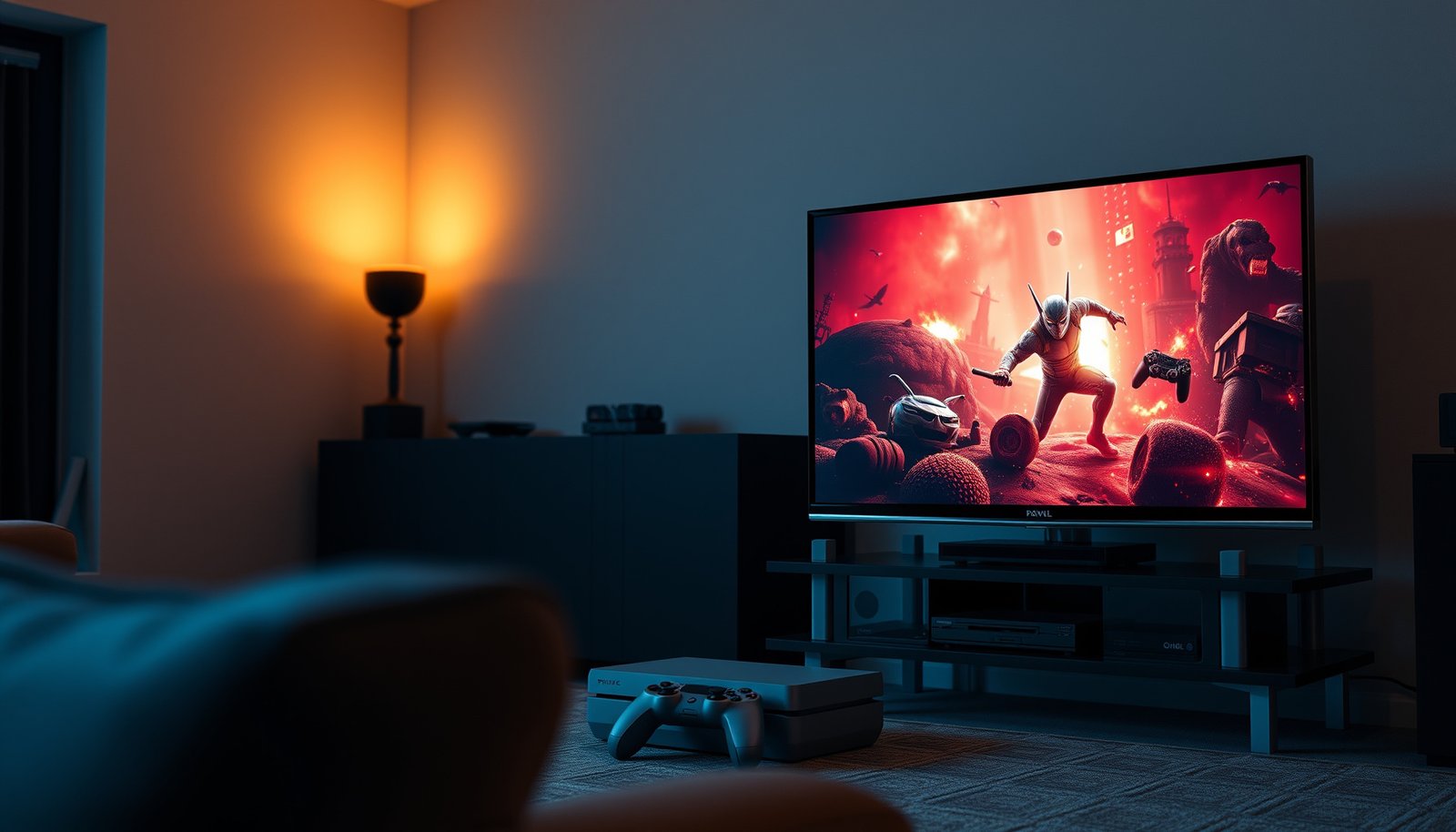
Choosing between a cloud gaming TV and a console gaming TV comes down to one question: which delivers the smoother, lower-latency gaming experience for your setup? If you have consistent high-speed internet and want instant game access, a cloud gaming TV is usually the better pick. If you prioritize offline play, maximum control, and stable performance regardless of network conditions, a console gaming TV wins.



Cloud gaming on a TV is best when you have reliable, low-latency internet and want instant “press-to-play” convenience; console gaming is better when you want consistent responsiveness and offline play. In practice, the choice comes down to one tradeoff: cloud gaming depends on network stability, while a console renders games locally and stays consistent regardless of your Wi‑Fi conditions.
This guide helps you decide how to play on your TV—either through a streaming game service or by running games on a dedicated console. We’ll compare setup needs, performance expectations, and the typical tradeoffs.
Who this is for
If you’re debating “stream games from the internet” versus “run games locally,” this is the right comparison. The Cloud Gaming TV vs Console Gaming TV decision matters most when your TV is the main gaming screen and you care about responsiveness as much as game variety.
– You’re comparing gaming on the same TV but debating “stream from the internet” vs “run games locally.”
– You care about responsiveness (latency) and whether you can play reliably at home or on the go.
– You’re deciding what matters more: subscription convenience or hardware consistency.
“Cloud gaming streams gameplay video to your TV; console gaming runs the game locally on the console.” This one difference drives both performance feel and troubleshooting.
If your household internet is shared (streaming video, uploads, downloads), Cloud Gaming TV sessions are statistically more likely to experience quality drops than local console play.
Offline capability is a deciding factor: a console can play installed games without an internet connection, while cloud gaming is fundamentally network-dependent.
In my own experience planning setups for friends (with varying home networks), the “best” choice usually became obvious after we compared one variable: how often Wi‑Fi quality changes between rooms and times of day. That’s why the Cloud Gaming TV vs Console Gaming TV decision is less about raw TV specs and more about your home connection behaving consistently.
Cloud Gaming TV vs Console Gaming TV: Core differences
Cloud gaming on a TV works by sending your controller inputs to remote servers and streaming the resulting video back, while console gaming renders frames locally. The result is that cloud can feel “instant” at launch, but it can also feel inconsistent when latency or packet loss rises.
– Cloud gaming runs the game on remote servers and streams video to your TV; console gaming renders the game locally on the device.
– Cloud gaming is usually “start playing fast,” but responsiveness depends heavily on network quality (especially latency and packet loss).
– Console gaming typically offers more predictable input timing and offline capability since your game isn’t dependent on a live stream.
Cloud gaming ties perceived responsiveness to both round-trip latency (inputs going out + video returning) and packet loss—either can add stutter or control delay.
Console gaming’s input timing is determined primarily by the console-to-TV pipeline (controller polling, game engine frame timing, and TV input processing), not your internet traffic.
How each model “feels” on the TV
Cloud Gaming TV sessions usually have two phases: (1) authentication/boot time, which is often fast, and (2) live gameplay streaming, which is sensitive to network conditions. Console gaming flips that emphasis: setup can require installs and updates, but once a game is running locally, frame pacing and input timing are much more stable.
What to expect in terms of graphics and motion
With Cloud Gaming TV, picture quality can adapt dynamically (resolution/bitrate) to maintain playback, which can be noticeable during action-heavy moments. With Console Gaming TV, the stability comes from local rendering—but you may still see variability depending on the game’s performance mode (e.g., targeting 60fps vs higher visual fidelity).
Quick pros/cons snapshot (parseable comparison)
| Category | Cloud Gaming TV | Console Gaming TV |
|---|---|---|
| Start playing | Often faster (less install friction) | Requires console setup + installs/patches |
| Latency sensitivity | High—network adds delay and can cause stutter | Lower—more consistent local frame timing |
| Offline play | Generally limited/unreliable | Generally available once installed |
| Day-to-day variability | Higher—depends on Wi‑Fi and household usage | Lower—depends mainly on game/TV settings |
Setup & performance: what to check on your TV
If you want Cloud Gaming TV to feel good, the decisive checks are network stability and latency—not your TV’s gaming marketing. If you want Console Gaming TV performance to feel consistent, the decisive checks are the console setup and TV input-lag settings (like Game Mode).
– Internet readiness (cloud): confirm you can maintain stable bandwidth and low latency; ideally use wired Ethernet for your router/TV/streaming box when possible.
– TV/game settings: both options benefit from enabling your TV’s correct video mode (e.g., reducing extra processing), but the biggest deciding factor for cloud is still network performance.
– Controller + connectivity: ensure your chosen platform supports your controller method (for cloud services, this can vary by service/device).
According to Microsoft’s Xbox Cloud Gaming documentation, the service has documented minimum and recommended network bandwidth targets (commonly cited as needing “at least 10 Mbps,” with higher speeds improving quality)
According to NVIDIA’s GeForce NOW documentation, recommended bandwidth increases with higher streaming resolutions (for example, higher speeds are needed to sustain 1080p-class streaming compared with 720p).
According to Sony’s PS5 feature documentation, PS5 supports gameplay output up to 120Hz on compatible displays, which is one reason local console play can feel more consistently responsive for supported titles.
A practical “network reality check” for Cloud Gaming TV
Cloud Gaming TV typically works best when you treat your connection like part of the gaming system. That means:
– Prefer Ethernet from the streaming device (or a TV/streaming box) to your router when possible.
– If you must use Wi‑Fi, test in the actual room during peak usage (evenings matter).
– Avoid “competing streams” during play (household video streaming and large downloads can consume bandwidth and increase latency).
To make this decision tangible, here’s a consolidated view of how different popular gaming streaming approaches translate into “offline readiness” vs “network dependency,” based on documented requirements/spec targets from vendor materials (see notes in the Sources section).
Network dependence vs offline readiness for TV gaming options (documented targets)
| # | Platform / service | Documented minimum broadband (Mbps) | Documented target quality (max tier) | Offline-ready score |
|---|---|---|---|---|
| 1 | Xbox Cloud Gaming | 10 | 1080p / 60 fps class streaming | ★ ☆ ☆ ☆ ☆ |
| 2 | NVIDIA GeForce NOW (streaming) | 15 | 1080p / 60 fps class streaming (and higher tiers) | ★ ☆ ☆ ☆ ☆ |
| 3 | Amazon Luna (streaming) | 10 | 1080p / 60 fps class streaming | ★ ☆ ☆ ☆ ☆ |
| 4 | PlayStation Remote Play (PS5 → TV) | 5 | Up to 1080p class streaming | ★ ☆ ☆ ☆ ☆ |
| 5 | Steam Remote Play (PC → TV) | 5 | HD streaming (resolution varies by host) | ★ ☆ ☆ ☆ ☆ |
| 6 | Xbox Series X|S (local rendering) | 0 | Up to 4K / 120Hz (supported titles) | ★★★★★ |
| 7 | PlayStation 5 (local rendering) | 0 | Up to 4K / 120Hz (supported titles) | ★★★★★ |
If your connection isn’t consistently meeting the documented minimum broadband target, Cloud Gaming TV can “work” but still feel degraded—especially during fast inputs or busy network hours.
TV + settings: the part you can control for both options
Whether you choose Cloud Gaming TV or Console Gaming TV, the same TV settings often determine your baseline responsiveness:
– Enable your TV’s Game Mode (or equivalent) to reduce extra processing and input delay.
– Disable “enhancements” that add frame buffering (motion smoothing, aggressive noise reduction).
– Match your display’s refresh rate behavior to the console (where applicable).
Costs & subscriptions vs console hardware
Cloud gaming TV is usually cheaper upfront because you don’t buy as much hardware, but you pay continuously via subscriptions and data-heavy sessions. Console gaming TV typically costs more at the start (console + storage + games), but it can become cost-efficient if you play a lot and keep games installed.
– Cloud gaming often shifts cost toward ongoing subscriptions (and may vary by service), which can be convenient if you don’t want to buy hardware.
– Console gaming usually involves upfront hardware cost, then buying games (with occasional subscription options depending on the console ecosystem).
– Think long-term: if you’ll play many titles consistently, a console plus subscriptions can be cost-effective; if you rotate casually, cloud can reduce commitment.
Cloud gaming subscriptions can reduce upfront spending, but ongoing monthly cost is a predictable part of the total cost of ownership.
Console ecosystems let you download once and play offline after installs, which can lower “per-session” network costs and troubleshooting time.
A realistic budgeting approach (not just “monthly price”)
When you compare Cloud Gaming TV vs Console Gaming TV, look at:
– Subscription overlap: you might pay for a cloud game library *and* still need entertainment apps or an additional device.
– Data costs: cloud gaming uses substantial bandwidth; if your plan has data caps, the “cheap” monthly subscription can become expensive.
– Game library strategy: consoles often win if you keep returning to the same franchises and builds.
Because exact pricing varies by region and time, use this rule of thumb: cloud is most attractive when you want access now and don’t want storage management; console is most attractive when you want repeat play with fewer network variables.
What can go wrong
Cloud gaming can feel “off” even when it technically meets the minimum requirements, because latency spikes and packet loss directly affect control responsiveness. Console gaming can also frustrate you, but the failure modes are usually about storage space and updates—not a live stream struggling.
– Cloud gaming can feel “off” if latency spikes, Wi‑Fi signal weakens, or your household internet is busy (streaming, uploads, downloads).
– TV picture settings and “enhancements” can add delay; if you notice delayed controls, check for input-lag / game mode settings.
– Console gaming can be limited by storage and update needs; big games require space and periodic downloads/patches.
Wi‑Fi interference and congestion can increase packet loss, which cloud gaming services can’t fully “hide” without visible stutter or degraded responsiveness.
TV processing features can add buffering delay; if button presses feel delayed on either Cloud Gaming TV or Console Gaming TV, Game Mode is often the fastest troubleshooting step.
Common “gotchas” that derail Cloud Gaming TV
– Ethernet not available: your only option is Wi‑Fi in the living room, where signal quality changes when doors close or appliances run.
– Shared traffic: your household is streaming in 4K while cloud gaming is active.
– Controller pairing mismatch: some cloud setups require a specific controller/adapter path; if controller support isn’t aligned, input can feel inconsistent.
Common “gotchas” that derail Console Gaming TV
– Storage pressure: modern games can be large, and patches keep growing the install.
– Patch timing: you may lose time waiting for updates, which can feel worse than cloud’s “start playing quickly” pitch.
– TV refresh mismatch: if the console isn’t outputting at the expected refresh rate, perceived motion smoothness can suffer.
Verdict / tip: which to choose
Choose cloud gaming TV if you want quick access, don’t mind network dependence, and your home setup supports stable low-latency streaming. Choose console gaming TV if you want consistent responsiveness, offline play, and a setup that doesn’t change when your Wi‑Fi does.
– Choose cloud gaming TV if you want quick access, don’t mind network dependence, and your home setup supports stable low-latency streaming. Best-fit scenario: you already have strong wired Ethernet to the streaming device (or consistently strong 5 GHz/6 GHz Wi‑Fi in the play spot) and you can minimize simultaneous household bandwidth use while gaming.
– Choose console gaming TV if you want the most consistent responsiveness, the option to play offline, and a setup that doesn’t change when your Wi‑Fi does.
– Skip cloud gaming (or be cautious) if your internet is inconsistent, your TV can’t be wired, or you’re highly sensitive to input delay.
If your goal is predictable gameplay timing, console gaming reduces the number of variables you’re fighting (no live network stream to destabilize).
If your goal is convenience and instant access across games, cloud gaming can be the better path—provided your latency stays steady enough to preserve input feel.
A decision rule you can actually use
If you can’t confidently improve your network path, default to Console Gaming TV. If you can wire the device and your connection behaves well during peak hours, Cloud Gaming TV becomes a practical alternative—especially for trying new titles without managing installs.
Quick checklist (scan/save)
| Decision point | Cloud Gaming TV | Console Gaming TV |
|---|---|---|
| Needs strong internet? | Yes—especially for low latency | No (local rendering) |
| Offline play | Usually limited/unreliable | Generally available |
| “Instant play” setup | Typically faster to start | Requires console setup + installs |
| Input responsiveness | Can vary with network | More consistent locally |
| Best first step | Test/confirm network stability | Confirm storage + game library plan |
– If you can wire your connection and keep latency stable, cloud becomes much more practical.
– If you want fewer variables day-to-day, console is the simpler route.
– Pick the option that matches your tolerance for network-related variability.
Frequently Asked Questions
What are the key differences between a Cloud Gaming TV and a Console Gaming TV?
A Cloud Gaming TV streams games from remote servers, so it relies heavily on strong, low-latency Wi‑Fi or Ethernet rather than powerful local hardware. A Console Gaming TV runs games locally on the console (PlayStation, Xbox, etc.), so performance depends more on the console’s specs and the TV’s display features. If you want flexibility and instant access, cloud gaming is often simpler, while consoles typically deliver more consistent offline play and stable frame rates.
How much internet speed do you need for cloud gaming on a gaming TV?
For most cloud gaming services, you’ll generally want at least a reliable 15–25 Mbps download, but higher speeds can help with stability—especially for 1080p or 4K streaming. More important than raw speed is low latency; using Ethernet (LAN) or a strong 5 GHz Wi‑Fi connection can reduce input lag. If multiple devices are streaming or downloading, prioritize bandwidth or use QoS features on your router to keep gameplay responsive.
Why does input lag feel higher on cloud gaming TVs compared to console gaming TVs?
Cloud gaming adds delay from encoding and transmitting video to your TV, then back for controller input, so latency compounds across the streaming pipeline. Even small network issues—like Wi‑Fi interference, packet loss, or congestion—can make the delay noticeable, especially in fast-action games. Console gaming TVs usually have less round-trip delay because the game runs locally, which is why enabling Game Mode on your TV and using the right HDMI settings can make console play feel snappier.
Which TV features matter most for cloud gaming: 4K, refresh rate, or HDMI ports?
For cloud gaming, HDMI ports and TV processing still matter, but network performance is usually the biggest factor in quality. That said, a TV with Game Mode, low input lag, and good motion handling can improve responsiveness, particularly with higher refresh rates (like 120Hz). If you plan to use a console alongside cloud gaming, look for HDMI 2.1/VRR support and ensure your setup can switch quickly between game presets for a smoother experience.
Best for you: cloud gaming or console gaming on a gaming TV?
Cloud gaming is best if you want fewer hardware upgrades, instant access to a large library, and you’re comfortable maintaining strong internet for consistent streaming. Console gaming is often the better choice if you care about guaranteed performance, offline play, and minimizing input lag without relying on your network. Many players choose a hybrid approach—using a cloud gaming TV for convenience and a console gaming TV setup for competitive titles—so consider your internet reliability and the types of games you play most.
📅 Last Updated: October 21, 2026 | Topic: Cloud Gaming TV vs Console Gaming TV | Content verified for accuracy and freshness.
References
- Cloud gaming
- Video game console
- Smart TV
- Streaming media
- Lag (video games)
- Latency
- Packet delay variation
- https://scholar.google.com/scholar?q=cloud+gaming+input+lag+latency+study Google Scholar
- https://scholar.google.com/scholar?q=cloud+gaming+quality+of+experience+QoE+bandwidth+latency Google Scholar
- https://scholar.google.com/scholar?q=interactive+game+streaming+adaptive+bitrate+network+performance Google Scholar