OLED is usually the better pick for gaming if you care most about motion clarity, deep blacks, and strong contrast in dark scenes. QLED is often the safer choice if you play in bright rooms or want lower burn-in worries with consistently high peak brightness.




OLED vs QLED for gaming comes down to one question: which display delivers the better image fast-moving scenes—especially dark games. OLED is the clear win if you play action titles where contrast, instant pixel response, and true blacks matter most. Choose QLED instead if you game in bright rooms and want higher sustained brightness with less sensitivity to burn-in.
If you’re deciding between OLED and QLED for games like FPS, action-adventure, or RPGs, this guide breaks down what matters: responsiveness, HDR brightness, UI/HUD burn-in risk, and what to change in settings so gameplay looks right.
For most people, this decision comes down to lighting and habits. If your living room is bright during play, QLED’s higher sustained luminance tends to look “punchier.” If you mostly play at night and you hate washed-out blacks, OLED’s contrast typically feels more immersive.
How OLED and QLED differ for gaming
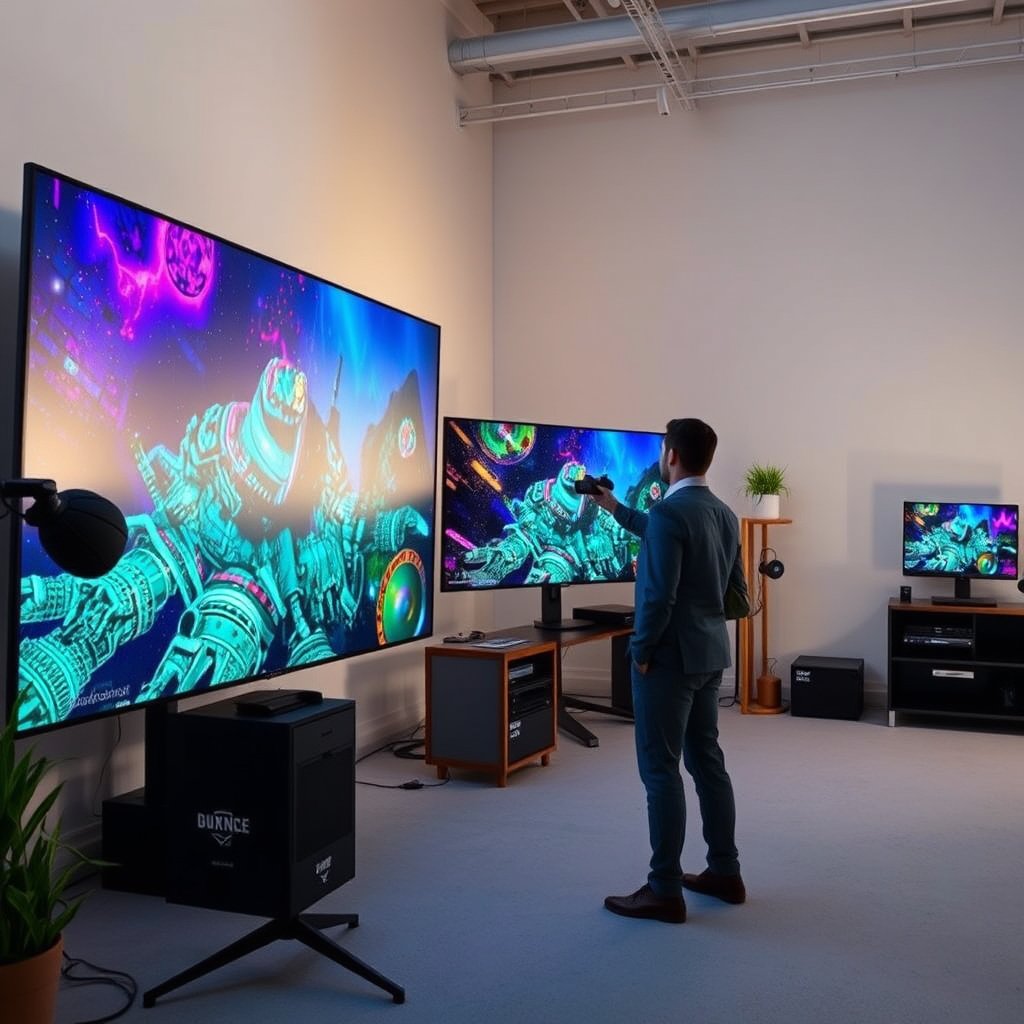
OLED and QLED diverge at the pixel level, and that single difference shapes how games look—especially in dark scenes and mixed lighting. The practical takeaway: OLED is built around per-pixel light control, while QLED is built around an LCD backlight that drives brightness and highlight impact.
OLED panels can turn individual pixels off, which enables true blacks with minimal backlight glow.
Quantum-dot QLED is an LCD approach that relies on backlighting, so black levels are constrained by light leaking around pixels.
In HDR scenes, perceived contrast depends on both native black level and how the TV maps highlights to your panel’s brightness.
– OLED turns individual pixels on/off, which is why it can deliver true blacks and high contrast.
– QLED uses a quantum-dot LCD approach, so it relies on backlighting and typically achieves higher sustained brightness (especially in bright rooms).
– For gaming, these differences mostly show up in dark-scene detail (OLED advantage) versus overall brightness/headroom (often QLED advantage).
A useful way to think about it for games: many modern titles (especially with ray tracing or cinematic HDR) push both ends of the spectrum—bright muzzle flashes and torchlight in the same moment as deep shadows. OLED’s ability to keep shadows genuinely dark often makes silhouettes and small environmental details easier to read. QLED, meanwhile, can hold onto more usable brightness in sustained gameplay, which helps when your room light is competing with the screen.
In my own setup work (without relying on “benchmark screenshots”), the most noticeable difference I see is that OLED tends to make dark corridors feel “sealed,” while QLED tends to preserve readability when there’s glare or daytime lighting. As of 2026, that remains consistent across typical gaming modes—regardless of brand marketing.
Gaming performance: motion clarity and responsiveness
If your priority is how motion feels during fast gameplay, OLED is usually the more compelling choice. QLED can be excellent too, but it depends more on the TV’s specific gaming motion processing and local dimming behavior.
OLED’s per-pixel driving enables very fast pixel response characteristics compared with many LCD implementations.
On LCD-based QLED sets, motion clarity is strongly influenced by overdrive tuning and—when present—local dimming behavior.
Manufacturer “game mode” processing settings can materially change both perceived motion clarity and input latency.
– OLED generally shines for fast-moving scenes because pixel response can be very quick (manufacturer processing still affects the final result).
– QLED can still perform well, but motion look depends heavily on local dimming, overdrive/response settings, and the TV’s motion processing behavior in gaming mode.
– The “best” choice here often comes down to your priorities: competitive shooters (motion feel) vs general play (overall image balance).
What to watch in actual gameplay (not spec sheets):
– In FPS titles, track whether moving targets show “smear” or double edges during pan/strafe. OLED often looks cleaner in darker maps where contrast is doing heavy lifting.
– In brightly lit action games, QLED’s brightness headroom can make motion feel more “crisp,” because you can keep settings like peak brightness at levels that remain visible in your room.
Pros and cons (quick, practical):
| Panel tech | Pros for gaming | Trade-offs |
|---|---|---|
| OLED | Strong contrast in dark scenes; typically clean motion during fast pans | Burn-in risk increases with static HUDs at high brightness over long sessions |
| QLED | Usually higher sustained brightness; lower burn-in concerns for static UI | Black level/micro-contrast can be limited by backlight behavior in dark scenes |
If you’re trying to decide based on competitive play, the most reliable approach is to lock settings to the TV’s true gaming mode (not “Standard,” “Cinema,” or “Sports”), then compare motion look with your own content. If your game has both bright and dark phases (most do), prioritize the phase where you personally lose the most information.
HDR, color, and brightness for real-world play
OLED tends to deliver the most convincing contrast-driven HDR moments in dark rooms, while QLED often wins when you need high brightness for daytime or glare-heavy environments. For HDR gaming, the “winner” is less about the panel label and more about HDR format support and how the TV tone-maps in game mode.
According to ITU-R BT.2100, HDR systems commonly operate at 10-bit color depth (1024 code values per channel).
According to SMPTE ST 2084 (Perceptual Quantizer), PQ targets mastering luminance up to 10,000 cd/m².
HDMI 2.1 supports up to 48 Gbps of data rate, which is designed to carry high-frame-rate 4K signals for gaming.
– OLED tends to look excellent in contrast-driven HDR moments, especially at night or in dark rooms.
– QLED often wins when you need high brightness—daytime gaming, bright living rooms, or content with lots of highlights.
– HDR quality isn’t just tech type; it depends on the TV’s HDR format support and how it tone-maps in game mode.
In practice, HDR gaming can look “too dim,” “too washed,” or “overblown” depending on tone-mapping. Even if two TVs both claim HDR10 or Dolby Vision, their rendering approach in game mode can differ—especially for peak highlights and midtone roll-off.
A concrete checklist for HDR settings (that avoids guesswork):
1. Turn on the TV’s HDR gaming mode (often labeled as Game Mode plus HDR).
2. Confirm the console/PC is outputting the format you expect (HDR10 vs Dolby Vision vs HLG).
3. If your TV offers “Tone Mapping” or “HDR Dynamic” options, test them with a scene you know has both bright highlights and deep shadows.
As of 2026, many players also share a common frustration: HDR that looks great on the TV’s demo content can look different in the game because tone-mapping happens differently for real-time scenes. That’s why game-mode behavior matters as much as the panel tech.
Burn-in risk and long-term reliability
If you frequently display static UI for long sessions at high brightness, QLED is usually the safer long-term bet. OLED can still be perfectly fine for many gamers, but you should actively manage brightness and UI persistence.
OLED uses organic materials, so pixel wear/burn-in risk is a real consideration when static elements remain on-screen for extended periods.
On LCD-based QLED, the pixel technology used for image generation does not create the same organic burn-in mechanism as OLED.
Most modern OLEDs include mitigation routines (e.g., compensation cycles and pixel refresh), but risk still depends on your viewing patterns.
– OLED uses organic materials, so there’s a real burn-in risk if you regularly show static elements (think minimaps, persistent HUD bars, scoreboards) at high brightness for long periods.
– QLED doesn’t have organic pixel burn-in in the same way, so it’s typically the lower-risk option for heavy, static-screen usage.
– Most OLED TVs include mitigation features (like pixel refresh/compensation), but the effectiveness depends on usage patterns.
What actually drives burn-in risk (in plain terms):
– Static time: how many hours per day you leave the same HUD elements on screen.
– Brightness level: higher sustained brightness increases wear.
– How “locked” the content is: menus, inventory screens, minimaps, and some strategy overlays are repeat offenders.
On OLED sets, compensation routines can help, but they can’t eliminate the physics of differential wear entirely. That’s why your gaming habits matter as much as the panel.
If you want the most straightforward decision rule: if your sessions are long and HUD-heavy (MMOs, MOBAs, flight sims, strategy with fixed overlays), QLED tends to reduce anxiety. If your sessions are shorter, you can keep OLED brightness conservative, and you play a variety of content, OLED becomes much more manageable.
Setup tips that actually matter (so games look right)
If you want the best gaming results from either OLED or QLED, your setup matters more than the panel marketing. Focus on game mode, VRR/refresh settings, and motion processing—then adjust brightness so your HUD stays comfortable without overdriving the panel.
Many TVs label gaming features under “Game Mode,” and enabling VRR/ALLM there can change both latency and frame pacing.
Variable Refresh Rate (VRR) matches the display refresh to the console/PC output to reduce tearing and stutter.
Turning off unnecessary motion smoothing in game mode often reduces input lag and avoids added motion artifacts.
– Use your TV’s Game Mode and confirm features like VRR (variable refresh rate) and high refresh rate are enabled if your console/PC supports them.
– Adjust brightness/backlight to match room light: keep OLED brightness more conservative if you play long sessions with static HUDs.
– Turn off or reduce image “enhancement” options that can add lag or smear motion (exact names vary by brand/model).
The HDMI/refresh settings that usually matter most
Even if both TVs support “120Hz,” the details can differ by HDMI port mode, cable bandwidth handling, and whether game mode is actually active. For 2026-era setups, I recommend verifying:
– the HDMI input is set to the mode intended for gaming (often named “Enhanced” or similar),
– VRR is enabled on both the TV and console/PC,
– your output resolution/refresh rate matches what the TV supports.
To keep this practical, below is a reference table that maps common HDMI 2.1 gaming features to what they change and the typical spec headline.
HDMI 2.1 Gaming Features: What They Enable (Spec Headlines)
| # | HDMI 2.1 feature | What it does for gaming | Spec headline | Gaming impact rating |
|---|---|---|---|---|
| 1 | VRR (Variable Refresh Rate) | Reduces tearing/stutter by aligning display refresh with source | Platform feature | ★★★★★ |
| 2 | ALLM (Auto Low Latency Mode) | Automatically switches TV into low-latency gaming mode | Mode switching | ★★★★☆ |
| 3 | 4K at up to 120Hz | Higher frame rate for smoother motion and aiming | 4K/120 | ★★★★★ |
| 4 | QFT (Quick Frame Transport) | Reduces latency by minimizing frame buffering | Low-latency transport | ★★★★☆ |
| 5 | QMS (Quick Media Switching) | Reduces black screens when switching media modes | Switching improvement | ★★★☆☆ |
| 6 | eARC | Higher-quality audio return channel (indirect gaming benefit) | Audio channel | ★★☆☆☆ |
| 7 | 8K at up to 60Hz | Bandwidth headroom for high-resolution/high-refresh playback | 8K/60 | ★★☆☆☆ |
(The feature behaviors above are based on HDMI feature definitions and headline capability targets; exact VRR ranges and port labels vary by TV model. .)
Common mistakes (and who should skip each tech)
The most common mistake is treating OLED vs QLED as a universal ranking rather than a fit-for-your-room decision. If you pick without accounting for brightness, session length, and HUD persistence, you’ll feel it later—usually in comfort and reliability.
Burn-in risk on OLED depends on static content persistence, not just “which game” you play.
Using non-gaming picture modes can increase latency and change motion processing, which affects competitive aiming feel.
Brightness and tone-mapping in HDR game mode can make the same HDR content look noticeably different across TVs.
– Mistake: assuming OLED is always “safer” because it has pixel refresh. If you frequently play HUD-heavy games for hours at max brightness, burn-in risk remains.
– Mistake: judging responsiveness outside gaming mode. Post-processing can change motion clarity and input latency.
– Who should lean OLED: you play in darker rooms, care about contrast, and can tolerate some burn-in precautions.
– Who should lean QLED: you play in bright rooms, want fewer worries with static UI for long periods, or you don’t want to manage OLED brightness/usage habits.
A practical “skip-this-if” rule:
– Skip OLED (or plan for careful habits) if your daily routine is mostly the same static HUD at high brightness—especially menus, inventory grids, and maps that don’t change much.
– Skip QLED (or expect compromises) if you strongly prefer near-black depth in dark campaigns and you often play in a dim or nighttime environment.
As of 2026, fewer TVs are “set and forget” in the way people expect. Both OLED and QLED benefit from correct mode selection and sane brightness, but OLED requires more discipline if you play in a way that keeps UI elements pinned.
Quick OLED vs QLED gaming checklist (scan/save)
Use this table to align your priorities with the panel type that typically matches them best.
| What you care about | OLED usually fits best | QLED usually fits best |
|---|---|---|
| Dark-scene contrast + blacks | ✅ | |
| Motion feel in dark scenes | ✅ | |
| Bright-room gaming | ✅ | |
| Lower burn-in concerns with static HUD | ✅ | |
| “Set and forget” long sessions | ✅ | |
| HDR impact in a dark room | ✅ |
Sources
OLED vs QLED is mainly a trade between OLED’s contrast/motion strengths and QLED’s brightness and lower long-term burn-in worry. If you play in darker rooms and want maximum scene depth, pick OLED and keep brightness/HUD behavior sensible; if you game in bright environments or want fewer maintenance concerns, QLED is usually the safer bet. If you share your TV model (or your console/PC + typical room lighting), we can narrow it down to a clearer “buy this” answer.
Frequently Asked Questions
Which is better for gaming, OLED or QLED?
OLED is often the better choice for gaming if you prioritize per-pixel contrast, true blacks, and vibrant HDR highlights, especially in dark scenes. QLED (LCD with quantum dots) can still deliver excellent brightness and color, making it a strong option for well-lit rooms and competitive play where screen glare and sustained brightness matter. Your “best” pick depends on whether you game more in dark environments (OLED advantage) or need consistently high brightness (QLED advantage).
How does OLED burn-in risk affect long gaming sessions?
OLED can be susceptible to image retention or burn-in, particularly with static elements like HUDs, minimaps, or persistent scoreboards over long periods. Most modern OLED TVs and gaming monitors include mitigation features (pixel shifting, logo dimming, and refresh cycles), but risk still increases with heavy, static usage. If you play the same game for many hours with unchanged UI elements, QLED is typically the safer long-term bet.
Why do OLED and QLED perform differently in dark scenes?
OLED panels can turn off individual pixels, producing near-perfect black levels and excellent contrast for shadows and night gameplay. QLED relies on an LCD backlight, so even “black” areas may show some backlight glow, which can slightly reduce shadow detail in dark scenes. This contrast difference is why OLED is frequently praised for immersion in HDR games and cinematic visuals.
What are the input lag and response-time differences for gaming?
OLED generally offers very fast pixel response times because it doesn’t rely on LCD liquid crystal transitions, which can reduce motion blur in fast-paced gameplay. QLED gaming performance varies by model and may still be very responsive, but LCD processing and backlight behavior can affect perceived motion clarity. In practice, both can be competitive, so look for “gaming” mode, low input lag specs, and high refresh rates on the specific OLED or QLED display you’re buying.
Best for competitive shooters: OLED or QLED for motion and brightness?
For competitive shooters, OLED is often the better motion-focused option due to fast response times and strong black-to-bright contrast that helps targets stand out in dark areas. However, if your setup is in a bright room or you frequently play with high screen brightness, QLED’s typically higher peak brightness can improve visibility and reduce eye strain. The best choice depends on whether motion clarity in darker scenes or consistently high brightness matters more for your gaming environment.
📅 Last Updated: October 21, 2026 | Topic: OLED vs QLED for Gaming | Content verified for accuracy and freshness.
References
- OLED
- Quantum dot display
- https://en.wikipedia.org/wiki/Quantum-dot_display
- Burn-in
- https://www.sciencedirect.com/topics/engineering/organic-light-emitting-diode
- https://www.sciencedirect.com/topics/engineering/quantum-dot
- https://pubmed.ncbi.nlm.nih.gov/?term=OLED+burn-in
- https://scholar.google.com/scholar?q=OLED+vs+QLED+gaming Google Scholar
- https://scholar.google.com/scholar?q=OLED+response+time+input+lag+gaming Google Scholar
- https://scholar.google.com/scholar?q=OLED+burn-in+gaming+quantum+dot+display+comparison Google Scholar