To reduce video buffering while streaming, start by ensuring you have a strong and stable internet connection. A reliable connection is the backbone of any seamless streaming experience, and there are several ways to enhance it. In this article, you will discover practical tips and techniques to improve your streaming experience, minimize buffering, and enjoy uninterrupted viewing of your favorite shows and movies.



Understand Your Internet Speed

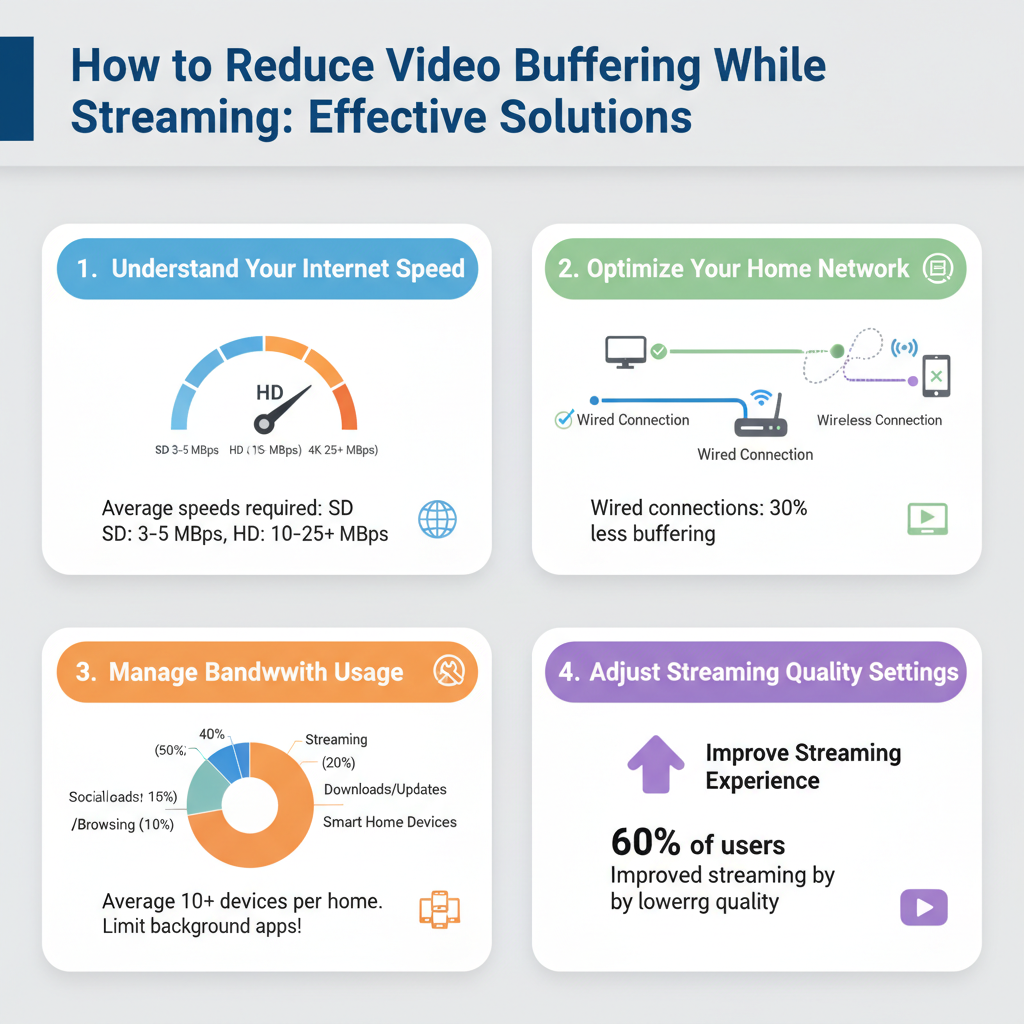
First and foremost, it’s critical to understand your internet speed. The speed of your connection plays a pivotal role in determining how smoothly your videos will stream. You can easily check your internet speed using online tools like Speedtest.net or Fast.com. These platforms will give you a quick reading of your download and upload speeds. For standard-definition streaming, a speed of at least 3 Mbps is typically sufficient, while high-definition content requires around 5-10 Mbps. If you’re into 4K streaming, prepare for speeds of 25 Mbps or higher.
If your current speed is below these recommendations, consider upgrading your internet plan. Most internet service providers (ISPs) offer various packages tailored to different needs. Upgrading may involve a slight increase in monthly costs, but the investment can significantly enhance your streaming experience, making buffering a rare occurrence rather than a frustrating norm.
Optimize Your Home Network

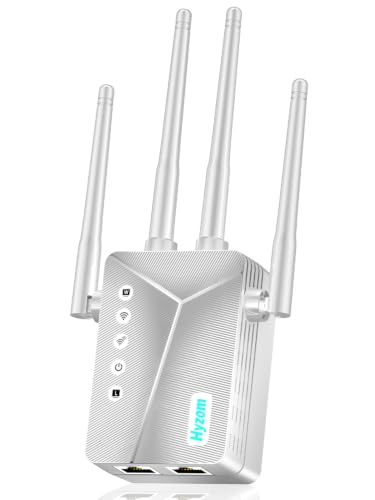
Optimizing your home network is another crucial step in reducing buffering. Start by positioning your router in a central location within your home. This placement can significantly improve signal distribution and reduce dead zones where the Wi-Fi signal is weak. If your home is large or has multiple floors, consider using Wi-Fi extenders or mesh networking systems to ensure comprehensive coverage.
For devices that require high bandwidth—like smart TVs, gaming consoles, or desktop computers—using a wired Ethernet connection can make a world of difference. Wired connections are generally faster and more reliable than Wi-Fi, reducing the chances of buffering during critical moments of your streaming experience. If you must use Wi-Fi, ensure that your router supports the latest technologies, such as dual-band frequencies, which can offer faster speeds and lower congestion.
Manage Bandwidth Usage
Managing bandwidth usage is essential, especially in households with multiple devices connected to the internet. When you’re streaming, limit the number of devices actively using your network. Devices such as laptops, tablets, and smartphones can all consume bandwidth, leading to competition that may cause buffering.
Additionally, it’s wise to close any background applications or downloads that may be consuming data. This includes software updates, cloud backups, or file downloads that might be happening without your knowledge. For instance, if you’re streaming on your smart TV while your partner is downloading a large game update on their console, you may experience buffering. By coordinating device usage and ensuring minimal background activity, you can enhance your streaming performance.
Adjust Streaming Quality Settings
Sometimes, the solution to buffering lies within the streaming app itself. Many streaming platforms allow you to adjust the video quality. Lowering the video quality settings can be particularly helpful during peak usage times when internet speeds may fluctuate. For example, if you’re watching Netflix, you can select a lower resolution, such as 480p or 720p, which requires less bandwidth than 1080p or 4K streaming.
Moreover, many platforms offer adaptive streaming technologies that automatically adjust the video quality based on your current internet speed. This means that if your connection weakens during the show, the service will lower the video quality to maintain uninterrupted playback. Just keep an eye on it, and if you notice consistent buffering, manually adjusting the settings can lead to a smoother experience.
Clear Cache and Cookies
Regularly clearing your browser cache and app data is a simple yet effective way to ensure optimal streaming performance. Over time, browsers and apps can accumulate a lot of data that may slow down your device and affect how streaming services operate. For example, if you’re using a web browser, go into your settings and clear your cache and cookies periodically. This can help eliminate glitches and improve loading times.
If you’re using a streaming app on a device, you can often clear the app’s cache through the device settings. For instance, on an Android device, you can go to Settings > Apps > (Select the streaming app) > Storage > Clear Cache. Regular maintenance like this minimizes potential issues and keeps your streaming experience enjoyable.
Use a Streaming Device
Investing in a dedicated streaming device can significantly improve your streaming performance. Devices such as Roku, Chromecast, or Amazon Fire Stick are designed specifically for streaming and often come with optimized software that enhances playback. They not only process data more efficiently than built-in TV apps but also receive regular updates that further improve performance.
For example, if you have a smart TV but find that the built-in apps are slow or laggy, connecting a streaming device can breathe new life into your viewing experience. These devices often feature user-friendly interfaces and support a wide range of streaming services, making them a fantastic addition to any home entertainment setup.
Update Software and Hardware
Finally, always ensure that your streaming apps and device firmware are up-to-date. Software updates often include performance enhancements and bug fixes that can improve streaming quality. Most devices will notify you when updates are available, but it’s a good habit to check manually from time to time, especially if you notice any playback issues.
Additionally, consider upgrading your router if it’s several years old. Newer models are designed to handle higher speeds and more devices simultaneously. Look for routers that support the latest Wi-Fi standards, such as Wi-Fi 6, which offers improved performance and efficiency.
By following these actionable steps, you can significantly reduce video buffering while streaming. Prioritize checking your internet speed and optimizing your network setup as fundamental measures. Implement these strategies for a smoother, more enjoyable streaming experience and say goodbye to frustrating interruptions. With a little effort and the right tools, you can transform your streaming routine into a seamless adventure filled with uninterrupted entertainment.
Frequently Asked Questions
What are the main causes of video buffering while streaming?
Video buffering during streaming can be caused by several factors, including slow internet speeds, network congestion, or inadequate router performance. Additionally, high-resolution video settings may require more bandwidth, leading to buffering if your internet connection cannot support it. Other issues, such as outdated streaming devices or software, can also contribute to a poor streaming experience.
How can I check my internet speed to reduce video buffering?
To check your internet speed, you can use online speed tests like Ookla’s Speedtest or Fast.com. Simply connect your device to the same network you use for streaming and run the test. A speed of at least 25 Mbps is recommended for smooth streaming of HD content, while 4K streaming typically requires 50 Mbps or higher. If your speed is lower than these recommendations, you may need to consider upgrading your internet plan or troubleshooting your connection.
Why does video resolution impact buffering during streaming?
Video resolution impacts buffering because higher resolutions, such as 4K, require significantly more data to stream smoothly. If your internet connection cannot handle the bandwidth needed for high-resolution video, you may experience buffering. To reduce buffering, you can lower the streaming quality in your video player settings, which decreases the amount of data being transmitted and can lead to a smoother viewing experience.
What are the best practices to optimize my home Wi-Fi network for streaming?
To optimize your home Wi-Fi network for streaming and reduce video buffering, position your router in a central location to ensure even coverage throughout your home. Use dual-band routers to take advantage of both the 2.4 GHz and 5 GHz bands, as the latter offers faster speeds over shorter distances. Additionally, limiting the number of connected devices and utilizing wired Ethernet connections for streaming devices can significantly improve performance and reduce buffering.
Which devices or streaming services are best for minimizing buffering issues?
Devices like smart TVs, streaming sticks (such as Roku or Amazon Fire Stick), and gaming consoles are generally optimized for streaming and can help minimize buffering issues. Additionally, services like Netflix and YouTube offer adaptive streaming technology, which automatically adjusts video quality based on your internet speed, reducing the likelihood of buffering. When choosing a streaming service, consider those that provide options for lower quality settings to accommodate various internet speeds.
References
- Buffer
- https://www.consumer.ftc.gov/articles/how-streaming-services-work
- https://www.pcmag.com/how-to/how-to-reduce-video-buffering
- https://www.howtogeek.com/719924/how-to-reduce-video-buffering-while-streaming/
- https://www.lifewire.com/how-to-reduce-video-buffering-4160524
- https://www.cnet.com/tech/services-and-software/how-to-stop-buffering-when-watching-online-video/
- https://www.theverge.com/2017/9/13/16295538/how-to-reduce-buffering-streaming-video-tips