

AI creates auto-adjusting UI elements for displays by analyzing user behavior and preferences, enabling a more personalized and adaptive user experience. With the help of advanced algorithms, interfaces can dynamically change to suit individual needs, ensuring that users interact with technology in the most efficient and enjoyable manner possible. This article delves into how AI algorithms and design principles work together to enhance usability and accessibility across various devices, making technology more intuitive than ever.
Understanding AI in User Interface Design

The integration of AI into user interface design is a game-changer. By analyzing vast amounts of user interaction data, AI can gain insights into user preferences, habits, and behaviors. For instance, when an app observes that users spend more time on specific features or sections, it can adjust the layout to highlight these areas, effectively guiding users to what they find most engaging.
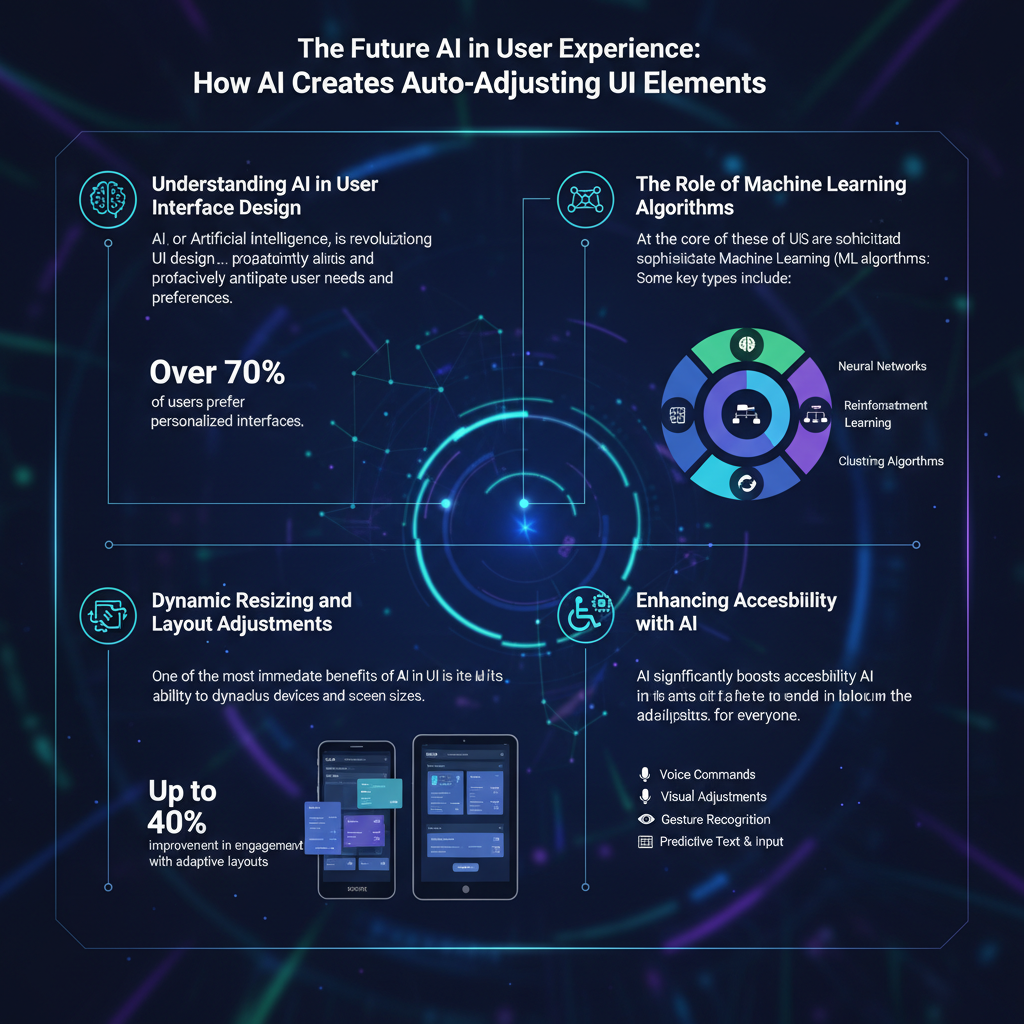
Moreover, AI can identify trends in user behavior, such as frequent navigation paths or common points of frustration, which informs design adjustments. This means that instead of a one-size-fits-all approach, user interfaces can be tailored to meet the unique needs of each user. The result is a more enjoyable and efficient experience, as users feel more in control and less overwhelmed by irrelevant options.
The Role of Machine Learning Algorithms

Machine learning algorithms play a crucial role in the evolution of user interfaces. These algorithms are designed to learn from user interactions over time, adapting and fine-tuning themselves to improve the user experience continuously. For example, consider a news app that begins to show you articles based on your reading history. As you engage with different topics, the machine learning algorithm becomes more adept at predicting what you might like to read next.
This real-time adaptation is where machine learning shines. It can implement changes instantaneously based on user actions, such as adjusting the layout or suggesting content that aligns with your interests. The learning process is ongoing; the more you interact, the better the system becomes at serving your preferences. This evolving nature not only enhances user satisfaction but also fosters long-term engagement, making users more likely to return to the app or website.
Dynamic Resizing and Layout Adjustments
One of the most significant advantages of AI in UI design is its ability to facilitate dynamic resizing and layout adjustments. This is particularly important in today’s multi-device world, where users access applications on everything from smartphones to large desktop monitors. Auto-adjusting UI elements can resize automatically based on the screen size and resolution, ensuring that all users have a seamless experience, regardless of the device they are using.
For example, a shopping website might present a grid layout on a desktop but switch to a single-column layout on mobile devices. This adaptability not only maintains the aesthetic appeal of the site but also ensures that users can easily navigate and read content. By optimizing layouts, AI can enhance user engagement and readability, preventing users from feeling overwhelmed or lost in a cluttered interface.
Enhancing Accessibility with AI
AI-driven UI elements are also making significant strides in enhancing accessibility for users with disabilities. By leveraging AI, interfaces can adapt in real-time to accommodate specific needs. Features such as text enlargement, voice commands, and color contrast modifications can make technology more usable for diverse users. For instance, AI can automatically detect when a user is struggling to read small text and offer to enlarge it or suggest color combinations that are easier to see.
These adjustments are not just beneficial for individuals with disabilities; they enhance the overall user experience for everyone. By creating more inclusive designs, companies can ensure that all users feel valued and engaged, which ultimately leads to a broader audience and increased brand loyalty.
Real-World Applications of Auto-Adjusting UIs
The application of auto-adjusting UIs can be seen across various industries, demonstrating the versatility and effectiveness of AI in design. In e-commerce, for instance, adaptive web design allows online retailers to present products in a way that resonates with individual users. By analyzing purchasing behavior and preferences, these sites can showcase items that are most likely to convert, enhancing the shopping experience and boosting sales.
In education, adaptive learning platforms utilize AI to tailor content to the learner’s pace and style. By adjusting the interface and available resources based on user interaction, educators can create a more personalized learning environment that maximizes student engagement and retention. These real-world applications highlight the transformative potential of AI in crafting user interfaces that are not only functional but also exceptionally user-centric.
Future Trends in AI and UI Design
Looking ahead, the future of AI in UI design is promising and full of exciting possibilities. As technology continues to advance, we can anticipate even smarter UI elements that will further enhance personalization. For instance, future AI systems may be able to predict user needs before they even express them, creating a proactive user interface that changes based on contextual cues.
Additionally, personalization will become increasingly sophisticated, with AI tailoring experiences not just to individual preferences but also to situational contexts. For example, an application may adjust its interface based on the time of day or user location, providing relevant content and features that align with the user’s current environment.
As these trends unfold, the potential for AI to revolutionize user interface design will continue to expand, making interfaces more intuitive, engaging, and accessible than ever before.
AI has revolutionized how we interact with technology by creating auto-adjusting UI elements that respond to user needs and preferences. As this technology continues to evolve, it promises to deliver even more dynamic and personalized experiences. From enhancing accessibility to optimizing layouts for engagement, AI plays a pivotal role in shaping the future of user interface design. To stay updated on the latest trends in AI and UI design, consider following industry blogs and engaging with professional communities, as the conversation around these innovations is only just beginning.
Frequently Asked Questions
What are auto-adjusting UI elements, and how do they work in displays?
Auto-adjusting UI elements are components of user interfaces that automatically modify their size, position, or visibility based on the user’s preferences, device specifications, and content requirements. These elements leverage artificial intelligence (AI) algorithms to analyze user behavior and context, allowing for a responsive design that enhances user experience. By ensuring optimal layout across various devices, these UI elements help maintain usability and accessibility.
How does AI enhance the functionality of auto-adjusting UI elements?
AI enhances the functionality of auto-adjusting UI elements by analyzing data patterns from user interactions, preferences, and environmental factors, such as screen size and resolution. Machine learning algorithms can predict user needs and adjust the UI in real-time, ensuring that users have access to the most relevant information without clutter. This dynamic adaptability leads to improved engagement and satisfaction, making applications more intuitive and user-friendly.
Why is it important for applications to have auto-adjusting UI elements?
Implementing auto-adjusting UI elements is crucial for applications as it significantly improves user experience by providing a seamless interface that adapts to different devices and screen sizes. This adaptability reduces frustration from users who may struggle with static layouts that do not accommodate their needs, leading to better retention rates and higher user satisfaction. Additionally, auto-adjusting interfaces can enhance accessibility for users with disabilities, allowing for a more inclusive digital environment.
What are the best practices for designing auto-adjusting UI elements using AI?
The best practices for designing auto-adjusting UI elements include utilizing responsive design principles, ensuring consistency in UI patterns, and incorporating user feedback into the AI training process. It’s essential to prioritize simplicity and clarity, as overly complex adjustments can confuse users. Furthermore, testing the UI across various devices and screen sizes will help identify issues and optimize the interface for diverse user experiences.
Which frameworks or tools are recommended for implementing AI-driven auto-adjusting UI elements?
Several frameworks and tools are recommended for implementing AI-driven auto-adjusting UI elements, including React with libraries like Material-UI for responsive design, and Bootstrap for grid layouts. Additionally, TensorFlow and PyTorch can be used for developing machine learning models that predict user behavior and preferences. By combining these technologies, developers can create adaptive UIs that enhance user interactions and functionality across different platforms.
References
- User interface
- https://www.sciencedirect.com/science/article/pii/S016792361930016X
- https://www.nature.com/articles/s41598-020-73572-3
- https://www.microsoft.com/en-us/research/publication/adaptive-user-interfaces/
- https://www.uxdesign.cc/adaptive-ui-what-it-is-and-why-it-matters-8f20bc95b5c7
- Topics | IBM
- https://www.hci-journal.com/
- https://www.bbc.com/news/technology-65015261
- https://www.researchgate.net/publication/339865136_Adaptive_User_Interfaces_for_Smart_Environments