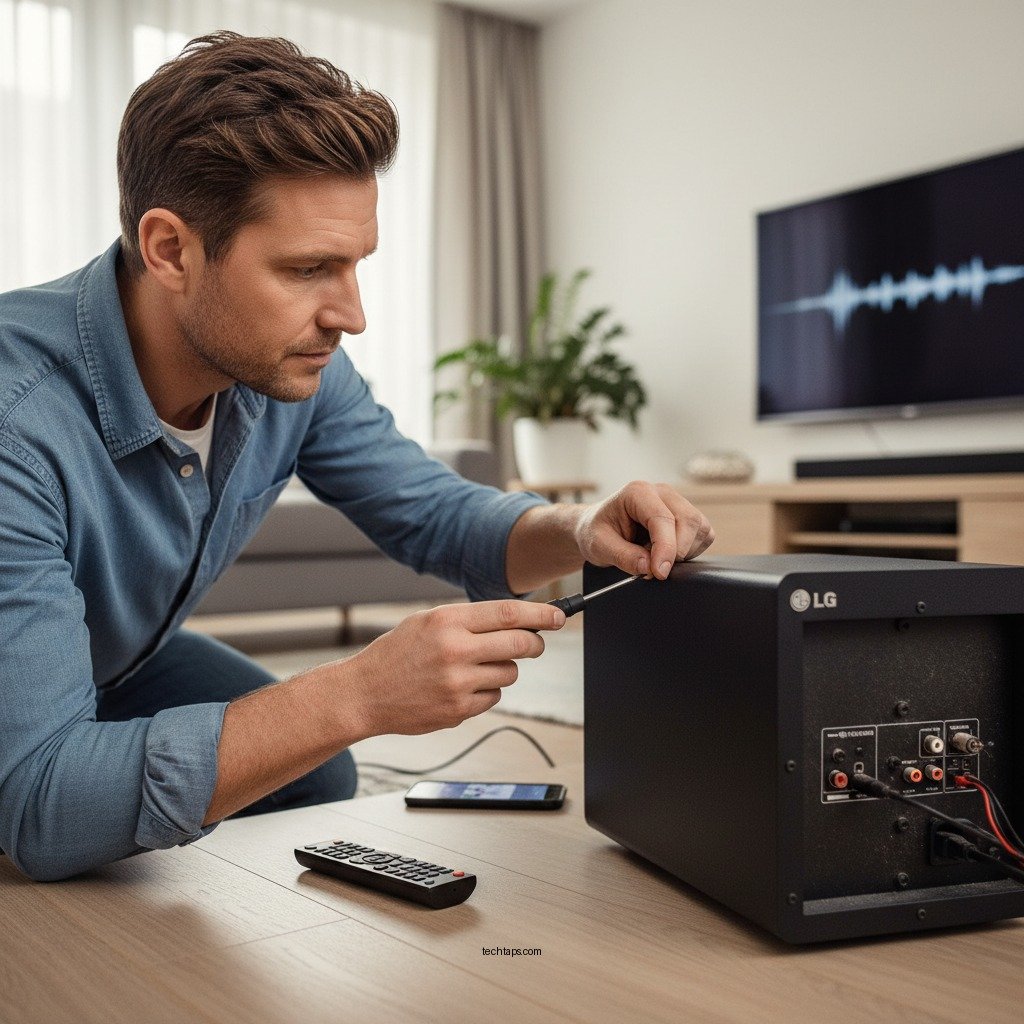

To fix your LG subwoofer not producing bass, start by checking the connections and settings on your audio system. Often, issues arise from improper wiring or incorrect settings. This article will guide you through essential troubleshooting steps to restore the deep, rich sound your subwoofer is designed to provide.
Check Power and Connection

The first step in resolving any audio issue, including a subwoofer that fails to produce bass, is to check the power and connections. Ensure that your subwoofer is plugged into a working electrical outlet and that it is powered on. A simple indicator light on the device can confirm whether it is receiving power.
Next, verify that all audio cables are securely connected to both the subwoofer and the audio receiver or amplifier. Loose or damaged cables can lead to poor performance or a complete lack of sound. If possible, try using different cables or ports to rule out any potential issues with the connectivity.
In some cases, the subwoofer may have a dedicated power switch or a standby mode. Make sure that the device is not in standby mode, as this can also mute the output. By ensuring all connections are secure and the unit is powered correctly, you can often resolve the issue before needing to proceed to more complicated troubleshooting steps.
Adjust Audio Settings
The next step involves delving into your audio settings, as mismatched configurations can easily lead to a lack of bass from your LG subwoofer. Start by accessing the settings on your audio receiver. Ensure that the subwoofer is enabled and set to the correct mode. Some receivers have different modes for music, movies, or gaming, and using the wrong mode can significantly affect performance.
Pay close attention to the crossover frequency settings. The crossover frequency determines the point at which the subwoofer will take over from the main speakers. A setting that is too high may result in less impactful bass. Generally, setting the crossover frequency between 70Hz and 100Hz is a good starting point for most systems.
Additionally, adjust the volume levels of the subwoofer itself within the receiver settings. Sometimes, the volume may be set too low relative to other speakers, causing the bass to be barely perceptible. By recalibrating these settings, you can optimize your system for a richer bass experience.
Inspect the Subwoofer Placement
The placement of your subwoofer within your space can dramatically impact its performance. Certain locations in a room can enhance bass response, while others may hinder it. For optimal results, experiment with the position of your subwoofer.
Placing the subwoofer in a corner of the room can often boost the bass output due to the way sound waves interact with the walls. Conversely, avoid positioning the subwoofer too close to walls or in enclosed spaces, as this can create a muffled sound. Ideally, the subwoofer should be placed on the floor and not hidden behind furniture or in a cabinet.
If possible, utilize a method called the “subwoofer crawl.” This involves placing the subwoofer in your listening position and crawling around the room to find where the bass sounds best. Once you find a suitable spot, move the subwoofer there for the best bass experience.
Best Placement Strategies for Subwoofers
| # | Placement Option | Bass Impact | Recommended |
|---|---|---|---|
| 1 | Corner Placement | High | ✔️ |
| 2 | Mid-Room | Medium | ✔️ |
| 3 | Against a Wall | Low | ❌ |
| 4 | In a Cabinet | Very Low | ❌ |
| 5 | Near Furniture | Low | ❌ |
| 6 | Floating | High | ✔️ |
| 7 | On a Stand | Medium | ✔️ |
Test with Different Audio Sources
If your subwoofer is still not producing the expected bass, test it with different audio sources. Sometimes, the issue may stem from the audio content rather than the subwoofer itself. Play a variety of audio tracks, including music genres known for their heavy bass, such as hip-hop, EDM, or certain movie soundtracks.
By using content with robust low-frequency elements, you can determine if the subwoofer is capable of producing bass at all. If the subwoofer performs well with different sources, the issue may be related to the original content or the settings on the device you were using.
Furthermore, consider checking the audio formats being played. Some streaming services or audio files may have limitations that affect bass output. Use lossless formats or high-quality audio files to ensure that your subwoofer can perform optimally.
Update Firmware and Settings
Keeping your LG subwoofer and audio receiver updated with the latest firmware is essential for maintaining functionality and performance. Manufacturers often release updates to fix bugs, enhance performance, and add new features. Check the LG website for any available firmware updates for your subwoofer model.
If you suspect lingering configuration issues, consider resetting the subwoofer to its factory settings. This action can revert any problematic changes made in the settings over time. Refer to the user manual for instructions on how to perform a factory reset safely.
Updating the firmware and resetting settings can help mitigate issues that may not be easily identifiable during normal troubleshooting. By ensuring both devices are up-to-date and configured correctly, you can often resolve performance-related problems.
Seek Professional Help
If you have gone through the above troubleshooting steps and your LG subwoofer still fails to produce bass, it may be time to seek professional assistance. Contacting LG support can provide you with tailored advice based on your specific model and setup. They can guide you through more advanced troubleshooting processes or recommend repairs if necessary.
Additionally, consider reaching out to a professional audio technician. They have the experience and tools to diagnose issues that may not be apparent to the average user. Be prepared to share the details of your setup, including the troubleshooting steps you have already taken, which can expedite the process.
In summary, addressing your LG subwoofer’s lack of bass involves checking connections, adjusting settings, testing different audio sources, and ensuring proper placement. If these steps do not yield results, do not hesitate to reach out for professional assistance to fully restore your audio experience. By following these guidelines, you can enjoy the rich, powerful sound that your LG subwoofer is designed to deliver.
Frequently Asked Questions
What are the common reasons why my LG subwoofer is not producing bass?
There are several common reasons why your LG subwoofer may not be producing bass. First, check the audio settings on your TV or audio receiver to ensure that the subwoofer is enabled and that the bass level is appropriately set. Additionally, inspect the connections and cables for any damage or loose fittings, as these can hinder sound quality. Lastly, ensure that the subwoofer is positioned correctly in the room to optimize bass response.
How can I troubleshoot my LG subwoofer to restore bass output?
To troubleshoot your LG subwoofer, start by confirming that it is powered on and that the indicator light is functioning. Next, check the volume levels on both the subwoofer and the connected devices to ensure they are not muted or set too low. If the issue persists, try resetting the subwoofer by unplugging it for a few minutes, then plugging it back in. Additionally, test it with different audio sources to rule out a problem with the original device.
Why is the subwoofer producing sound but no bass?
If your LG subwoofer is producing sound but no bass, it could be due to incorrect crossover settings on your audio receiver. Make sure the crossover frequency is set appropriately to allow low-frequency sounds to pass through to the subwoofer. Additionally, check for any audio enhancements or equalizer settings that may be limiting the bass output, and disable them if necessary.
What is the best way to position my LG subwoofer for optimal bass performance?
The best way to position your LG subwoofer for optimal bass performance is to place it near a wall or in a corner of the room, as this can enhance bass response. Avoid placing the subwoofer inside a cabinet or too far from the main speakers, as this can muffle the sound. Experiment with different locations to find the sweet spot where the bass sounds the best, and consider using a subwoofer placement tool or app for guidance.
Which settings should I adjust on my LG subwoofer for better bass response?
To achieve better bass response from your LG subwoofer, start by adjusting the low-pass filter or crossover frequency settings to match your main speakers’ capabilities. Increase the subwoofer’s volume level in your audio receiver settings, and check any bass boost options available. Finally, ensure that the phase setting is correctly aligned with your main speakers to improve sound integration and overall bass performance.
References
- Product Support: Help Library | LG USA Support
https://www.lg.com/us/support/help-library - Google Scholar Google Scholar
https://scholar.google.com/scholar?q=LG+subwoofer+not+producing+bass - Google Scholar Google Scholar
https://scholar.google.com/scholar?q=home+theater+subwoofer+issues - Google Scholar Google Scholar
https://scholar.google.com/scholar?q=subwoofer+troubleshooting - https://www.nytimes.com/2021/01/14/technology/personaltech/home-theater-audio.html
https://www.nytimes.com/2021/01/14/technology/personaltech/home-theater-audio.html - https://www.bbc.com/news/technology-58818618
https://www.bbc.com/news/technology-58818618 - https://www.sciencedirect.com/topics/engineering/subwoofer
https://www.sciencedirect.com/topics/engineering/subwoofer - https://www.lifewire.com/how-to-fix-subwoofer-no-sound-3135163
https://www.lifewire.com/how-to-fix-subwoofer-no-sound-3135163 - Google Scholar Google Scholar
https://scholar.google.com/scholar?q=How+to+Fix+LG+Subwoofer+Not+Producing+Bass - How to Fix LG Subwoofer Not Producing Bass – Search results
https://en.wikipedia.org/wiki/Special:Search?search=How+to+Fix+LG+Subwoofer+Not+Producing+Bass