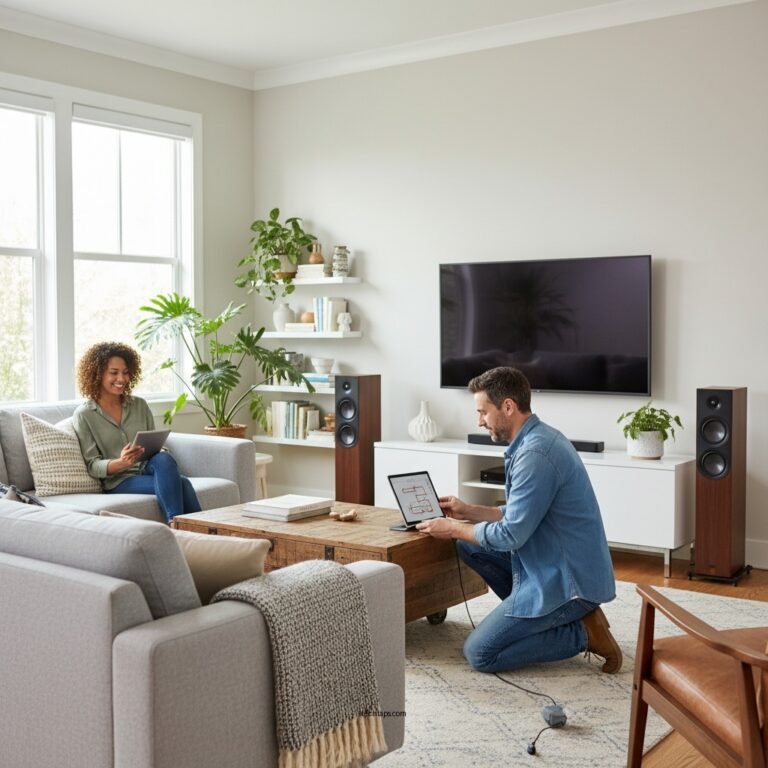
To optimize your sound system for maximum performance, start by carefully positioning your speakers, adjusting settings, and selecting the right equipment. These foundational steps can dramatically enhance your audio experience, ensuring that every note, beat, and whisper resonates with clarity and depth. In this guide, we’ll explore essential strategies to elevate your sound system’s performance and help you achieve the best sound quality possible, whether you’re a casual listener or an audiophile.
Understanding Your Sound System Components
Before diving into optimization techniques, it’s crucial to understand the key components of your sound system: speakers, receivers, and audio sources.
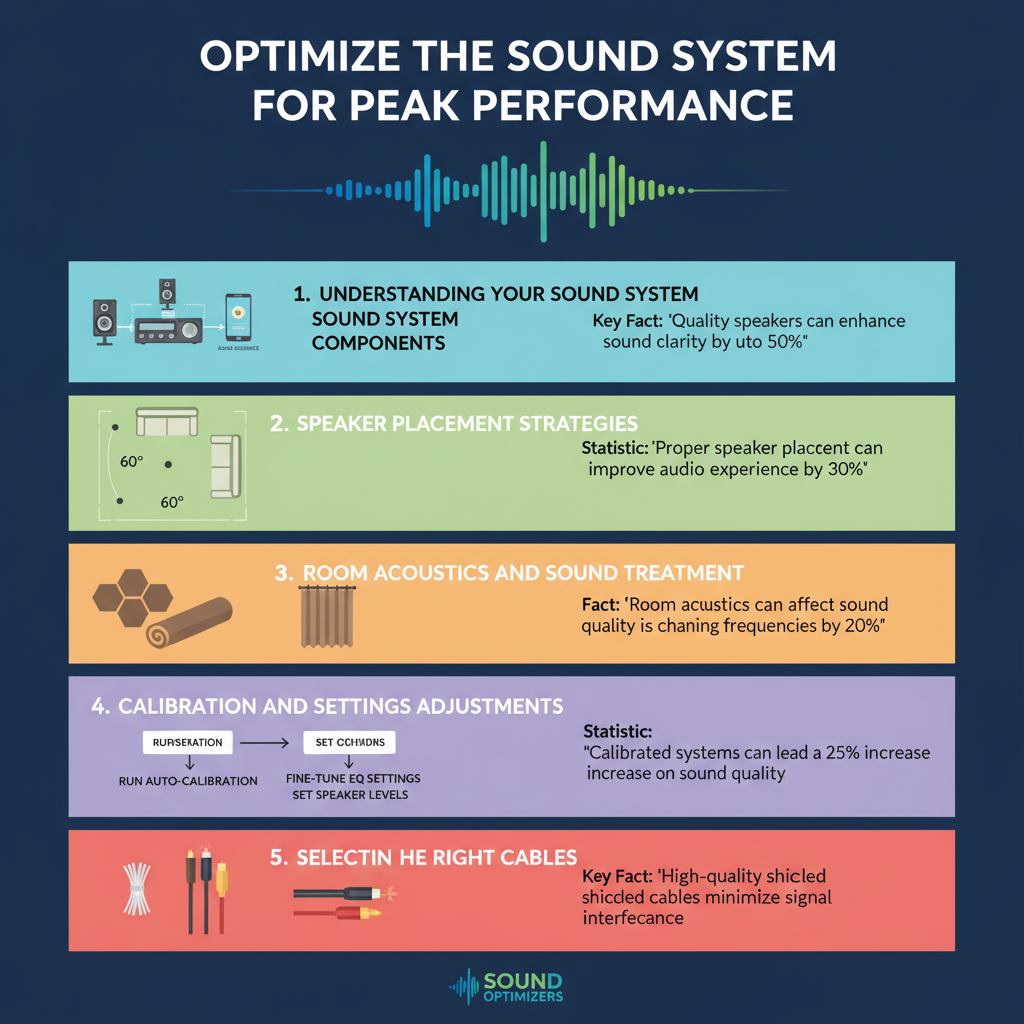
Speakers are the heart of your audio experience, converting electrical signals into sound waves. The type of speakers you choose—be it floor-standing, bookshelf, or surround sound—will significantly impact the overall sound profile.
Receivers act as the brain of your system, managing audio signals and providing power to your speakers. They come with various features such as built-in amplification, streaming capabilities, and multi-room functionality, which can enhance your listening experience.
Finally, your audio sources, which include anything from vinyl records to streaming services, play a pivotal role in sound quality. High-resolution audio files and quality source components can make a noticeable difference in clarity and depth. Understanding how each of these elements interacts will help you make informed decisions during the optimization process.
Speaker Placement Strategies
Once you grasp the roles of your sound system components, it’s time to focus on speaker placement strategies.
Positioning your speakers at ear level is essential for optimal listening. This height ensures that sound waves travel directly to your ears without obstruction, providing a more balanced and immersive experience. If you’re using stand-mounted speakers, make sure they’re set at the right height, typically around 38 to 42 inches from the floor.
Another vital consideration is the distance of your speakers from walls and corners. Placing speakers too close to these surfaces can result in unwanted reflections and muddiness in the sound. Aim for at least a couple of feet of space between your speakers and walls. Experimenting with angles can also be beneficial; try angling your speakers slightly inward towards your listening position to enhance stereo imaging.
Room Acoustics and Sound Treatment
Next, let’s talk about room acoustics and sound treatment. Every room has unique acoustic properties that can affect sound quality. Hard surfaces like tile floors and bare walls can create echoes and standing waves, which distort the sound you hear.
To improve your room’s acoustics, assess problematic areas by listening for echoes or uneven sound. You can use sound-absorbing materials like heavy curtains, area rugs, and acoustic panels to minimize these issues. For example, hanging thick curtains over windows not only enhances aesthetics but also absorbs sound, reducing reflections.
Additionally, consider incorporating bass traps in the corners of your room. These specialized foam panels can help control low frequencies, ensuring that your sound is tight and well-defined.
Calibration and Settings Adjustments
After addressing placement and acoustics, the next step is calibration and settings adjustments. Many modern receivers come with built-in calibration tools that can automatically analyze your room and optimize your speaker settings. This process typically involves placing a microphone at your listening position and letting the system adjust levels and distances accordingly.
If your system lacks automatic calibration, you can manually adjust settings for bass, treble, and balance. Start with flat settings, then make incremental changes based on your listening preferences. For instance, if you find the bass overwhelming, gradually reduce it until you achieve a well-balanced sound profile that suits your taste.
Don’t forget to explore various sound modes available on your receiver, such as stereo, surround, or movie mode, to see which one you enjoy the most in different contexts.
Selecting the Right Cables and Accessories
While it might seem minor, selecting the right cables and accessories can make a significant difference in sound quality. Investing in high-quality speaker cables can minimize signal loss and interference, leading to clearer audio. Look for cables with sufficient gauge and good insulation to ensure durability and performance.
Additionally, consider using speaker stands and isolation pads. Stands help raise your speakers to the correct height, while isolation pads can decouple speakers from surfaces, reducing vibrations that can muddy sound clarity. These small investments can lead to noticeable improvements in your audio experience.
Regular Maintenance and Upgrades
Regular maintenance is key to keeping your sound system performing at its best. Dust can accumulate on equipment, leading to overheating or reduced performance. Make it a habit to clean your speakers, receiver, and other components regularly, using a soft cloth and gentle cleaning solutions.
Moreover, consider upgrading components as needed. If you notice that your sound system feels lacking, it might be time to invest in better speakers, a more powerful receiver, or even a high-quality DAC (Digital-to-Analog Converter) for improved audio fidelity. Keeping an eye on advancements in audio technology can help you make informed decisions regarding upgrades.
Listening Tests and Fine-Tuning
Finally, conduct listening tests to identify areas for improvement in your sound system. Set aside time to listen to a variety of music genres and audio formats, paying attention to how each element of your system performs.
Take notes on what you enjoy and what feels off—do the vocals sound clear? Is the bass overpowering? Use this feedback to make incremental adjustments to your settings and placement. Fine-tuning is an ongoing process that can yield remarkable results as you discover the best setup for your unique space and preferences.
By following these steps, you can significantly enhance your sound system’s performance, creating a more immersive audio experience. Start implementing these strategies today to enjoy clearer, more balanced sound in your space. Whether you’re hosting a movie night or enjoying a quiet evening with music, a well-optimized sound system will elevate every moment. Remember, the journey to peak performance is both an art and a science, so enjoy the process of discovery!
Frequently Asked Questions
What are the key components to consider when optimizing my sound system?
When optimizing your sound system for maximum performance, focus on key components such as speakers, amplifiers, and audio sources. Ensure your speakers are positioned correctly, ideally at ear level and away from walls, to enhance soundstage and clarity. Additionally, invest in a quality amplifier that matches your speakers’ power requirements and use high-quality audio sources to minimize signal degradation.
How can I improve the acoustics of my listening room?
To improve the acoustics of your listening room, consider adding soft furnishings like carpets, curtains, and cushions, which can absorb sound and reduce echo. You may also want to incorporate acoustic panels or bass traps to manage low frequencies and reflectivity. Arranging furniture to create a welcoming sound environment can further enhance clarity and balance, allowing for a more immersive audio experience.
Why is speaker placement important for sound optimization?
Speaker placement is crucial for sound optimization because it affects how sound waves travel and interact within a space. Proper placement can enhance stereo imaging and soundstage, leading to a more realistic and engaging listening experience. Ideally, speakers should be positioned at an equilateral triangle with the listener and angled towards the listening position to achieve the best balance and clarity.
What is the best way to connect my devices for optimal sound quality?
The best way to connect your devices for optimal sound quality is to use high-quality cables and connectors that minimize interference and signal loss. HDMI cables are preferred for digital devices due to their superior bandwidth, while balanced connections (like XLR) are ideal for professional audio equipment. Always ensure your devices are set to their highest output settings and check for any sound enhancements that might alter the original audio quality.
Which common mistakes should I avoid when setting up my sound system?
Common mistakes to avoid when setting up your sound system include poor speaker placement, using low-quality cables, and neglecting room acoustics. Additionally, avoid cranking up the volume excessively, as this can lead to distortion and damage your equipment. Lastly, don’t forget to calibrate your system settings, such as equalization and surround sound modes, to match your specific listening environment for the best audio performance.
References
- Sound system
- https://www.itu.int/en/ITU-T/studygroups/2013-2016/16/Pages/sound.aspx
- https://www.audioholics.com/audio-articles/sound-system-optimization
- https://www.spectrum.ieee.org/audio-systems-optimization
- https://www.npr.org/2020/01/23/798743634/how-to-optimally-set-up-your-home-audio-system
- https://www.acoustics.org/press/151st/optimization/
- https://www.soundonsound.com/techniques/sound-system-setup-optimization
- https://www.arts.gov/publications/sound-systems-guide
- https://www.itu.int/en/ITU-T/Workshops-and-Seminars/201812/Sound%20System%20Optimization/Pages/default.aspx