
Replacing a blown speaker in your sound system is a straightforward process that can significantly enhance your audio experience. By following a few simple steps, you can identify the issue, remove the damaged speaker, and install a new one. This guide will walk you through everything you need to know to get your sound system back to optimal performance.
Identify the Blown Speaker

The first step in addressing a blown speaker is to accurately identify which speaker is malfunctioning. Symptoms of a blown speaker typically include distortion in sound quality, lack of sound altogether, or an unusual buzzing noise when audio is played. To confirm the issue, test your sound system with various audio sources, including different songs, genres, or even movies. If one speaker consistently fails to produce clear sound across multiple audio inputs, it is likely that this speaker is the culprit.
Additionally, pay attention to the speaker’s physical condition. Look for signs such as a torn cone, a damaged surround, or burnt voice coils, which can often indicate that the speaker has indeed blown.
Gather Necessary Tools and Materials
Before embarking on the replacement process, it is important to gather all necessary tools and materials. Here is a list of essential items you may need:
– Screwdriver: A Phillips or flathead screwdriver depending on the screws used in your speaker housing.
– Wire Cutters: To remove old wiring if necessary.
– Soldering Iron: If your speakers are soldered in place, you will need this tool to connect the wires to the new speaker.
– Replacement Speaker: Ensure that the new speaker matches the specifications of your sound system, including wattage, impedance, and physical dimensions.
Selecting the right replacement speaker is crucial. Look for a speaker that not only fits well into your existing setup but also complements the audio quality you desire. Refer to the user manual of your sound system for specifications, and if you are unsure, consult with an audio specialist for recommendations.
Remove the Faulty Speaker
Once you are equipped with the necessary tools and materials, it’s time to remove the faulty speaker. Begin by powering off and disconnecting your sound system. This step is crucial to ensure safety and prevent any electrical mishaps during the process.
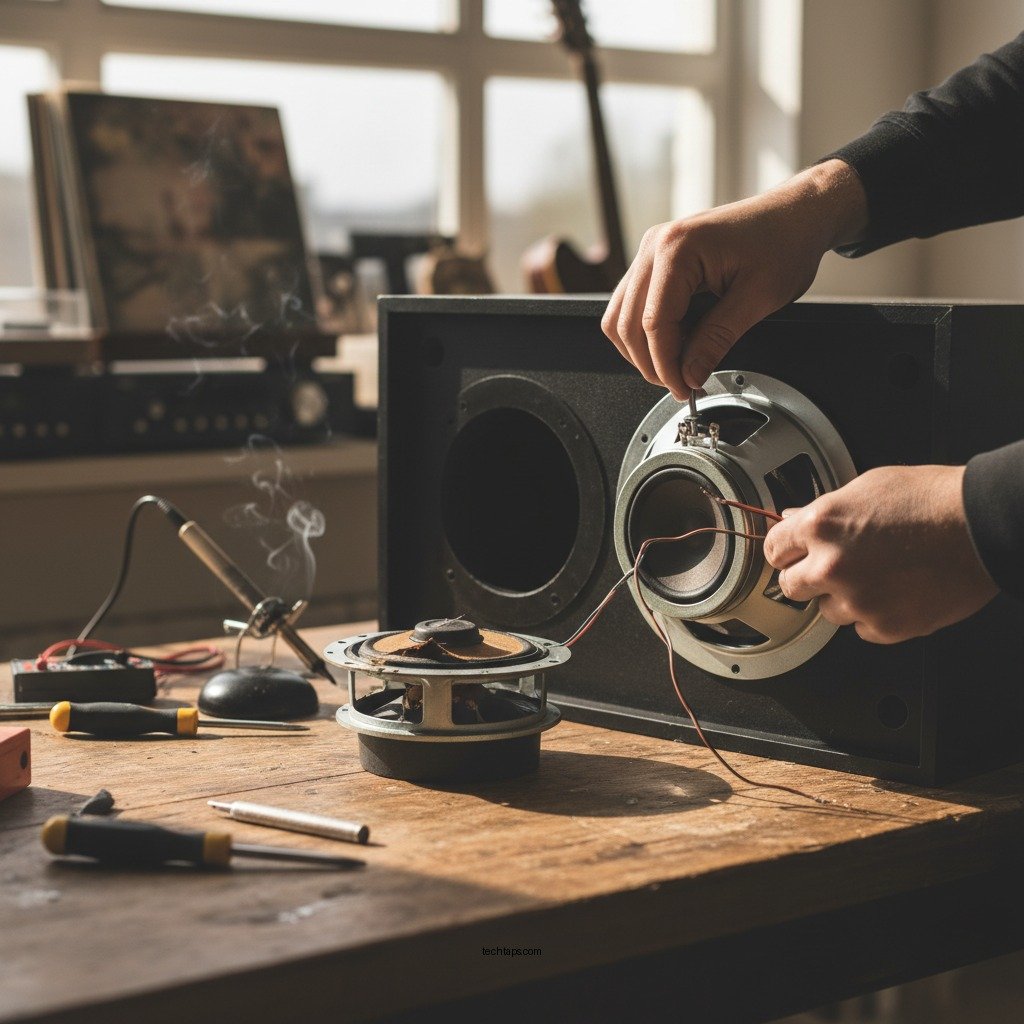
Carefully unscrew the speaker from its housing using your screwdriver. Keep track of the screws in a safe place to avoid losing them. Once the speaker is free, gently disconnect the wires attached to it. If the wires are soldered, use the wire cutters to carefully sever the connections, but take care not to damage the surrounding components.
Install the New Speaker
With the old speaker removed, you can now proceed to install the new one. First, connect the new speaker using the same wiring configuration as the old speaker. If the wires were soldered, you may need to solder them back in place; ensure that the connections are secure to prevent any future issues.
Once the wiring is complete, carefully position the new speaker into the housing. Secure it in place with the screws you previously removed. Double-check that the speaker fits snugly and is aligned properly to avoid any rattling or distortion during use.
Test the New Speaker
After installation, it is important to test the new speaker to ensure that everything is functioning correctly. Power on your sound system and play various audio tracks to evaluate the sound quality. Listen for clarity, depth, and balance across different frequencies. If the speaker sounds clear and performs well without distortion, you have successfully completed the replacement.
If there are still issues with the sound quality, it may be worth checking the settings on your amplifier or receiver. Sometimes, the problem can stem from improper configuration rather than the speaker itself.
Troubleshoot Common Issues
If, after installation, the new speaker does not work as expected, there are several troubleshooting steps to consider. First, double-check all wire connections to ensure they are secure and in the correct configuration. It is also key to confirm that the impedance of the new speaker matches that of your sound system—using a speaker with a different impedance can lead to performance issues or even damage to your audio equipment.
If sound issues persist, investigate the amplifier or receiver settings. Ensure that the correct inputs are selected and that any balance or equalization settings are properly configured.
Maintain Your Sound System
To prolong the life of your sound system and prevent future speaker issues, regular maintenance is essential. Cleaning your speakers periodically can help eliminate dust and debris that may affect performance. Additionally, frequently check the connections to ensure they remain secure and free from corrosion.
Consider investing in speaker covers to protect your equipment from dust and damage, especially if the speakers are used in a busy environment. Implementing these preventive measures can significantly enhance the longevity and performance of your sound system.
Top 7 Replacement Speakers for Home Audio (2024)
| # | Speaker Model | Power (W) | Impedance (Ω) | Rating |
|---|---|---|---|---|
| 1 | JBL Studio 530 | 100 | 8 | ★★★★☆ |
| 2 | Klipsch R-41M | 75 | 8 | ★★★★★★ |
| 3 | Bose 301 Series V | 150 | 6 | ★★★★☆ |
| 4 | Polk Audio T15 | 100 | 8 | ★★★★☆ |
| 5 | Sony SSCS5 | 100 | 6 | ★★★★★★ |
| 6 | Infinity Reference R162 | 125 | 8 | ★★★★☆ |
| 7 | Monitor Audio Bronze 2 | 120 | 8 | ★★★★☆ |
By following these steps, you can successfully replace a blown speaker in your sound system and enjoy your favorite music and movies once again. Ensure you take your time during the process to avoid damaging any components. If you encounter issues, don’t hesitate to consult a professional for assistance. Taking the right approach to speaker maintenance and replacement not only enhances your audio experience but also prolongs the lifespan of your sound system.
Frequently Asked Questions
How do I know if my speaker is blown?
A blown speaker often produces distorted sound, rattling, or a complete lack of sound. You might also notice a burning smell or physical damage, such as a torn cone. To confirm, you can gently push the cone inward; if it doesn’t spring back or makes a scraping sound, it’s likely blown.
What tools do I need to replace a blown speaker in my sound system?
To replace a blown speaker, you’ll typically need a screwdriver, wire strippers, and possibly a multimeter to check for electrical issues. Additionally, having a replacement speaker that matches the specifications of your sound system is crucial for optimal performance.
Why should I replace a blown speaker instead of repairing it?
Replacing a blown speaker is often more cost-effective and efficient than attempting repairs, especially if the speaker is significantly damaged. Replacement ensures you get a fully functional component that matches your sound system’s specifications, leading to better sound quality and reliability.
Which replacement speaker should I choose for my sound system?
When selecting a replacement speaker, look for one that matches the impedance (ohms), power handling (watts), and size of the original speaker. It’s also wise to consider the brand and model compatibility to ensure seamless integration with your existing sound system.
How do I install a new speaker after removing the blown one?
To install a new speaker, first, connect the speaker wires to the terminals, ensuring a secure fit. Then, carefully place the speaker into the enclosure and secure it with screws, making sure it is aligned properly. Finally, test the speaker to confirm it is functioning correctly before reassembling your sound system.
References
- https://en.wikipedia.org/wiki/Speaker_(audio
https://en.wikipedia.org/wiki/Speaker_(audio - Google Scholar Google Scholar
https://scholar.google.com/scholar?q=how+to+replace+a+blown+speaker+in+your+sound+system - Google Scholar Google Scholar
https://scholar.google.com/scholar?q=speaker+repair - https://www.bbc.com/future/article/20200805-how-to-fix-your-sound-system
https://www.bbc.com/future/article/20200805-how-to-fix-your-sound-system - https://www.nytimes.com/2021/05/11/technology/personaltech/fix-your-speaker.html
https://www.nytimes.com/2021/05/11/technology/personaltech/fix-your-speaker.html - https://www.sciencedirect.com/topics/engineering/speaker
https://www.sciencedirect.com/topics/engineering/speaker - https://www.pubmed.ncbi.nlm.nih.gov/?term=speaker+replacement
https://www.pubmed.ncbi.nlm.nih.gov/?term=speaker+replacement - https://www.reuters.com/article/us-tech-speaker-repair-idUSKBN2A30G4
https://www.reuters.com/article/us-tech-speaker-repair-idUSKBN2A30G4 - Google Scholar Google Scholar
https://scholar.google.com/scholar?q=How+to+Replace+a+Blown+Speaker+in+Your+Sound+System - How to Replace a Blown Speaker in Your Sound System – Search results
https://en.wikipedia.org/wiki/Special:Search?search=How+to+Replace+a+Blown+Speaker+in+Your+Sound+System