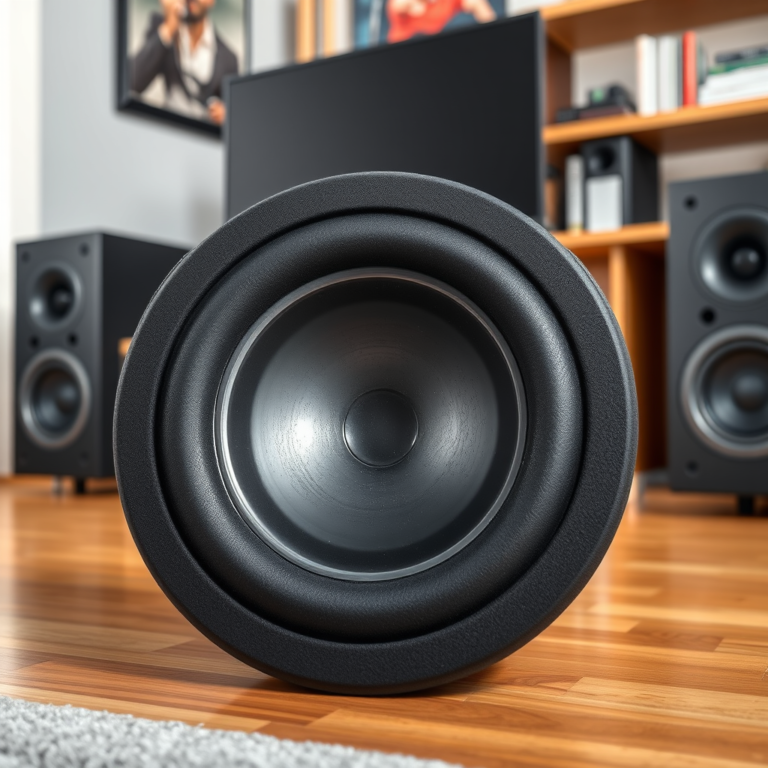

Setting up a whole-home music streaming system allows you to enjoy your favorite music seamlessly in every room of your house. This enhancement transforms your audio experience, offering convenience and high-quality sound. To achieve this, it is essential to choose the right equipment, establish a reliable network, and configure the appropriate streaming services. This guide will walk you through the steps necessary to create a cohesive and enjoyable music streaming setup throughout your home.
Choose the Right Equipment

The first step in creating a whole-home music streaming system is selecting the appropriate equipment. You need to identify the types of speakers that best suit your space and budget.
Wired vs. Wireless Speakers
– Wired Speakers: These typically offer superior sound quality and are less likely to suffer from interference, but they require more installation effort and may limit placement options due to cable lengths. Brands like Sonos and Bose provide high-quality wired options that can cater to audiophiles seeking the best performance.
– Wireless Speakers: They offer flexibility in placement and installation, making them ideal for casual listeners. Systems like Sonos One, Amazon Echo, and Apple HomePod provide great sound quality without the hassle of wires, and they can easily be expanded to multiple rooms.
Additionally, consider investing in a central hub or streaming device. Devices such as the Sonos Port or the Google Nest Hub allow you to connect multiple zones in your home, facilitating a unified audio experience across different rooms.
Establish a Reliable Network

A stable and robust Wi-Fi network is crucial for a whole-home music streaming system. Without it, interruptions during playback can ruin the listening experience.
Wi-Fi Coverage
– Assess Your Current Network: Check the coverage of your existing Wi-Fi network. Use apps like NetSpot or Wi-Fi Analyzer to identify dead zones in your home where the signal is weak.
– Mesh Networks and Range Extenders: If you find that your coverage is lacking, consider investing in a mesh network system, such as those offered by Eero or Google Nest Wi-Fi. These systems use multiple nodes to provide a strong signal throughout larger spaces. Alternatively, range extenders can be used to boost the signal in specific areas.
A reliable network ensures that your devices can communicate seamlessly, reducing the chances of audio lag or dropouts.
Select Streaming Services
The next step involves choosing the right music streaming service that fits your listening habits and device compatibility. There are several popular platforms available.
Music Streaming Platforms
– Spotify: Known for its vast library, personalized playlists, and social features. Spotify also offers high-quality audio streaming with its Premium subscription.
– Apple Music: Integrates well with Apple devices and offers a comprehensive library, exclusive albums, and curated playlists.
– Amazon Music: Provides a vast collection of songs and is particularly beneficial for Amazon Prime members, who get additional features and discounts.
Consider evaluating features such as sound quality, the availability of playlists, and compatibility with your devices. Look for services that offer family plans if multiple users will be accessing the system.
Comparison of Popular Music Streaming Services (2024)
| # | Service | Library Size | Audio Quality | Offline Listening | Family Plan |
|---|---|---|---|---|---|
| 1 | Spotify | 70 million | 320 kbps | Yes | Up to 6 |
| 2 | Apple Music | 100 million | Lossless | Yes | Up to 6 |
| 3 | Amazon Music | 90 million | 320 kbps | Yes | Up to 6 |
| 4 | Tidal | 70 million | Lossless | Yes | Up to 5 |
| 5 | YouTube Music | 70 million | 320 kbps | Yes | Up to 6 |
| 6 | Deezer | 90 million | 320 kbps | Yes | Up to 6 |
| 7 | Pandora | 30 million | 128 kbps | No | Up to 6 |
Configure Multi-Room Audio
Once you have chosen your equipment and established your network, the next step is to configure multi-room audio. This allows you to manage your speakers and create groups for synchronized playback.
Using Compatible Apps
Most modern systems come with dedicated apps, such as the Sonos app or the Apple Home app, which facilitate easy management of your audio devices. These apps allow you to group speakers into zones, so you can play the same song simultaneously in multiple rooms or different songs in each area.
Adjust Audio Settings
It’s essential to adjust audio settings for each room based on its environment. For instance, a room with hard surfaces may require bass reduction, while a carpeted room could benefit from a little boost in bass to fill the sound effectively. Experimenting with settings can significantly enhance the overall sound quality.
Optimize Your Setup
To ensure your system performs at its best, optimizing your setup is crucial.
Speaker Placement
Strategic positioning of your speakers can dramatically improve acoustics and sound distribution. For instance, placing speakers at ear level and away from corners can minimize distortion and enhance sound clarity. If possible, use speaker stands or wall mounts for optimal placement.
Firmware Updates
Regularly updating the firmware on your devices is essential for maintaining optimal performance. Manufacturers frequently release updates that enhance functionality and security, as well as introduce new features. Ensure that your devices are set to automatically update, or check manually to keep everything running smoothly.
Speaker Brands by User Satisfaction (2024)
Troubleshoot Common Issues
Even with the best setup, issues can arise. Familiarizing yourself with common problems and their solutions can save you time and frustration.
Connectivity Problems
If you experience connectivity issues, start by checking your Wi-Fi strength in the affected areas. Ensure that your devices are within range of your router or access point.
Audio Lag or Syncing Issues
Audio lag can be particularly frustrating. If using multiple speakers, ensure they are all connected to the same network and that their firmware is up to date. You may also need to adjust settings in your streaming app to ensure synchronized playback.
Customer Support Resources
Each brand and service provider typically offers customer support resources, including FAQs, forums, and direct support channels. Familiarize yourself with these resources to troubleshoot effectively.
Incorporating a whole-home music streaming system can transform how you experience music at home. By following these steps—selecting the right equipment, establishing a reliable network, choosing the best streaming services, configuring multi-room audio, optimizing your setup, and troubleshooting issues—you can create an efficient and enjoyable music experience tailored to your needs. Start by assessing your space and equipment, and enjoy the music flowing throughout your home!
Frequently Asked Questions
What components do I need to set up a whole-home music streaming system?
To create a whole-home music streaming system, you’ll need a reliable Wi-Fi network, streaming devices or smart speakers for each room, and a music streaming service subscription like Spotify or Apple Music. Additionally, consider a multi-room audio system such as Sonos or Google Nest for synchronized playback across different areas of your home.
How do I ensure my Wi-Fi network can support a whole-home music streaming system?
To support a whole-home music streaming system, ensure you have a strong and stable Wi-Fi signal throughout your home. Invest in a quality router with good range, or consider using Wi-Fi extenders or mesh networking systems to eliminate dead zones. This will help maintain consistent audio streaming without interruptions.
Why is a multi-room audio system important for whole-home music streaming?
A multi-room audio system is crucial for whole-home music streaming as it allows you to play music in multiple rooms simultaneously or control audio in each room individually. This flexibility enhances the listening experience, enabling you to create the perfect ambiance in different spaces, whether hosting a party or enjoying a quiet evening.
What are the best music streaming services for a whole-home music setup?
The best music streaming services for a whole-home music setup include Spotify, Apple Music, Amazon Music, and Tidal. These platforms offer extensive libraries, high-quality audio streaming, and compatibility with various smart speakers and multi-room systems, ensuring you can enjoy seamless music playback throughout your home.
Which smart speakers are compatible with a whole-home music streaming system?
Popular smart speakers compatible with whole-home music streaming systems include Amazon Echo, Google Nest Audio, and Sonos One. These devices support various streaming services and can be easily integrated into a multi-room setup, allowing you to control music playback with voice commands or through dedicated apps for a convenient listening experience.
References
- Music streaming service
https://en.wikipedia.org/wiki/Music_streaming - Google Scholar Google Scholar
https://scholar.google.com/scholar?q=whole-home+music+streaming+system - https://www.sciencedirect.com/topics/engineering/music-streaming
https://www.sciencedirect.com/topics/engineering/music-streaming - https://www.bbc.com/news/technology-50998151
https://www.bbc.com/news/technology-50998151 - https://www.nytimes.com/2020/06/15/technology/personaltech/home-audio.html
https://www.nytimes.com/2020/06/15/technology/personaltech/home-audio.html - Google Scholar Google Scholar
https://scholar.google.com/scholar?q=home+audio+systems+setup - https://www.hindawi.com/journals/jece/2020/6789170/
https://www.hindawi.com/journals/jece/2020/6789170/ - https://www.nature.com/articles/s41598-020-77680-4
https://www.nature.com/articles/s41598-020-77680-4 - https://www.theguardian.com/technology/2021/mar/01/best-music-streaming-services
https://www.theguardian.com/technology/2021/mar/01/best-music-streaming-services - https://www.mayoclinic.org/healthy-lifestyle/adult-health/in-depth/music-and-health/art-20045469
https://www.mayoclinic.org/healthy-lifestyle/adult-health/in-depth/music-and-health/art-20045469