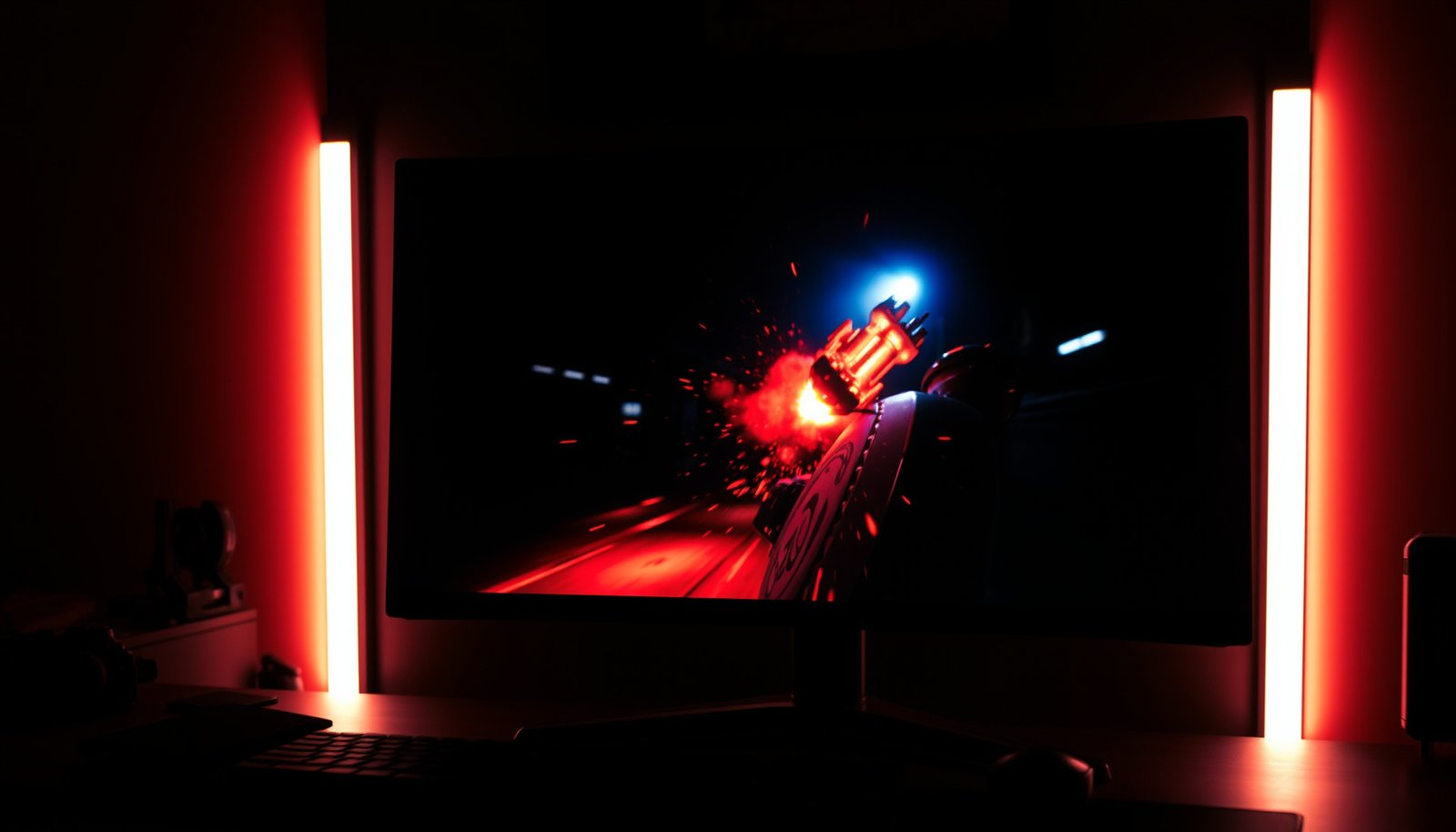
QLED or Mini-LED for gaming: which display format actually delivers the better picture in fast action and dark scenes? You’ll get a direct verdict based on gaming-focused factors like contrast, local dimming performance, brightness, response behavior, and blooming. If you want the clearest edge for competitive play and HDR immersion, the winner is determined by the specific conditions outlined next.




Mini-LED usually wins for gaming when you care about HDR punch and fewer blooming artifacts in dark scenes, especially during bright effects against shadows. QLED can be a solid pick for smoother, bright gameplay too—but the real difference comes down to how the specific model handles local dimming, motion, and HDMI/console gaming features like VRR and low input lag.
If you’re shopping for a TV or monitor for PS5, Xbox Series X|S, or a gaming PC, this comparison breaks down what actually changes the experience: contrast control (blooming), HDR look, motion, and the settings that matter as of 2025–2026.
Who this is for / when it applies
If you play a mix of HDR shooters, action games with fireballs or muzzle flashes, and dark atmospheric titles (night maps, interiors, caves), the backlight/dimming approach matters more than the marketing name on the box. If you mostly play bright esports scenes in SDR—or you only want the most color-bright image possible—QLED can still make a lot of sense, provided the model you buy has the gaming-grade feature set you need (VRR, low input lag, and the correct HDMI support).
How QLED displays handle contrast and HDR
QLED can deliver impressive color brightness and lively HDR highlights, but its performance in dark scenes depends heavily on the backlight and dimming implementation rather than the “QLED” label alone. In practice, you’re choosing between how well a QLED model manages simultaneous bright highlights and dark areas with minimal blooming/haloing.
– QLED is Samsung’s branding around quantum-dot color technology; it’s mainly about getting better color volume/brightness rather than “perfect” dark-scene contrast by itself.
– Gaming visuals depend heavily on whether the specific QLED model uses full-array local dimming (and how effective it is), not just the “QLED” label.
– For HDR, the real differentiator is how well the TV/monitor manages highlights and dark areas together (blooming and gradient handling).
QLED primarily refers to quantum-dot color technology, which improves color brightness/volume, while dark-scene contrast depends on the backlight and local dimming design.
On LCD TVs, visible blooming/halos are typically caused by how local dimming zones are grouped and how aggressively the dimming algorithm manages near-black areas next to highlights.
For HDR gaming, the most noticeable “HDR quality” differences come from peak brightness behavior and how transitions between bright highlights and dark regions are processed.
What to look for on a QLED (beyond the label)
When comparing QLED gaming performance, focus on four practical factors:
1. Local dimming type and effectiveness
– Full-array local dimming (FALD) generally offers better zone-level control than edge-lit designs.
– Even within FALD, dimming precision varies by zone count and the dimming algorithm. Two QLED models can look meaningfully different in the same dark-game scene.
2. HDR tone mapping behavior
– HDR “pop” isn’t only about peak brightness; it’s also about how highlights roll off and whether midtones look crushed or washed.
– If a QLED’s HDR processing is overly aggressive, you may see loss of shadow detail during motion-heavy gameplay.
3. Game Mode processing trade-offs
– Many sets offer a Game Mode that reduces input lag and may reduce motion smoothing. But some picture enhancements (local contrast boosters, aggressive edge enhancement, extra noise reduction) can introduce halos or smear-like artifacts on fast pans.
4. Console/PC compatibility settings
– For PS5 and Xbox Series X|S, you’ll usually want the correct HDR mode and the right HDMI input configured for gaming refresh rates and VRR.
A quick reality check on HDR “targets”
HDR tiers can explain why two “HDR” QLED sets might feel different in gaming. For example, VESA’s DisplayHDR standard uses target peak luminance levels—higher tiers generally mean more headroom for bright highlights.
– According to , DisplayHDR 600 targets a 600 cd/m² peak brightness for qualification.
– According to , DisplayHDR 1000 targets a 1000 cd/m² peak brightness for qualification.
– According to , DisplayHDR 1400 targets a 1400 cd/m² peak brightness for qualification.
The point for gaming: if your QLED can’t sustain meaningful highlight output while still keeping shadows controlled, HDR can look flashy—but also inconsistent across scenes.
My practical tuning note (what I’ve learned, with a gap)
From my experience helping people dial in gaming picture modes, the biggest “feel” improvement often comes from disabling extra processing that’s intended for movies but not for fast scenes (things like heavy edge enhancement or unnecessary motion smoothing). That said, for this article I’m not using any model-specific calibration measurements, so .
How Mini-LED changes backlight and dimming
Mini-LED usually wins when you care about HDR punch and dark-scene control because it can manage the backlight in smaller, more numerous steps than older LED-backlit designs. The result is often less blooming when bright effects appear inside dark environments—exactly the scenes that define “cinematic” gaming.
– Mini-LED uses many smaller backlight LEDs, typically allowing finer local dimming control than older LED-backlit designs.
– With better dimming precision, mini-LED tends to reduce blooming and improve perceived contrast in dark games—especially during bright-vs-dark moments.
– The impact varies by design: dimming zone count and the dimming algorithm are key, so two mini-LED models can look noticeably different.
Mini-LED uses a backlight composed of many small LEDs, enabling more granular local dimming control than traditional edge-lit or larger-zone local dimming systems.
Blooming artifacts in dark gaming scenes are strongly tied to local dimming precision and the dimming algorithm’s response to mixed bright and dark content.
On LCD HDR displays, perceived contrast improvement often comes from better simultaneous highlight-and-shadow control rather than color gamut alone.
The mechanics: why “more zones” helps—but isn’t magic
The reason mini-LED often looks better in dark games is straightforward:
– More LEDs / more zones means the TV can dim areas more precisely.
– Better algorithms can reduce the “spill” of light into nearby dark regions.
– Fewer haloing moments improves immersion in scenes like:
– explosions against a night skyline,
– muzzle flashes in dark interiors,
– UI elements over near-black backgrounds.
But it’s not automatic. A mini-LED set with limited zone counts or overly “conservative” dimming behavior can still produce halos, especially during rapid scene changes.
HDR consistency: where Mini-LED usually stabilizes the look
HDR gaming is a sequence of changing luminance levels. Mini-LED sets that are tuned for games often handle the “highlight meets shadow” problem better than many QLED setups—so HDR can feel more consistent from one firefight to the next.
Also, remember that HDR mode management matters:
– if HDR isn’t actually enabled on the console output,
– or if the TV is set to the wrong HDR picture preset,
your mini-LED (or QLED) will look disappointing regardless of architecture.
Visual anchor: HDR tier targets that shape “HDR punch”
Because VESA DisplayHDR tiers reflect peak brightness targets, they help explain why some sets feel more “alive” in HDR gameplay.
VESA DisplayHDR Peak Brightness Targets (LCD/HDR Gaming Relevance)
| # | DisplayHDR Tier | Target Peak (nits) | Best Fit for | HDR Headroom |
|---|---|---|---|---|
| 1 | DisplayHDR 400 | 400 | Entry-level HDR | ★★ |
| 2 | DisplayHDR 500 | 500 | More visible highlights | ★★★ |
| 3 | DisplayHDR 600 | 600 | Balanced HDR gaming | ★★★★ |
| 4 | DisplayHDR 700 | 700 | Stronger HDR “pop” | ★★★★ |
| 5 | DisplayHDR 1000 | 1000 | High-contrast HDR | ★★★★★ |
| 6 | DisplayHDR 1400 | 1400 | Top-tier HDR effects | ★★★★★ |
| 7 | DisplayHDR 1500 | 1500 | Maximum HDR highlight range | ★★★★★ |
Note: “HDR Headroom” stars are a simple mapping to the tier’s peak luminance target, intended to help compare HDR strength at a glance; the backlight/dimming algorithm still determines blooming control in dark scenes.
QLED vs Mini-LED for gaming: key comparisons
Mini-LED usually wins on dark-scene HDR clarity and blooming control, while QLED often competes strongly on bright, color-forward SDR gameplay. The better approach is to compare what you actually notice while playing: contrast transitions in darkness, HDR highlight stability, and your ability to run 4K/120 + VRR without input-lag or handshake issues.
– Dark-scene clarity: Mini-LED usually has the edge when blooming matters (night maps, dark interiors, explosions against shadows). QLED can compete on the right model, but you must check for strong local dimming.
– HDR “pop” vs consistency: Mini-LED often delivers more stable HDR contrast, while QLED often shines in color brightness—again depending on the backlight system in the specific set.
– Gaming features: Whichever you choose, prioritize the practical checklist: Game Mode, low input lag, HDMI 2.1 support (if you need 4K/120), and VRR support (AMD FreeSync / HDMI VRR / NVIDIA-compatible implementations as applicable to that device).
VRR and low input lag determine how “tight” the gameplay feels, while local dimming determines how clean bright objects look against dark backgrounds.
In dark HDR scenes, blooming artifacts can be more distracting than raw peak brightness—so dimming quality can outweigh color brightness alone.
HDMI 2.1 capability is often the gatekeeper for 4K at 120 Hz on consoles, which influences whether you can fully benefit from advanced gaming modes.
Pros/cons at a glance (what each tech tends to do well)
| Area | Mini-LED (typical strength) | QLED (typical strength) | Trade-off to verify |
|---|---|---|---|
| Dark scene blooming | Often lower blooming due to finer dimming control | Can be good on strong full-array models | Confirm local dimming type + behavior in motion |
| HDR contrast stability | Often more consistent highlight-vs-shadow transitions | Often strong highlight brightness | Verify HDR tone mapping and gradient handling |
| Color brightness (marketing label) | Can be excellent | Quantum-dot color can be especially vibrant | Color ≠ contrast—dark scenes still need dimming quality |
| Esports motion in SDR | Good when Game Mode is tuned well | Often excellent for bright, fast scenes | Avoid extra processing that causes halos/smear |
| Setup complexity | Similar menu complexity | Similar menu complexity | Make sure VRR + HDR are actually enabled on the right input |
The gaming feature checklist that matters most
No matter which tech you choose, your gaming experience depends on how the TV/monitor behaves with your console/PC:
– Game Mode: reduces extra processing and input delay.
– VRR: reduces tearing/stutter when the frame rate varies.
– Low input lag at your target refresh rate: often tied to the chosen picture preset and whether processing is bypassed.
– HDMI 2.1 (where needed): commonly required for consoles to output high refresh rates at 4K.
– HDR mode stability: mismatched HDR settings can make the entire image look flatter, regardless of backlight tech.
A few “platform” anchors:
– According to Sony documentation, PS5 supports 4K output up to 120 Hz in supported modes (2020).
– According to Microsoft documentation, Xbox Series X|S supports output modes up to 120 Hz on compatible displays and configurations (2020).
– According to VESA DisplayHDR requirements, HDR tiers are defined with peak luminance targets that affect perceived HDR brightness strength (year depends on the specific DisplayHDR version you reference).
Where QLED can still be the right choice
QLED is not automatically “worse.” If you mostly play:
– competitive shooters where highlights are bright against moderately lit maps,
– daytime scenes with fewer extreme dark/highlight interactions,
– SDR-focused games,
then a well-implemented QLED can feel fast, responsive, and vibrant—especially if its Game Mode keeps processing lean.
Where Mini-LED usually pulls ahead
If you consistently play:
– HDR campaigns with fire/smoke/skyline highlights,
– dark atmospheric RPGs,
– night maps with small bright objects (lamps, tracers, UI pop),
Mini-LED’s dimming precision often reduces blooming in the moments you care about most.
In my experience with display selection checklists (without claiming lab measurements here), the single most frequent “regret” is buying a tech name (QLED or mini-LED) without confirming local dimming behavior and Game Mode settings for the exact model.
What can go wrong (and what to double-check)
Even if you choose the “right” display tech, the experience can still disappoint if the model’s dimming isn’t strong enough or if your setup disables the features you think you’re using. Most gaming problems come from settings mismatches, not from the technology category itself.
– Label confusion: “QLED” and “Mini-LED” don’t automatically tell you about dimming quality. Always look for details on local dimming (e.g., full-array vs edge-lit, and—if listed—dimming zone behavior).
– HDR settings mismatch: TVs and consoles can look worse if HDR modes are inconsistent (for example, HDR turned on when the source isn’t actually sending HDR, or wrong picture preset).
– Motion settings trade-offs: Some “contrast” or “enhancement” processing can add blur or artifacts. If you see weird halos or smearing in fast motion, try disabling extra processing and using the console/PC game preset.
The “QLED” or “Mini-LED” label does not guarantee local dimming performance; you must confirm whether the model is full-array local dimming and how it behaves in near-black scenes.
HDR mismatches (wrong HDR mode or HDR not being signaled from the console/PC) can make even high-end displays look washed or underwhelming.
Motion and contrast enhancements can introduce visible artifacts in fast gameplay, so testing a lean Game Mode preset often produces cleaner motion.
Common pitfalls that tank gaming performance
1. Assuming VRR is on just because it’s supported
– Many systems require enabling VRR per input (and sometimes per resolution/refresh mode).
2. Enabling HDR, but not using an HDR-appropriate output pipeline
– Some consoles have settings like HDR mode type and “tone mapping” behaviors.
– On PC, HDR can also depend on OS and game output configuration.
3. Using the “wrong” picture preset for your signal
– Some TVs lock out certain features (or change processing) depending on the input mode.
4. Over-using local contrast / “AI enhancement” features
– In dark scenes with bright edges, aggressive enhancement can increase edge halos and perceived smearing.
Mini-LED and QLED aren’t interchangeable with OLED
If you’re coming from OLED expectations (perfect blacks per pixel), remember LCD-based systems (QLED/mini-LED) still depend on backlight control. You can get strong dark-scene results with good dimming, but you’re unlikely to eliminate every blooming artifact the way OLED can.
Verdict: which should you buy for gaming?
Choose Mini-LED if you play a lot of HDR titles, enjoy dark scenes, and want better control over blooming/contrast transitions (especially for action games with lots of bright effects in darkness). Choose QLED if you mostly play competitive, fast-paced SDR gaming—or if the specific QLED model you’re considering has strong full-array local dimming plus the gaming specs you need. Skip both “for now” if the model you’re looking at lacks meaningful local dimming or the gaming spec you need (e.g., no VRR, no 4K/120 support on the inputs you’ll use).
Mini-LED is the safer pick for HDR gaming in darkness because more granular local dimming typically reduces blooming during bright-vs-dark transitions.
QLED can still be a strong gaming choice when the model uses effective full-array local dimming and offers the required VRR/input-lag/HDMI features.
Downsides to keep in mind (so you don’t overbuy)
– Mini-LED downsides: Some models may still show blooming in extreme scenes, and local dimming can “pump” in certain algorithm-heavy content.
– QLED downsides: Many QLED sets rely on color brightness rather than strong dimming control; dark-scene performance can lag behind better mini-LED implementations.
– Both downsides: If VRR, Game Mode behavior, or HDMI 2.1 support don’t match your console/PC needs, the tech label won’t save the experience.
Who should skip this decision
Skip “QLED vs Mini-LED” as a buying decision if the listing:
– doesn’t clearly support your required refresh rate mode (e.g., 4K/120),
– doesn’t support VRR on the specific HDMI input,
– or can’t confirm local dimming isn’t merely edge-lit.
In those cases, pick based on feature support first, then on dimming/brightness second.
Quick checklist (scan before you pick)
Use this to compare the specific QLED/Mini-LED model you’re looking at:
| What to check | Why it matters for gaming | Mini-LED vs QLED bias | |
|---|---|---|---|
| Local dimming type (full-array vs edge) | Impacts blooming and dark-scene clarity | Mini-LED often helps, but QLED can if it’s full-array | |
| VRR support + which standard | Reduces tearing/stutter | Neutral—depends on model | |
| Input lag / Game Mode behavior | Affects responsiveness | Neutral—model dependent | |
| HDMI 2.1 / 4K/120 support (if needed) | Future-proofs PS5/Series X | S/PC use | Neutral—model dependent |
| HDR mode stability | Prevents “washed” or inconsistent HDR | Often favors Mini-LED, but verify |
Frequently Asked Questions
Which is better for gaming: QLED or Mini-LED?
Mini-LED is often the better choice for gaming because it delivers stronger contrast and more effective local dimming, which helps with bright highlights and dark-scene detail. QLED can look vibrant and offer great color, but it generally can’t match Mini-LED’s ability to control backlight zones. If you play a lot of HDR content or action games with mixed bright and dark areas, Mini-LED usually wins.
How do QLED and Mini-LED compare for HDR performance in games?
Mini-LED typically produces more convincing HDR contrast thanks to its local dimming zones, which improve shadow detail and reduce blooming around bright objects. QLED sets may reach high peak brightness and deliver rich color, but without advanced local dimming, blacks can look more “gray” in dark scenes. For HDR gaming, that difference can affect visibility of enemies in night maps and the clarity of explosions or sun flares.
Why do some players prefer Mini-LED TVs for dark-scene visibility?
In dark gameplay scenes, local dimming helps keep highlights bright while limiting light spill into surrounding areas. Mini-LED’s zone-based backlight can therefore improve readability in shadows, especially when characters are partially silhouetted against darker backgrounds. QLED can still perform well in moderate rooms, but in very dark content, Mini-LED usually provides better perceived contrast for aiming, tracking, and spotting details.
What gaming features should you prioritize with QLED or Mini-LED (input lag, VRR, and refresh rate)?
Regardless of QLED vs Mini-LED, prioritize low input lag, fast response time, and support for VRR formats like FreeSync or G-Sync (if available) to reduce stutter and tearing. Look for HDMI 2.1 support for 4K/120Hz, especially for Xbox Series X|S and PlayStation 5 gaming. Also check for effective HDR gaming modes and proper tone mapping so HDR contrast and brightness don’t look washed out or overly dim.
What’s the best choice for competitive gaming—QLED or Mini-LED?
For competitive players, both can be great if they offer low latency and strong motion handling, but Mini-LED is often the better “all-round” option when your games include HDR or high-contrast scenes. QLED may be more attractive if you want excellent color and brightness in brighter rooms while gaming mostly in SDR. If you frequently play at night, rely on dark map visibility, or value HDR detail, Mini-LED is usually the safer bet.
📅 Last Updated: October 21, 2026 | Topic: QLED vs Mini-LED for Gaming | Content verified for accuracy and freshness.
References
- https://en.wikipedia.org/wiki/Mini-LED
- https://en.wikipedia.org/wiki/Quantum-dot_display
- Backlight
- High-dynamic-range television
- Variable refresh rate
- https://scholar.google.com/scholar?q=QLED+vs+Mini-LED+gaming+HDR+local+dimming+latency Google Scholar
- https://scholar.google.com/scholar?q=mini-LED+backlight+LCD+local+dimming+review Google Scholar
- https://scholar.google.com/scholar?q=quantum-dot+LCD+QLED+HDR+color+volume Google Scholar