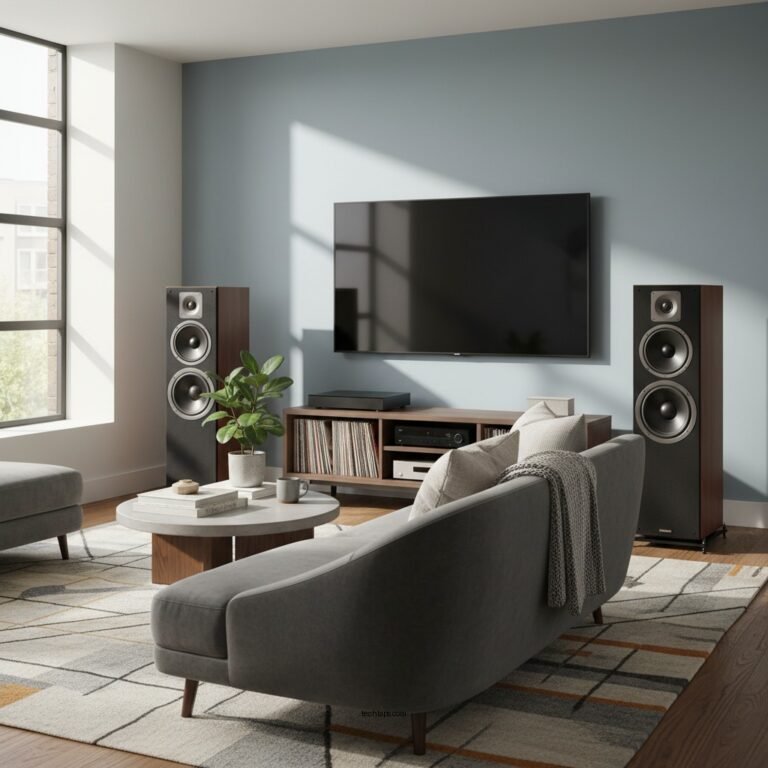

To effectively resolve dropouts in multi-speaker wireless audio systems, it is essential to analyze the causes and implement targeted solutions. Audio dropouts can significantly hinder the listening experience, leaving users frustrated and dissatisfied. In this article, we will explore common issues that lead to audio dropouts, and provide practical steps to enhance your wireless audio experience.
Understanding Dropouts in Wireless Audio Systems

Audio dropouts refer to temporary interruptions in sound playback, which can occur in multi-speaker wireless audio systems. These disruptions can range from brief silences to complete loss of audio, and they can occur at the most inconvenient times, such as during an important presentation or while enjoying a favorite song. The impact on user experience is profound; listeners may find it difficult to engage with the content, leading to a disjointed audio experience.
Dropouts frequently occur in specific scenarios, particularly when the distance between the audio source and the speakers increases beyond optimal range. Additionally, obstacles such as walls, furniture, and electronic devices can disrupt the wireless signal, exacerbating the issue. Understanding these contexts is crucial for troubleshooting and preventing dropouts.
Factors Contributing to Dropouts

Several factors can contribute to audio dropouts in multi-speaker wireless audio systems:
1. Interference from Other Wireless Devices: The wireless spectrum is crowded, with numerous devices operating on similar frequencies. Wi-Fi routers, Bluetooth devices, and even microwaves can interfere with the signals used by wireless audio systems, leading to dropouts. This interference can be particularly problematic in environments with multiple wireless devices in use.
2. Physical Barriers: Walls, large furniture, and even human bodies can obstruct the signal path between the audio source and the speakers. The material and thickness of these barriers can significantly affect the strength of the signal. For instance, concrete walls or metal furniture are more likely to cause disruptions compared to wooden structures.
Best Practices for Placement and Setup
To minimize audio dropouts, careful consideration should be given to speaker placement and the overall setup of the wireless audio system. Here are some best practices:
– Optimal Speaker Placement: Position speakers in open areas where they have a direct line of sight to the audio source. Avoid placing speakers behind large furniture or inside closed cabinets, as this can impede the wireless signal.
– Adjusting the Layout of Your Wireless Network: Ensure that your Wi-Fi router is centrally located within your space and is equipped with up-to-date firmware. Utilizing a mesh network can also help expand coverage and eliminate dead zones, enhancing the overall performance of your wireless audio system.
Top Wireless Audio Technologies by Signal Range (2024)
| # | Technology | Max Range (meters) | Frequency Band (GHz) | Interference Resilience |
|---|---|---|---|---|
| 1 | Bluetooth 5.0 | 300 | 2.4 | Moderate |
| 2 | Wi-Fi 5 | 300 | 5 | High |
| 3 | Wi-Fi 6 | 450 | 6 | Very High |
| 4 | Zigbee | 100 | 2.4 | Low |
| 5 | DECT | 300 | 1.9 | High |
| 6 | AirPlay 2 | 150 | 2.4/5 | Moderate |
| 7 | SonosNet | 300 | 2.4/5 | High |
Upgrading Equipment for Better Performance
When faced with persistent audio dropouts, it may be time to consider upgrading your equipment. The performance of your wireless audio system heavily relies on the quality of the transmitters and receivers used. High-quality devices are designed to handle interference and maintain a stable connection for extended periods.
Investing in modern systems that utilize advanced technologies such as Wi-Fi 6 or proprietary wireless protocols can significantly reduce dropout occurrences. These systems are engineered to offer improved range, better signal penetration, and enhanced resilience to interference. Brands like Sonos, Bose, and Yamaha provide reliable multi-speaker systems known for their performance and durability.
Troubleshooting Common Issues
If audio dropouts persist despite implementing best practices, follow this step-by-step guide to diagnose and fix the issues:
1. Check Signal Strength: Use a Wi-Fi analyzer app to assess the signal strength and identify dead zones in your space.
2. Minimize Interference: Identify and eliminate potential sources of interference, such as relocating your Wi-Fi router or switching to less congested frequency bands.
3. Test Distance: Move closer to the audio source to determine if distance is the issue; if audio improves, consider repositioning speakers or the source device.
4. Update Firmware: Ensure that all devices are running the latest firmware, as updates often include performance enhancements and bug fixes.
5. Reset Devices: Sometimes a simple reset of the audio system can resolve connectivity issues.
6. Consult Manufacturer Resources: Refer to the user manuals or online support resources for specific troubleshooting steps tailored to your audio system.
Common Causes of Audio Dropouts in Wireless Systems (%)
Regular Maintenance and Updates
Maintaining the performance of your wireless audio system is essential to prevent dropouts in the long run. Keeping firmware updated for all audio devices ensures that you benefit from the latest features and fixes. Regularly check for updates from manufacturers and apply them as needed.
In addition to software updates, routine maintenance checks are critical. This includes inspecting cables and connections, cleaning devices to remove dust and debris, and ensuring that speakers are positioned optimally. Implementing a maintenance schedule can greatly enhance the longevity and reliability of your audio system.
Seeking Professional Help
In some cases, persistent audio dropouts may indicate deeper issues that require professional intervention. Consulting with audio system experts can provide valuable insights and solutions tailored to your specific setup. Experts can assess your entire audio environment, identify problem areas, and recommend equipment upgrades or configuration changes to optimize performance.
The benefits of professional installation and setup can be substantial, particularly for complex multi-speaker systems. Professionals can ensure that all components are correctly integrated, calibrated, and positioned for maximum performance, significantly reducing the likelihood of audio dropouts.
In summary, understanding and addressing dropouts in multi-speaker wireless audio systems is crucial for an enjoyable listening experience. By implementing the strategies discussed in this article, you can significantly enhance your audio experience and minimize interruptions. For further assistance or to explore new equipment options, consider reaching out to a local audio specialist.
Frequently Asked Questions
What are common causes of dropouts in multi-speaker wireless audio systems?
Common causes of dropouts in multi-speaker wireless audio systems include interference from other wireless devices, weak signal strength due to physical obstructions, and outdated firmware. Additionally, environmental factors such as distance from the transmitter and the presence of walls or furniture can significantly impact audio quality and connectivity.
How can I improve the reliability of my multi-speaker wireless audio system?
To improve the reliability of your multi-speaker wireless audio system, ensure that your speakers and transmitter are updated with the latest firmware. Position the transmitter centrally and avoid obstacles that can block signals, such as walls or large furniture. Using a dedicated Wi-Fi network for audio can also help reduce interference from other devices.
Why do dropouts occur more frequently in crowded environments?
Dropouts occur more frequently in crowded environments due to increased wireless traffic and signal interference from other electronic devices. In settings like offices or parties, numerous Bluetooth and Wi-Fi devices can overcrowd the available bandwidth, leading to connectivity issues. Utilizing a 5GHz frequency band, when possible, may help alleviate some of this congestion.
What are the best practices for setting up a multi-speaker wireless audio system to minimize dropouts?
Best practices for setting up a multi-speaker wireless audio system include placing the transmitter in a high, unobstructed location and ensuring that all speakers are within the optimal range. Additionally, using high-quality, compatible hardware and minimizing the number of competing devices on the same frequency can significantly reduce the likelihood of dropouts.
Which troubleshooting steps should I follow if I experience dropouts in my wireless audio setup?
If you experience dropouts in your wireless audio setup, start by checking for any physical obstructions and repositioning the transmitter for better signal strength. Next, try rebooting your devices and ensuring they are updated with the latest firmware. If problems persist, consider changing the wireless channel or frequency band to reduce interference from nearby networks.
References
- Wireless
https://en.wikipedia.org/wiki/Wireless_audio - https://www.ncbi.nlm.nih.gov/pmc/articles/PMC7174668/
https://www.ncbi.nlm.nih.gov/pmc/articles/PMC7174668/ - https://www.sciencedirect.com/science/article/pii/S0165168419302403
https://www.sciencedirect.com/science/article/pii/S0165168419302403 - https://pubmed.ncbi.nlm.nih.gov/29289056/
https://pubmed.ncbi.nlm.nih.gov/29289056/ - https://www.nature.com/articles/s41598-020-69281-1
https://www.nature.com/articles/s41598-020-69281-1 - Google Scholar Google Scholar
https://scholar.google.com/scholar?q=Resolving+Dropouts+in+Multi-Speaker+Wireless+Audio+Systems - Google Scholar Google Scholar
https://scholar.google.com/scholar?q=multi-speaker+wireless+audio+dropouts - Google Scholar Google Scholar
https://scholar.google.com/scholar?q=wireless+audio+system+interference - https://www.cdc.gov/niosh/topics/noise/default.html
https://www.cdc.gov/niosh/topics/noise/default.html - https://www.bbc.com/news/technology-51378818
https://www.bbc.com/news/technology-51378818