
G-Sync and FreeSync are essential technologies that can significantly enhance your gaming experience by eliminating screen tearing and stuttering. If you’re looking for smoother gameplay and improved visual performance, these technologies can be beneficial. However, whether you truly need them depends on your gaming setup and how you engage with your favorite titles. In this article, we’ll delve into what G-Sync and FreeSync are, how they function, and whether investing in them is worth it for you.
What is G-Sync?
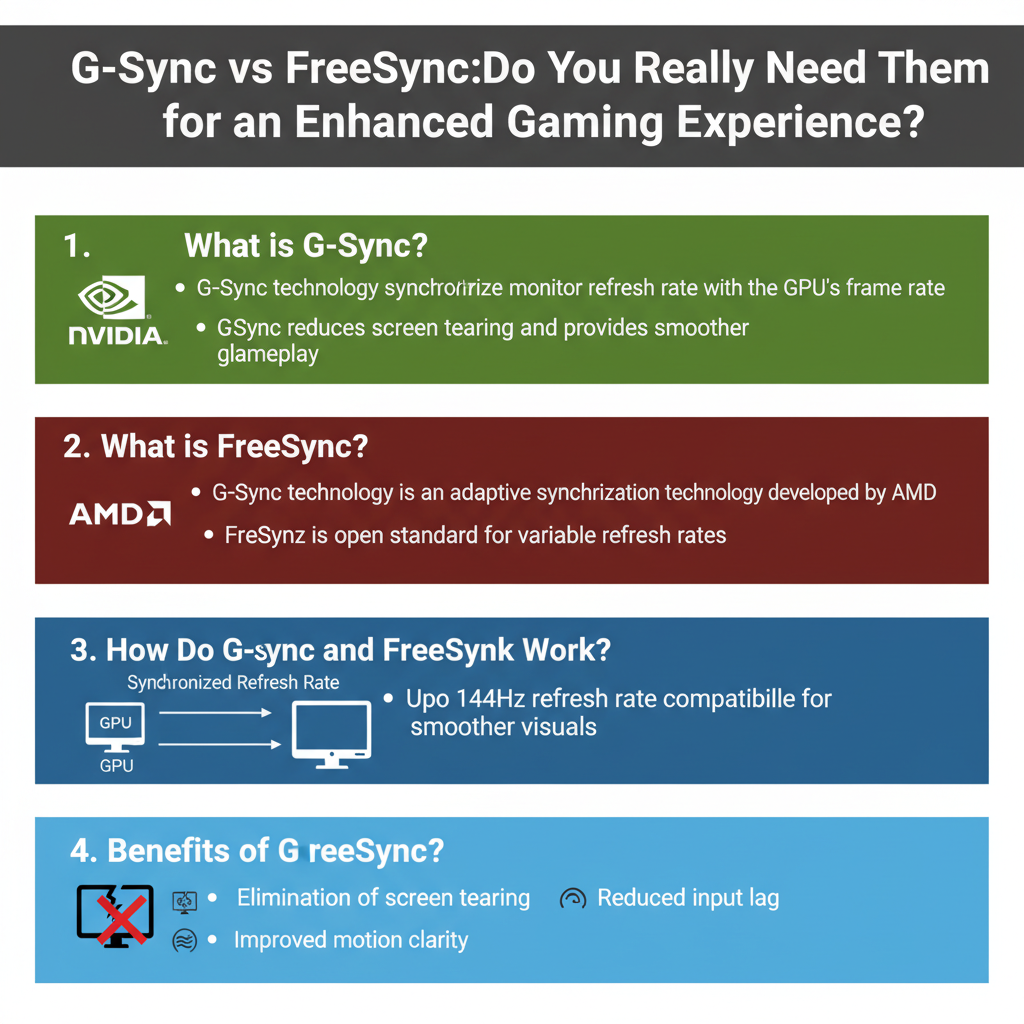
G-Sync is a proprietary technology developed by NVIDIA that syncs the refresh rate of your monitor with the frame rate output of NVIDIA graphics cards. This synchronization helps to create a seamless gaming experience by reducing or eliminating screen tearing, which is the visual artifact that occurs when the frame rate and refresh rate are out of sync. To use G-Sync, users must have a compatible NVIDIA graphics card, as well as a G-Sync-enabled monitor. These monitors tend to be higher in price, reflecting the advanced technology and features they offer.
One of the standout features of G-Sync is its ability to adjust the refresh rate dynamically within a specified range, which can go as low as 30Hz up to the monitor’s maximum refresh rate (often 144Hz or even higher). This flexibility is particularly beneficial in fast-paced gaming scenarios where frame rates can fluctuate. Gamers often report that G-Sync enhances their overall experience, making visuals more fluid and reducing distractions that can arise from tearing or stuttering.
What is FreeSync?

FreeSync, on the other hand, is AMD’s answer to G-Sync, designed to provide similar benefits by synchronizing the refresh rate of monitors with AMD graphics cards. Unlike G-Sync, which is a proprietary standard, FreeSync is based on the Adaptive Sync standard found in the DisplayPort and HDMI specifications. This makes FreeSync technology generally more accessible and often more affordable, as it doesn’t require specialized hardware.
FreeSync monitors can offer a range of refresh rates, similar to G-Sync, and they aim to reduce screen tearing and stuttering. One of the key advantages of FreeSync is its compatibility with a wider range of monitors, meaning you can often find a FreeSync display that fits your budget and needs without sacrificing performance. Additionally, since FreeSync is not locked to a specific hardware manufacturer, gamers can choose from a broader array of options when shopping for monitors.
How Do G-Sync and FreeSync Work?
Both G-Sync and FreeSync operate on the principle of dynamically adjusting the refresh rate of your monitor to match the frame rate produced by your graphics card. This synchronization prevents the disjointed visuals often seen in gaming, such as tearing—where two different frames are displayed on the screen simultaneously—and stuttering, which occurs when frame rates drop suddenly.
When you enable either technology, your monitor communicates with your GPU to determine the optimal refresh rate based on the current frame output. For instance, if your graphics card is producing 60 frames per second, a G-Sync or FreeSync monitor will adjust its refresh rate to 60Hz, ensuring smooth visuals. If the frame rate dips to 45 FPS, the monitor can drop its refresh rate accordingly, preventing tearing and providing a more stable visual experience.
This technology is particularly advantageous in gaming situations where frame rates can fluctuate due to complex graphics or intensive gameplay. By keeping the monitor and GPU in sync, players can enjoy a more immersive experience with less distraction from visual artifacts.
Benefits of G-Sync and FreeSync
The primary benefits of G-Sync and FreeSync revolve around improved visual fidelity and a more immersive gaming experience. With smoother frame rates, gamers can enjoy graphics that are more fluid and natural, enhancing the overall enjoyment of gameplay. This is particularly noticeable in fast-paced genres like first-person shooters and racing games, where every millisecond counts.
Moreover, by reducing distractions caused by screen tearing and stuttering, these technologies allow players to focus more on their gameplay and strategy. Instead of being pulled out of the experience by visual glitches, players can concentrate on their performance and in-game decisions. This can lead to better outcomes in competitive gaming scenarios and a more enjoyable experience overall.
Additionally, many gamers report a decrease in input lag when using G-Sync or FreeSync, as the technologies help maintain a more consistent visual output. This responsiveness can make a significant difference in gameplay, particularly for competitive players seeking every advantage they can get.
Do You Need G-Sync or FreeSync?
Determining whether you need G-Sync or FreeSync largely depends on your gaming habits and the types of games you play. If you’re a competitive gamer who plays fast-paced titles where every millisecond counts, investing in either technology could provide a tangible advantage. The smoother visuals and reduced input lag can lead to improved performance and more enjoyable gameplay.
On the other hand, if you’re a casual gamer who plays less demanding titles or enjoys single-player games, you may find that a standard monitor suffices. If you’re not experiencing noticeable issues like tearing or stuttering, the additional investment in G-Sync or FreeSync may not be necessary. It’s also worth considering your budget; if you’re on a tight budget, you can still find quality monitors that deliver good performance without these technologies.
Ultimately, assessing your gaming needs and preferences will help you make the right choice. If you prioritize visual fidelity and smooth gameplay, G-Sync or FreeSync can be worthwhile investments.
Compatibility and Setup Considerations
Before diving into the world of G-Sync and FreeSync, it’s crucial to ensure that your monitor and graphics card are compatible with the technology you choose. G-Sync requires an NVIDIA graphics card and a G-Sync-enabled monitor, while FreeSync is designed for use with AMD graphics cards and FreeSync-compatible displays.
When shopping for a monitor, look for specifications that clearly indicate support for either G-Sync or FreeSync. Additionally, consider the cost of these monitors, as they can vary widely in price based on features such as resolution, refresh rate, and panel type. Investing in a high-quality display can enhance your gaming experience, but it’s essential to find a balance between features and your budget.
Also, keep in mind the settings on your graphics card and monitor. For G-Sync, you may need to enable the technology through the NVIDIA Control Panel, while FreeSync typically requires activation in the monitor’s settings. Familiarizing yourself with these settings can help ensure that you’re getting the best performance from your hardware.
In summary, G-Sync and FreeSync can greatly enhance your gaming experience by providing smoother visuals and reducing issues like screen tearing. If you’re serious about gaming, consider investing in a compatible setup. For casual gaming, however, you may find that you can enjoy your games without these technologies. Explore your options and determine what best fits your gaming needs!
Frequently Asked Questions
What is the difference between G-Sync and FreeSync?
G-Sync and FreeSync are adaptive sync technologies designed to eliminate screen tearing and stuttering during gaming. G-Sync is developed by NVIDIA and requires a proprietary module in the monitor, which typically results in a higher cost. FreeSync, on the other hand, is developed by AMD and uses the DisplayPort Adaptive-Sync standard, making it more affordable and widely available across various monitors. Both technologies aim to provide smoother gameplay experiences, but your choice may depend on your graphics card brand.
How does G-Sync improve gaming performance?
G-Sync enhances gaming performance by synchronizing the monitor’s refresh rate with the frame rate output of the GPU. This synchronization minimizes issues like screen tearing and stuttering, which can disrupt gameplay and affect immersion. By providing a smoother visual experience, G-Sync allows for more responsive gameplay, especially in fast-paced action games where timing and precision are critical.
Why should I consider using FreeSync over G-Sync?
You might consider using FreeSync over G-Sync if you own an AMD graphics card, as FreeSync is designed to work seamlessly with AMD GPUs. Additionally, FreeSync monitors tend to be more budget-friendly compared to G-Sync monitors, making them an attractive option for gamers looking to enhance their visuals without breaking the bank. Furthermore, since FreeSync is based on the open DisplayPort standard, it is available in a broader range of monitors, giving you more choices.
Which is better for console gaming: G-Sync or FreeSync?
For console gaming, FreeSync is generally the better option, especially since the latest gaming consoles like the Xbox Series X and PlayStation 5 support FreeSync technology. This compatibility allows console gamers to benefit from smoother frame rates and reduced screen tearing without needing a high-end gaming PC. While some monitors with G-Sync compatibility may work with consoles, FreeSync monitors are often more affordable and provide comparable performance for console gaming.
Do I need G-Sync or FreeSync for casual gaming?
While G-Sync and FreeSync provide significant benefits for serious gamers, they are not strictly necessary for casual gaming. If you primarily play less demanding games or turn-based titles, you may not notice the advantages of these technologies. However, if you frequently experience screen tearing or want a smoother experience in fast-paced games, investing in a G-Sync or FreeSync monitor can enhance your overall gaming experience, making it more enjoyable.
References
- Nvidia G-Sync
- AMD FreeSync
- https://www.nvidia.com/en-us/geforce/guides/what-is-g-sync/
- AMD × together we advance_AI
- https://www.techradar.com/news/what-is-g-sync-and-do-you-need-it
- https://www.tomshardware.com/reviews/g-sync-vs-freesync,4604.html
- What is G-Sync? – Digital Trends
- What is FreeSync? Here’s everything you need to know – Digital Trends