
Bluetooth speaker range issues are often caused by interference, obstacles, or device limitations. If your Bluetooth speaker is not performing as expected, it’s crucial to identify the underlying factors contributing to the short range. Common reasons include electronic interference, physical barriers between devices, and limitations imposed by the hardware itself. In this article, you’ll learn about these common causes, gain insights into Bluetooth technology, and discover effective solutions to enhance your speaker’s performance.
Common Causes of Short Bluetooth Range
Interference from Other Devices
One of the primary culprits of short Bluetooth range is interference from other electronic devices. Bluetooth operates in the 2.4 GHz frequency range, which is the same frequency used by many Wi-Fi networks, microwaves, cordless phones, and other devices. When multiple devices operate on the same frequency, they can disrupt the Bluetooth signal, resulting in a degraded connection and reduced range. For instance, if you are using your Bluetooth speaker near a Wi-Fi router or a microwave oven, you may experience connectivity issues.
Obstacles
Physical barriers can significantly impact the performance of Bluetooth signals. Walls, furniture, and even people can obstruct the line of sight between your Bluetooth speaker and the device it’s connected to. For example, if your Bluetooth speaker is located in another room or behind a large piece of furniture, it may struggle to maintain a stable connection, leading to a shorter effective range. In general, the fewer obstacles between your devices, the better the performance will be.
Understanding Bluetooth Technology Limitations
Class Types
Bluetooth devices are classified into different classes based on their range capabilities. The most common classes include:
– Class 1: This class offers the longest range, typically up to 100 meters (328 feet) in open space. It is usually found in professional equipment and high-end devices.
– Class 2: This is the most common class for consumer devices, with a typical range of about 10 meters (33 feet).
– Class 3: Devices in this class have a range of approximately 1 meter (3.3 feet) and are less common.
Understanding these classifications is essential as it sets realistic expectations for the range of your Bluetooth speaker.
Device Specifications
Different Bluetooth speakers are designed with varying specifications that can affect their range. Factors such as the quality of the Bluetooth chipset, antenna design, and power output can all influence how far the speaker can connect to a device. For instance, lower-end models may have weaker antennas that limit their effective range, while high-quality speakers may utilize advanced technology to enhance connectivity.
Environmental Factors Affecting Range
Physical Barriers
As mentioned previously, physical barriers are a significant factor in Bluetooth performance. Materials such as concrete, metal, and even thick wooden furniture can absorb or reflect Bluetooth signals, leading to a reduction in range. If you are experiencing connectivity issues, consider the layout of your environment and how physical structures may be obstructing the signal.
Distance from the Source
The farther away your Bluetooth speaker is from the connected device, the weaker the signal becomes. While Bluetooth technology allows for wireless connectivity, maintaining a direct line of sight and staying within the recommended range is crucial for optimal performance. The range can decrease dramatically in environments filled with obstacles or when devices are placed too far apart.
Top Bluetooth Speaker Classes and Their Ranges
| # | Class Type | Range (meters) | Typical Use |
|---|---|---|---|
| 1 | Class 1 | 100 | Professional Equipment |
| 2 | Class 2 | 10 | Consumer Devices |
| 3 | Class 3 | 1 | Low-Power Devices |
How to Improve Your Bluetooth Speaker’s Range
Reduce Interference
To improve the range of your Bluetooth speaker, it’s essential to minimize potential interference. Try to position your speaker away from other electronic devices that may disrupt the signal. For example, if you notice dropouts while using your speaker, consider relocating it further from Wi-Fi routers or microwave ovens. Additionally, using devices on different frequency bands can help to alleviate problems, such as switching from 2.4 GHz to 5 GHz for Wi-Fi.
Minimize Obstacles
Creating a clear line of sight between your Bluetooth speaker and the source device can significantly improve connectivity. Position both devices in open spaces, avoiding placement near thick walls or large furniture. If possible, try to maintain a distance of less than 10 meters to ensure a stable connection. Testing different locations within the room can help identify the optimal setup for your devices.
Regular Maintenance and Updates
Firmware Updates
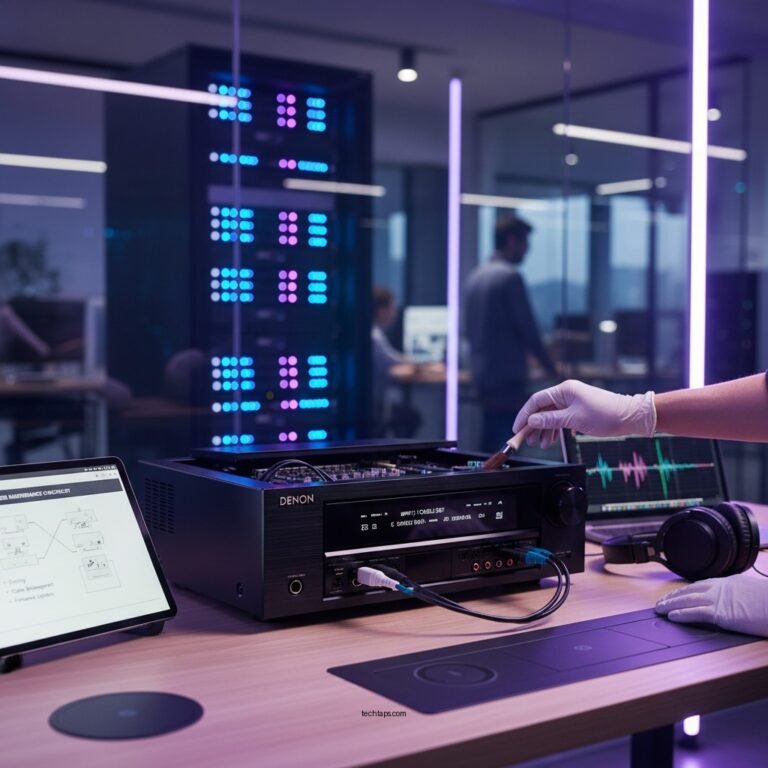
Keeping your Bluetooth speaker’s firmware up to date is crucial for maintaining its performance. Manufacturers often release updates that improve connectivity, fix bugs, and enhance overall functionality. Regularly check for updates through the manufacturer’s app or website to ensure your device is running on the latest version.
Battery Health
The health of your Bluetooth speaker’s battery can also impact its performance. A low or failing battery may cause the speaker to operate at reduced power levels, affecting the strength of the Bluetooth signal. Regularly inspect the battery and replace it if necessary to ensure optimal performance.
Troubleshooting Steps to Follow
Reset the Speaker
If you encounter persistent connectivity issues, a simple reset can often resolve the problem. Consult your speaker’s user manual for instructions on how to reset your specific model. This process typically restores the settings to default and may eliminate any glitches affecting the connection.
Re-pair Devices
Disconnecting and reconnecting your Bluetooth speaker can refresh the connection and improve performance. Start by unpairing the speaker from your device, then initiate the pairing process again. This action can help to clear any minor software conflicts that may be hindering the connection.
Bluetooth Speaker Range Performance
When to Seek Professional Help
Persistent Issues
If you have tried all the suggested solutions and continue to experience range problems, it may be time to consult a professional. There may be underlying hardware issues affecting your Bluetooth speaker’s performance that require expert diagnosis and repair.
Warranty Services
Before seeking external help, check if your Bluetooth speaker is still under warranty. Many manufacturers offer warranty services that can cover repairs or replacements for faulty devices. Contact the manufacturer or authorized service center for assistance.
Summarizing the causes and solutions for short Bluetooth speaker range can help enhance your listening experience. Start by identifying the key issues affecting your speaker, apply the suggested fixes, and enjoy improved connectivity. If problems persist, don’t hesitate to seek professional help or explore new speaker options.
Frequently Asked Questions
Why is my Bluetooth speaker’s range so short?
The range of a Bluetooth speaker is typically limited to about 30 feet (10 meters) in ideal conditions. Factors such as physical obstructions, interference from other electronic devices, and the quality of the Bluetooth version used can significantly reduce this range. Additionally, the battery level of the speaker can affect performance, leading to shorter connectivity distances.
How can I improve the Bluetooth range of my speaker?
To enhance your Bluetooth speaker’s range, ensure that there are minimal physical barriers between the speaker and the connected device. Try to move away from potential interference sources like Wi-Fi routers or microwaves, and ensure your speaker’s firmware is updated. Using a Bluetooth range extender can also help to boost the signal.
What devices can interfere with my Bluetooth speaker’s connectivity?
Several devices can interfere with Bluetooth signals, including Wi-Fi routers, microwaves, cordless phones, and even certain wireless cameras. These devices operate on similar frequency bands, which can cause disruptions or shorten the effective range of your Bluetooth speaker. Keeping your speaker away from these devices can help maintain a stable connection.
Which Bluetooth version offers the best range and performance for speakers?
Bluetooth 5.0 and later versions offer the best range and performance for Bluetooth speakers, with a maximum range of up to 800 feet (240 meters) in open spaces. This version also improves data transfer rates, enabling better sound quality. If your speaker supports Bluetooth 5.0, ensure your connecting device is also compatible to take full advantage of the enhanced range.
What should I check if my Bluetooth speaker keeps disconnecting due to range issues?
If your Bluetooth speaker frequently disconnects, first check the distance between the speaker and your device; staying within 30 feet is ideal. Ensure there are no obstructions and that other electronic devices are not interfering. Additionally, consider resetting your Bluetooth settings on both the speaker and the device, as well as checking for any firmware updates that may resolve connectivity issues.
References
- https://www.sciencedirect.com/topics/engineering/bluetooth
https://www.sciencedirect.com/topics/engineering/bluetooth - https://www.ncbi.nlm.nih.gov/pmc/articles/PMC8129920/
https://www.ncbi.nlm.nih.gov/pmc/articles/PMC8129920/ - https://www.bbc.com/news/technology-54196559
https://www.bbc.com/news/technology-54196559 - https://www.theguardian.com/technology/2020/jan/30/how-to-extend-your-bluetooth-range
https://www.theguardian.com/technology/2020/jan/30/how-to-extend-your-bluetooth-range - https://www.nature.com/articles/s41598-020-61167-8
https://www.nature.com/articles/s41598-020-61167-8 - https://www.mayoclinic.org/healthy-lifestyle/consumer-health/in-depth/bluetooth-technology/art-20459161
https://www.mayoclinic.org/healthy-lifestyle/consumer-health/in-depth/bluetooth-technology/art-20459161 - Google Scholar Google Scholar
https://scholar.google.com/scholar?q=Bluetooth+speaker+range+issues - Google Scholar Google Scholar
https://scholar.google.com/scholar?q=Bluetooth+connectivity+and+range+solutions - Google Scholar Google Scholar
https://scholar.google.com/scholar?q=Why+Is+My+Bluetooth+Speaker’s+Range+So+Short,+and+How+to+Fix+It? - Why Is My Bluetooth Speaker’s Range So Short, and How to Fix It? – Search results
https://en.wikipedia.org/wiki/Special:Search?search=Why+Is+My+Bluetooth+Speaker’s+Range+So+Short,+and+How+to+Fix+It?