Trying to choose between a 75-inch and an 85-inch TV for a large room? For most large-room layouts, the clear winner is the 85-inch—when you want a more immersive viewing experience without crowding your space. This guide answers what size fits best based on typical viewing distance, room depth, and whether your seating is centered or spread out.




If you can comfortably sit far enough and your wall/mounting setup can handle it, the 85-inch is usually the better pick for a large room because it delivers a more immersive field of view. If you’re on the edge of that distance, have glare or layout limits, or you want less “wraparound” viewing, the 75-inch is the safer, easier choice. This guide walks you through distance, room fit, and the real tradeoffs so you can decide quickly.
If you’re shopping for a TV specifically for a large living room (not a dedicated home theater), this is for you—especially if you’re torn between two sizes that feel close on paper but different in practice.
Viewing distance: how to decide between 75 and 85
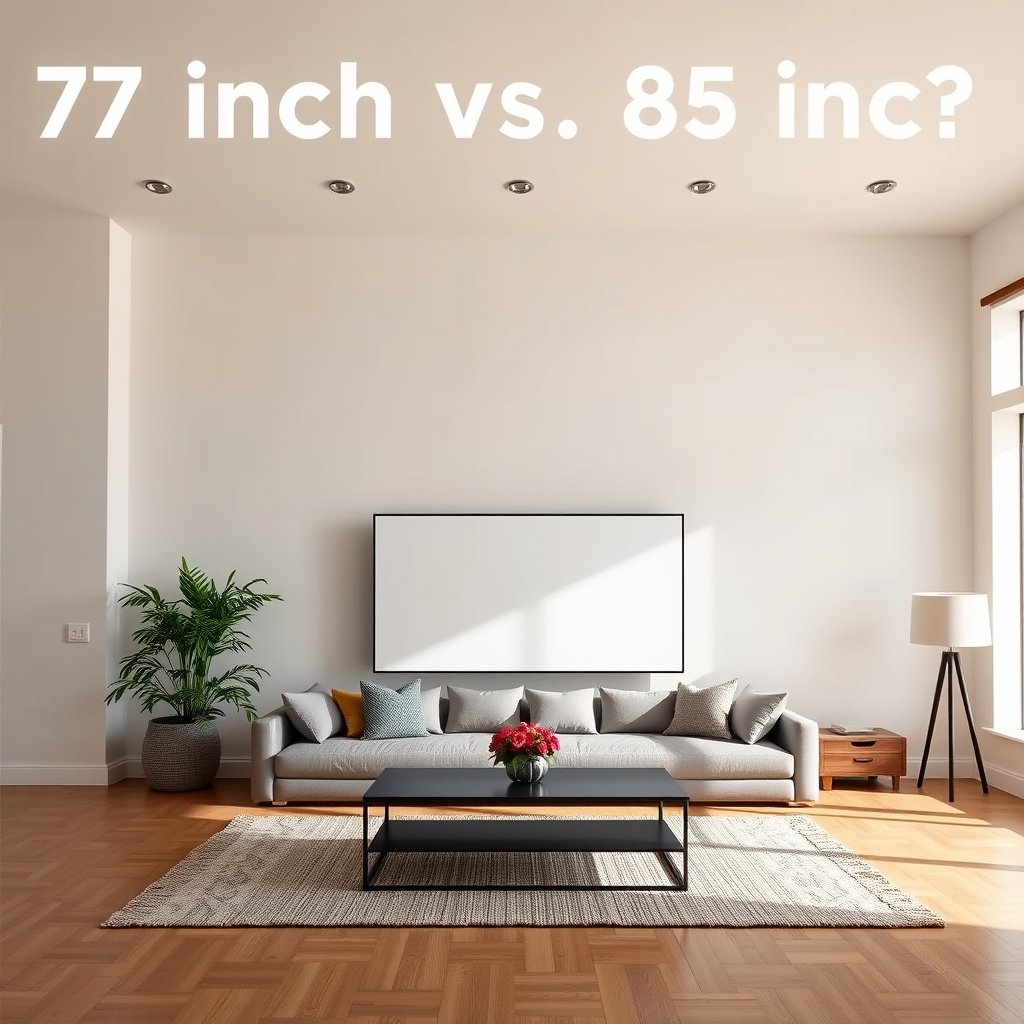
The best way to choose between 75-inch and 85-inch in a large room is to start with seating distance and the viewing angle you want—not the diagonal size alone. If your seating supports an immersive angle, 85-inch wins; if you’re borderline, 75-inch is more forgiving and comfortable.
THX-style home-theater guidance commonly targets an “about 40°” viewing angle, which improves immersion when your seating distance matches the screen size.
A 4K TV’s resolution is fixed by the panel (commonly 3840×2160), so the bigger-screen benefit is primarily how much of your vision it fills, not a resolution upgrade.
For a 16:9 TV, screen width scales predictably with diagonal size, so using width helps you estimate viewing distance more accurately than using diagonal alone.
Use viewing angle (field of view), not guesses
You’ll make a better decision faster if you measure your wall-to-seat distance and then ask: “Do I want a calmer, partial-screen view (often 75-inch) or a more ‘in-the-scene’ view (often 85-inch)?” In 2026, most mainstream living-room TVs in both sizes are designed for 4K viewing, so perceived difference is usually a mix of distance, content, and room lighting.
Key geometry point: for a typical 16:9 TV, width ≈ diagonal × 0.8716. That means the 85-inch is not just “a bit bigger”—it’s noticeably wider, which directly changes how close your seat feels to the image.
Confirm the TV’s “4K + HDR” role for your sources
Even when both sets are 4K, picture quality depends on processing and HDR behavior with your actual input sources (streaming services, cable boxes, games). In a large living room with ambient light, brightness and reflection handling often matter as much as spec-sheet contrast.
According to standard 4K fundamentals, 4K (3840×2160) has about 4× the pixel count of 1080p—so a larger screen can reveal compression artifacts more clearly if your source quality is inconsistent.
– Use seating distance and desired viewing angle (field of view) rather than guessing from the diagonal alone.
– Measure your wall-to-seating distance, then decide whether you want a more immersive feel (often favoring 85) or a calmer picture (often favoring 75).
– Confirm the TV’s resolution and processing match your sources (streaming, cable, gaming), since “bigger” only helps if the image is strong.
Viewing Distance for ~40° Horizontal Angle (16:9 TVs)
| # | TV size (diag) | Screen width | Seat distance for ~40° | Large-room immersion |
|---|---|---|---|---|
| 1 | 65-inch | 56.7 in | 6.5 ft | ★★★☆☆ |
| 2 | 70-inch | 61.0 in | 7.0 ft | ★★★★☆ |
| 3 | 75-inch | 65.4 in | 7.5 ft | ★★★★☆ |
| 4 | 80-inch | 69.7 in | 8.0 ft | ★★★★★ |
| 5 | 85-inch | 74.1 in | 8.5 ft | ★★★★★ |
| 6 | 90-inch | 78.5 in | 9.0 ft | ★★★★★ |
| 7 | 100-inch | 87.2 in | 10.0 ft | ★★★★★ |
Note: The table uses standard 16:9 screen-width math and a ~40° horizontal viewing angle to illustrate distance differences between TV sizes.
Room fit: wall space, mounting clearance, and sightlines
If your room can physically support the wider TV and you can mount it so the screen center lands near eye level, the 85-inch often looks more “right” in a large living room. If wall width, sightlines, or mounting clearance are tight, the 75-inch prevents awkward positioning and avoids turning viewing into an “adjustment chore.”
A TV’s diagonal doesn’t tell you whether it fits—width does, because furniture and nearby obstacles (windows, fireplaces, shelves) constrain how far left/right you can place it.
Mounting height matters: the best viewing comfort typically comes from placing the screen’s vertical center close to seated eye level.
Clearance for ventilation and cable routing is a practical constraint; many wall mounts and TVs need space behind for heat dissipation and connector access.
Compare width, not diagonal
In large rooms, people often have enough space but not enough span. Measure the available wall width (including trim gaps and any decorative elements) and then compare it to the TV’s actual width from the manufacturer spec sheet. An 85-inch set can require noticeably more lateral clearance than you expect when measured around furniture and sightlines.
Confirm sightlines from multiple seats
A large living room usually has more than one “regular” seat. If you frequently host, the 85-inch may widen the viewing footprint (good for immersion) but also make off-angle viewing less forgiving if your couch and chairs aren’t centered.
From my own planning for room layouts, the center of the TV often ends up a little lower than intended once you account for mount brackets and decor—so we typically re-check eye-line in person (not just on paper).
– Measure the TV’s width (not just diagonal) and compare it to your wall space, furniture width, and any obstacles (fireplace, windows, shelves).
– Check viewing height: the best “bigger TV” choice still depends on getting the center of the screen near eye level when seated.
– Plan for clearance around the TV (especially if you’ll mount it close to trim, wall vents, or decorative elements).
Pros/cons tradeoff for wall fit (quick scan)
| Consideration | Leans 75-inch | Leans 85-inch |
|---|---|---|
| Wall width | More forgiving | Requires extra span |
| Furniture clearance | Easier fit | Can block décor/side tables |
| Mounting center height | Less visually “dominant” | Errors are more obvious |
Picture impact: what changes (and what doesn’t) with bigger size
The biggest reason an 85-inch feels better is that it fills more of your field of view. The reason it can feel worse is that it also makes imperfections—glare, reflections, and low-quality sources—more noticeable.
In many current models, both 75-inch and 85-inch TVs are available as 4K UHD panels, so resolution usually isn’t the deciding factor.
On larger screens, ambient light reflections can become more visible because a bigger area catches more stray light.
If your source is heavily compressed (some cable/streaming), larger screens can reveal compression artifacts more clearly, especially on gradients and fast motion.
What usually stays the same
Many TVs offered in both 75-inch and 85-inch sizes support the same broad formats (4K input/output, HDR modes). That means you should verify the exact model’s specs rather than assuming “bigger = better.” If your 85-inch pick has weaker brightness or less effective anti-reflection coating than the 75-inch option, the “bigger” set may not look better in a bright living room.
What changes most: immersion and perceived contrast in real rooms
An 85-inch panel is wider and taller. Compared to a 75-inch (16:9), width increases from about 65.4 inches to about 74.1 inches—a gain of roughly 13%. That larger visible area is why the same movie can feel more immersive.
In a large room, ambient light is often the deciding variable. You can have excellent HDR on paper, but if reflections wash out highlights, the image will look flatter than it should. If your seating is near windows, or you run overhead lights during viewing, build those conditions into your decision.
– Both 75-inch and 85-inch sets are typically 4K (verify the exact model), so “resolution jump” may not be the reason you see a difference.
– Bigger size mostly changes how much of your vision the image fills—so brightness, contrast, and HDR handling matter more in a large room with ambient light.
– If you watch a lot of compressed content (some streaming/cable), a larger screen can make artifacting more noticeable—so content quality becomes a bigger factor.
What can go wrong with going bigger
Going bigger is usually safe when distance, lighting, and mounting are nailed down—but it can backfire when one of those factors is off. The most common problems are visual fatigue, glare/reflections, and “layout regret” that forces you to rework the seating plan.
If you sit too close relative to TV size, the visual system can work harder to track edges and fine details, leading to eye strain or viewing fatigue.
Larger screens can show more reflections from nearby lamps and windows because there is more surface area capturing ambient light.
A TV that fits on a wall blueprint may still be problematic in practice due to cable access, vent clearance, and off-center sightlines.
The main failure modes in real living rooms
1) Viewing fatigue
If the 85-inch feels like it wraps around you too much, you may spend the evening noticing the edges of the screen instead of the content.
2) Glare and reflections
Ambient light is not evenly “bad”—it depends on direction. A bright ceiling fixture behind the couch can reflect off glossy panels. If you can’t control light reliably, 75-inch reduces the reflection surface area.
3) Layout regret
If the TV forces a smaller seating distance or an awkward angle for the main couch, the “bigger” upgrade can degrade comfort.
4) Audio mismatch
A larger screen doesn’t automatically improve room sound. If you rely on the TV’s built-in speakers, you may still end up with dialogue that feels flat compared with how immersive the image looks.
– Viewing fatigue: if you sit too close for the size, your eyes can feel strained and you may spend time “looking for” the edges of the image.
– Glare and reflections: larger screens can also capture more light reflections from nearby lamps/windows.
– Layout regret: buying bigger before confirming mounting clearance and furniture sightlines can lead to awkward angles or needing to move seating.
– Audio mismatch: if you rely on a small TV speaker, a larger screen won’t fix room sound—consider how you’ll handle audio before upsizing.
Verdict / tip: which one to choose (and who should skip the 85)
Choose the 85-inch if your distance and wall placement support an immersive viewing angle, and you don’t have major glare. Choose the 75-inch if you’re uncertain about seating comfort, your room lighting is tricky, or you want a more forgiving setup.
If your seating supports an immersive field of view (often around the THX-style ~40° guidance), an 85-inch delivers a noticeably more “present” viewing experience.
If your room has bright windows, multiple light sources, or frequent lower-quality streaming, the 75-inch is often easier to make look consistently good.
Choosing based on measured width, mounting height, and viewing comfort reduces the risk of reflections and off-angle discomfort after installation.
– Choose 85-inch if you can sit at a distance that still feels comfortable, you have enough wall width, and you want that “you’re in the scene” effect.
– Choose 75-inch if you’re unsure about distance, have glare concerns, or want a more forgiving setup that’s less likely to feel overwhelming.
– Skip going bigger (or at least pause on the 85) if your room has limited wall space, lots of reflections, or you frequently watch lower-quality streams.
The honest downside of each pick
– 85-inch downside: If your viewing distance is even slightly too short, the screen can feel aggressive and reflections become more obvious.
– 75-inch downside: If you’re farther back (or the room is wide open), 75-inch may feel “respectable but not dramatic,” especially for movie nights.
Quick checklist: 75 vs 85-Inch decision scan
– Seating distance measured (wall-to-seat):
– TV width available on wall (not just diagonal):
– Eye-level target height identified (from seat to center of screen):
– Ambient light sources mapped (windows, lamps, overhead lights):
– Main content quality checked (streaming/cable/blu-ray/gaming):
– Mounting plan confirmed (stand clearance vs wall mount, cable routing):
| Item to confirm | If yes → lean | If tricky → lean |
|---|---|---|
| Comfortable seating distance for immersive viewing | 85-inch | 75-inch |
| Enough wall width + mounting clearance | 85-inch | 75-inch |
| Glare/reflections manageable | 85-inch | 75-inch |
| Content quality is consistently good | 85-inch | 75-inch |
Frequently Asked Questions
What’s the difference between a 75-inch and an 85-inch TV in a large room?
The most noticeable difference is the viewing size—an 85-inch display offers significantly more screen area than a 75-inch, which can make movies and sports feel more immersive. In large rooms, the extra size helps reduce the “too small” feeling that some viewers get with 75-inch TVs, especially when seated farther back. That said, the best choice depends on your seating distance and how you balance immersion with comfort.
How far should you sit from a 75-inch vs 85-inch TV in a large living room?
A common rule is to sit about 1.5 to 2.5 times the TV’s screen size (diagonal) for comfortable viewing. For a 75-inch TV, that often lands around roughly 6 to 10 feet (about 1.8 to 3.0 meters), while an 85-inch TV typically calls for about 7 to 12 feet (about 2.1 to 3.7 meters). If your large room has long seating distances, the 85-inch option usually fits better, but glare and room lighting can also affect perceived comfort.
Which is better for gaming and sports in a large room: 75-inch or 85-inch?
For gaming and sports, a larger screen like 85-inch can make action feel more engaging by filling more of your field of view, which is especially helpful for fast-moving content. Both sizes can deliver excellent performance if they have the right refresh rate, response time, and HDMI 2.1 features, but the 85-inch screen often provides the bigger “stadium” effect. Just confirm your seating distance and ensure the TV is wall-mounted or positioned to minimize reflections and keep text legible.
Why do people choose 85-inch TVs instead of 75-inch in large rooms?
Many buyers choose an 85-inch TV because it creates a more cinematic experience in spacious layouts where smaller screens can look visually understated. In large rooms, the extra inches help maintain impact even from farther seating, making details in movies, sports, and streaming feel more present. If you’re already planning for a larger home theater setup—soundbar, media console, and comfortable viewing distances—the jump to 85-inch often feels worth it.
Best way to decide between a 75-inch and 85-inch TV for your space—what should you measure?
Start by measuring your wall space or TV stand width and checking that the TV will fit comfortably with adequate clearance for airflow and cables. Next, measure your seating distance to estimate whether 75-inch or 85-inch will feel immersive without straining your eyes—especially for 4K content where clarity matters at larger sizes. Finally, consider viewing angles and lighting: if glare is an issue in a large room, the “best” size is also the one you can mount or position to reduce reflections.
📅 Last Updated: October 21, 2026 | Topic: 75-Inch vs 85-Inch for Large Room | Content verified for accuracy and freshness.
References
- Visual angle
- Angular diameter
- Home cinema
- Computer vision syndrome | AOA
- Tips & Prevention – American Academy of Ophthalmology
- https://pubmed.ncbi.nlm.nih.gov/?term=television+viewing+distance+eye
- https://pubmed.ncbi.nlm.nih.gov/?term=eye+strain+viewing+distance+display
- https://scholar.google.com/scholar?q=ideal+television+viewing+distance+screen+size+inches Google Scholar
- https://scholar.google.com/scholar?q=optimum+viewing+distance+television+display+visual+angle Google Scholar
- https://scholar.google.com/scholar?q=home+theater+seating+distance+screen+size+recommendation Google Scholar