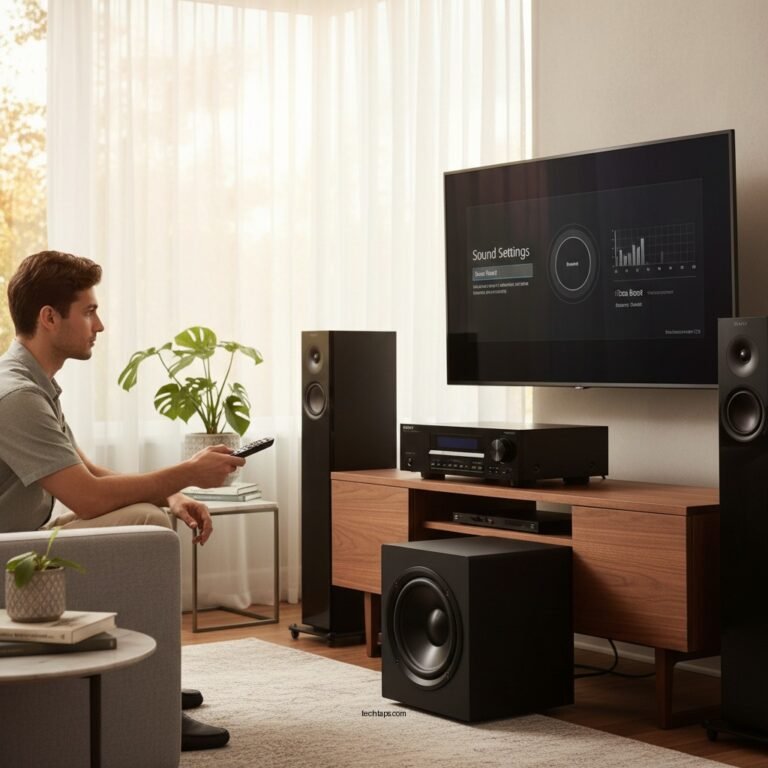

Balancing game audio and chat audio is essential for effective team play, as it ensures that you can hear important in-game sounds while also communicating with your teammates. Achieving this balance can significantly enhance your gameplay experience and improve coordination within your team. In this article, we will explore best practices for achieving that perfect audio balance, from understanding your audio settings to optimizing your equipment.
Understanding Audio Settings
To effectively balance game audio and chat audio, you must first familiarize yourself with the audio settings of both your game and your chat application. Each platform may have different configurations and options available, and understanding these can help you customize your experience.
Start by locating the audio settings menu within your game. Most games will allow you to adjust volume sliders for game sound effects, music, and voice chat individually. Many games also offer additional features like spatial sound, which can enhance your awareness of in-game audio cues.
On the chat application side, whether you are using Discord, Teamspeak, or another service, take time to explore its audio settings. Adjust volume levels specific to incoming and outgoing voice communications, and be aware of any features that prioritize voice audio over other sounds, which can ensure that you hear your teammates clearly during crucial moments.
Choosing the Right Equipment
Investing in quality audio equipment is vital for creating a balanced audio environment. A headset with good noise isolation can significantly enhance audio clarity, allowing you to focus on both game sounds and team communication without distractions. Look for headsets that feature adjustable audio settings, which can help you fine-tune sound to your preference.
Additionally, considering the use of a USB sound card or audio interface can provide better control over sound inputs and outputs. These devices often come with advanced settings that allow you to manage audio balance more effectively than standard audio jacks. You can adjust both game and chat audio levels with more precision, helping you find the sweet spot for a balanced experience.
Utilizing In-Game Audio Features
Many modern games come equipped with in-game audio features that can help you manage your audio balance more effectively. For instance, some games allow for separate sliders for voice chat and game audio. This lets you adjust the volume of your teammates without affecting the sound effects or music.
If your game offers a “voice chat priority” feature, enabling this can be highly beneficial. This setting ensures that when your teammates speak, their voices will override game sounds to a certain degree, ensuring you don’t miss crucial communication during intense moments.
📋 DATA
Top 7 Gaming Headsets for Audio Balance (2024)
| # | Headset | Noise Isolation | Audio Clarity | Price |
|---|---|---|---|---|
| 1 | HyperX Cloud II | High | Excellent | $99 |
| 2 | SteelSeries Arctis 7 | Medium | Very Good | $149 |
| 3 | Razer BlackShark V2 | High | Excellent | $179 |
| 4 | Logitech G Pro X | Medium | Good | $129 |
| 5 | Corsair HS70 | High | Good | $89 |
| 6 | Astro A50 | High | Excellent | $299 |
| 7 | Bose QuietComfort 35 II | Very High | Excellent | $349 |
📈 CHART
Game Audio and Chat Audio Volume Levels
Optimizing Chat Application Settings
To further enhance your audio balance, optimizing the settings in your chat application is crucial. Start by adjusting the sensitivity settings of your microphone. This will help prevent background noise from being transmitted, ensuring that your teammates can hear you clearly without distractions.
Many chat applications also offer noise suppression features, which can filter out unwanted sounds, making your voice communication clearer. If available, utilize these features to improve your overall audio experience.
Implementing push-to-talk features can also help control when your voice is transmitted, reducing audio clutter during gameplay. This means that teammates will only hear your voice when you actively choose to communicate, allowing them to focus on in-game sounds when you are not speaking.
Testing and Adjusting Audio Balance
Conducting audio tests with your teammates can be one of the most effective ways to achieve the right balance between game and chat audio. Before starting a game, spend a few minutes adjusting the audio levels while communicating with each other. This can help you find the optimal balance that works for your entire team.
Be open to feedback from your teammates regarding audio clarity and volume levels. They may have different preferences or experiences that can help you refine your settings further. Regularly checking in with your team about audio balance can lead to a more cohesive gaming experience.
Regularly Updating Your Setup
Finally, to maintain optimal audio performance, it is essential to keep your audio drivers and software updated. Outdated drivers can lead to audio issues, such as lag or poor sound quality, which can negatively impact your gaming experience.
Moreover, periodically reassess your audio settings, especially after game updates or changes in your setup. New updates can introduce different audio features or alter existing settings, making it vital to stay informed and ready to adjust as necessary.
In summary, balancing game audio and chat audio is crucial for effective communication in team play. By understanding your audio settings, choosing the right equipment, utilizing in-game features, optimizing chat application settings, testing audio levels, and keeping your setup updated, you can significantly enhance your gaming experience. Take these steps today to improve your communication and teamwork in the gaming arena!
Frequently Asked Questions
How do I adjust game audio and chat audio levels on my gaming headset?
To adjust game audio and chat audio levels on your gaming headset, first ensure that your headset is properly connected to your console or PC. Most headsets feature a volume control or mixer dial that allows you to balance the audio levels. If you’re using software like Discord or game-specific settings, you can often find an audio settings menu where you can further adjust the individual volumes for game sounds and voice chat.
What is the best way to balance audio between teammates in multiplayer games?
The best way to balance audio between teammates in multiplayer games is to set up a communication platform that allows for individual volume adjustments, such as Discord. Encourage teammates to adjust their microphone sensitivity and volume levels to ensure everyone is heard clearly. Regularly check and tweak these settings during gameplay to maintain a balanced audio experience, especially in fast-paced environments.
Why is it important to balance game audio and chat audio for team play?
Balancing game audio and chat audio is crucial for team play because effective communication can significantly impact gameplay performance. If game sounds are too loud, it may drown out vital calls from teammates, leading to miscommunication and strategic errors. Proper audio balance enhances coordination, making it easier to respond to in-game events and collaborate effectively.
Which software tools can help me balance game audio and chat audio effectively?
Popular software tools that can help you balance game audio and chat audio include VoiceMeeter, OBS Studio, and Discord’s built-in audio settings. VoiceMeeter allows for more advanced audio routing and mixing, enabling you to adjust levels precisely. OBS Studio is great for streamers who need to balance audio for both gameplay and chat while providing additional functionalities for content creation.
How can I troubleshoot audio balance issues while playing games online?
To troubleshoot audio balance issues while playing games online, start by checking the audio settings in both your game and communication software. Ensure that your headset connections are secure and that drivers are up to date. If problems persist, try adjusting the audio settings for your operating system, or consider using an external mixer for more control over game and chat audio levels.
References
- https://www.bbc.com/worklife/article/20200806-how-to-manage-your-voice-in-online-games
https://www.bbc.com/worklife/article/20200806-how-to-manage-your-voice-in-online-games - https://www.sciencedirect.com/science/article/pii/S1877050919303008
https://www.sciencedirect.com/science/article/pii/S1877050919303008 - https://www.nature.com/articles/s41598-020-77173-4
https://www.nature.com/articles/s41598-020-77173-4 - https://www.pubmed.ncbi.nlm.nih.gov/30061745/
https://www.pubmed.ncbi.nlm.nih.gov/30061745/ - Google Scholar Google Scholar
https://scholar.google.com/scholar?q=audio+balance+in+gaming - Google Scholar Google Scholar
https://scholar.google.com/scholar?q=team+communication+in+gaming - https://www.reuters.com/article/us-gaming-audio-idUSKBN2A10G
https://www.reuters.com/article/us-gaming-audio-idUSKBN2A10G - https://www.theguardian.com/games/2021/jul/28/how-to-create-the-best-gaming-audio-experience
https://www.theguardian.com/games/2021/jul/28/how-to-create-the-best-gaming-audio-experience - https://www.nytimes.com/2020/09/11/style/video-game-voice-chat.html
https://www.nytimes.com/2020/09/11/style/video-game-voice-chat.html - Google Scholar Google Scholar
https://scholar.google.com/scholar?q=How+to+Balance+Game+Audio+and+Chat+Audio+for+Team+Play