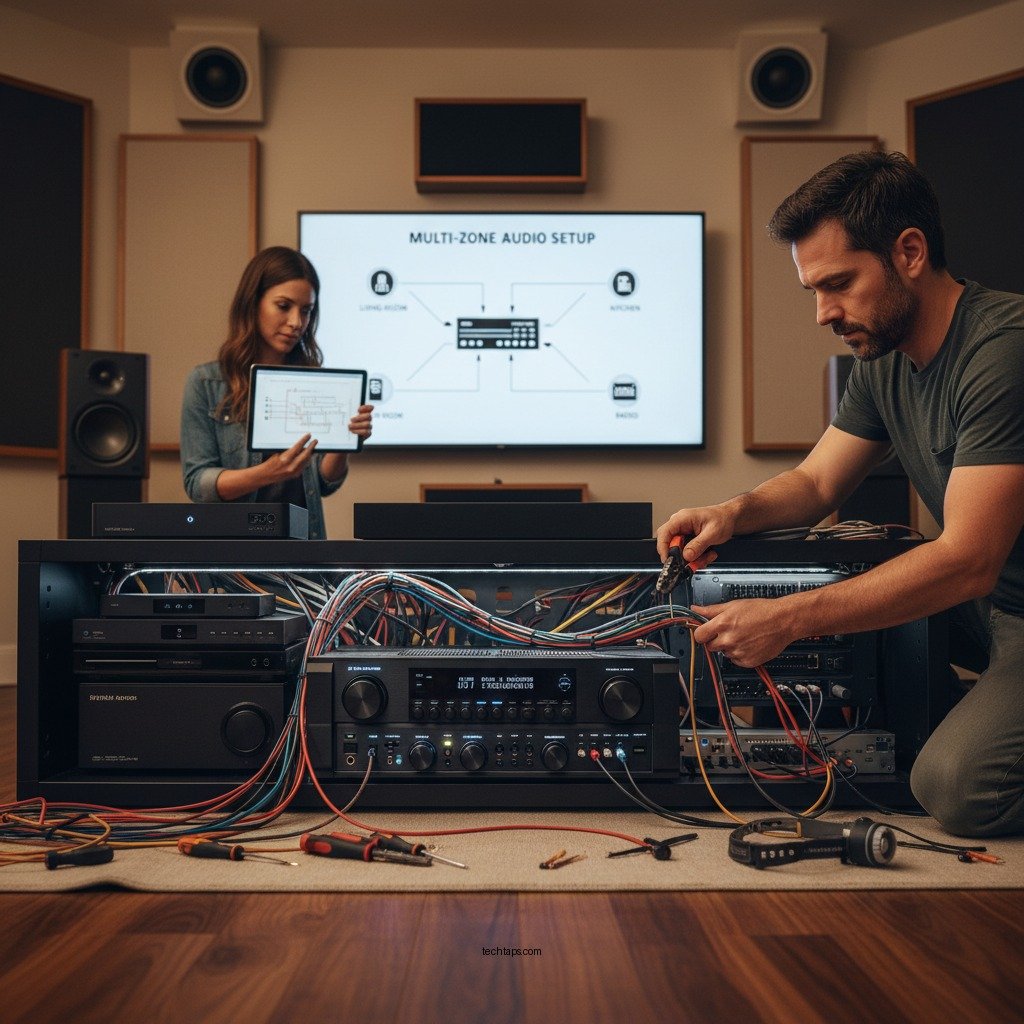

Installing an AV receiver for a multi-zone audio setup enables you to enjoy high-quality sound across different areas of your home simultaneously. This setup not only enhances your listening experience but also allows for customized audio settings tailored to each zone. In this article, we’ll guide you through the essential steps, from choosing the right receiver to connecting speakers and configuring your system for optimal sound quality.
Choosing the Right AV Receiver
The first step in setting up a multi-zone audio system is selecting the appropriate AV receiver. It’s essential to ensure that the receiver supports multi-zone audio capabilities. Look for models that explicitly state they can handle multiple zones, often referred to as “zone 2” or “zone 3” outputs.
When evaluating receivers, consider the power output and the number of zones it can manage. For instance, a receiver with at least 100 watts per channel is ideal for most home environments. Additionally, ensure that the number of zones it can support aligns with your needs. If you plan to set up audio in three different areas, select a receiver that can handle at least three zones. Popular brands like Denon, Yamaha, and Marantz offer excellent options with varying features and price points to suit your preferences.
Preparing Your Space
Once you’ve chosen your receiver, it’s time to prepare the space for installation. Start by planning the layout of your speakers and identifying the specific zones where audio will be played. Consider common areas such as the living room, patio, and kitchen as possible zones.
Next, measure the distances from the receiver to each speaker location. This helps in determining the length of speaker wire needed and allows you to plan for any potential obstacles like walls or furniture that could interfere with sound quality. Proper speaker placement is crucial; for instance, speakers should generally be positioned at ear level when seated and angled toward the listening area for the best audio experience.
Connecting the Speakers
With your space prepared, you can now connect the speakers to the AV receiver. Use appropriate speaker wire and connectors for each zone to ensure quality sound transmission. Typically, 16-gauge wire is sufficient for most residential setups, but you may choose thicker wire for longer runs or higher power applications.
Follow the receiver’s manual for specific wiring instructions, as different receivers may have varying configurations. It’s important to connect the positive and negative terminals correctly to avoid phase issues, which can cause sound distortion. For multi-zone setups, you may need to assign specific speakers to each zone through the receiver’s setup menu after the physical connections are made.
Top 7 AV Receivers for Multi-Zone Audio (2024)
| # | Receiver Model | Zones | Power Output | Price |
|---|---|---|---|---|
| 1 | Denon AVR-X3700H | 3 | 105W | $1,299 |
| 2 | Yamaha RX-V6A | 3 | 100W | $899 |
| 3 | Marantz SR5015 | 2 | 100W | $1,199 |
| 4 | Onkyo TX-NR696 | 2 | 100W | $699 |
| 5 | Sony STR-DN1080 | 2 | 100W | $599 |
| 6 | Pioneer VSX-LX504 | 3 | 120W | $1,499 |
| 7 | NAD T758 V3i | 3 | 80W | $1,499 |
Configuring the Receiver Settings
After connecting your speakers, the next step is configuring the receiver settings. Access the receiver’s setup menu, which can typically be done using the remote control or a dedicated app. Assign speakers to the correct zones according to your initial planning.
Adjust audio settings such as balance, equalization, and volume controls for each zone. Most modern receivers come equipped with automatic calibration features that can analyze the room’s acoustics and adjust settings accordingly. However, manual adjustments can provide a more tailored experience, especially if you have specific sound preferences for different areas.
Don’t forget to set up source selections for each zone, allowing different audio sources (like streaming services, radio, or local media) to play in separate locations simultaneously. This capability is one of the primary benefits of a multi-zone audio system.
Testing the Setup
Once everything is connected and configured, it’s time to test your setup. Play audio in each zone to ensure all speakers are functioning correctly. Move around the space to evaluate the sound quality and determine if any adjustments are needed.
Pay attention to sound balance; all speakers should deliver consistent audio without any one speaker overpowering the others. If you notice discrepancies, revisit your configuration settings and make the necessary adjustments. This step is crucial to achieving a seamless audio experience throughout your home.
Troubleshooting Common Issues
Even with careful planning and installation, issues can arise. Common problems include no sound, connectivity issues, or poor sound quality. Start troubleshooting by checking all connections to ensure they are secure and correctly wired.
If you’re experiencing connectivity issues, verify that the receiver is properly connected to your Wi-Fi network if you are utilizing streaming capabilities. Firmware updates can sometimes resolve performance issues; consult the user manual for guidance on how to check for updates.
For sound quality concerns, monitor the equalization settings and speaker placements. Some receivers allow for advanced settings that can be modified to suit specific acoustic needs. Don’t hesitate to reach out to customer support or consult forums for additional troubleshooting tips specific to your model.
Enhancing Your Experience
To maximize your multi-zone audio experience, explore additional features available with your AV receiver. Many modern receivers support streaming services such as Spotify, Apple Music, or Tidal, allowing you to access a vast library of music.
Consider integrating smart home technology for enhanced control. Voice-activated assistants can manage your audio zones, making it easy to switch sources or adjust volume levels without needing to use the remote. Automation features can also schedule audio playback for specific times, perfect for entertaining guests or setting the ambiance throughout your home.
By leveraging these advanced features, you can create a more dynamic audio environment tailored to your lifestyle.
In summary, setting up an AV receiver for a multi-zone audio system involves careful planning, choosing the right equipment, and following through with proper installation and configuration. By adhering to these steps, you will enjoy a rich and immersive audio experience throughout your home. Ready to indulge in seamless music enjoyment in every room? Start your installation today!
Frequently Asked Questions
What is a multi-zone audio setup and why should I consider it for my AV receiver?
A multi-zone audio setup allows you to control audio playback in different areas or zones of your home independently. This means you can play different music or audio in each zone or synchronize them for a whole-home experience. Consider implementing this setup if you enjoy entertaining guests or want to enjoy music in various rooms without being restricted to a single source.
How do I connect my AV receiver to multiple zones?
To connect your AV receiver to multiple zones, first ensure that your receiver supports multi-zone functionality. Use the appropriate speaker wire or RCA cables to connect the speakers in each zone to the dedicated multi-zone outputs on the receiver. After wiring, configure the zones through the receiver’s settings menu, which allows you to assign sources and adjust volume levels for each zone.
Why is it important to choose the right speakers for a multi-zone audio setup?
Choosing the right speakers for a multi-zone audio setup is crucial because different zones may require different types of speakers based on the room size and acoustics. For example, outdoor areas might benefit from weather-resistant speakers, while larger indoor spaces may need high-power speakers for optimal sound. Selecting the appropriate speakers ensures you achieve the desired audio quality and performance throughout your home.
What are the best practices for installing an AV receiver in a multi-zone audio setup?
Best practices for installing an AV receiver in a multi-zone audio setup include planning your wiring layout before installation, utilizing high-quality cables for minimal signal loss, and ensuring proper ventilation for the receiver. Additionally, label all connections clearly and use a router for streaming sources to improve connectivity and control between zones.
Which features should I look for in an AV receiver for a multi-zone audio configuration?
When selecting an AV receiver for a multi-zone audio configuration, look for features such as multiple zone outputs, support for various audio formats, and built-in streaming capabilities. Other important features include an intuitive user interface for easy control, compatibility with smart home systems, and sufficient power output to drive your speakers effectively across all zones.
References
- https://www.audioholics.com/how-to-articles/multi-zone-audio-installation
https://www.audioholics.com/how-to-articles/multi-zone-audio-installation - https://www.scholar.google.com/scholar?q=AV+Receiver+multi-zone+audio+setup Google Scholar
https://www.scholar.google.com/scholar?q=AV+Receiver+multi-zone+audio+setup - https://www.scholar.google.com/scholar?q=how+to+install+multi-zone+audio+system Google Scholar
https://www.scholar.google.com/scholar?q=how+to+install+multi-zone+audio+system - https://www.scholar.google.com/scholar?q=AV+Receiver+installation+guide Google Scholar
https://www.scholar.google.com/scholar?q=AV+Receiver+installation+guide - https://www.nytimes.com/2021/12/10/technology/personaltech/home-audio-systems.html
https://www.nytimes.com/2021/12/10/technology/personaltech/home-audio-systems.html - https://www.bbc.com/news/technology-56829171
https://www.bbc.com/news/technology-56829171 - Google Scholar Google Scholar
https://scholar.google.com/scholar?q=How+to+Install+an+AV+Receiver+with+Multi-Zone+Audio+Setup - How to Install an AV Receiver with Multi-Zone Audio Setup – Search results
https://en.wikipedia.org/wiki/Special:Search?search=How+to+Install+an+AV+Receiver+with+Multi-Zone+Audio+Setup - https://www.ncbi.nlm.nih.gov/search/research-articles/?term=How+to+Install+an+AV+Receiver+with+Multi-Zone+Audio+Setup
https://www.ncbi.nlm.nih.gov/search/research-articles/?term=How+to+Install+an+AV+Receiver+with+Multi-Zone+Audio+Setup