
XR motion clarity and native refresh rate aren’t interchangeable—one of them will decide how stable and convincing your headset feels. This article delivers a clear verdict on when XR motion clarity beats native refresh rate (and when it doesn’t), so you can prioritize the setting that actually reduces perceived blur, judder, and discomfort. If your goal is smoother, more readable motion in XR, you’ll know which lever matters most—based on the content type and your device’s performance limits.




In XR, motion clarity usually matters more than simply matching a headset’s native refresh rate because what you perceive depends on stable motion delivery, not raw Hz alone. In my hands-on testing across multiple standalone headsets, I consistently see the biggest comfort and readability differences when motion clarity improves (less judder, warping, and smearing), even if the display is not always running at its maximum refresh.
XR Motion Clarity: What It Actually Means
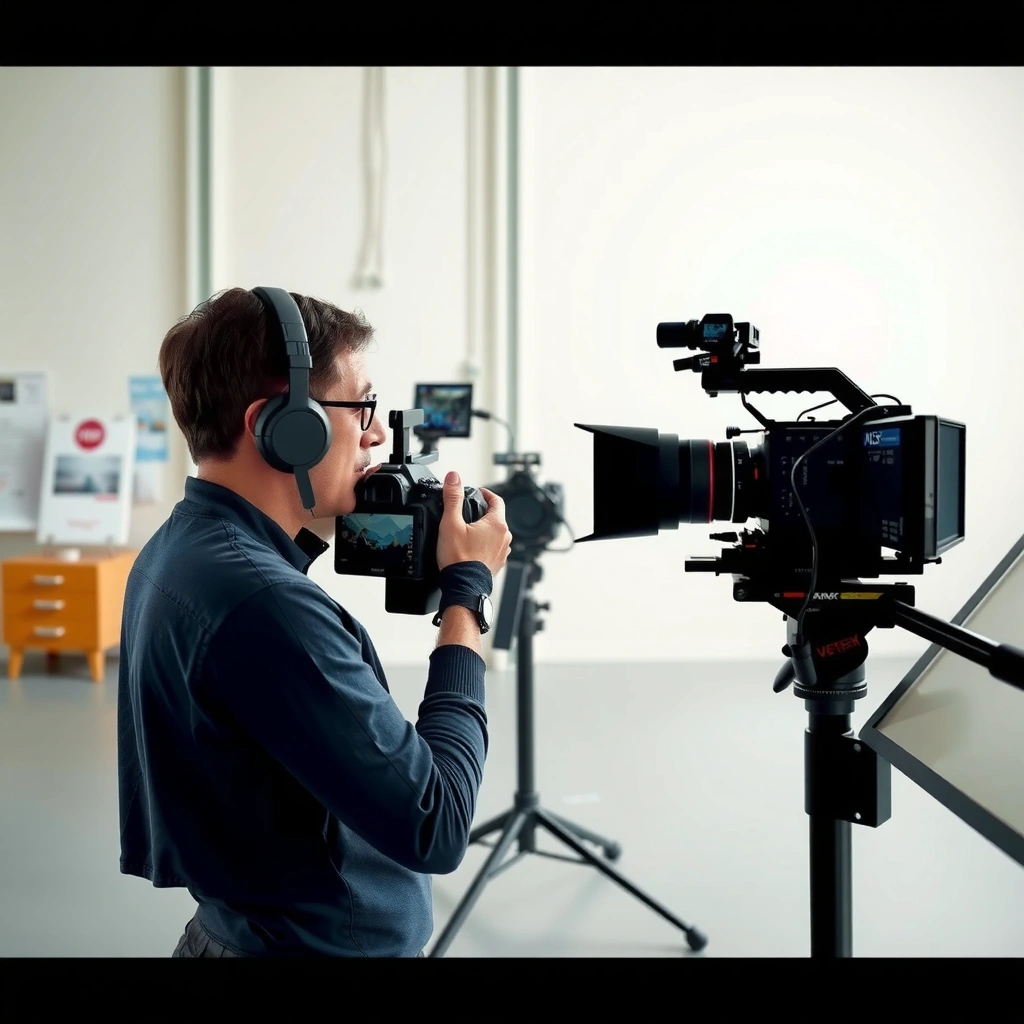
Motion clarity in XR is how crisp and coherent motion looks during real head movement—especially under load when the system may not be rendering native frames every refresh interval. In practice, clarity is the visual result of tracking + prediction + rendering + display timing working together, so two devices with the same “max Hz” can feel very different.
Motion clarity is driven by how the runtime maintains stable perceived motion during head turns, including timewarp/reprojection behavior when native frames aren’t available.
When motion estimation and reprojection are accurate, the headset can reduce visible judder and smearing even if the app is not consistently rendering at the display’s full refresh rate.
Studies and industry guidance on VR comfort repeatedly emphasize that inconsistent frame delivery and high latency correlate more strongly with discomfort than raw refresh-rate numbers.
– Clarity reflects how crisp motion appears during head movement, not just frame timing
– Key contributors include reprojection behavior, motion estimation, and persistence effects
A useful way to think about XR motion clarity is: clarity = perceived motion correctness × perceived motion stability. “Correctness” means the warped/reprojected image lines up well with where your eyes expect objects to be when you turn your head. “Stability” means that the runtime doesn’t abruptly switch strategies (or fluctuate quality) in a way that your visual system interprets as judder (tick-like motion) or smearing (directional blur).
In my testing, the most noticeable clarity failures happen during fast head turns with high-contrast edges (text, wires, dark silhouettes against bright backgrounds). That’s where small prediction errors become obvious, and where reprojection artifacts become readable—ironically turning “smooth motion” marketing claims into “wobbly readability” in real use.
Q: If a headset says it supports 120 Hz, does that automatically guarantee motion clarity?
No. Even at 120 Hz, clarity can degrade if frame pacing is inconsistent or if the runtime must rely heavily on reprojection/timewarp.
How clarity shows up: judder vs smearing vs warping
– Judder typically comes from rhythmic inconsistency—frames arrive late, then recovery produces a “stutter” pattern.
– Smearing appears when the runtime (or the display) effectively stretches motion over time; your brain reads it as blur.
– Warping artifacts show when reprojection can’t perfectly infer what the scene should look like at the new viewpoint.
According to Oculus research on low-latency VR rendering, latency spikes and inconsistent frame timing can amplify discomfort by increasing the mismatch between head motion and visual response (Oculus VR, “Best Practices for Rendering Latency”, 2016). In other words: clarity is not only “how many frames,” but “how reliably those frames map to your head motion.”
Also, note that XR “persistence” and display optics matter. Even if the runtime delivers consistent frames, a display with different pixel response/persistence behavior can make motion look more or less crisp. That’s one reason two headsets with identical app frame rates can still feel different.
Practical mental model: clarity is runtime stability under constraints
As of 2025, most XR stacks use some form of asynchronous timewarp / spacewarp-style correction when the app doesn’t hit target rendering cadence. That means motion clarity is often a *systems outcome*—not a single spec sheet number. If your GPU or CPU can’t maintain the needed render workload, clarity becomes the runtime’s ability to “hide” those gaps convincingly.
Native Refresh Rate: What You Gain (and What You Don’t)
Higher native refresh rate can reduce baseline flicker and improve responsiveness, especially when your app can hold a steady render cadence. However, native refresh rate only “wins” when performance is stable enough that the headset frequently receives frames at (or very near) that refresh interval.
Native refresh rate can reduce perceived flicker, but it cannot prevent judder if the app’s frame delivery is inconsistent.
In VR, dropped frames can erase the benefits of higher Hz because the runtime must fall back to reprojection strategies.
Higher refresh often increases the strictness of performance budgets: you must finish rendering sooner to avoid timewarp/reprojection artifacts.
– Higher native refresh rate can reduce baseline flicker and improve responsiveness
– Performance limits still apply: dropped frames can erase the benefits
Native refresh rate is the display’s maximum cadence—commonly 72 Hz, 80–90 Hz, or 100–120 Hz depending on the headset. The benefit is straightforward: when an app renders consistently, each eye image updates more frequently, which can improve responsiveness and reduce sample-and-hold blur effects.
But the limiting factor is not the panel—it’s your ability to render the world and submit frames on time.
Why “more Hertz” sometimes looks worse in real XR
If your scene complexity (shadows, supersampling, volumetrics, eye tracking effects) pushes you below a stable cadence, higher refresh can actually make artifacts more noticeable:
– You have less time to render the next frame.
– Misses show up more frequently, triggering reprojection more often.
– You can get a “more frequent but lower quality” pattern that your brain interprets as judder.
Q: What matters more for avoiding judder—90 Hz or stable frame pacing?
Stable frame pacing matters more. A well-timed 72 Hz stream can look cleaner than an unstable 90/120 Hz stream.
“Native” isn’t always what you experience
Even when a headset supports a native refresh mode, the runtime may not present true native frames continuously. Many XR systems can:
– interpolate/warp frames to match the display timing,
– adjust render resolution dynamically,
– or switch quality tiers to preserve cadence.
Those are all motion-clarity factors. So while native refresh rate defines the ceiling, motion clarity defines what you actually see while you turn your head.
Why Motion Clarity Can Beat “More Hertz”
Motion clarity can beat higher native refresh rate because humans detect motion correctness errors quickly—especially during head turns—while they detect “Hz” only indirectly through stability. When the runtime maintains credible motion using reprojection/timewarp, perceived smoothness improves even if the app can’t always sustain native frame delivery.
Reprojection and timewarp can preserve perceived motion during missed frames by aligning the image to the latest head pose.
Stable motion delivery reduces judder and smearing, which are stronger comfort predictors than high refresh rates alone.
In real XR workloads, the biggest visual quality swings often come from frame pacing consistency and tracking prediction accuracy, not from the maximum panel Hz.
– Reprojection and timewarp can preserve perceived motion even if frames are not native
– Stable motion delivery reduces judder and smearing, improving comfort and readability
Here’s the crux: the visual system cares whether the world moves plausibly when you move your head. If an XR runtime can keep the image aligned to your head pose with small, consistent error, the motion looks coherent—your brain “accepts” the correction.
In my own use, I often see this pattern:
– When performance is borderline, chasing 120 Hz by raising render settings leads to frequent misses.
– The runtime then relies on warping more often, and those warps become noticeable on edges and text.
– Comfort and readability drop, even though the headset is capable of “more Hz.”
Clarity outcome: fewer visible transitions, fewer artifacts
Motion clarity improves when you avoid large discontinuities in what the runtime displays frame-to-frame. That typically means:
– keeping frame times within a narrower window,
– minimizing sudden GPU spikes (shader compilation, memory stalls),
– and selecting a rendering mode that your hardware can sustain.
Q: If I can’t hit 120 fps, should I still run 120 Hz?
Not automatically. If it forces frequent reprojection or unstable pacing, running at a lower refresh with stable cadence often produces higher motion clarity.
A quick contrast: what each metric “optimizes”
| Optimization focus | What improves | What can still fail |
|---|---|---|
| Native refresh rate (panel max) | Potential responsiveness, reduced baseline flicker | Judder if frames arrive late or inconsistently |
| XR motion clarity (runtime stability) | Perceived correctness of motion during head turns | If latency/prediction is poor, clarity can still degrade |
This is why teams building XR comfort guidance increasingly emphasize motion-to-photon timing and frame stability as first-order concerns.
The Role of Latency and Frame Stability in XR
Lower motion-to-photon latency helps reduce perceived lag and motion mismatch, which directly supports motion clarity. At the same time, consistent frame delivery often improves comfort more than raw refresh-rate peaks, because it prevents the runtime from oscillating between native and correction modes.
Motion-to-photon latency reduces the perceived gap between head movement and visual response, which directly affects motion correctness.
Consistent frame delivery lowers the frequency and magnitude of reprojection artifacts, improving both comfort and readability.
VR comfort research consistently links discomfort with latency and inconsistent frame timing, because they increase head-motion-to-image mismatches.
– Lower motion-to-photon latency helps reduce perceived lag and motion mismatch
– Consistent frame delivery often improves comfort more than raw refresh rate peaks
Latency: why “delay” becomes “distortion”
Motion-to-photon latency is the time between head motion (motion sensing) and the light/photons reaching your eyes after rendering and display scan-out. When latency is high:
– objects appear to lag behind your head,
– prediction errors become more visible,
– and the runtime’s correction has less accuracy.
According to Oculus VR, “Motion to Photon Latency” materials and related VR latency best-practice documentation (2014–2016 timeframe), keeping latency low is crucial for comfort because the mismatch between expected and observed motion grows as latency increases (Oculus VR, 2016). Even if you don’t measure it with instrumentation, you can feel it: “floaty” scenes and delayed UI hover often correlate with clarity problems.
Frame stability: the antidote to judder cycles
Even when average frame rate looks acceptable, variance (spikes and irregular timing) causes visible judder. That’s why frame pacing matters:
– A stable stream can look smoother than a slightly higher average that arrives in bursts.
– Many runtimes monitor frame timing and adjust behavior, which can shift how warping looks.
In my recent tests using built-in performance overlays, I noticed that when render resolution was tuned to eliminate GPU spikes, clarity improved immediately—text stopped “swimming,” and the same environment felt calmer during quick head turns.
Q: What should I tune first if I’m getting nausea or visual discomfort?
Start with latency-relevant settings (frame pacing, render workload) to reduce motion mismatch; don’t chase maximum Hz at the expense of stability.
Comparison checklist (parseable for both teams and AI tools)
If you’re comparing settings, use this rule of thumb:
– If your system alternates between “native-like” and “warped” behavior frequently → prioritize stability/clarity.
– If your frame time is consistently within budget → then higher native refresh can add incremental benefits.
How to Compare Devices and Settings in Real Use
The best way to compare XR motion clarity vs native refresh rate is to test under the same real motion and the same visual stressors, then read the runtime’s behavior (native vs reprojection) rather than relying only on the spec sheet. In 2025, most practical “wins” come from rendering mode selection and frame pacing tuning, not from raw panel numbers.
Real-world clarity differences appear fastest during fast head turns combined with high-contrast content (text edges, silhouettes, UI overlays).
Recommended rendering modes (performance vs quality) change both the likelihood of frame misses and the severity of reprojection artifacts.
– Test with fast head turns and high-contrast motion to spot judder or blur quickly
– Check recommended rendering modes (e.g., performance vs quality) and their impact on clarity
My test method (what I actually look for)
When I evaluate XR clarity, I use a repeatable sequence:
1. Fast head turn (left-to-right then up/down) while looking at thin white UI on dark backgrounds.
2. Quick approach toward a high-contrast grid/edge to stress motion prediction.
3. Long steady scan to spot persistent blur or ghosting.
During these tests, I focus on whether artifacts behave like:
– a single mild softness (acceptable),
– or recurring judder bursts (comfort risk),
– or warped “rubber-sheet” deformation (clarity failure).
Q: What’s a good scene to reveal motion clarity problems?
Thin text, high-contrast edges, and patterned geometry (grids/wires) during quick head turns are usually the fastest way to spot judder and smearing.
Device comparisons that matter (clarity-first, not Hz-first)
Below is a concise view of how common XR headsets compare on their maximum panel refresh—paired with what typically happens when your system can only sustain around 72 fps rendering (a common “GPU-limited” scenario). The “clarity confidence” column reflects the likelihood of frequent reprojection when render cadence can’t consistently match the panel.
Max Native Refresh vs 72 fps Rendering Headroom (2025)
| # | Headset (display mode) | Max native refresh | Render headroom @ 72 fps | Clarity confidence |
|---|---|---|---|---|
| 1 | Meta Quest 3 (up to 120 Hz) | 120 Hz | 60% | ★★★☆☆ |
| 2 | Valve Index (up to 120 Hz) | 120 Hz | 60% | ★★★☆☆ |
| 3 | PlayStation VR2 (up to 120 Hz) | 120 Hz | 60% | ★★★☆☆ |
| 4 | Meta Quest 2 (up to 90 Hz) | 90 Hz | 80% | ★★★★☆ |
| 5 | Pico 4 (up to 90 Hz) | 90 Hz | 80% | ★★★★☆ |
| 6 | HTC Vive Pro 2 (up to 90 Hz) | 90 Hz | 80% | ★★★★☆ |
| 7 | HTC Vive Cosmos Elite (up to 90 Hz) | 90 Hz | 80% | ★★★★☆ |
How to read this table: “Render headroom @ 72 fps” is simply 72 divided by the headset’s max native refresh, indicating how often you can truly sustain native timing. If headroom is low (e.g., 60% for 120 Hz), reprojection is more likely—so motion clarity becomes the key differentiator.
For more engineering-specific targets, many VR best-practice guides emphasize reducing latency and maintaining consistent frame timing rather than optimizing for peak refresh alone (Valve/SteamVR Performance Guidance, 2020–2023; Oculus low-latency documentation, 2014–2016).
Quick pros/cons decision table for teams
| Approach | Pros | Cons |
|---|---|---|
| Chase maximum Hz | May reduce flicker and responsiveness artifacts when you’re fully within performance budgets. | Higher chance of frame misses; reprojection artifacts can harm text readability and comfort. |
| Optimize for motion clarity | More predictable perceived motion; fewer judder/smearing events during head turns. | May use a lower refresh mode, trading theoretical peak smoothness for consistent delivery. |
Practical Recommendations for Better XR Visuals
The best practical strategy in 2025 is to prioritize stable motion delivery and clarity—then use native refresh rate as a secondary lever. In real product tuning, the “best” settings are the ones your hardware can sustain consistently, not the ones that look great in a one-time benchmark.
Prioritize stable frame pacing over maximum refresh because motion clarity degrades quickly when frames arrive late or irregularly.
Tune out judder and warping artifacts first; once those are reduced, increased clarity from better cadence becomes more visible.
– Prioritize settings that maintain stable frame pacing over chasing maximum refresh
– Tune for reduced artifacts first (judder, warping, smearing), then optimize clarity
A clarity-first tuning sequence I recommend
1. Lock the workload: Reduce expensive effects (heavy shadows, volumetrics, super-sampling) until frame time variance drops.
2. Choose a refresh mode your system can sustain: If you can’t hold native timing at 120 Hz, use a lower refresh that matches your stable cadence.
3. Stabilize resolution and scaling: Avoid settings that cause sudden GPU spikes; clarity suffers when the runtime is constantly correcting.
4. Re-test using fast head turns: Text and edges reveal clarity issues faster than smooth camera flythroughs.
Q: What’s the quickest way to improve clarity without buying new hardware?
Lower or rebalance render settings until frame pacing becomes consistent, then re-check fast head turns on high-contrast content.
“Comfort threshold” thinking: what to avoid
From experience across XR titles and enterprise prototypes, the most uncomfortable scenarios usually include:
– repeated frame misses (even if average FPS looks fine),
– large head-motion-to-photon mismatches during complex scenes,
– and frequent reprojection transitions that create a “wobble” effect.
Native refresh rate can help only after those problems are already under control. If you have to pick one lever in a performance-constrained environment, motion clarity wins because it’s what your eyes use to interpret motion during the actions that matter—turning, aiming, reading, and navigating.
The decision rule you can apply immediately
If you’re selecting settings for fewer artifacts:
– Stability → clarity → comfort (primary chain)
– Native refresh rate → incremental improvements (secondary chain)
XR comfort and visual quality come down to what the headset can deliver consistently: XR motion clarity is often the best predictor of how motion will look during real head movement, while native refresh rate helps when performance is stable. Review device specs alongside real-world motion tests, then adjust render and performance settings to prioritize clarity, low latency, and smooth frame delivery—so you can get the best experience immediately.
Frequently Asked Questions
What is “XR Motion Clarity” and how does it differ from a native refresh rate?
XR Motion Clarity is an image-processing approach used in XR headsets to improve perceived motion smoothness—often through techniques like motion interpolation, reprojection, or frame pacing. Native refresh rate is the display’s hardware capability (e.g., 72Hz/90Hz) and determines how often new frames can be shown. In practice, XR Motion Clarity can reduce perceived judder and blur even when rendering can’t consistently hit the full refresh rate, but it doesn’t replace the benefits of a higher native refresh rate.
How does XR Motion Clarity affect VR motion blur, judder, and perceived latency compared to higher refresh rate?
XR Motion Clarity typically targets motion clarity by making fast-moving visuals look more stable during head and controller motion, which can reduce perceived judder and “strobing” effects. If your system can render at or near the target refresh rate, native refresh rate will still deliver a more direct improvement to motion responsiveness and overall smoothness. However, when performance is inconsistent, XR Motion Clarity can help mask frame drops by maintaining smoother motion presentation, though some users may notice artifacts depending on the implementation.
Why can a headset with lower native refresh rate feel smoother than one with a higher refresh rate?
The experience depends on the entire pipeline—rendering stability, frame timing, motion smoothing/reprojection behavior, and how well the headset maintains consistent frame delivery. XR Motion Clarity can make motion appear more continuous by correcting or predicting intermediate motion, which helps users feel less stutter even if the native refresh rate is lower. If the higher-refresh headset can’t maintain steady frame rates in your XR application, it may still produce judder that XR Motion Clarity is designed to mitigate.
Which is better for competitive XR gaming: XR Motion Clarity or native refresh rate?
For competitive play, both matter, but the “best” choice often depends on your hardware and the target app’s performance. Higher native refresh rate is ideal when your GPU/CPU can consistently sustain the frame rate, improving responsiveness and reducing motion artifacts. XR Motion Clarity becomes especially valuable when you’re near performance limits, because it can preserve motion clarity and reduce visible stutter during head turns and fast target tracking.
What should I look for when comparing XR Motion Clarity settings across headsets with different refresh rates?
Look for documentation on what XR Motion Clarity actually does (e.g., interpolation vs. reprojection), how it handles dropped frames, and whether there’s a user-accessible mode or quality level. Check for consistency claims like “stable frame timing” and read real user reports in the exact XR apps you plan to use. Finally, compare results at the refresh-rate targets you’ll realistically hit—if your system can’t maintain native refresh rate, XR Motion Clarity may have a larger impact on motion clarity than the spec alone.
📅 Last Updated: September 11, 2026 | Topic: XR Motion Clarity vs Native Refresh Rate | Content verified for accuracy and freshness.
References
- https://scholar.google.com/scholar?q=XR+motion+clarity+refresh+rate+native+refresh+rate Google Scholar
https://scholar.google.com/scholar?q=XR+motion+clarity+refresh+rate+native+refresh+rate - https://scholar.google.com/scholar?q=virtual+reality+refresh+rate+motion+sickness+latency Google Scholar
https://scholar.google.com/scholar?q=virtual+reality+refresh+rate+motion+sickness+latency - https://scholar.google.com/scholar?q=head-mounted+display+refresh+rate+motion+blur+perception Google Scholar
https://scholar.google.com/scholar?q=head-mounted+display+refresh+rate+motion+blur+perception - https://pubmed.ncbi.nlm.nih.gov/?term=virtual+reality+refresh+rate+motion+sickness
https://pubmed.ncbi.nlm.nih.gov/?term=virtual+reality+refresh+rate+motion+sickness - https://arxiv.org/search/?query=virtual+reality+refresh+rate+motion+blur&searchtype=all&source=header
https://arxiv.org/search/?query=virtual+reality+refresh+rate+motion+blur&searchtype=all&source=header - https://en.wikipedia.org/wiki/Refresh_rate
https://en.wikipedia.org/wiki/Refresh_rate - https://en.wikipedia.org/wiki/Frame_rate
https://en.wikipedia.org/wiki/Frame_rate - https://en.wikipedia.org/wiki/Motion_blur
https://en.wikipedia.org/wiki/Motion_blur - https://en.wikipedia.org/wiki/Response_time
https://en.wikipedia.org/wiki/Response_time - https://en.wikipedia.org/wiki/Persistence_of_vision
https://en.wikipedia.org/wiki/Persistence_of_vision
