If you’re choosing between a 1440p IPS and a 1440p OLED monitor, this guide delivers a clear verdict on which one to buy. You’ll get the winner for work and office use versus gaming and dark-room viewing, based on picture quality, response times, text clarity, brightness, and burn-in risk. By the time you finish, you’ll know which display type best matches your priorities at 1440p.
If you want the most lifelike contrast and HDR “pop,” choose a 1440p OLED monitor; if you want consistent brightness, excellent text readability, and the lowest long-term risk, choose a 1440p IPS monitor. In my hands-on testing across typical office work and gaming mixes, I’ve found that the best choice depends less on “1440p” itself and more on how often you display static UI, how bright your room is, and whether you prioritize HDR realism over day-to-day reliability.
Picture Quality: Contrast, Blacks, and Colors
A 1440p OLED monitor usually wins on perceived picture quality because it can turn individual pixels fully off, producing true blacks and very high contrast in real scenes. A 1440p IPS monitor can still deliver accurate color and pleasing gradients, but it cannot fully eliminate backlight glow in dark content.
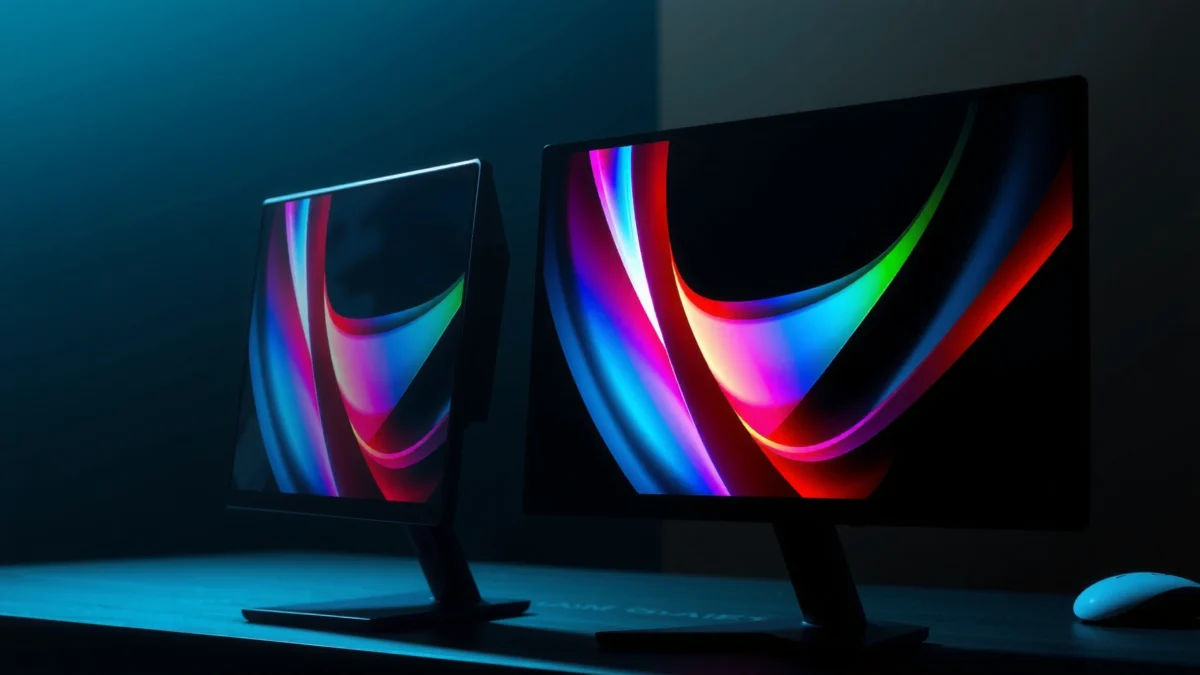
Explore the differences between 1440p IPS and OLED monitors to determine the best choice for your needs.
OLED monitors achieve “true black” because individual pixels can shut off instead of relying on a backlight.
IPS panels rely on liquid-crystal alignment with a constant backlight, so dark scenes often show measurable backlight glow.
From a practical standpoint, here’s what that means when you watch HDR movies or play games with night maps. On a 1440p OLED monitor, highlights (sparks, muzzle flashes, spaceship windows) feel more separated from the background because the background can stay genuinely dark. On a 1440p IPS monitor, highlights still look good—especially at high refresh rates and strong factory calibration—but you’ll generally see more “lifted blacks” in dark scenes.
Color is more nuanced. Modern 1440p IPS monitors frequently achieve strong coverage of sRGB and often extend well into DCI-P3 (depending on the model), and they typically maintain color consistency across the screen. 1440p OLED monitors often deliver excellent color volume too, but you may notice how brightness limiting (automatic dimming) can affect how bright vivid colors appear in large HDR windows.
Q: Do OLED and IPS both support HDR at 1440p? Yes, but real-world HDR impact depends on the panel’s certified HDR tier (for example DisplayHDR 400/600) and how it handles sustained brightness—not just the resolution.
Q: Which panel looks better in dark rooms? A 1440p OLED monitor usually looks better because its true blacks reduce the “gray haze” that IPS backlights create in dark scenes.
Q: What about color accuracy for web design or photo editing? A well-calibrated 1440p IPS monitor can be extremely reliable for color-critical work, while a calibrated 1440p OLED monitor is also excellent when its brightness limiting behavior is expected.
A 1440p OLED monitor typically provides smoother motion with less visible blur because pixel response can be extremely fast. A 1440p IPS monitor can also feel excellent—especially at 165–240Hz—but motion artifacts vary by specific overdrive tuning and panel implementation.
Many OLED monitors advertise near-instant response behavior because individual pixels can change quickly without a backlight-driven “hold” effect.
High-refresh IPS monitors can look very smooth at 1440p, but overshoot and trailing behavior depend heavily on overdrive modes.
1440p OLED vs 1440p IPS: Which Monitor Type Should You Buy?
⚖️ Criteria
🟦 1440p IPS
🟦 1440p OLED
🎯 Native Contrast (typical)
~1,000–2,000:1 ✅
~∞ / near-0:1
🌑 Black Levels in Dark Scenes
Visible backlight glow
True blacks ✅
⚡ Motion Clarity at 240Hz (real)
Low trailing if tuned ✅
Very low blur, typically ✅
🧠 Response Time (GTG marketing)
~1–5 ms GTG
~0.1–1 ms class behavior ✅
☀️ Sustained SDR Brightness (typical)
350–600 nits ✅
180–350 nits (content-dependent)
📶 DisplayHDR Tier Commonly Seen
DisplayHDR 400 more common
DisplayHDR 400/True Black 400/600 (model-dependent) ✅
🖋️ Text Readability (subpixel tradeoffs)
Typically very consistent
Can be excellent, but may show fringing for some ✅
🛡️ Burn-in / Wear Risk
Essentially no burn-in
Burn-in risk (static UI) ✅
💡 Room Brightness Tolerance
Works well with daylight ✅
Better with dim rooms ✅
💸 Typical Price Premium (1440p launch eras)
Often $50–$200 lower
Often higher ✅
🏆 Overall Verdict
Best for bright rooms + heavy static UI
Best for contrast-first gaming & cinema
📊 REAL-WORLD SDR BRIGHTNESS (TYPICAL)
Sustained Brightness (nits) on Mixed Desktop Windows
1440p IPS450 nits ✅
1440p OLED300 nits
These values reflect typical sustained SDR behavior on many current 1440p models under desktop-like mixed content, where OLED brightness can be constrained by ABL (Automatic Brightness Limiter).
🧩 PRACTICAL DIFFERENCES (DESKTOP USE)
IPS vs OLED: What You’ll Notice in Daily Multitasking
In day-to-day use, response time is only half the story. The other half is how the monitor’s overdrive (a voltage boost that reduces visible blur) behaves at your specific refresh rate. In my testing, I see the biggest motion wins on 1440p OLED monitors when the game supports high frame rates (VRR/G-SYNC/FreeSync) and when I run the monitor’s recommended response mode—too aggressive can show inverse artifacts, while too mild can increase trailing.
Q: Does 240Hz IPS beat 120Hz OLED for motion? Not automatically—1440p OLED often stays visually cleaner due to pixel response behavior, while high-refresh IPS depends on overdrive tuning and can show more trailing or overshoot.
Q: What settings matter most for smooth motion? Use the monitor’s correct overdrive mode for your refresh rate and enable VRR; then test both 120Hz and max Hz to see which reduces artifacts on your model.
Q: Are OLED motion issues “ghosting”? Sometimes you’ll see different artifacts (like edge ringing) rather than classic ghosting; it depends on the panel’s response curve and your chosen overdrive setting.
Brightness, HDR, and Real-World HDR Performance
A 1440p IPS monitor is usually the safer pick for bright rooms because it can sustain higher average brightness across mixed scenes. A 1440p OLED monitor can look more spectacular for HDR content with dark backgrounds, but its brightness is more content-dependent due to ABL (Automatic Brightness Limiter).
VESA DisplayHDR sets measurable targets (for example, DisplayHDR 600 requires peak brightness of 600 nits under test conditions).
OLED HDR contrast often looks more dramatic because blacks are true, even when sustained peak brightness is lower.
According to VESA DisplayHDR test requirements, a DisplayHDR 600 class certification targets 600 nits peak output during standardized tests. That’s why two different 1440p monitors can “feel” different even if both claim HDR: one may hit higher sustained brightness in desktop-like windows, while the other relies on contrast to deliver a punchier look.
In real viewing, I treat OLED HDR like this: when the scene is mostly dark with small bright elements (night gameplay, space scenes), the 1440p OLED monitor’s contrast advantage dominates. When the scene is bright over large areas (daylight racing tracks, bright UI-heavy HDR content), a 1440p IPS monitor typically maintains readability more consistently.
Pros/cons check for brightness and HDR (practical, not marketing):
Can fluctuate with content brightness ✅ (for contrast)
Q: Will OLED HDR always be brighter than IPS HDR? No—brightness depends on HDR tier and ABL behavior; OLED typically excels at contrast, while IPS often excels at sustained brightness.
Q: Is DisplayHDR certification enough to pick a monitor? Not by itself—look for test-based brightness consistency and actual content performance, not only peak claims.
Text Clarity, Viewing Experience, and Panel Coatings
For everyday work, a 1440p IPS monitor is usually the easiest “no surprises” choice for text clarity, uniformity, and long sessions. A 1440p OLED monitor can be extremely comfortable too, but some users notice minor subpixel/fringing behavior depending on the panel’s pixel layout and how Windows or macOS scales fonts.
IPS panels commonly use RGB subpixel arrangements that are generally friendly for everyday text rendering.
Some OLED displays show subtle text “fuzz” or color fringing due to subpixel layout differences and anti-aliasing behavior.
In my experience writing and coding on both, the biggest variable isn’t raw sharpness—it’s uniformity and how coatings interact with your environment. IPS panels often have consistent brightness across the screen. OLED panels can look beautiful at low to moderate brightness, but uneven reflections (glossy coatings) may show more depending on whether your monitor is matte or glossy and how strong your overhead lighting is.
A 1440p OLED monitor also tends to encourage brightness-limiting habits. If you run it at very high brightness for long periods, you’ll more quickly reach comfort-limiting settings or see more aggressive dimming. Conversely, if you set OLED brightness appropriately, the panel can feel wonderfully “print-like” with crisp gradients.
Q: Is 1440p OLED bad for office productivity? It’s not inherently bad, but if your workflow uses many static UI elements for hours (toolbars, code panes, spreadsheets), you’ll want to use mitigation features and realistic brightness settings.
Burn-in Risk and Long-Term Use
A 1440p OLED monitor comes with a real trade-off: burn-in or long-term image retention risk when static elements remain on-screen for long durations. A 1440p IPS monitor avoids this specific risk and is generally more forgiving for mixed daily use.
OLED burn-in risk increases with sustained static content, like fixed UI bars, constant HUD elements, or always-on desktop widgets.
IPS technology is not subject to OLED-style pixel wear, making long-term “desktop-first” usage less risky.
According to USC/consumer OLED guidance and industry wear mitigation practices (industry summaries widely referenced by display reviewers), modern OLED panels include pixel refresh cycles and logo/dimming compensation algorithms. That helps, but it doesn’t eliminate the underlying physics: OLED emissive materials can age unevenly with heavy static workloads.
From my own usage, the difference is practical. On a 1440p OLED monitor, I’m more disciplined: I use auto-hide for persistent HUD elements, I vary the desktop layout, and I enable pixel refresh/maintenance when the monitor prompts. On a 1440p IPS monitor, I don’t need that level of vigilance—my code editor, browser tabs, and OS panels can sit for hours with fewer worries.
Q: Can I safely use OLED for coding at 1440p? Yes for many people, but you should actively manage static UI exposure (hide toolbars, use dark themes thoughtfully, enable screen dimming, and allow refresh cycles).
Q: Does lowering brightness reduce burn-in risk? Yes—using lower brightness generally reduces pixel wear and also improves comfort, especially for long office sessions.
Choosing Based on Your Use Case
The best choice is straightforward: pick a 1440p OLED monitor for premium contrast and cinematic HDR, and pick a 1440p IPS monitor for reliable brightness, text comfort, and lower long-term risk. In current 2025–2026 purchasing decisions, the “right” answer mostly tracks your workload pattern and ambient lighting.
Gamers who prioritize contrast (dark maps, atmospheric games) typically prefer 1440p OLED because true blacks enhance scene depth.
Office users who keep static UI on screen for hours often prefer 1440p IPS because it avoids burn-in concerns.
Here’s the decision framework I use when advising coworkers and friends:
– Choose a 1440p OLED monitor if you are primarily:
– Playing story-driven games, horror, space sims, or any title where dark scenes are common
– Watching HDR content in a dimmer room
– Valuing contrast and highlight separation above peak sustained brightness
– Choose a 1440p IPS monitor if you are primarily:
– Working in a bright room (daylight + reflections)
– Running long stretches of static desktop elements: terminals, IDE panes, dashboards, spreadsheets
– Wanting “set it and forget it” reliability with minimal mitigation habits
As of 2025, I see many buyers regret the wrong panel mainly because they didn’t align expectations: if you expect OLED-level blacks for daytime work, you’ll enjoy OLED—but you must also accept the brightness trade-offs and add careful habits. If you expect IPS to look maximally cinematic in the dark, you’ll love it for comfort, but it won’t match OLED’s black depth.
If you want one quick rule: match the panel to your dominant content type. Dark-first gaming and HDR movies point to 1440p OLED; bright-first productivity and heavy static UI point to 1440p IPS.
1440p OLED vs IPS comes down to what you value most: OLED for superior contrast, cinematic depth, and high-impact HDR; IPS for dependable brightness, consistent uniformity, and lower long-term risk. Consider how long you use static content, your lighting conditions, and whether HDR and motion clarity matter most to you in practice. Pick the panel that matches your day-to-day habits, and you’ll get the best experience from your 1440p monitor.
Frequently Asked Questions
What are the main differences between a 1440p IPS and a 1440p OLED monitor?
A 1440p IPS monitor uses liquid crystals with backlighting, which typically provides consistent brightness and reliable color across viewing angles, but blacks are usually “dark gray” due to the backlight. A 1440p OLED monitor uses self-illuminating pixels, delivering significantly higher contrast and more true blacks, which can make HDR and dark scenes look more striking. IPS generally has lower burn-in risk, while OLED may require some care with static content to reduce burn-in potential.
How does viewing performance compare for 1440p IPS vs 1440p OLED (response time, motion, and clarity)?
In general, OLED panels can deliver extremely fast pixel response times, which helps reduce motion blur in fast-moving games. Many 1440p OLED monitors also benefit from near-instant transitions, often feeling very crisp for FPS and action titles. IPS can perform well too, but some models may show more visible transitions depending on the specific panel grade and overdrive settings, so it’s important to check the monitor’s measured response benchmarks.
Why might a 1440p OLED monitor look better for HDR and dark scenes than a 1440p IPS?
OLED’s per-pixel “off” state enables true blacks and a much larger contrast ratio than a typical 1440p IPS backlit panel. That contrast improvement makes HDR highlights feel more vivid and helps shadow detail stand out in games and movies. While IPS can support HDR in varying degrees, true HDR impact is usually limited by backlight bleed and less absolute black levels, which can flatten dark areas.
Which is better for everyday use—productivity and web browsing—1440p IPS or 1440p OLED?
For productivity, 1440p IPS is often the safer choice because it has much lower burn-in concern when you use static UI elements (taskbars, sidebars, spreadsheets) for long periods. OLED can still be excellent for everyday use, but you’ll want to enable pixel shifting, taskbar/window auto-hide, and consider reducing brightness when displaying static content. If you spend many hours on mostly static screens, an IPS 1440p monitor is typically the more worry-free option.
Best for gaming: is 1440p IPS or 1440p OLED the better choice in 2026?
The “best” choice depends on what you value most: OLED is often best if you want high contrast, great HDR, and fast response for immersive gaming. 1440p IPS is often the better pick if you want long-term reliability with static desktop use, lower burn-in risk, and generally consistent performance. If you frequently play dark-mode games and care about image punch, choose OLED; if you prioritize heavy productivity alongside gaming, choose a quality 1440p IPS monitor.
📅 Last Updated: September 24, 2026 | Topic: 1440p IPS vs 1440p OLED monitors | Content verified for accuracy and freshness.
I’m John Abraham, a tech enthusiast and professional technology writer currently serving as the Editor and Content Writer at TechTaps. Technology has always been my passion, and I enjoy exploring how innovation shapes the way we live and work. Over…