
Experiencing off-center sound from your soundbar is often due to incorrect placement, settings, or sound calibration. This issue can significantly detract from your audio experience, making it crucial to identify and rectify the underlying causes. In this article, you’ll discover the common causes of this issue and practical solutions to enhance your audio experience.
Common Causes of Off-Center Sound

Improper Soundbar Placement
One of the primary reasons for off-center audio is improper placement of the soundbar. Ideally, the soundbar should be positioned at ear level and centered directly in front of the television. If your soundbar is placed too low or too high, or if it’s off to one side, the audio may seem unbalanced. Additionally, the alignment of the soundbar with your seating area is vital; the further away the soundbar is from the ideal position, the more off-center the sound will appear.
Room Acoustics
Room acoustics play a significant role in how sound is perceived. Hard surfaces like tile, glass, and concrete can create echoes and reflections that distort audio. The layout of your room can also affect sound distribution; for instance, an open-plan space may not provide the same audio focus as a more enclosed area. If your room has a lot of furniture, it might further complicate sound reflection and absorption, leading to uneven sound.
Checking Soundbar Settings
Audio Modes
Modern soundbars often come equipped with various audio modes designed to enhance your listening experience. These modes can help manage sound distribution and stereo separation. For instance, some soundbars offer a “movie” mode that optimizes surround sound effects, while a “music” mode may provide a more balanced output. Experimenting with these settings can help you find the optimal audio experience for your specific environment.
Balance Settings
Another common culprit for off-center sound is the balance settings on your television or soundbar. These settings allow you to adjust the volume level of the left and right speakers. If the balance is skewed toward one side, it can create a perception of off-center audio. Checking and adjusting these settings to ensure they are set to neutral can help restore balance to your audio output.
Surround Sound Setup
Speaker Configuration
Ensuring that your soundbar is set up for the correct speaker configuration is crucial for optimal performance. Many soundbars have different modes for stereo and surround sound. If your soundbar is configured to a surround sound setting but is not placed correctly or lacks additional speakers, it may produce an off-center sound. Verify that your soundbar is configured properly to match your desired audio setup.
Subwoofer Placement
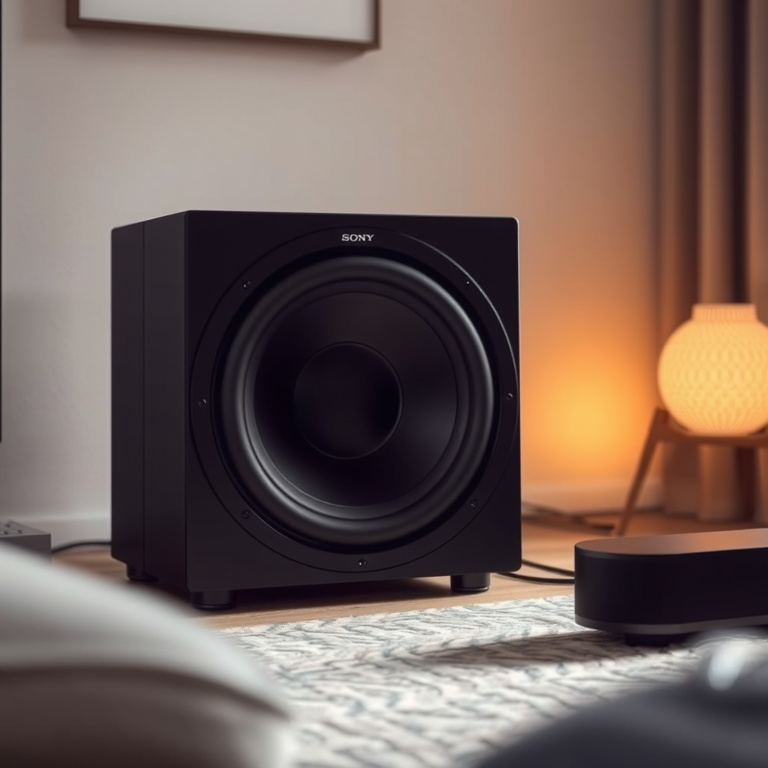
If your soundbar system includes a subwoofer, its placement is equally important. The subwoofer should ideally be positioned close to the soundbar for cohesive sound. If the subwoofer is placed in a corner or behind furniture, it can muddy the audio output, leading to a disjointed listening experience. Conducting some basic experimentation with your subwoofer’s placement can yield significant improvements in sound distribution.
Top 7 Soundbars of 2024 by Features
| # | Model | Audio Output (W) | Features | Price ($) |
|---|---|---|---|---|
| 1 | Sonos Arc | 500 | Dolby Atmos, Voice Control | 899 |
| 2 | Bose Soundbar 700 | 300 | Smart Features, Alexa | 799 |
| 3 | Samsung HW-Q950A | 616 | Dolby Atmos, 11.1.4 Channel | 1,299 |
| 4 | LG SN11RG | 770 | Dolby Atmos, DTS:X | 999 |
| 5 | Sony HT-A7000 | 500 | Surround Sound, 7.1 Channel | 1,299 |
| 6 | Roku Streambar | 80 | Streaming, Compact | 129 |
| 7 | Vizio SB36512-F6 | 360 | 5.1 Surround, Bluetooth | 499 |
Calibration Techniques
Automatic Calibration
Modern soundbars often come equipped with automatic calibration features that analyze room acoustics and adjust the sound settings accordingly. This technology can determine the optimal sound settings based on the specific characteristics of your room. To utilize this feature, simply follow the manufacturer’s instructions, which usually involve placing a microphone at your listening position and allowing the soundbar to perform the calibration process.
Manual Calibration
For those who prefer a hands-on approach, manual calibration can also significantly improve sound distribution. By accessing the equalizer settings on your soundbar, you can adjust the frequencies to suit your taste and environment. Pay attention to the mid-range and treble frequencies, which often require fine-tuning to achieve a balanced sound. Regularly revisiting and adjusting these settings can help maintain a great audio experience, especially as the room dynamics change.
Soundbar Calibration Techniques Effectiveness
Testing and Troubleshooting
Test Different Sources
If your soundbar sounds off-center, it’s essential to test it across different media sources. Try connecting various devices such as your TV, streaming services, or gaming consoles to determine if the issue persists. Different audio formats can behave differently, and isolating the source can help identify whether the problem lies with the soundbar itself or the content being played.
Wiring Issues
Finally, ensure that all cables and connections are secure and functional. Loose or damaged cables can lead to signal loss, which can manifest as off-center sound. Inspect the HDMI, optical, and power cables connected to your soundbar, and replace any faulty connections. Additionally, consider using high-quality cables to minimize potential interference.
Additional Tips for Optimal Sound
Use Soundbar with TV’s Sound Settings
For a unified audio experience, ensure that your TV’s sound settings are compatible with your soundbar. Many modern TVs offer sound optimization features that can enhance the overall audio experience when paired with a soundbar. Adjusting these settings to complement your soundbar can lead to a more immersive listening experience.
Upgrade Firmware
Regular firmware updates for your soundbar can resolve bugs related to sound output and improve overall performance. Check the manufacturer’s website for updates periodically and follow their instructions for installation. Staying up-to-date with firmware can help ensure your device operates at its best.Summing up, if your soundbar sounds off-center, it may be due to placement, settings, or calibration issues. By following the steps outlined in this article, you can troubleshoot and fix the problem effectively. For further assistance, consider consulting your soundbar’s user manual or reaching out to customer support. Enhancing your audio experience can significantly improve your enjoyment of movies, music, and gaming, allowing you to immerse yourself fully in the sound.
Frequently Asked Questions
Why does my soundbar sound off-center when I watch movies?
A soundbar can sound off-center due to improper placement, audio settings, or an issue with the source material. If the soundbar is positioned too far from the center of the TV, or if the surround sound settings are not configured correctly, it can lead to an uneven audio experience. Additionally, some movie formats may not mix audio well, resulting in an imbalanced sound.
How can I fix the off-center sound in my soundbar?
To fix off-center sound in your soundbar, start by repositioning it directly beneath your TV for optimal audio alignment. Check the audio settings on your TV or sound system to ensure that the output is set to ‘Stereo’ or ‘Surround’ depending on your preference. You may also need to adjust the balance settings to redistribute sound evenly across channels.
What are the common causes of sound imbalance in a soundbar system?
Common causes of sound imbalance in a soundbar system include incorrect placement, audio source issues, and outdated firmware. If the soundbar is placed against a wall or in a corner, it may amplify certain frequencies while muffling others. Additionally, using poorly mixed audio content can lead to an uneven listening experience.
Which sound settings should I adjust to improve soundbar audio balance?
To improve audio balance on your soundbar, adjust the equalizer settings to enhance specific frequencies that may be lacking. Look for options such as ‘Dialogue Enhancer’ for clearer vocals or ‘Bass Management’ to control low frequencies. It’s also advisable to experiment with surround sound settings or switch between stereo and surround modes to find what works best for your room.
What is the best placement for a soundbar to avoid off-center sound issues?
The best placement for a soundbar is directly below or above your TV screen, at ear level when seated. Ensure that it is not obstructed by furniture or other objects, as this can affect audio projection. If possible, maintain an equal distance from the walls on either side to optimize sound dispersion and achieve a more balanced audio experience.
References
- Soundbar
https://en.wikipedia.org/wiki/Soundbar - https://www.sciencedirect.com/topics/engineering/soundbar
https://www.sciencedirect.com/topics/engineering/soundbar - https://www.bbc.com/news/technology-57625263
https://www.bbc.com/news/technology-57625263 - https://www.nytimes.com/2020/03/24/technology/personaltech/soundbars.html
https://www.nytimes.com/2020/03/24/technology/personaltech/soundbars.html - https://www.theguardian.com/technology/2021/jan/20/what-is-a-soundbar-how-to-choose-the-best-one
https://www.theguardian.com/technology/2021/jan/20/what-is-a-soundbar-how-to-choose-the-best-one - Google Scholar Google Scholar
https://scholar.google.com/scholar?q=Soundbar+sound+off-center - Google Scholar Google Scholar
https://scholar.google.com/scholar?q=how+to+fix+soundbar+audio+issues - Google Scholar Google Scholar
https://scholar.google.com/scholar?q=soundbar+audio+placement - Google Scholar Google Scholar
https://scholar.google.com/scholar?q=Why+Does+My+Soundbar+Sound+Off-Center,+and+How+to+Fix+It? - Why Does My Soundbar Sound Off-Center, and How to Fix It? – Search results
https://en.wikipedia.org/wiki/Special:Search?search=Why+Does+My+Soundbar+Sound+Off-Center,+and+How+to+Fix+It?