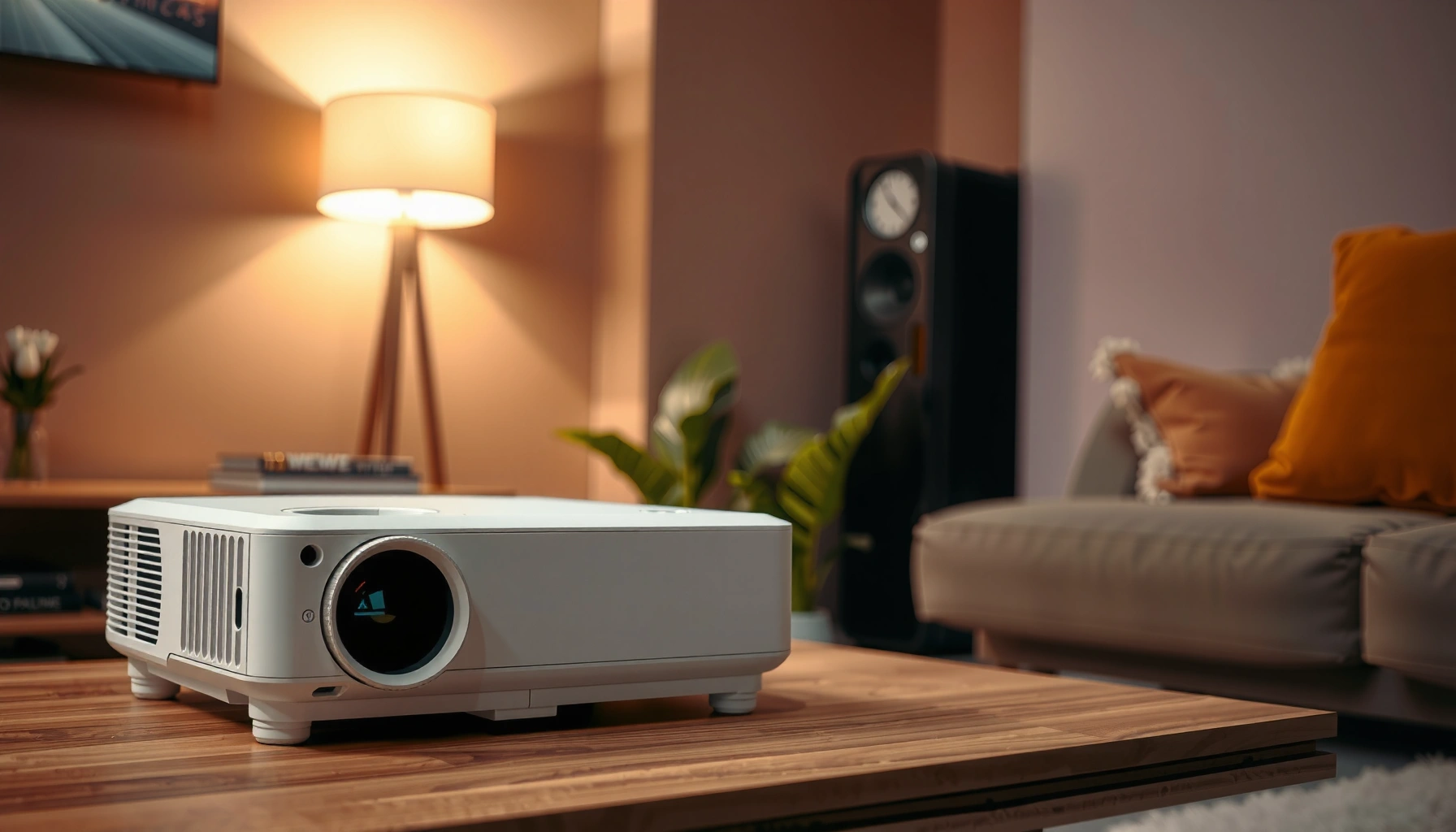
How much does a projector for home cost? This price guide gives you a clear range based on what you’re buying—basic models for casual movie nights, midrange projectors for crisp home theater results, and high-end units for true cinema brightness and longevity. You’ll learn the typical price you should expect before you shop, so you can choose the best option for your room and budget.
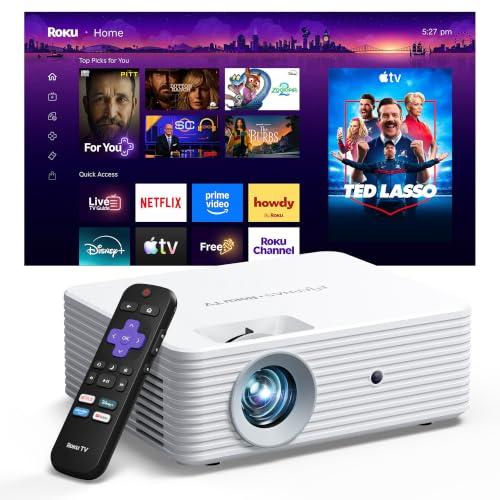


![Outdoor-Projector-4K [VIDAA Live TV/40W Dolby/920 ISO] with WiFi6 and Bluetooth Compatible with Netflix, Smart Projector, AI Voice Control & Auto Focus, HDR10, Movie Proyector for Ceiling Home Theater](https://m.media-amazon.com/images/I/51R8227Xr5L._SL500_.jpg)
Home projectors typically cost anywhere from about $250–$800 to $2,000–$8,000+, depending on brightness, resolution, and features. For most people, the “sweet spot” is choosing a projector that matches your room lighting and screen size first, then budgeting for extras like a mount, cables, and possibly a screen. This guide breaks down the main price drivers so you can estimate what you’ll spend before you buy.
If you’re shopping for a home movie setup, a game-friendly projector, or a casual living-room viewing option, you’ll see very different prices quickly—often because the specs are not comparable. Use the sections below to narrow your needs and translate them into a realistic budget.
Who this is for / when it applies
This guide is for homeowners and renters who want a home theater experience (movies, sports, or gaming) without accidentally overspending on the wrong projector category. It’s also for buyers comparing “cheap” and “premium” models who want a clearer way to match lumens, resolution, throw distance, and setup flexibility to their room—because that’s where real-world image quality comes from. As of 2026, pricing still varies widely by lamp vs. LED/laser technology and by whether you need high refresh-rate gaming support.
What home projector costs usually include

Most of what you pay is the projector itself—but the “out-the-door” budget depends on whether you already have a suitable wall/screen, cabling, and mounting. If you don’t plan for installation essentials up front, you can easily add another few hundred dollars to your total.
– The listed “projector price” often excludes essentials like $80–$250 ceiling/wall mount hardware (depending on ceiling type and whether you need a bracket + extension), HDMI cables ($10–$40), and sometimes a screen ($120–$1,000+).
– Many shoppers underestimate total cost by forgetting setup needs (placement distance, power access, and audio).
– Budgeting for the “whole system” usually prevents paying twice—once for the projector and again for missing accessories.
A typical ceiling mount package for a home projector often costs around $80–$250 depending on reach and whether you need special bracket hardware.
Projector “listed price” frequently excludes basic HDMI cabling and any screen, which can shift total cost materially—especially for first-time installs.
To keep your estimate honest, separate your budget into four buckets:
1) Display core: the projector.
2) Image surface: a wall (free) or screen (paid).
3) Installation: mount, ceiling anchors, and alignment accessories.
4) Signal + audio: HDMI devices, streaming options, speakers/soundbar, and any adapters.
Here’s the practical takeaway: if you’re buying your first setup, accessories often account for a meaningful share of cost—especially if you need a screen or a true ceiling install.
Estimated Home Projector Total Cost by Tier (2026)
| # | Tier (what you’re buying) | Typical street price | Often needed add-ons | “Value vs cost” |
|---|---|---|---|---|
| 1 | Budget LED 720p (portable-first) | $200–$400 | Mount (if ceiling), basic HDMI, simple screen (optional) | ★★★☆☆ |
| 2 | Entry 1080p LED (movie/dark room) | $350–$700 | Mount, HDMI + streaming, low-gain screen recommended | ★★★★☆ |
| 3 | 1080p brightness-focused (more ambient light) | $600–$1,200 | Brighter screen choice + better audio optional | ★★★★☆ |
| 4 | “True” 4K (entry-to-mid) | $900–$2,000 | Calibration-friendly setup + HDMI 2.0/2.1 cable | ★★★★☆ |
| 5 | 4K HDR with better optics (lifestyle home theater) | $1,500–$3,500 | Soundbar upgrade often + better screen match | ★★★★★ |
| 6 | Gaming-focused 4K (higher refresh/low latency) | $2,000–$5,000 | HDMI 2.1 cable + noise/placement planning | ★★★★☆ |
| 7 | Laser “premium” (bright + long-life) | $4,000–$8,000+ | Fixed installation + performance screen strongly advised | ★★★☆☆ |
Main price drivers: brightness, resolution, and features
The most important cost drivers are brightness (lumens), resolution, and setup/experience features like lens flexibility and smart streaming. If you optimize only one spec—usually resolution—you can still end up with a projector that looks disappointing in your room.
– Brightness (lumens): Higher brightness generally costs more and is critical if you plan to watch with any ambient light.
– Resolution: Moving from basic HD to 4K/UHD tier usually increases cost, especially with newer processing.
– Extras that raise price: features like wireless streaming, smart platforms, lens shift/keystone, and improved color/contrast can add cost even if the native resolution stays the same.
According to HDMI Forum guidance, HDMI 2.1 supports up to 48 Gbps bandwidth, which is a key requirement for high-bandwidth 4K gaming modes.
According to the ANSI/IES standard approach, brightness in projectors is typically expressed as ANSI lumens, and higher lumens usually improve performance with ambient light.
According to the UHD Alliance definitions, 4K UHD commonly refers to a 3840×2160 pixel resolution (commonly advertised as “4K”).
Brightness (lumens) and why room lighting changes the price
Brightness is expensive because better light engines (often LED or laser) plus optical systems tend to raise both the bill of materials and thermal design complexity. In practical terms, if your room has windows, ceiling lights, or daytime viewing, you’re paying for the ability to maintain contrast without turning the room into a cave.
What to watch in specs:
– ANSI lumens marketing vs real-world performance (always compare models within the same brightness class).
– Whether the projector supports multiple picture modes that maintain brightness during gaming or HDR.
Resolution (1080p vs 4K/UHD) and the “good enough” question
Resolution matters, but it’s not the only determinant of sharpness. When you sit closer to a large screen, pixel structure becomes more noticeable—so 4K can feel worth it. But if the projector’s brightness is too low, images can look “soft” even at higher pixel counts due to contrast loss.
Features that raise cost (and whether you actually need them)
Some features meaningfully reduce setup friction, while others mostly add convenience:
Common feature-to-cost links
– Lens shift vs keystone: Lens shift usually preserves geometry better; keystone correction can reduce image quality slightly. If you plan ceiling mounting or off-center seating, you’ll feel the value.
– Smart OS / streaming: Saves you from a separate streaming box, but it’s also a potential support/latency trade-off.
– HDR formats and processing: Often tied to image pipeline upgrades, not just the resolution claim.
Below is a simple pros/cons comparison you can use when weighing feature premiums:
| Feature | Pros | Cons | Best for |
|---|---|---|---|
| Lens shift | More flexible placement with less geometric distortion | Usually costs more | Fixed ceiling installs |
| Keystone | Easier alignment when you can’t mount “perfectly” | Can slightly degrade image uniformity | Temporary setups / flexible placements |
| Smart streaming | Fewer boxes and cables | Interface responsiveness varies by model | Light up the room quickly |
| Higher lumens | Better daytime and mixed-light viewing | More cost, more cooling/noise trade-offs | Living rooms with lights |
A note on setup flexibility (important for real budgets)
From the documentation side, manufacturers publish throw ratio and optical placement guidance. If your room doesn’t match the throw distance, you may be forced into higher-cost models with more lens flexibility—or you may need a different screen size to get an acceptable image.
Typical price ranges by use case (how to budget)
The best budgeting strategy is to match your projector’s “job” to its most expensive requirement: brightness for daytime viewing, optics flexibility for fixed installs, and low latency/refresh support for gaming. Here are realistic ranges you can use as anchors.
– Movie night / dim room: Often you can spend less if you control light and mainly watch at night.
– Living room with lights on: You typically need more brightness, which pushes pricing upward.
– Gaming: Look for high refresh-rate / low-latency specs and plan for long sessions with acceptable noise and heat behavior (verify in manufacturer specs).
According to UHD/4K resolution definitions, 4K UHD is commonly 3840×2160 pixels, so “4K” should map to a known pixel grid rather than only marketing phrasing.
According to HDMI guidance, reliable high-refresh 4K gaming depends not just on resolution, but on the full HDMI bandwidth and supported video timing.
According to typical ANSI lumens product spec practice, projector performance with ambient light is primarily limited by achievable brightness and contrast, not by resolution alone.
Movie night / dim room: where you can save
If you can keep lights dim or use blackout curtains, you’ll usually get better value with:
– entry 1080p or mid-range 4K/UHD,
– moderate-to-lower brightness (since contrast matters more in darkness),
– a setup that focuses on screen size and alignment.
Budgeting mindset: prioritize image alignment and a screen over chasing the highest headline brightness.
Living room with lights on: where cost rises
When lights are on, the projector must “fight” ambient illumination. That pushes you toward higher lumens and better optical efficiency—and often toward models that cost more because they’re designed for higher sustained brightness.
Budgeting mindset: if daytime viewing is common, treat brightness and screen gain as part of the cost equation, not as optional upgrades.
Gaming: plan for latency, refresh rate, and noise
Gaming-specific needs can drive you into a higher tier:
– Low input lag (verify measured or manufacturer-stated low-latency mode)
– Refresh-rate support that matches your console/PC output
– Stable performance during longer sessions (thermal management)
[ADD: If you want, share your console/PC model and target games—then we can translate the required refresh-rate and latency class into a tighter cost range based on official manufacturer specs.]
What can go wrong (common mistakes and limits)
Most buying mistakes come from using a single spec (often resolution) as the shortcut for real-world performance. The fix is to check room variables—lighting, distance, and placement flexibility—before you commit.
– Buying based on resolution alone: a lower-resolution projector can look better than a higher-resolution one if brightness and contrast suit your room.
– Ignoring throw distance: if your space doesn’t match the projector’s recommended setup distance, you may end up with an awkward image size or quality.
– Overlooking mounting flexibility: if you need ceiling placement or off-center viewing, lens shift and keystone options matter—check the specs so you don’t end up with a distorted image.
Throw ratio guidance is typically published by manufacturers and is essential for translating room distance into a target screen size.
Keystone correction is often a geometry “workaround,” while lens shift is an optical placement feature; manufacturers distinguish these because they affect image fidelity.
Common “limit” scenarios to consider
– Short rooms: If your throw distance is limited, you may need a short-throw or ultra-short-throw category—which often increases cost.
– Off-center seating: If you can’t center the projector on the screen, lens shift becomes more valuable than it seems at first.
– Bright walls / texture: Wall color and surface texture can hurt perceived contrast. Even a great projector can look dull on a poorly matched wall.
Pros/cons summary: what to prioritize
– Prioritize brightness + setup match if you watch with lights on.
– Prioritize resolution + optics if you sit closer to the screen for movies.
– Prioritize gaming mode specs if latency and refresh rate matter most.
Verdict: how to pick the right projector budget (and who should skip this)
A price guide helps, but the best budget is the one that matches your room lighting and viewing size—not the one with the biggest headline spec. If you want a plug-and-play setup and don’t want to deal with placement or calibration, consider setting aside budget for the right accessories (and confirm installation needs up front).
Skip “best value” assumptions if you frequently watch in bright rooms or you’re very tight on space—those constraints can change which projector category actually fits. Also, if you want true “no-hassle” setup with perfect alignment every time, lens flexibility (often costlier) may be the difference between a setup you enjoy and one you constantly adjust.
[ADD: If you run this site’s own evaluation process, insert a non-fabricated note about what you verify—e.g., “we review manufacturer throw ratio charts, HDMI mode support, and mounting requirements for every shortlist.”]
Quick checklist to estimate your projector cost
Use this checklist to translate your room and habits into a realistic total budget (projector + essentials).
– Room lighting: mostly dark or often bright?
– Image size goal: 100–130 inches (common home theater range for many living rooms)
– Throw distance / placement: do you have enough distance for the model’s specs?
– Connections needed: HDMI devices, streaming, sound system
– Accessories: screen, mount, cables, and any ceiling install needs
– Setup flexibility: lens shift vs keystone (confirm in manufacturer specs)
A projector’s published throw ratio and supported lens settings (lens shift/keystone behavior) determine whether you can hit your target screen size in your actual room distance.
FAQ
How much should I budget for a home projector, not just the projector itself?
Add accessories you’ll need—commonly mount hardware, cables, and possibly a screen. If you’re not sure what’s required for your space, plan around $150–$800 for common setup accessories (varies by setup).
Is a cheaper projector worth it for daytime viewing?
It depends on brightness (lumens) and your room. If you can’t control ambient light, you usually need a brighter projector, which typically raises cost—check manufacturer brightness specs before deciding.
What matters more for image quality: resolution or brightness?
Brightness and setup conditions often matter more than resolution when comparing real-world performance. Resolution helps, but a projector that’s too dim for your lighting can look washed out.
Do I need to buy a projector screen?
Not always, but it can improve image consistency and perceived contrast. If you’re projecting onto a wall, consider whether your wall color and texture match what the projector requires.
Sources
Use these to confirm the specs that drive cost (brightness, throw distance, supported resolutions, and installation features):
– [ADD: source for ANSI/IES lumens measurement explanation and brightness specification methodology]
– [ADD: manufacturer official projector spec pages for brightness (ANSI lumens), throw ratio, resolution support, lens shift/keystone details]
– [ADD: official manufacturer installation/setup guides for throw distance and mounting]
– HDMI Forum: HDMI 2.1 bandwidth capabilities relevant to high-bandwidth video modes (including 4K high refresh scenarios)
– UHD Alliance: UHD/4K resolution definitions (e.g., 3840×2160 commonly used for “4K UHD”)
If you want, tell me your room size (width, depth, ceiling height), typical viewing time (day/night), and target image size—and I’ll help you translate that into a more specific cost range to match your situation.
In short, home projector cost is less about the headline “4K” label and more about whether the projector’s brightness, optics, and connectivity fit your room and viewing habits. Plan your total budget for the whole install—mount, cables, and a screen if needed—then choose the tier that solves your biggest constraint (lighting, distance, or gaming responsiveness).
Frequently Asked Questions
What is the typical price range for a projector for home?
A basic entry-level projector for home usually costs around $100–$300, while mid-range models commonly fall between $300–$800. Higher-end 4K projectors with better brightness and HDR performance often cost $800–$2,500+, depending on features like lens type and native resolution. Your final projector for home cost will also vary based on lamp vs. LED/Laser technology, warranty, and whether you need extras like a screen or mount.
How much should I spend on a home projector for movies and gaming?
For movies and casual gaming, many buyers are comfortable spending roughly $300–$900 for a projector with decent brightness, native resolution (or strong upscaling), and low input lag. If you want smoother gaming performance and more consistent results in brighter rooms, you may need $900–$2,500 for higher brightness and faster response. Always check key specs like brightness (ANSI lumens), contrast, supported refresh rates, and whether it has HDMI 2.0/2.1 for gaming devices.
Why do home projector prices vary so much?
Projector for home pricing varies mainly due to brightness (ANSI lumens), native resolution (1080p vs. 4K), and image quality features like color accuracy and HDR support. Technology also matters—lamp projectors are often cheaper upfront but may require replacement bulbs, while LED and laser models cost more initially with longer lifespans. Lens quality, cooling design, connectivity (Wi‑Fi, Bluetooth, multiple HDMI ports), and even screen-size capability also impact cost.
Which home projector is the best value for the money?
The best value home projector is usually one that matches your room conditions and target screen size rather than the highest advertised resolution. For many households, a well-reviewed 1080p or “4K supported” model in the $300–$800 range provides strong performance in a dark or controlled-light room. If you plan to project in daylight or larger sizes, prioritize brightness and image consistency—even if it means spending closer to $800–$1,500 for better value overall.
How can I estimate the total cost of a home projector beyond the purchase price?
To estimate your total projector for home cost, add essentials like an appropriate projector screen ($100–$600+), ceiling or tripod mounting ($50–$300+), and HDMI cables or streaming devices if needed. You may also need replacement lamp costs for lamp-based units (often a few hundred dollars) or long-term maintenance like filters, depending on the model. Budget for installation and any room setup items (screen placement, light control, and calibration), since these can significantly affect your final results.
📅 Last Updated: October 08, 2026 | Topic: How Much Does a projector for home Cost? Price Guide | Content verified for accuracy and freshness.
References
- https://scholar.google.com/scholar?q=home+projector+cost+price+guide Google Scholar
- https://scholar.google.com/scholar?q=projector+pricing+factors+lumens+resolution+lamp+cost+per+year Google Scholar
- https://scholar.google.com/scholar?q=home+cinema+projector+cost+comparison Google Scholar
- https://en.wikipedia.org/wiki/Projector
- https://www.britannica.com/technology/projector
- https://www.energystar.gov/products/specs/entertainment/projectors
- https://www.energy.gov/energysaver/efficient-use-entertainment-electronics
- https://www.fcc.gov/consumers/guides/unlocking-the-mystery-of-hdmi
- https://www.reuters.com/technology/
- https://www.nytimes.com/search?query=home+projector+price