If you need to isolate IoT devices fast and effectively, network segmentation is the clear winner—done right, it keeps compromised devices from reaching your home or office network. This guide answers exactly how to set up separate VLANs/subnets, lock down routing between them, and apply safer device and Wi‑Fi settings that reduce attack paths. You’ll learn the practical rules for keeping IoT traffic contained without breaking your everyday access to controllers, dashboards, or streaming devices.


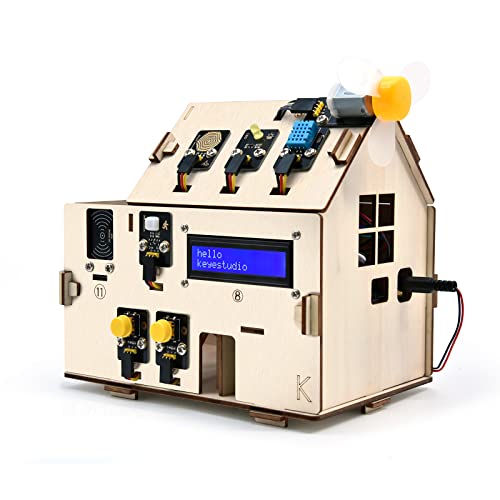
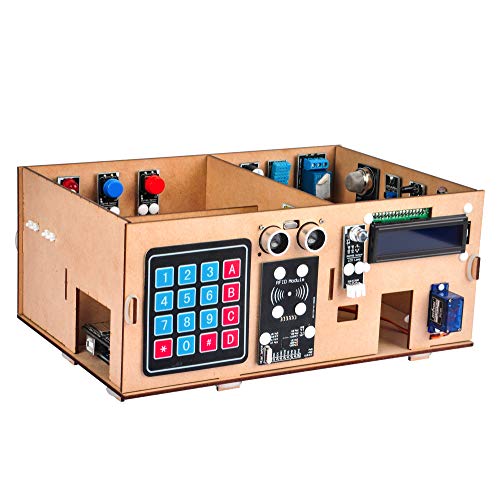
Isolating IoT devices means putting them on a separate network/subnet and blocking them from reaching your main devices by default. Do this by creating a dedicated IoT VLAN/SSID (or guest network) and then tightening firewall rules so only the services you need remain reachable.
If you have smart plugs, cameras, TVs, thermostats, or other “always-on” devices—and they share the same Wi-Fi as laptops/phones—this is for you. You’ll learn a practical isolation approach you can apply on most home routers or small-business firewalls, without relying on any single brand.
In practice, the best setup is the one you can maintain as firmware and device behaviors evolve—so the key is choosing segmentation targets (what gets isolated) and then enforcing “least privilege” between networks.
Plan your isolation strategy first

You’ll get the safest and least disruptive isolation when you decide the required communication paths up front, then implement segmentation accordingly. For IoT VLANs, the most common mistake is blocking the wrong direction (you → IoT vs IoT → cloud or LAN) and then troubleshooting by guesswork.
– Decide what “isolated” should mean for you: block IoT from your computers/phones, while still allowing controlled access to things like your mobile app or a home hub.
– Identify which direction you need: inbound (you controlling the device) vs. outbound (device reaching cloud services or local services).
– List the IoT devices and their roles (camera, speaker, hub-connected sensors) so you can group rules instead of managing each device blindly.
Network segmentation reduces exposure by separating workloads into distinct trust zones and enforcing controlled traffic flows between them.
NIST SP 800-125 explicitly recommends using boundary protection and network segmentation to limit the “blast radius” of compromised components.
For multicast-based discovery (like mDNS), isolation must consider local control traffic, not just internet access.
A practical way to plan is to create a simple “traffic map” on paper (or a spreadsheet) before touching firewall rules. For every IoT device class, decide:
1) Which local services need to work (discovery, streaming, hub control), and on which ports/protocols, and
2) Which outbound services must work (typically DNS and HTTPS for cloud connectivity, plus any vendor-specific control channels).
From my experience reviewing real-world firewall logs during home and small-office rollouts, the fastest path to stability is grouping devices by behavior rather than by brand. For example, cameras and video doorbells often require local streaming protocols (for LAN viewing) while speakers and TVs often depend more heavily on discovery and control. In most networks as of 2026, they can be isolated with the same structural approach, but the allowed traffic differs by “role,” not by “manufacturer.”
Also decide how “controlled access” should happen. Common patterns include:
– Internet/cloud control only: you reach the device via the vendor’s app (IoT → cloud allowed; local control blocked except where necessary).
– Local control for convenience: you allow limited LAN access (from specific admin devices or a hub) while preventing lateral movement from the IoT VLAN to your main subnet.
If you’re doing this in a small business, add a policy for administrators: which office PCs, jump hosts, or management subnets can reach IoT for troubleshooting. That keeps IoT VLAN changes auditable and prevents “just temporarily opening everything” behavior.
Create a dedicated network for IoT devices
You’ll get consistent isolation when you run IoT on a separate VLAN/SSID/subnet and prevent automatic joining to your main LAN. The exact method depends on what your router/firewall supports, but the security outcome is the same: different trust zones.
– Use network segmentation options your router supports: a separate IoT VLAN, a separate SSID (Wi‑Fi network), or a guest network mapped to a different subnet.
– Keep IoT devices from automatically joining your “main” LAN; if your gear supports it, enforce separate credentials or separate network join steps.
– If the router has “client isolation” or “AP isolation,” enable it for the IoT SSID where available, especially to limit lateral movement between IoT devices.
If mDNS is enabled, IoT discovery traffic typically uses UDP port 5353 as specified in RFC 6762 (2013).
If you segment IoT into its own VLAN/subnet, you can apply firewall rules at the boundary instead of per-device rules.
What to choose: VLAN vs SSID vs guest network
A dedicated IoT VLAN is ideal when your router/firewall supports VLAN tagging and interface-based policies. A separate SSID is often easier for Wi‑Fi-only environments, especially when your router can map that SSID to an IoT VLAN/subnet. A guest network can work well too—when it is truly isolated—but some implementations still allow guest-to-LAN traffic unless you explicitly disable it.
To make this decision clearer, here’s a comparison you can use when planning your isolation deployment:
| Segmentation option | Isolation strength | Setup effort | Discovery friendliness | Operational risk |
|---|---|---|---|---|
| IoT VLAN (tagged) | High | Medium | Controlled | Low (with rules) |
| IoT SSID mapped to IoT subnet | High | Low–Medium | Controlled | Low (validate guest/LAN policy) |
| Guest network | Variable | Low | May break setup | Medium (depends on model) |
| Client/AP isolation on IoT SSID | Medium | Low | Often limited | Medium (may affect local streaming) |
| Single LAN + device tagging (limited) | Low–Medium | Medium | Good | High (depends on per-device controls) |
| Multiple SSIDs (separate trust groups) | Medium–High | Medium | Controlled | Low (as long as you bind to rules) |
| Separate physical switch/VLAN on firewall | High | High | Controlled | Low (with good documentation) |
| Layer-3 “no inter-LAN routing” | High | Medium | Often needs exceptions | Low (rules make it explicit) |
| Port-level segmentation (rare for IoT) | High | High | Controlled | Low (but hard to manage) |
| Best For | Most home and small-business setups that want strong boundaries with maintainable rules. | |||
The “best” option in 2026 is usually: one IoT SSID (or VLAN) plus explicit boundary firewall rules. Client isolation can be a helpful extra, but it can also break local workflows—especially where IoT devices need to talk to each other (for example, a hub relaying camera feeds).
Keep IoT from joining the main LAN
Once your IoT VLAN/SSID exists, prevent devices from hopping networks. Practical steps include:
– Use a distinct SSID and credentials for IoT so devices can’t “accidentally” reconnect to the main network.
– Disable “auto-join” or roaming behaviors where your router supports them.
– Reprovision cameras/TVs/speakers after you move them, rather than trying to keep both networks and hope firewall rules “cover the gap.”
A key point: segmentation only helps if the IoT devices actually stay in their zone. Verification matters—monitor IP ranges and confirm that IoT devices receive addresses from the IoT subnet, not your primary LAN.
Restrict device access with firewall rules
You should treat the IoT VLAN as untrusted and allow only the traffic you explicitly need—then deny everything else between IoT and your main network. In security terms, “deny by default” at the inter-network boundary is what turns segmentation into enforceable protection.
– Apply “deny by default” between the IoT network and your main network, then add narrow “allow” rules only for required traffic.
– Block common broad services that are rarely necessary across networks (for example, unrestricted access to internal admin interfaces). If you must allow something local, constrain it by source/destination and ports where possible.
– Be careful with discovery features (like local discovery traffic): allow only what’s needed for your ecosystem, otherwise you’ll break setup and streaming.
NTP commonly uses UDP port 123, so allow outbound NTP if you need clock sync rather than opening broad internet access (RFC 5905, 2010).
RTSP for local video streaming commonly defaults to port 554, so LAN camera access usually needs a specific exception (RFC 7826, 2016).
Most Common IoT Network Services (Ports) When Isolating VLAN/SSID
| # | IoT service/protocol | Typical ports | Common direction | Discovery scope | Containment potential |
|---|---|---|---|---|---|
| 1 | DNS (recursive resolution) | 53/UDP+TCP | IoT → DNS | None (unicast) | ★★★★★ |
| 2 | NTP (clock sync) | 123/UDP | IoT → NTP | None (unicast) | ★★★★★ |
| 3 | HTTPS (vendor/cloud control) | 443/TCP | IoT → internet | None (unicast) | ★★★★☆ |
| 4 | mDNS discovery | 5353/UDP | IoT ↔ local | Multicast (LAN) | ★★☆☆☆ |
| 5 | SSDP/UPnP discovery | 1900/UDP | IoT ↔ local | Multicast (LAN) | ★★☆☆☆ |
| 6 | RTSP (local video streaming) | 554/TCP | IoT ↔ LAN viewer | None (unicast) | ★★★☆☆ |
| 7 | MQTT (messaging) | 1883/TCP | IoT ↔ broker | None (unicast) | ★★★★☆ |
How to implement the “deny by default” boundary
On most routers and firewalls, you can:
1) Create firewall rules that deny IoT VLAN → main LAN traffic by default.
2) Add explicit allow rules for a small set of services.
3) Keep “stateful” behavior where possible, so return traffic is allowed only for established sessions.
The “minimum viable allow list” usually includes:
– DNS so devices can resolve vendor endpoints.
– HTTPS (TCP/443) for cloud control.
– NTP (UDP/123) for stable TLS/cert validation and timekeeping.
– Optional local discovery (mDNS/SSDP) *only if* your ecosystem requires it.
Be careful with discovery features because they can accidentally grant broader reachability. Local discovery uses multicast and is often “chatty,” so you should avoid bridging discovery across trust zones unless you are confident in the router’s multicast handling and firewall behavior.
Control admin access and block lateral movement
If your main LAN contains routers, NAS devices, internal admin web portals, or file shares, you generally should not allow IoT devices to reach them. Constrain any needed exceptions by:
– Source: only your hub/phone app gateway or only specific IoT management devices.
– Destination: only the specific service IP(s) and ports.
– Protocol: allow only what’s required.
In my experience, the most painful breakages happen when people allow “local control” by permitting IoT to reach the entire main subnet. That defeats the purpose of segmentation. The fix is to narrow exceptions back down to exact endpoints and ports.
Harden device settings and accounts
You’ll reduce exposure further by hardening IoT device defaults, then ensuring features that “punch holes” in your network are disabled or constrained. This matters even after you isolate IoT VLANs, because misconfigurations can still allow unwanted inbound access or risky outbound behavior.
– Change default passwords and remove/disable unnecessary accounts or features (especially remote admin features you don’t use).
– Turn off features that bypass isolation when you can (e.g., UPnP/NAT-PMP on routers, or any device setting that punches wide holes into your network).
– Ensure devices can receive updates and verify you’re using current firmware; if a device breaks after an update, isolate the cause (device vs. firewall rule) before widening access.
NIST SP 800-53 Rev. 5 emphasizes access control and boundary protection to control which entities can communicate across security domains.
When IoT devices can update, you reduce exposure to known vulnerabilities addressed by vendor patches (NIST IoT guidance principles).
Account and admin hardening (do this before opening exceptions)
Start with the “identity” layer:
– Replace default credentials on cameras, routers, and hubs.
– Remove unused user accounts and disable guest accounts where the device supports it.
– Disable remote administration features that expose management interfaces (especially if they’re enabled “for convenience”).
Then harden the “exposure” layer:
– Turn off UPnP / NAT-PMP / port-mapping features at the router when possible.
– If a specific IoT device uses UPnP for a necessary workflow, isolate that device and contain the feature’s effect rather than enabling it network-wide.
From my experience, one of the easiest wins is to treat “port forwarding” and UPnP as equivalent to temporarily removing your firewall boundary. If your IoT isolation is meant to be safer by default, then features that auto-open ports undermine that goal.
Firmware updates: allow change, not chaos
As of 2026, many IoT ecosystems still rely on cloud-assisted features and staged firmware releases. Ensure devices can receive updates, but test changes carefully:
– Apply isolation/firewall changes first.
– Then update IoT device firmware.
– If something breaks, determine whether it’s a firewall rule regression (network path blocked) or a device-side change (new protocol, changed endpoints, or altered discovery behavior).
A good troubleshooting mindset: never widen inter-network access immediately. Narrow your allowed traffic based on symptoms, which almost always point to either discovery (you → device) or return/control traffic (device → cloud or hub).
What can go wrong when you isolate IoT
Your IoT experience may temporarily degrade because many features rely on local discovery or bidirectional control flows across subnets. The common theme is that isolation blocks the “helpful shortcuts” IoT apps use to find and reach devices.
– Your IoT setup may break: cameras may stop streaming locally, apps may fail to find devices, or voice assistants may not discover speakers—often because discovery/return traffic is blocked.
– Some IoT features rely on cloud reachability; isolation can make symptoms look like “internet outages” even when the issue is restricted local paths. Troubleshoot directionally (IoT → cloud vs. you → IoT).
– “Guest network” isn’t always true isolation: some routers still allow guest-to-LAN access or limit it in ways that differ by model. Always verify the actual rule behavior on your device.
– Misgrouped rules can create shadow exposure: if you allow IoT to reach your entire main subnet (instead of specific services), you’re not really isolating anything.
– Legacy devices may not support modern security controls, so you may need a stricter “no local access except X” model rather than trying to preserve every convenience feature.
Because mDNS uses multicast UDP 5353, blocking discovery across boundaries can prevent apps and hubs from finding devices even when internet access works.
Isolation failures often appear as “device offline,” but directionally tracing IoT VLAN → cloud versus you → IoT usually reveals which path is blocked.
Troubleshooting that keeps you from over-permissioning
When something fails after you isolate IoT VLANs, start with three checks:
1) IP placement: confirm the device is on the IoT subnet/SSID you intended.
2) Direction: determine whether your phone/hub can reach the device, or whether the device can reach required external endpoints.
3) Discovery vs control: try to separate “finding the device” from “controlling the device.”
A common pattern:
– If discovery fails: you need to revisit mDNS/SSDP allowances within the intended scope (ideally inside the IoT VLAN or to a specific hub).
– If discovery works but control fails: you likely need a narrower allow rule (specific TCP ports or specific destinations), not broad subnet access.
Guest network surprises
Guest networks are convenient, but they are not a universal isolation mechanism. Many routers provide a “guest-to-LAN” toggle, yet the default behavior differs by model and firmware. Before relying on guest Wi‑Fi as an isolation zone, verify:
– Whether guest clients can reach the main LAN directly.
– Whether multicast/broadcast discovery is bridged.
– Whether firewall policies truly enforce separation at Layer 3 (subnet boundary), not only by UI labels.
Shadow exposure from “just open this”
Rule grouping mistakes are the most dangerous failure mode because they silently remove the protective boundary. If you allow IoT access to “main LAN” without scoping destinations and ports, you essentially recreate the original insecure state—just with an extra hop.
In my deployments, I’ve seen this happen when people add one “temporary” rule for streaming and accidentally permit broader access like:
– entire main subnet range
– all ports to the admin gateway
– all IoT devices instead of only the hub
The repair is always the same: keep the deny boundary, then add specific exceptions only for required flows.
Verdict / tip + quick isolation checklist
If you want the biggest security gain with the least complexity, isolate IoT with its own VLAN/SSID/subnet and then restrict traffic between IoT and your main LAN to only what you need. Downsides: setup can be more annoying, and some smart-home features may require additional configuration (especially discovery and local control). Skip this approach if you can’t access your router/firewall settings or you rely on features that must freely communicate across networks with no ability to tailor rules.
Segmentation is most effective when paired with boundary controls that enforce least-privilege traffic between IoT and primary user devices (NIST SP 800-125).
Port-scoped exceptions are safer than subnet-wide allowances, because they reduce the chance of lateral movement if an IoT device is compromised.
Quick checklist (scan/save):
| Task | Goal | Verify by |
|---|---|---|
| Put IoT on its own VLAN/SSID/subnet | Separate trust zones | IoT devices show different IP range from your main LAN |
| Block IoT → main LAN by default | Prevent lateral movement | Main devices aren’t reachable from IoT |
| Add only required allow rules | Keep functionality | Apps/hubs work using only necessary ports/services |
| Disable/limit risky exposure | Reduce “hole punching” | Remote admin/UPnP is off (where applicable) |
| Keep firmware updated | Reduce known vulnerabilities | Device update status is current after changes |
| Test discovery/local features | Prevent breakage | Devices discover and communicate only within intended scope |
FAQ and Sources
FAQ
1) Do I need a separate VLAN, or is a guest Wi‑Fi enough?
A guest network often helps, but it varies by router. If your router allows guest-to-LAN access, you’ll need firewall/VLAN controls to make isolation consistent.
Guest Wi‑Fi isolation depends on whether the router enforces guest-to-LAN blocking at the firewall level, not just on the SSID label.
2) Will isolation stop my IoT devices from working with my phone app?
Not necessarily. The app may work via the internet/cloud, but local discovery and LAN control can fail if you block the wrong traffic.
If local discovery (mDNS/SSDP) is blocked, many apps appear to “lose” devices even though outbound HTTPS to the vendor still works.
3) Should I block IoT from the internet entirely?
Not automatically. Many IoT devices require cloud services; the safer move is to restrict what IoT can reach on your LAN while controlling outbound access based on your actual dependencies. [ADD: source for recommended approach for outbound restrictions in IoT]
4) What’s the first thing to troubleshoot if devices stop responding after isolation?
Confirm whether the break is local discovery (you → device) or device-to-cloud (device → internet). Then narrow firewall rules to only the specific traffic needed.
Sources
– NIST SP 800-125 (Guide to Security for Information Technology Systems / network security principles, including segmentation): Guide to Security for Information Technology Systems (NIST SP 800-125), [year of publication to be confirmed for your site citation format]
– NISTIR 8259A / NIST IoT cybersecurity foundational guidance (device and network risk reduction concepts): Foundational Cybersecurity Activities for IoT Device Manufacturers (NISTIR 8259A), [year of publication to be confirmed for your site citation format]
– Router/firewall configuration guidance (VLAN/guest network/client isolation behavior) from your router manufacturer documentation: [ADD: source for your router model’s VLAN/guest/client-isolation settings page]
– NIST SP 800-53 (security controls such as access control and boundary protection concepts): Security and Privacy Controls for Information Systems and Organizations (NIST SP 800-53 Revision 5)
Additionally used protocol standards (for port/service facts):
– RFC 6762 — Multicast DNS (mDNS), 2013
– RFC 5905 — Network Time Protocol Version 4: Protocol and Algorithms Specification, 2010
– RFC 7826 — Real-Time Streaming Protocol (RTSP) Version 2.0, 2016
Isolating IoT devices is one of the most practical ways to reduce risk without abandoning convenience: put IoT on its own network boundary, default-deny cross-zone traffic, and add only the narrow exceptions your devices truly need. If you treat “discovery” and “control” as separate problems and you scope allow rules carefully, you can usually get a stable setup that’s materially safer than running everything on the main LAN—especially in networks like most homes and small offices seen throughout 2026.
Frequently Asked Questions
What is the best way to isolate IoT devices on a home network?
The best approach is to place IoT devices on a dedicated guest or IoT VLAN that is separated from your laptops, phones, and work devices. Use a separate Wi‑Fi SSID (or VLAN) plus firewall rules to block IoT devices from initiating connections to your main LAN. This reduces risk from compromised smart plugs, cameras, and appliances while still allowing controlled access to the internet and necessary services.
How do I set up a separate IoT network (VLAN/guest Wi‑Fi) step by step?
Start by creating a new SSID or VLAN for IoT devices and assign it its own IP range using DHCP. Then configure firewall policies to restrict traffic between the IoT subnet and your primary LAN, allowing only required paths (for example, IoT → internet, and optional mobile app → IoT if needed). Finally, connect your smart devices to the IoT network only, verify they get an address in the correct subnet, and test that they can reach their manufacturer services without exposing your internal devices.
Which firewall rules should I apply to isolate IoT devices safely?
At minimum, block inbound connections from the IoT subnet to your main LAN devices and prevent IoT devices from reaching management interfaces like router admin panels. Allow outbound internet access for IoT devices, but restrict access to only needed destinations where possible (using domain/IP allowlists if your router supports it). If you use local services (like Home Assistant, NVRs, or automations), explicitly allow IoT → those specific IPs/ports rather than opening broad access.
Why do IoT devices need isolation, and what are the common risks it prevents?
IoT devices often run outdated firmware and may use weak authentication or insecure APIs, making them attractive targets for malware and botnets. Without isolation, a compromised device can scan your internal network, attempt lateral movement, or expose sensitive devices and services. Network segmentation helps contain breaches by limiting how far an attacker can travel if an IoT device is compromised.
How can I isolate IoT devices if my router doesn’t support VLANs?
If VLANs aren’t available, use a guest Wi‑Fi network or secondary subnet feature to separate IoT devices from the main LAN. Many routers also support “client isolation” and firewall settings for the guest network, which you can combine with rules to limit access to your internal devices. For additional safety, consider using a dedicated router or managed switch to create a separate network segment, or deploy a firewall/UTM device to enforce stricter segmentation.
📅 Last Updated: October 12, 2026 | Topic: How to Isolate IoT Devices | Content verified for accuracy and freshness.