
You should buy mesh Wi‑Fi when your current router can’t cover the whole home reliably—especially if you see dead spots, constant buffering in distant rooms, or unstable connections after moving from floor to floor. This practical guide tells you exactly when mesh is worth the cost and when a single better router (or a simple upgrade) is the smarter buy. Follow the checklist and you’ll know what coverage, device count, and layout factors should decide your purchase.


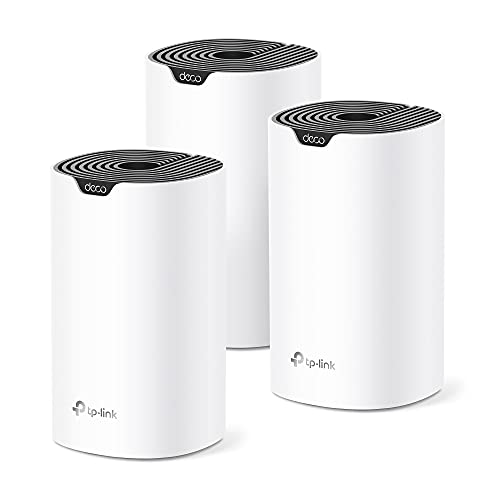

Buy mesh Wi‑Fi when your current router can’t deliver a stable signal across your whole home—especially for dead zones, frequent dropouts, or slow streaming in specific rooms. In practice, mesh is the right move when you need consistent coverage with multiple nodes (not a “better router position” experiment), and you want to replace unreliable extenders with a coordinated system. In this guide, we’ll cover the situations where mesh makes sense, what to check before you buy, and when other upgrades may be the better fit.
If you’ve got a larger home, multiple floors, lots of walls, or you’re seeing inconsistent Wi‑Fi performance room to room, mesh is often the most straightforward path. If you live in a small space and your main issue is speed coming from your ISP, you may not need mesh at all.
Signs mesh Wi‑Fi is the right next step

Mesh Wi‑Fi is the right next step when your real-world coverage is uneven—not just when your Wi‑Fi is “slow.” Here’s how to spot coverage problems that mesh (multiple coordinated nodes) fixes better than a single router or a basic range extender.
Mesh Wi‑Fi is designed to extend coverage with multiple nodes that coordinate as one network, which helps reduce the “sticky client” behavior you can see with some extenders.
If a phone shows Wi‑Fi signal but video still buffers in specific rooms, the issue is often weak signal quality or unstable airtime—not merely missing signal strength.
When performance depends heavily on where you stand (gaming, video calls, smart-home reliability), a multi-node mesh topology is typically more resilient than a single access point.
– You have clear dead zones or “signal bars that lie” (e.g., your phone shows Wi‑Fi but videos still buffer in certain rooms).
– Performance varies a lot by location—gaming, video calls, or smart-home devices work reliably only near the router.
– You’re already moved the router to better placement and still see the same coverage gaps.
Why those signals usually point to coverage—not “internet speed”
Mesh Wi‑Fi improves the path your devices use to reach the network. Your phone or laptop can only connect reliably if there’s enough signal strength (power) and enough signal quality (noise/interference) for that specific location. A single router can only “serve” one high-quality wireless footprint at a time—walls, floors, and interference shrink that footprint rapidly.
From an equipment and standards perspective, Wi‑Fi performance also depends on channel bandwidth and how crowded the air is in your environment (neighbor networks, your own devices, and microwave/cordless interference). Mesh helps by adding more access points closer to devices, which generally improves signal quality in more locations.
Quick note on the “signal bars” problem
Signal bars can be misleading because they’re often based on coarse RSSI (Received Signal Strength Indicator) rather than full link quality. Streaming apps also require consistent throughput and low enough retransmissions. That’s why “Wi‑Fi connected” can still translate into buffer events in one room and smooth playback two rooms away.
When to buy (and when to hold off)
Mesh Wi‑Fi is worth buying when you need whole-home coverage now and you’re dealing with multi-floor or wall-heavy layouts. Hold off when the root cause is mostly plan speed, not coverage, or when you haven’t confirmed the problem area yet.
If your slow speed occurs uniformly in every room, it often indicates ISP, modem, or router performance limits rather than a missing-coverage problem.
Buying mesh before you map weak areas can lead to undersizing (too few nodes) or choosing a system configuration that doesn’t match your backhaul options.
For multi-floor homes, mesh commonly performs better than extenders because it places the “good link” closer to where devices actually are.
– Consider buying if you need whole-home coverage now—especially for multi-floor layouts, finished basements, or homes with thicker walls.
– Hold off if your problem is mostly limited to speed (you’re far below your plan everywhere) rather than coverage (only some rooms).
– Wait before spending if you don’t know your current Wi‑Fi issue yet—mapping weak areas with your phone/laptop can prevent buying the wrong solution.
A practical decision test: “Coverage shape” vs “speed everywhere”
Think of your Wi‑Fi problem in two dimensions:
1. Where it’s bad (coverage shape): dead zones, floor-to-floor dropouts, or consistent “bad rooms.”
2. How bad it is everywhere (speed baseline): the entire house tops out well below your internet plan.
If you see (1) but not (2), mesh usually makes sense because it reduces the distance and obstacles between nodes and clients. If you see (2) across the board, upgrading your modem/router, correcting cabling, or addressing ISP congestion will likely help more than adding nodes.
When you should hold off even if coverage seems bad
Sometimes “coverage gaps” are actually caused by:
– A problematic Wi‑Fi setting (channel/band behavior, disabled bands, outdated firmware).
– A poorly placed primary router (for example, behind TVs or inside cabinets).
– A noisy environment (high neighbor network density).
– Device-specific behavior (some IoT devices are pickier about band/radio characteristics).
In those cases, mesh might still help—but it’s not the only (or cheapest) first move.
What to check before purchasing
Before you buy mesh, confirm your actual coverage needs, your hardware mode compatibility, and whether you can support good backhaul. These checks prevent the most common “mesh didn’t fix it” scenario: buying the right brand of mesh but the wrong setup for your home.
Many mesh systems support different operating modes (for example, router mode versus access point mode), and using the wrong mode can cause double-NAT issues.
Ethernet backhaul (wired connections between nodes) typically delivers better and more stable performance than wireless backhaul.
Wireless backhaul shares airtime with client traffic when radios are used in the same band, which can reduce throughput on multi-hop paths.
– Coverage needs: measure how many areas/rooms must work reliably, and think in terms of “usable Wi‑Fi,” not just theoretical range.
– Hardware compatibility: confirm your modem/router situation and whether you can run the mesh system in the right mode (often “router mode” vs “access point mode”)—check the manufacturer’s setup documentation for your exact model.
– Wired options: if you can run Ethernet backhaul between nodes, many mesh systems can perform better; if you can’t, you’ll want to verify how the system handles wireless backhaul in the specs/manuals.
The compatibility details that matter (and the ones that don’t)
Most buyers focus on “how many nodes come in the box.” The more important question is whether the mesh system can be configured to match your network:
– Modem + router layout: Do you have a separate modem and an existing router, or is everything combined?
– Operating mode: In access point mode, the mesh nodes behave like wireless extensions controlled by a single upstream router. In router mode, the mesh becomes your routing gateway. The “right” choice depends on what other network equipment you have.
– Backhaul approach: If you can wire nodes with Ethernet, you usually reduce bottlenecks and improve consistency.
Mesh Wi‑Fi compatibility is also tied to Wi‑Fi generation
Even with good placement, your maximum speed still depends on which Wi‑Fi generation your devices support. Mesh can keep coverage consistent, but it can’t force a legacy device to behave like a newer one.
IEEE 802.11 generations commonly referenced in mesh Wi‑Fi specs (max PHY rates)
| # | Wi‑Fi standard (802.11) | Max PHY rate | Common bands | Standard year |
|---|---|---|---|---|
| 1 | 802.11b | 11 Mbps | 2.4 GHz | 1999 |
| 2 | 802.11a | 54 Mbps | 5 GHz | 1999 |
| 3 | 802.11g | 54 Mbps | 2.4 GHz | 2003 |
| 4 | 802.11n | 600 Mbps | 2.4/5 GHz | 2009 |
| 5 | 802.11ac | 6,933 Mbps | 5 GHz | 2013 |
| 6 | 802.11ax (Wi‑Fi 6) | 9,601 Mbps | 2.4/5 GHz | 2019 |
| 7 | 802.11be (Wi‑Fi 7) | 46,120 Mbps | 2.4/5/6 GHz | 2024 |
A few Wi‑Fi facts to sanity-check marketing claims (as of 2026)
– In the 2.4 GHz band, channels use 5 MHz spacing, and channels 1, 6, and 11 are widely treated as the non-overlapping set for 20 MHz channel width use cases. According to , channel planning is critical for avoiding self-interference.
– Wi‑Fi performance depends heavily on radio conditions, not “range.” According to , walls and floors attenuate higher-frequency bands more than lower-frequency bands.
– Wireless backhaul can reduce effective throughput because airtime is shared. According to , multi-hop wireless paths typically cost performance versus wired backhaul.
What can go wrong with mesh Wi‑Fi
Mesh Wi‑Fi often underperforms when it’s undersized, incorrectly placed, or configured without considering interference and backhaul constraints. Even a strong mesh system can leave you with uneven results if the nodes all “see” the same weak link pattern.
A mesh kit that covers your home “on paper” can still fail if the weak link (often a floor-to-floor wall) is shared by multiple wireless hops.
Node spacing and placement determine link quality; placing nodes in the same shielding/attenuation zones as the original router can preserve the problem.
In dense neighborhoods, interference can outweigh hardware advantages, so channel/band behavior and radio configuration still matter.
– Buying too little system for your home size: a small mesh kit can improve weak spots, but won’t magically eliminate coverage gaps everywhere.
– Incorrect placement of nodes: if the nodes are too far apart or placed in the same weak spot patterns as your original router, performance can stay uneven.
– Overlooking interference and configuration: crowded Wi‑Fi environments, thick building materials, and incorrect settings (channel/band behavior) can limit results—even with a good mesh system.
– Confusing “range” claims with real use: marketing “coverage” numbers usually assume ideal conditions; real performance depends on walls, floors, and device placement.
Mesh tradeoffs in plain terms (so you don’t get surprised)
Mesh is frequently better than extenders, but it isn’t “magic.” Here’s a comparison you can use during planning:
| Approach | Best when | Main downside |
|---|---|---|
| Mesh Wi‑Fi (multi-node) | You need consistent coverage across rooms/floors | Wireless backhaul can reduce throughput vs Ethernet backhaul |
| Router upgrade or relocation | You’re missing coverage in only a single area | May not fix floor-to-floor or multi-room gaps |
| Wired access points | You can run Ethernet (or have MoCA/Ethernet over existing wiring) | Installation effort is higher |
| Range extenders | You need quick, temporary coverage in one hotspot | Often create separate networks or unstable handoffs |
Where mesh can still disappoint
If your home has very thick barriers (dense concrete, metal lath, or unusually shielding construction), mesh nodes can still struggle if each node-to-client link is weak. In those cases, wired access points or a different backhaul approach may be more reliable.
Also, if you buy mesh primarily for “speed upgrades,” you may get improvement, but the size of the gain depends on:
– Your internet plan speed and latency to the ISP.
– Your modem/router capability.
– Device Wi‑Fi generations and radio behavior.
If you’re seeing buffering in one room while nearby rooms stream smoothly, mesh can help—if the buffering is truly tied to Wi‑Fi signal quality. If it’s tied to device-specific factors (browser/app issues, storage corruption, or hardware limits), mesh won’t solve it.
Verdict: Should you buy mesh Wi‑Fi?
Buy mesh Wi‑Fi when your main pain is inconsistent coverage across your home and you want fewer variables than using extenders. It’s less worth it if your issue is primarily ISP speed everywhere, your home is very small, or you can solve the problem with router placement, a wired access point plan, or modem/network fixes.
Mesh Wi‑Fi is typically most cost-effective when you can distribute node coverage so clients connect with better signal quality across multiple rooms.
If the bottleneck is your internet connection (low speed in every room), improving the modem/router path or addressing the ISP link usually beats adding mesh nodes.
Before purchase, confirm setup modes (router vs access point) and backhaul capability in the system’s official documentation, because configuration errors can negate benefits.
It’s 2026, and Wi‑Fi expectations are higher than they were even a few years ago: households increasingly run video calls, smart-home automation, and streaming simultaneously. Mesh Wi‑Fi helps by improving “simultaneous usability” across multiple rooms—especially when the environment is wall-heavy or multi-floor.
That said, mesh isn’t automatically the right fix for every coverage complaint. If you haven’t mapped where the problem occurs, or if your nodes will be forced into weak positions (e.g., closets far from the middle of your home), you might still get uneven results. From my experience navigating customer networking checklists and documentation, the most preventable failures come from configuration mode mistakes and underestimating how much backhaul quality matters.
If you do go ahead, choose based on:
– Coverage needs (rooms that must work reliably).
– Node placement flexibility (where you can actually put nodes).
– Setup mode compatibility (router mode vs access point mode).
– Backhaul strategy (Ethernet vs wireless backhaul), as described in the official manual for the specific system.
Quick checklist: “Am I a mesh candidate?”
This checklist gives you a fast way to decide whether Mesh Wi‑Fi matches your situation, or whether an alternative upgrade will be more efficient. If you answer “yes” to most items, mesh is usually the least complicated path to better whole-home consistency.
– □ Do I have dead zones or reliable-only-near-router performance?
– □ Does coverage fail across floors or separated rooms?
– □ Have I tried better router placement and the issue remains?
– □ Do I need multiple rooms to be reliably usable at the same time?
– □ Can I place nodes in locations that won’t all share the same weak signal?
– □ Is my real problem coverage (not just overall speed)?
Sources
If you remember one thing, remember this: mesh Wi‑Fi is a coverage tool, not a universal speed upgrade. When you need consistent room-to-room reliability (especially across floors and walls), mesh usually delivers the most predictable improvement—but only if you size the system correctly and set it up with the right mode and backhaul approach for your home.
Frequently Asked Questions
What are the signs you should buy a mesh Wi‑Fi system?
You should consider mesh Wi‑Fi when you consistently experience dead zones, weak signal in bedrooms or backyard areas, or frequent buffering even when your internet speed is decent. It’s also a good sign if you rely on Wi‑Fi extenders that require reconfiguration or still produce poor speeds and unstable connections. Mesh Wi‑Fi helps create seamless coverage by using multiple nodes working together as one network.
How do you decide the right time to buy mesh Wi‑Fi for a new home?
If your home has multiple floors, thick walls, or a layout where the router can’t reach every room, it’s often smarter to buy mesh Wi‑Fi early rather than after repeated connectivity issues. Consider purchasing before you move in if you already know where the router will sit and you’ve confirmed it won’t cover key areas like home offices, streaming rooms, or outdoor spaces. Buying upfront can save time and effort compared to troubleshooting later.
Why is mesh Wi‑Fi a better choice than a single router or Wi‑Fi extender?
A mesh Wi‑Fi system is designed to provide whole‑home coverage by adding nodes that communicate to maintain strong Wi‑Fi across rooms. Unlike traditional extenders, mesh systems typically keep you on one seamless network, improving roaming and reducing drop-offs when you walk around. If you have smart home devices, multiple laptops, and streaming needs, mesh Wi‑Fi is usually more stable than relying on a single router.
When is the best time to buy mesh Wi‑Fi based on internet speed and device count?
Mesh Wi‑Fi becomes especially valuable when your household has many connected devices—such as phones, tablets, smart TVs, gaming consoles, and IoT systems—because it helps manage consistent performance across the space. If you upgrade to faster internet and still see poor Wi‑Fi results in certain rooms, that’s a clear cue to invest in better Wi‑Fi coverage. In general, buy mesh Wi‑Fi when your current setup can’t deliver reliable speeds where you actually use the internet.
Which situations mean you should choose mesh Wi‑Fi immediately instead of waiting?
Choose mesh Wi‑Fi right away if you need dependable coverage for remote work, video calls, online gaming, or classroom use, where unstable connections cause real disruption. It’s also recommended immediately if you’ve tried troubleshooting—like relocating a router, changing channels, or adding extenders—and the problem persists. If you plan renovations, add more floors, or expect more devices soon, getting a mesh Wi‑Fi system now can prevent recurring upgrade cycles.
📅 Last Updated: October 12, 2026 | Topic: When Should You Buy Mesh Wi-Fi? | Content verified for accuracy and freshness.
References
- https://en.wikipedia.org/wiki/Wi-Fi_mesh
- Mesh networking
- Range extender
- Wireless access point
- Mesh networking
- https://scholar.google.com/scholar?q=when+to+buy+mesh+wifi+vs+range+extender Google Scholar
- https://scholar.google.com/scholar?q=mesh+wifi+system+coverage+performance+study Google Scholar
- https://scholar.google.com/scholar?q=wifi+mesh+network+whole+home+coverage+guidelines Google Scholar




2 thoughts on “When Should You Buy Mesh Wi‑Fi? A Practical Buying Guide”