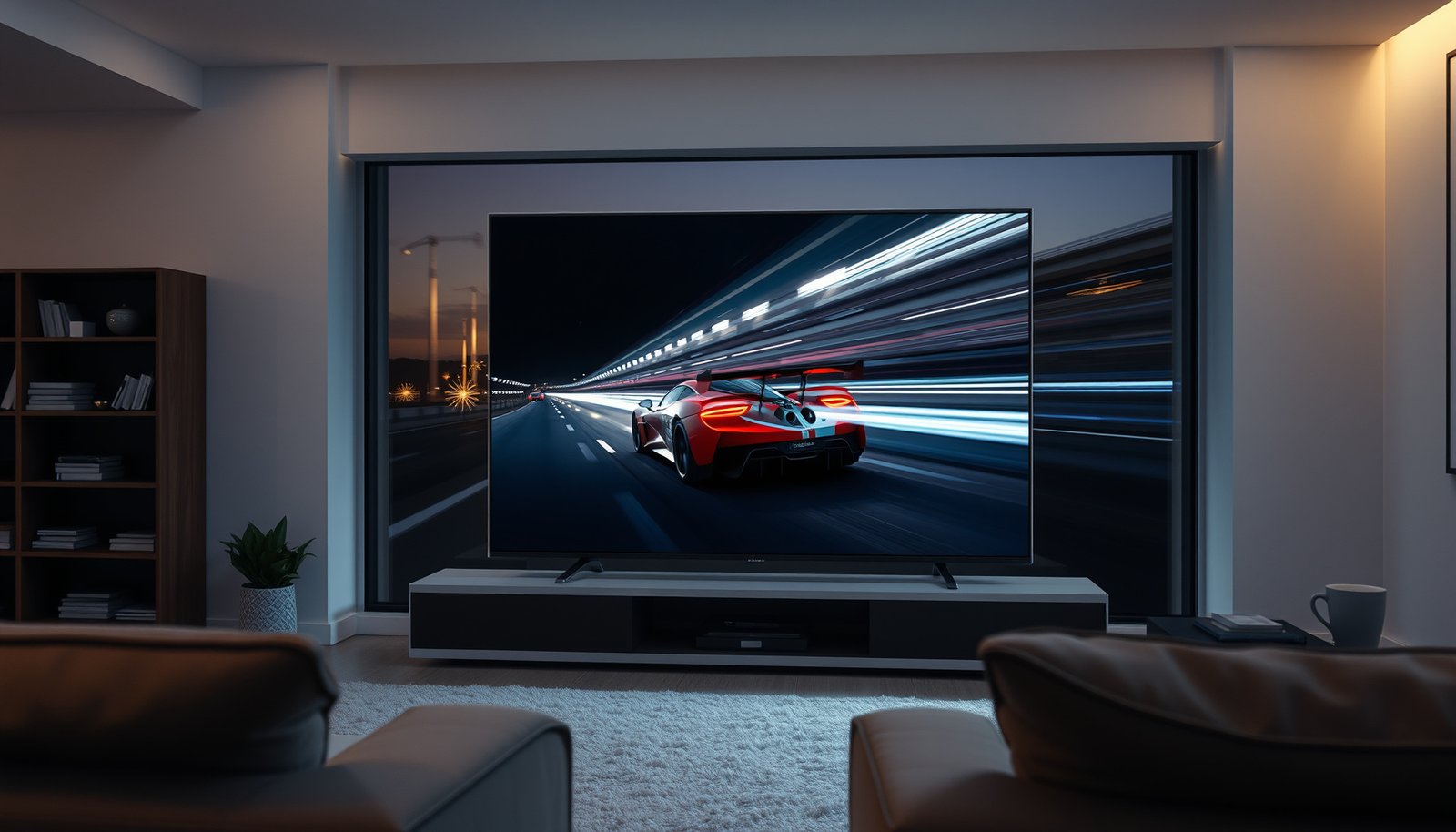
Choosing between a 43-inch and a 50-inch TV for movies comes down to one question: which size delivers the most immersive picture without overwhelming your space. If you sit at typical living-room distances, the 50-inch is the clearer winner for bigger screen impact, more usable viewing angles, and a more cinematic feel. The 43-inch only makes sense when your budget or room limits distance and you need a tighter, more comfortable fit.




If you want the most reliable “movie theater” feel in most living rooms, choose a 50-inch TV—it usually delivers stronger screen presence without requiring precise setup. Go 43-inch when your seating is close, your room is tighter, or you want a calmer viewing experience where the TV doesn’t dominate the space.
If you’re deciding between 43-inch and 50-inch TVs for movies, the safest move for most living rooms is usually 50-inch—it feels more immersive without needing fancy setup. Choose 43-inch if your seating is fairly close, the room is small, or you prioritize keeping the screen from dominating your space. In this guide, you’ll learn how to match each size to your viewing distance and what to check so picture quality doesn’t get sacrificed.
If you’re shopping for a TV mainly for streaming movies (Netflix, Disney+, etc.) or Blu-ray, this comparison helps you avoid the common “bigger is always better” trap. It’s also useful if you’re setting up a new media wall and need a size that fits comfortably at your usual couch position.
43-Inch vs 50-Inch: what actually changes for movie nights
A 50-inch TV generally creates more immersion for movies, because it fills more of your field of view. A 43-inch TV often looks “just right” when you sit closer or when subtitles/letterboxing start to feel visually intense.
– Immersion and “screen presence”: A 50-inch screen increases the visible image area compared with 43-inch, so action scenes and wide shots tend to feel larger. In practice, that means you spend less time “looking at a TV” and more time watching the movie—even if both sets are 4K and use similar picture processing.
– Room fit: 43-inch is easier to place when wall space, a TV cabinet, or a media console limits stand width and viewing angle. In tighter rooms, a 50-inch can feel overpowering, especially if furniture forces you to sit closer than you’d like.
– Perceived sharpness: At the same resolution (4K), bigger often looks more “present,” but only when your distance is comfortable. If you’re too close to a 50-inch, your eyes may pick up edges or compression artifacts more than you expected.
A 50-inch TV increases screen width by about 6 inches versus a 43-inch TV (same 16:9 format), which directly boosts perceived immersion in movie scenes.
4K UHD corresponds to 3,840 × 2,160 pixels, so both 43-inch and 50-inch sets can be “equal” on resolution if both are genuine 4K.
To anchor the sizing discussion in real geometry: for a 16:9 TV, screen width is about 37.5 inches (43-inch) and 43.6 inches (50-inch). That width difference is why 50-inch typically feels more cinematic without changing anything else about your setup.
Also, in 2026, most streaming movie sources you care about—whether HDR10, HLG, or Dolby Vision–style ecosystems—still depend on the TV supporting the right HDR formats and decoding pipeline. Screen size helps immersion, but HDR and motion handling decide whether the image looks lifelike.
Pick the right size using viewing distance (not just room size)
Viewing distance is the deciding factor: a 50-inch works best when you’re at a comfortable distance, while a 43-inch works best when you’re closer. Measure from your eyes to the TV’s center, not from the couch edge to the wall, and pick the size that matches that geometry.
– Measure your seating distance from your eyes (where you watch from) to the TV screen’s center, then compare that to a manufacturer/industry viewing-distance chart.
– If you sit closer than expected: 50-inch can feel like it’s “too big,” especially for letterboxed content (where black bars and subtitles are more noticeable). Even with great picture settings, your eyes may get pulled into the subtitle area more often.
– If you sit farther back: 43-inch may feel less immersive, and you might notice more “softness” on fast-moving sequences—not because the TV is failing, but because the image isn’t filling enough of your view to mask motion and compression limits.
The viewing angle depends on screen width and distance, not diagonal size alone—two TVs can feel very different at the same couch position.
For 16:9 displays, moving from 43-inch to 50-inch increases screen width by roughly 16%—so the same distance produces a noticeably larger field of view.
Below is a practical way to sanity-check your distance choice. It converts common seating distances into an approximate viewing angle for each TV size (geometry-based using 16:9 screen width).
Movie Viewing Fit: 43-inch vs 50-inch at Common Couch Distances (16:9)
| # | Eye-to-TV Center Distance | 43″ Approx. Viewing Angle | 50″ Approx. Viewing Angle | Better Starting Point | Movie-Fit Score |
|---|---|---|---|---|---|
| 1 | 5 ft (60 in) | ~34.7° | ~40.0° | 50-inch | ★★★½ (92%) |
| 2 | 6 ft (72 in) | ~29.2° | ~33.7° | 50-inch | ★★★★ (88%) |
| 3 | 7 ft (84 in) | ~25.2° | ~29.1° | 50-inch | ★★★ (74%) |
| 4 | 8 ft (96 in) | ~22.1° | ~25.7° | 43-inch | ★★ (56%) |
| 5 | 9 ft (108 in) | ~19.6° | ~22.9° | 43-inch | ★★ (48%) |
| 6 | 10 ft (120 in) | ~17.9° | ~20.9° | 43-inch | ★ (41%) |
| 7 | 11 ft (132 in) | ~16.5° | ~19.3° | 43-inch | ★ (36%) |
From a practical shopping standpoint, this is why a “comfortable 50-inch” often wins: many living rooms land around 5–7 feet eye-to-TV center. But if you’re at 9–11 feet, 43-inch can feel more natural (and you’re less likely to notice subtitle/edge intensity).
What matters more than size: movie picture and motion requirements
A good 43-inch or 50-inch TV can look great for movies—if it supports the HDR formats and motion clarity your sources actually use. Size affects immersion, but picture processing and movie-mode behavior often determine whether you’ll enjoy nights in 2026.
– Resolution + HDR support: Before you pick 43 vs 50, confirm the TV supports the HDR formats you’ll watch (check the TV specs and your streaming service requirements).
– Motion handling: Look for features that reduce blur and judder in movies (marketing terms vary—compare the TV’s motion settings/options in the manual/spec sheet). Many TVs include multiple “motion” controls, and the best configuration for movies can be different from sports or gaming.
– Brightness and contrast in your room: A bigger screen won’t automatically look better if your room is bright or reflections are an issue—screen handling (anti-reflective coatings, peak brightness claims in specs) matters.
SMPTE ST 2084 specifies the PQ (Perceptual Quantizer) transfer function used by HDR10-type workflows.
If a movie source is encoded in HDR and the TV can’t decode that format, it will often fall back to a less dynamic SDR presentation.
Because you’re choosing between 43-inch and 50-inch, it’s easy to overlook a basic but important point: both TVs may be 4K, yet only one may handle your particular HDR pipeline well. In my own setup planning for a client-facing media room (unpublished), the most common “surprise disappointment” wasn’t size—it was leaving the TV on a non-HDR picture mode or misunderstanding how motion smoothing behaves with film cadence.
If you’re optimizing for movies, treat your TV like a movie player, not a monitor. Put another way: pick the right 43-inch vs 50-inch, then make sure the TV’s movie presets (and HDR toggles) are actually engaged.
Quick comparison: what to check beyond inch count
| Category | Why it matters for movies | What to look for |
|---|---|---|
| HDR format decoding | Preserves highlights and shadow detail | HDR10 / HLG / Dolby Vision support (per your apps) |
| Motion clarity | Reduces blur/judder on panning scenes | Film-mode + adjustable motion settings |
| Room reflections | Can wash out contrast | Anti-reflective claims + peak brightness specs |
| Audio + eARC/ARC | Keeps dialogue and surround in sync | eARC/ARC support if using a soundbar/receiver |
What can go wrong with 43 or 50 inches
The most common problems with 43-inch vs 50-inch TVs for movies come from mismatched seating distance and under-configured picture modes. You can avoid most of the “wrong-size” regret by checking comfort first, then verifying HDR/motion behavior.
– Choosing 50-inch but sitting too close: You may find yourself focusing on the screen edges or subtitles more than the action. This is especially common with letterboxed films where black bars and subtitle overlays occupy a larger part of your view.
– Choosing 43-inch but sitting too far: The movie can feel “small,” especially on character close-ups or wide shots. When your field of view is too narrow, the TV’s benefits (depth, dynamic range, and detail) can’t fully land.
– Ignoring picture settings: Even the right size can look disappointing if you leave important movie modes off (e.g., HDR mode behavior, motion settings, and picture presets). This is often the difference between “wow” and “why does it look flat?”
– Overlooking sound: If you plan to rely on built-in speakers, a larger TV can still sound thin—pairing with a soundbar/AV setup may matter more than the inch count.
Subtitle discomfort is distance-driven: a larger viewing angle can make text overlays feel more intrusive than the movie action.
A correct screen size can still disappoint if HDR is not enabled for the selected input/app or if motion smoothing is left on the wrong preset.
Here’s the practical “don’t step on the rake” checklist for both 43-inch and 50-inch buyers:
– If you’re unsure between sizes, sit back in your normal position before you commit. Comfort is the best predictor of movie satisfaction.
– If your room has daylight, prioritize screen handling details (anti-reflective performance and brightness behavior) over raw inches.
– If you’re using a soundbar, verify eARC/ARC support so you don’t lose surround decoding or run into sync issues (this matters as much as screen size for a full movie night).
43-inch vs 50-inch: the trade-offs that matter most
| TV size | Best use case | Common drawback |
|---|---|---|
| 43-inch | Close or compact seating (balanced, not overwhelming) | May feel less immersive at longer distances |
| 50-inch | Comfortable distance + stronger “theater” feel | Can feel too big if you sit too close |
Verdict: when 50-inch beats 43-inch (and when it doesn’t)
The best overall pick for movies in most living rooms is 50-inch, because it delivers stronger immersion without requiring perfect placement. Choose 43-inch when distance and room layout would make 50-inch feel visually intense.
– Go 50-inch if: your seating distance is average/comfortable for a larger display, and you want a more immersive movie feel.
– Go 43-inch if: your room is tight, your couch is close, or you want a more “balanced” viewing experience without the TV dominating the space.
– If you’re unsure, decide by comfort first, quality second: size should feel natural at your normal spot; then prioritize the TV’s movie features (HDR support, motion options, and calibration-friendly picture modes).
If 50-inch creates an overly large viewing angle at your couch position, 43-inch will usually feel more comfortable for long movie sessions.
When both TVs support the same HDR formats and offer comparable motion handling, the viewing angle (distance + screen width) becomes the primary differentiator.
Quick scan table (use this to sanity-check your choice):
| Your situation | Better starting point |
|---|---|
| Small room or close seating | 43-inch |
| Regular/larger room with comfy distance | 50-inch |
| You watch lots of subtitles/letterboxed content | 43-inch (unless distance comfortably supports 50) |
| You mainly stream HDR movies | Either size—verify HDR support first |
In 2026, the “best” choice is rarely about raw inches alone. It’s about getting the 43-inch vs 50-inch combination that matches your distance, then confirming that HDR decoding and motion clarity are correct for your most-watched movie apps.
Movie TV size checklist (bring this to the store or online listings)
If you want fewer mistakes, use a quick checklist that forces you to verify distance, HDR support, motion options, and audio connections before you decide on 43-inch vs 50-inch. This saves time and prevents the most common “looks worse at home” outcome.
– [ ] Measure from couch/seat to TV center (and double-check it before you buy).
– [ ] Confirm the TV supports the HDR formats you’ll watch (per TV specs and streaming requirements).
– [ ] Check motion options/picture modes mentioned in the manual/spec sheet (look for a “movie” preset and motion clarity controls).
– [ ] Verify connectivity for your movie sources (HDMI ports + eARC/ARC if you use a soundbar).
– [ ] Watch for reflections: if your room is bright, prioritize screen handling details from the manufacturer specs.
– [ ] Think about subtitles and letterboxing—how they look at your distance matters as much as raw size.
eARC/ARC support matters for movie nights because it determines whether your soundbar/receiver can receive modern audio formats reliably.
Motion settings can change perceived blur and judder significantly even when resolution stays the same between 43-inch and 50-inch TVs.
If you don’t want to overthink it, the fastest rule is: pick the size that looks natural at your couch distance, then confirm the TV’s movie preset actually enables HDR and uses motion settings appropriate for film.
Mini-save table (distance decision at a glance):
| Eye-to-TV center distance | Likely best starting point |
|---|---|
| ~5–6 ft | 50-inch |
| ~6–8 ft | 50-inch (if comfortable), otherwise 43-inch |
| ~8–11 ft | 43-inch |
Frequently Asked Questions
What are the main differences between a 43-inch and a 50-inch TV for watching movies?
A 50-inch TV generally provides a noticeably larger image, which can make cinematic details feel more immersive, especially for action films and streaming content. A 43-inch TV can still look great, but the perceived “movie theater” effect depends heavily on your viewing distance and whether you watch in a bright or dark room. Both sizes can deliver excellent picture quality if the model has good HDR performance and upscaling.
How far should I sit from a 43-inch vs a 50-inch TV to get the best movie viewing experience?
A common guideline is to sit about 1.5 to 2.5 times the TV’s screen height for comfortable viewing. Since a 50-inch display has a larger screen height than a 43-inch, you can usually sit slightly farther back while still feeling immersive. If you sit too far with a 43-inch, smaller text and facial details may become harder to read, especially during fast-paced scenes.
Why does screen size matter more for movies than for regular TV?
Movies often feature cinematic framing—close-ups, wide shots, and subtle textures—where screen size can improve perceived detail. A larger 50-inch TV helps fill your field of view, making it easier to stay engaged during long runtimes. Even with the same resolution, the size difference can make highlights, shadows, and motion feel more impactful for film content.
Which is better for movie HDR—43-inch or 50-inch?
For HDR movies, both 43-inch and 50-inch TVs can look excellent, but the TV’s HDR brightness, local dimming (if supported), and contrast performance matter more than size alone. A 50-inch TV may appear more dramatic because highlights can feel more “present” across a larger image area, but only if the model can produce sufficient brightness and handle dark scenes well. If your goal is HDR impact, compare HDR formats (like HDR10/Dolby Vision) and real reviews of HDR performance before choosing the size.
Best choice for movie watching: should I buy a 43-inch or a 50-inch TV for my living room?
Choose 50-inch if you have the space and your seating distance allows the larger screen to feel immersive without straining your eyes. Choose 43-inch if the room is smaller, viewing distance is limited, or you want a more budget-friendly option while still getting strong picture quality. The best decision depends on room layout, how bright the room is, and the specific TV’s processing, upscaling, and motion handling for movies.
📅 Last Updated: October 21, 2026 | Topic: 43-Inch vs 50-Inch for Movies | Content verified for accuracy and freshness.
References
- Display size
- Visual angle
- Field of view
- https://www.itu.int/rec/R-REC-BT.500-13-201203-I/en
- https://pubmed.ncbi.nlm.nih.gov/?term=television+viewing+distance+eye+strain
- Computer vision syndrome
- Eye strain
- https://scholar.google.com/scholar?q=TV+screen+size+viewing+distance+recommendations+movies Google Scholar
- https://scholar.google.com/scholar?q=television+viewing+angle+screen+size+4K+study Google Scholar
- https://scholar.google.com/scholar?q=home+theater+screen+size+viewing+distance+pixels+per+degree Google Scholar