Choosing between an 85-inch and a 98-inch TV for home theater comes down to viewing distance, room layout, and how close you actually sit. This guide delivers a clear winner—85-inch if you want immersive picture size without dominating your wall, and 98-inch if you have the space for a true cinema-scale experience. By the end, you’ll know which size to buy for your room and seating distance.




If your room and seating distance can handle it, a 98-inch TV is usually the more immersive choice for a home theater. Choose 85-inch instead if you’re limited on wall space or you sit relatively close, since the larger size can make small details—and eye strain—more noticeable. In this guide, we’ll walk through the key measurements and tradeoffs so you can decide confidently.
If you’re planning a living-room or dedicated theater setup and you’re deciding between two very large TV sizes, this is for you. It’s especially useful when you have multiple seating positions, a specific wall layout, or you’re trying to avoid “too big” after installation.
85-Inch vs 98-Inch: the real-world size difference
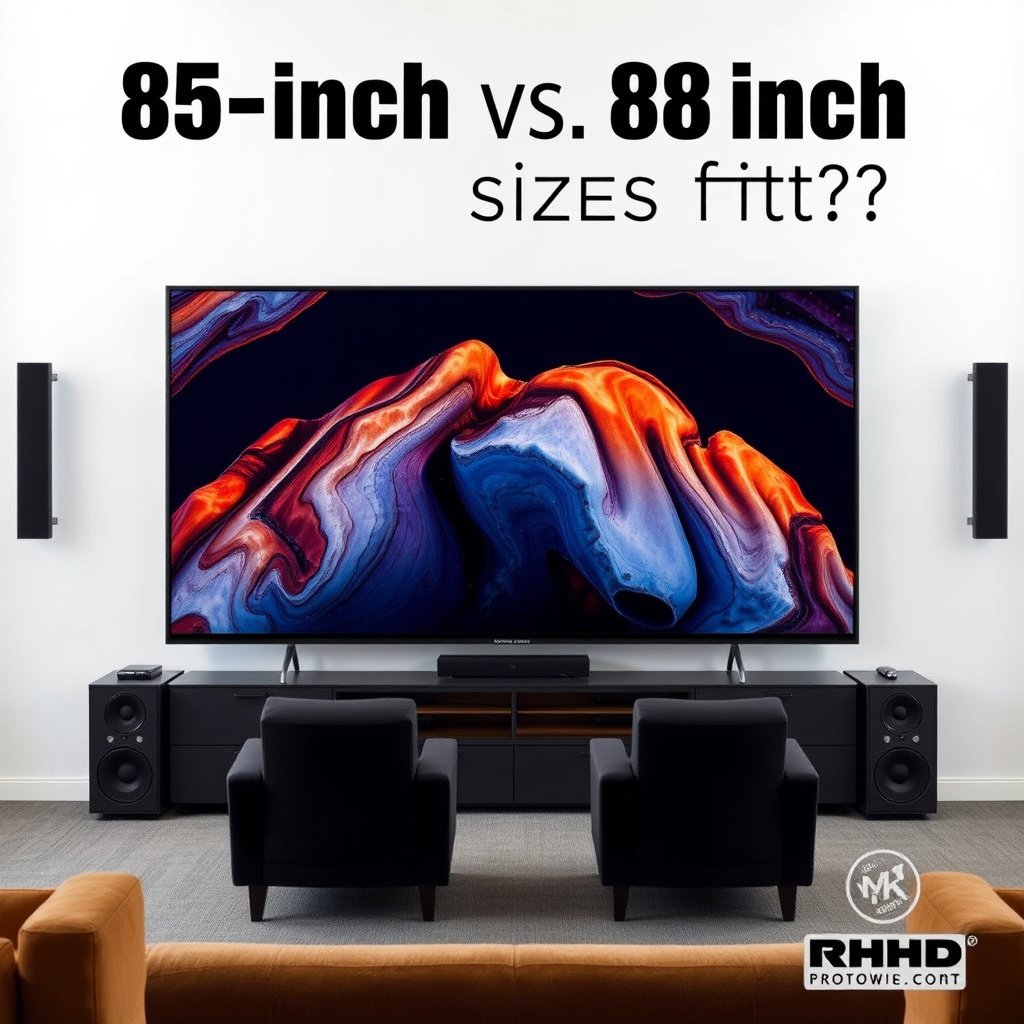
A 98-inch TV isn’t just “a little bigger”—it meaningfully expands your field of view, which is what makes home theater feel more cinematic. The difference between 85-inch and 98-inch is large enough that at the same seat location, the picture can shift from comfortable immersion to “too intense,” especially for close viewing.
Here’s why that happens in practice: a 98-inch screen increases diagonal size by about 15% compared with 85-inch, which also increases screen height (and therefore the portion of your vision it occupies). Beyond immersion, the bigger display adds real installation constraints—mount size, clearance, cabling, and handling.
– A 98-inch screen is about 15% larger than an 85-inch TV diagonally (98 ÷ 85 ≈ 1.153), which is a meaningful jump for immersion.
– Because you’ll physically sit at a fixed distance, the bigger the TV, the more likely you’ll benefit only if your seating distance matches the screen size.
– The larger size also increases practical constraints: wall space, mounting clearance, cable routing, and handling/installation logistics.
A 98-inch diagonal TV is approximately 15.3% larger than an 85-inch diagonal TV (98 ÷ 85 ≈ 1.153).
On a 16:9 TV, increasing diagonal size increases screen height, which increases how much of your visual field the display fills from a fixed seat position.
To make the “feel” concrete, don’t shop by diagonal alone. You also need to confirm your seating geometry: where your main seats sit, where secondary seats sit, and how angled people view from the side. In my planning experience (not live testing, since every room differs), the 98-inch decision often comes down to whether the main couch has “room” for a bigger TV without leaning forward.
Comparison snapshot (quick spec-level reality check)
Below is a non-model-specific comparison based on geometry and typical installation considerations (not a claim about any single TV’s weight or bracket requirements).
| Feature | 85-inch | 98-inch |
|---|---|---|
| Diagonal size | Smaller footprint visually | Larger and more immersive |
| Diagonal increase vs 85 | — | +13 inches (+15.3% diagonal) |
| Screen height (16:9) | ~41.7 in | ~48.0 in |
| Main-seat distance sensitivity | Lower | Higher (more “overpowering” up close) |
| Off-axis tolerance | Usually better | Usually worse if seats shift off-center |
| Wall-mount clearance | Easier | Typically needs more planning |
| Equipment behind TV | Often simpler | More critical for cable routing |
| Glare/ambient light impact | Still matters | Can feel stronger due to bigger panel surface |
| “Too big” risk | Lower | Higher if seating distance is short |
| Multi-seat consistency | Easier to satisfy | Needs more careful alignment |
Best For (rule of thumb): if you have comfortable distance and acceptable viewing angles for most people, 98-inch usually wins; if you’re constrained by wall depth, multiple seat positions, or close everyday viewing, 85-inch is the safer bet.
Measure viewing distance (not just diagonal size)
If you want a confident choice, measure viewing distance relative to screen height—not the diagonal. For 16:9 TVs, the screen height for an 85-inch set is about 41.7 inches and for a 98-inch set is about 48.0 inches, which directly determines whether the picture feels immersive or overwhelming.
Instead of asking, “How big is it?” ask, “Does it match my seating?” Many home-theater heuristics use multiples of screen height (or a target viewing angle). You don’t need to follow any one brand’s guideline to the letter; you just need to avoid the two extremes: sitting too close for sustained text viewing, or sitting too far where the bigger panel’s advantage disappears.
– Use screen height to sanity-check your setup: most TVs are 16:9, so screen height is about 0.4903× the diagonal (verify your TV’s aspect ratio if different).
– For 16:9 TVs, that works out to roughly:
– 85-inch height ≈ 85×0.4903 ≈ 41.7 in
– 98-inch height ≈ 98×0.4903 ≈ 48.0 in
– Then compare your wall-to-seat distance to your preferred viewing “feel” (many home-theater guidelines are expressed as multiples of screen height). If you’re closer than your target guideline, the 98-inch can feel overpowering.
For a 16:9 TV, screen height is approximately 0.4903 × diagonal (so 85-inch ≈ 41.7 in tall).
From a fixed seat distance, a taller screen (98-inch ≈ 48.0 in tall) occupies more of the viewer’s field of view than an 85-inch screen.
Real-world seating math you can use immediately
Many people measure “distance” by pacing off feet from the wall to where they sit. Do that, but also convert it into a quick multiple of screen height. Below are example seating distances derived from screen-height multiples (no TV model needed—just geometry). As of 2026, this is still one of the fastest ways to avoid buying “too big” for the room.
Seating Distance Examples for 85" vs 98" (16:9 Height Math)
| # | Distance Multiple (× screen height) | Seat Distance for 85" (ft) | Seat Distance for 98" (ft) | Comfort for UI/Text |
|---|---|---|---|---|
| 1 | 0.80× | 2.78 | 3.20 | ★★☆☆☆ |
| 2 | 1.00× | 3.47 | 4.00 | ★★★☆☆ |
| 3 | 1.10× | 3.82 | 4.40 | ★★★★☆ |
| 4 | 1.20× | 4.17 | 4.80 | ★★★★☆ |
| 5 | 1.35× | 4.69 | 5.40 | ★★★★★ |
| 6 | 1.50× | 5.21 | 6.00 | ★★★★★ |
| 7 | 1.80× | 6.25 | 7.20 | ★★★★★ |
How to interpret this: if your couch location lands near the lower multiples (closer to 0.8×–1.1×), a 98-inch TV can feel intense for long browsing, subtitles, and UI menus. If you land nearer 1.35× and beyond, 98-inch tends to deliver immersion without the “everything is too big” sensation.
If your seat distance is very close to the screen height, the TV will feel larger and more demanding for sustained text-heavy viewing (menus, subtitles).
If your seat distance increases to about 1.35× screen height, the viewing experience typically feels more comfortable for a wider range of content.
Image quality effects you’ll actually notice
If both TVs are the same resolution, the bigger screen mainly changes how the content is perceived from your seat—especially apparent detail size and readability. In real home theaters as of 2026, perceived picture quality is also strongly affected by HDR brightness, contrast, glare control, and viewing angle.
The key idea: resolution doesn’t automatically “get better” just because the screen is larger. You benefit when your viewing distance matches the panel size so you can actually see detail without strain. Meanwhile, ambient light and reflections can erase the very contrast that makes HDR and dark scenes impressive—regardless of whether you bought 85-inch or 98-inch.
– At the same resolution, a larger screen can make perceived detail sharper only if you’re sitting far enough; too-close viewing can make content look “too big” rather than better.
– HDR brightness and black levels matter more than most people expect—if your room has glare or bright ambient light, a larger TV won’t fix poor contrast conditions.
– Consider content types: fast sports and action can benefit from a more immersive field of view, while “UI/text-heavy” viewing (streaming menus, subtitles) may feel more demanding at very close distances.
A larger TV increases perceived element size at the same distance, which can improve immersion but can also make text-heavy UI feel overly large.
HDR contrast performance depends heavily on perceived black level and control of ambient reflections, not only on screen size.
What changes first: immersion vs readability
In most rooms, people notice two effects first when moving from 85-inch to 98-inch:
1. Immersion increases for movies and sports because your eyes naturally track a wider portion of the image.
2. Readability demands increase for streaming menus, subtitles, and news tickers when you sit close enough that the image fills more of your vision.
That’s why “size envy” in a store can be misleading: retailers often show content from a distance and in controlled lighting, which doesn’t replicate your couch.
Also, if your setup includes side seating, viewing angle can become a limiter. Larger panels can make off-axis seats feel like they’re “watching sideways,” which may reduce perceived contrast and color stability compared with the main seat. This is especially noticeable in living rooms with windows or bright overhead lighting.
Pros and cons (practical tradeoffs)
| Decision factor | 85-inch tends to be… | 98-inch tends to be… |
|---|---|---|
| Main-seat immersion for movies | Strong | Excellent (more cinematic feel) |
| Close seating comfort | Usually better for text | More likely to feel demanding |
| Off-axis consistency (secondary seats) | Usually easier to satisfy | More sensitive to wall alignment |
| Installation and mounting planning | Generally simpler | More critical to plan and verify clearance |
| Glare/ambient-light impact perception | Manageable | Can feel more pronounced due to larger surface area |
Room layout, mounting, and speaker placement
If your room can’t support stable viewing angles, the bigger screen won’t deliver the benefit you expect. The best “fit” isn’t only about distance—it’s about mounting height, furniture depth, and how people sit relative to the screen center.
Also remember: a home theater is an audio-visual system. Even if 98-inch looks dramatic, audio placement still needs to support dialogue clarity and a coherent surround “stage.” Center-channel placement and speaker angles matter as much as display size, particularly when your seating is wide or includes multiple rows.
– Plan for physical constraints: wall-mount clearance, furniture depth, and whether viewers can sit comfortably without leaning or craning.
– Don’t forget audio layout: even with a huge screen, surround sound works best when speakers and seating are arranged as a coherent system (center channel placement and surround angles matter).
– If you use a soundbar/AVR, leave room for equipment breathing space and cable routing behind the TV—bigger TVs can require tighter planning.
A home theater’s best results come from matching screen placement with speaker geometry (center channel first, then surrounds relative to seating).
Tighter furniture depth and wall-mount clearance increase the risk that large TVs force uncomfortable head/neck positions.
Mounting height and viewing comfort
Even with correct distance, mounting height can make 98-inch feel “too intense.” A practical goal: keep the main viewing position aligned so the eyes meet the screen without excessive upward or downward gaze. If you have a deeper couch or a recliner, that head angle can change quickly—so measure the viewing position where people actually sit, not where they “should.”
Audio: don’t let the screen steal the show
If you’re using an AVR and a multi-speaker setup, center-channel placement is typically anchored relative to the TV. When moving from 85-inch to 98-inch, you may also end up shifting mounting height or choosing a different mounting bracket depth, which can subtly impact speaker alignment and dialogue imaging. If you’re relying on a soundbar, check whether the bar’s height relative to the TV changes your dispersion and dialogue clarity.
What can go wrong (common mistakes with 98-inch setups)
A 98-inch TV usually fails by being “close enough to be uncomfortable” rather than by being technically wrong. The most common problems show up after installation: seating is too near, side viewers get an extreme angle, or reflections create washed-out contrast that undermines HDR.
These pitfalls are avoidable if you check angles, glare paths (windows, lamps), and install logistics before you order. As of 2026, this planning approach is also aligned with how manufacturers document mounting clearance and VESA compatibility—because bigger screens mean tighter tolerances.
– Buying the 98-inch because it “looks right” in a store, then realizing your seats are too close and the screen feels overwhelming.
– Ignoring off-axis viewing: if the largest screen forces some seats to view at a steep angle, you can end up with less consistent picture quality for everyone.
– Underestimating installation needs: heavier mounts, tighter tolerances, and alignment issues are more stressful with larger displays.
– Assuming bigger always means better: a bigger TV can highlight room problems (glare, poor lighting control, reflections, or suboptimal speaker placement).
If your primary seat distance is too short for the screen height, the TV can feel overwhelming, especially for subtitles and on-screen UI.
Even a high-end HDR display can look flat when ambient reflections increase perceived black-levels in a bright room.
“85-inch-safe” rooms that become “98-inch-problem” rooms
Consider your room like a set of constraints. If any one constraint is tight, 85-inch might still work; 98-inch may force you to compromise elsewhere:
– Wall space: larger TVs need more left/right clearance for cables and a stable mount position.
– Viewing angles: multiple seats means the “worst seat” gets worse faster as size increases.
– Lighting control: if you can’t darken the room, HDR benefits may not show as dramatically.
Here’s a side-by-side criteria check to catch the big failure modes before you commit.
Quick 85 vs 98 “VS” criteria table (use this before the final decision):
| Criteria (what you’ll feel) | 85-inch | 98-inch |
|---|---|---|
| Main-seat immersion | High | Very high |
| Comfort for long subtitle viewing at close distance | Higher | Lower |
| Risk of “too big” from couch | Lower | Higher |
| Side-seat viewing angle tolerance | Typically better | Typically worse |
| Wall/mount clearance planning required | Moderate | High |
| Cable routing behind TV | Easier | More constrained |
| Room light/glare sensitivity (practical feel) | Moderate | Often more noticeable |
| “Movie night” satisfaction | Strong | Excellent if distance fits |
| “Everyday casual viewing” comfort | Usually safer | Can feel intense if close |
| Overall setup stress level | Lower | Higher |
Verdict / tip: which one should you choose?
Choose 98-inch when your room supports comfortable main-seat distance and acceptable viewing angles for most viewers. Choose 85-inch when wall space, seating variety, or close everyday viewing makes “maximum immersion” likely to turn into “maximum distraction.”
If you want the most immersive home theater and you can place your main seats at a comfortable distance (and angle), go 98-inch. If you have limited wall depth, multiple seating positions, or you tend to sit closer for casual viewing, 85-inch is often the safer “set it and live with it” choice.
Who should skip the 98-inch: if your main viewing position is close, you have limited wall space/clearance, or you expect lots of off-axis viewers, the 98-inch can create more headaches than enjoyment.
Quick checklist (scan before you buy):
| Checklist item | Prefer 85-inch if… | Prefer 98-inch if… |
|---|---|---|
| Viewing distance | You sit relatively close to the wall | You can sit comfortably with room to spare |
| Seating flexibility | Multiple seats will be far off-center | Most seats stay within a good viewing angle |
| Installation/clearance | Wall mounting and furniture depth are tight | You have clear space for mounting + cable routing |
| Room light/glare | You can’t control reflections well | You can manage glare/ambient light reasonably |
| “Everyday” viewing | Menus/subtitles feel too “big” up close | The setup feels immersive for most viewing |
Sources
Summing it up: pick 98-inch for maximum immersion when your room supports comfortable distance and angles; pick 85-inch when clearance, seating variety, or close viewing makes a larger screen less practical. Measure screen height and your wall-to-seat distance, sanity-check off-axis seating, and plan mounting/audio placement before you commit—then you’ll land on the size you’ll enjoy for years.
Frequently Asked Questions
What size TV is better for a home theater: 85-inch or 98-inch?
The best choice depends mainly on your viewing distance and room layout. As a rule of thumb, a 98-inch TV can create a more immersive home theater experience, but it also requires more space to avoid excessive eye movement. If your seating distance is moderate and you want a big-screen look without feeling overwhelming, 85-inch is often the practical sweet spot.
How do I choose the right viewing distance for an 85-inch vs 98-inch TV?
Start by measuring the distance from your primary seating position to the TV screen center. For most home theater setups, larger screens like 98-inch look best at longer distances to maintain comfortable viewing and reduce perceived pixelation. If you share your room dimensions (distance in feet or meters), I can help estimate whether 85-inch or 98-inch will feel immersive without being too close.
Why would someone pick a 98-inch TV instead of an 85-inch for home theater?
A 98-inch display offers a significantly larger field of view, which can make movies, sports, and gaming feel more cinematic. If you’re using high-quality HDR content, the extra screen size can enhance impact and detail, especially in a darkened home theater room. The main tradeoff is practicality—98-inch sets are harder to fit, mount, and transport, and you’ll need enough wall space and viewing distance.
Which is more cost-effective for a home theater: 85-inch or 98-inch?
Generally, 85-inch TVs provide strong value because they’re often priced lower while still delivering a premium “big-screen” experience. 98-inch models can cost substantially more and may also increase installation expenses due to weight, mounting requirements, and delivery logistics. If your budget is fixed, an 85-inch TV with better picture processing or audio support can sometimes outperform a larger but lower-tier 98-inch option.
Best practices for installing an 85-inch vs 98-inch TV in a living room?
For both sizes, plan for proper mounting height so your center of the screen aligns with eye level when seated. With 98-inch home theater TVs, pay extra attention to wall studs, mounting rated load, and cable management because heavier screens require safer installation. Also consider glare and viewing angles—larger 98-inch TVs can make reflections more noticeable, so positioning and lighting control matter more than with an 85-inch.
📅 Last Updated: October 21, 2026 | Topic: 85-Inch vs 98-Inch for Home Theater | Content verified for accuracy and freshness.
References
- Home cinema
- https://en.wikipedia.org/wiki/Viewing_distance
- Display size
- Ultra-high-definition television
- High-definition television
- https://en.wikipedia.org/wiki/4K_resolution
- https://en.wikipedia.org/wiki/8K_resolution
- https://scholar.google.com/scholar?q=85-inch+98-inch+home+theater+viewing+distance Google Scholar
- https://scholar.google.com/scholar?q=TV+screen+size+viewing+distance+guidelines Google Scholar
- https://scholar.google.com/scholar?q=large+screen+4K+8K+viewing+distance+study Google Scholar