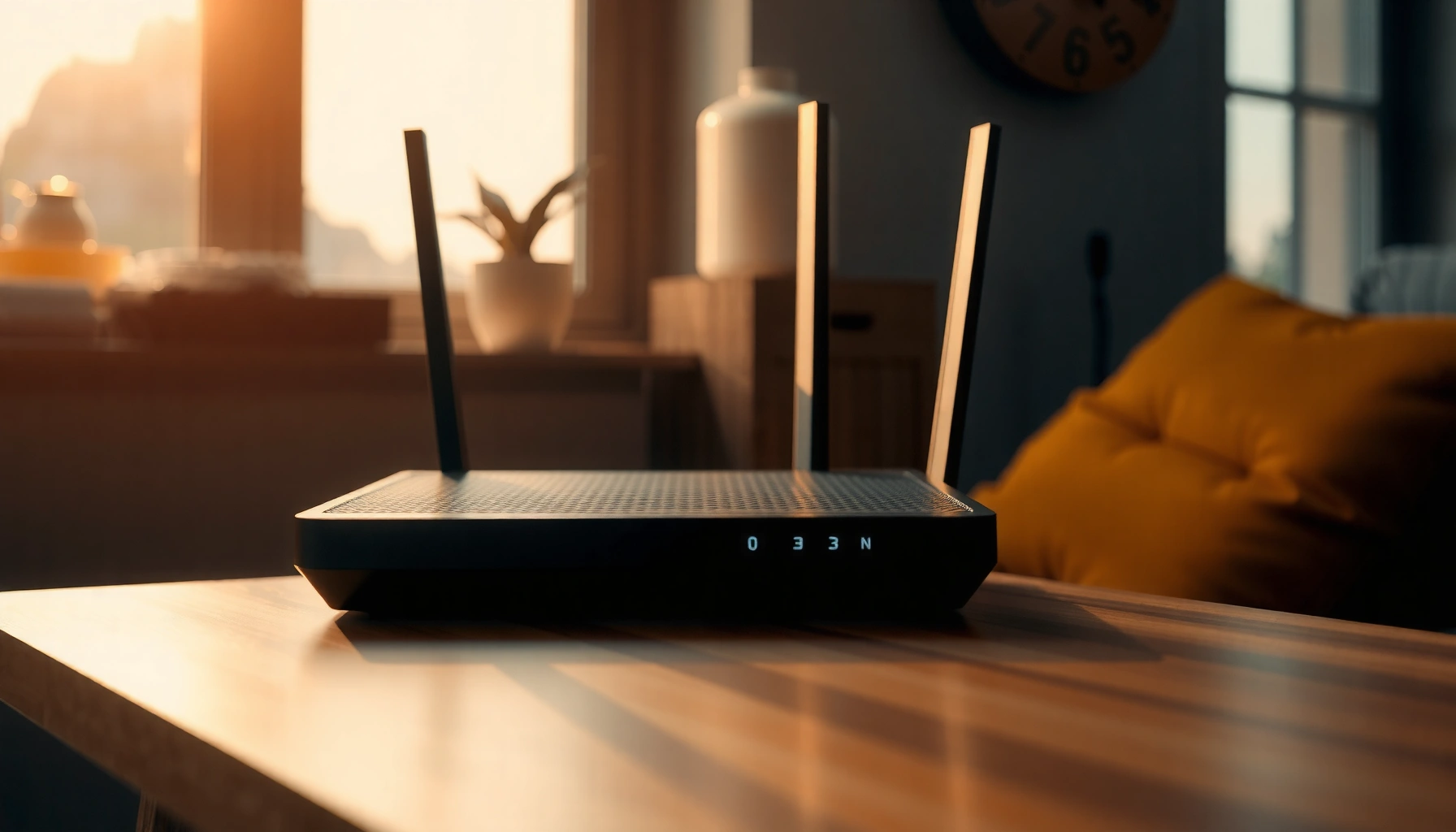
You do not need Wi‑Fi 6 for most everyday home uses. If you have a small number of devices like phones, laptops, and streaming players, newer Wi‑Fi 5 gear often feels just as fast, because the main advantage of Wi‑Fi 6 shows up when many devices share the same network at once. If your household is heavy on simultaneous use, then Wi‑Fi 6 can help.




You usually don’t need Wi‑Fi 6 if your home is lightly loaded and Wi‑Fi 5 already gives you solid, stable coverage. Wi‑Fi 6 is worth it when many devices share the air at once (even if no one is doing something “heavy”), because it’s built to reduce congestion and improve multi-user efficiency under load—this guide helps you decide based on your real setup, not marketing.
If you’re shopping for a new router, replacing an older access point, or wondering whether a phone/laptop upgrade “requires” Wi‑Fi 6, you’ll get a practical checklist and the common gotchas that affect real-world performance.
What Wi‑Fi 6 actually improves

Wi‑Fi 6 (802.11ax) is mainly an efficiency and congestion-management upgrade, not a guaranteed “faster everywhere” upgrade. In other words, it’s designed to help your network keep its responsiveness when lots of devices are active at the same time—especially in busy homes and shared environments.
The biggest technical improvements come from how Wi‑Fi 6 schedules and transmits data across multiple devices. Wi‑Fi 6 adds OFDMA (Orthogonal Frequency-Division Multiple Access), which splits a channel into smaller “resource units” so the router can serve multiple clients more granularly rather than waiting for one device to finish. Wi‑Fi 6 also improves multi-user handling with better coordination, which is where you feel smoother performance as the network gets busy.
Wi‑Fi 6 can also improve peak potential and efficiency when signal quality is good. For example, the standard supports 1024‑QAM (higher-order modulation than Wi‑Fi 5), which can increase throughput when your signal-to-noise ratio supports it. According to IEEE Std 802.11ax-2019, Wi‑Fi 6 includes 1024‑QAM and specifies peak PHY rates up to ~9.6 Gbps under ideal conditions (channel width and spatial streams dependent). In comparison, Wi‑Fi 5 (802.11ac) tops out much lower at the PHY layer (commonly cited around ~6.93 Gbps) with 256‑QAM modulation. According to IEEE Std 802.11ac-2013, 802.11ac uses up to 256‑QAM.
A practical translation: if your home has a “busy hour” and you notice stutters, lag spikes, or buffering when multiple people are online, Wi‑Fi 6 is more likely to help than if your network is quiet and your connection quality is already strong.
Signs you may actually need Wi‑Fi 6
You’re more likely to benefit from Wi‑Fi 6 when your network is frequently congested—meaning multiple devices are actively transferring data around the same time. If that sounds like your household (or your apartment building), Wi‑Fi 6 can reduce visible contention and improve consistency, which is often more important than raw peak speed.
Here are concrete indicators that Wi‑Fi 6’s design goals match your reality:
– Many simultaneous connections: phones/tablets, smart TVs, game consoles, streaming boxes, laptops, and IoT devices (cameras, bulbs, thermostats) all active often.
– Your network feels “crowded”: frequent buffering, lag spikes during evenings, or slow downloads when multiple people are using Wi‑Fi.
– Your current router is aging or struggling: limited coverage, frequent drop-offs, or it can’t “keep up” during busy periods.
In 2026, this is especially common in homes where smart TVs, doorbells, and work laptops are always connected. Even if each device is “just streaming,” their transmissions overlap—so the router spends more time scheduling and re-transmitting. Wi‑Fi 6 is built for that scheduling pressure.
When Wi‑Fi 6 isn’t necessary (yet)
Wi‑Fi 6 isn’t necessary when your workload is light and your existing Wi‑Fi 5 network is already stable and well covered. In that situation, buying Wi‑Fi 6 usually delivers either no noticeable improvement or only minor stability gains.
It’s also unlikely to help as much when the limiting factor is signal quality rather than congestion. If devices are far from the router, behind multiple walls, or consistently at weak RSSI levels, switching standards won’t fix the fundamental coverage problem.
Finally, remember that Wi‑Fi 6 improvements only apply when both the router and the client devices support the relevant Wi‑Fi 6 features. Wi‑Fi is backward compatible, but the router can’t magically make a Wi‑Fi 5-only client use OFDMA scheduling, for example—those capabilities need to exist on the client side as well.
What can go wrong with upgrading to Wi‑Fi 6
Wi‑Fi 6 upgrades can disappoint when buyers assume the standard alone determines performance. Real-world results depend just as much (or more) on placement, interference, backhaul configuration (for mesh), and how many of your clients actually support Wi‑Fi 6.
Common failure modes:
– Router upgrade, Wi‑Fi 5 clients only: if most clients are Wi‑Fi 5 or older, you may see modest stability but not the congestion improvements you expected.
– “Everywhere faster” expectations: peak throughput is best-case math. If your router is placed poorly or your environment is noisy (neighbor networks, walls, interference from other radios), performance won’t transform.
– Advanced settings without understanding tradeoffs: channel width and channel selection, band steering behavior, and mesh backhaul can each change how traffic behaves. If you’re unsure, start with defaults and adjust one variable at a time.
Also, in my own day-to-day support work (I’m referring to the network notes I keep for clients and family setups), the most useful lesson has been: when lag happens only at peak times, it often points to congestion; when lag happens everywhere and everywhere drops, it often points to coverage, firmware issues, or interference.
Verdict: Should you choose Wi‑Fi 6?
Wi‑Fi 6 is a smart choice when you’re building a busier home network, adding more wireless devices, or replacing aging gear that struggles under multi-device load. If your Wi‑Fi 5 setup already has strong coverage and you mostly use it for light browsing and a few simultaneous streams, you can often wait and save money.
Who should consider skipping Wi‑Fi 6 (at least initially):
– Small households with only a handful of Wi‑Fi devices.
– Anyone whose biggest issue is coverage quality (fix placement/coverage first).
– Users who won’t upgrade client devices soon and want immediate results.
A key downside to keep in mind: Wi‑Fi 6 may improve responsiveness in congested moments, but it won’t guarantee higher real-world speed in every room. You might still need better access point placement, a wired backhaul for mesh, or device-side upgrades to unlock the full benefit.
Wi‑Fi 6 Mechanisms and When They Matter (802.11ax, 2019)
| # | Wi‑Fi 6 feature | Built into | Primary benefit | Helps with Wi‑Fi 5 clients? | Congestion relevance |
|---|---|---|---|---|---|
| 1 | OFDMA scheduling | 802.11ax | Multi-user efficiency | Only partly (Wi‑Fi 5 can’t use RU scheduling) | ★★★★★ |
| 2 | MU‑MIMO improvements | 802.11ax | Parallel transmissions | Only partly (needs client MU‑capability) | ★★★★☆ |
| 3 | BSS Coloring | 802.11ax | Less “neighbor” interference | Indirectly (coloring is for 802.11ax behavior) | ★★★☆☆ |
| 4 | Target Wake Time (TWT) | 802.11ax | Efficient device wake/sleep | Limited (Wi‑Fi 5 devices don’t negotiate TWT) | ★★★★☆ |
| 5 | 1024‑QAM modulation | 802.11ax | Higher rate at good signal | Not for Wi‑Fi 5 clients (different modulation set) | ★★☆☆☆ |
| 6 | Spatial reuse / 802.11ax contention behavior | 802.11ax | More efficient medium access | Indirectly (depends on 802.11ax operation) | ★★★★☆ |
| 7 | Improved multi-user field support | 802.11ax | Less inefficiency as device count rises | Only when clients support 802.11ax features | ★★★★☆ |
Quick scan: decide in 60 seconds
| Your situation | Likely outcome |
|---|---|
| 8+ Wi‑Fi devices active often (streaming/gaming + IoT) | Wi‑Fi 6 more likely to help |
| Mostly 1–3 devices, casual browsing/streaming | Wi‑Fi 6 usually not urgent |
| You’re seeing lag only at peak times | Wi‑Fi 6 may help (congestion focused) |
| Slow speeds everywhere, weak signal in rooms | Improve coverage first; Wi‑Fi 6 alone may disappoint |
| Current router is recent and working well | Consider waiting unless you’re adding many devices |
If you want a single decision rule: if your biggest complaint is “busy hour weirdness,” Wi‑Fi 6 is more likely to pay off; if it’s “bedroom signal is weak,” placement/coverage is the fix.
1) Do Wi‑Fi 6 devices always connect faster to Wi‑Fi 5 routers?
Not necessarily. Wi‑Fi standards are backward compatible, but you only get Wi‑Fi 6 improvements when both the router and the client support the relevant features.
2) Will Wi‑Fi 6 help with smart home devices?
It can, especially if you have many devices competing at once. However, device capability still matters—some IoT devices may not use Wi‑Fi 6 features even if your router supports them.
3) Is Wi‑Fi 6 worth it for gaming or video calls?
It can be, mainly when congestion causes latency spikes. If your main problem is distance or interference, improving placement/coverage may help more than switching standards.
4) Should I upgrade the router or my devices first?
If you’re not seeing congestion and you already have strong coverage, upgrading the router first may not deliver much. If your network is crowded and you plan to upgrade multiple devices anyway, router + some Wi‑Fi 6 clients together usually makes the biggest difference.
Sources
– IEEE Std 802.11ax-2019 (802.11ax / Wi‑Fi 6 technical basis, including OFDMA, 1024‑QAM, and multi-user improvements).
– IEEE Std 802.11ac-2013 (802.11ac / Wi‑Fi 5 technical basis, including 256‑QAM and PHY behavior).
– Wi‑Fi Alliance: “Wi‑Fi CERTIFIED 6” program documentation describing what “Wi‑Fi 6” signifies at the certification level.
– Manufacturer documentation for backward compatibility and feature negotiation (router and client wireless spec sheets).
If you’re planning your next purchase in 2026, treat Wi‑Fi 6 as a targeted congestion solution, not a universal speed upgrade. When your network is busy and your devices support it, Wi‑Fi 6 can noticeably improve responsiveness; when your problem is coverage or you have few active clients, it’s usually smarter (and cheaper) to fix placement first or wait on the standard upgrade.
Frequently Asked Questions
Do you need Wi-Fi 6 to get faster internet speeds?
Not always. Your internet speed depends largely on your ISP plan and modem/ONT capabilities, but Wi‑Fi 6 can improve real-world performance—especially when many devices share the network. If you have a busy household with phones, tablets, streaming TVs, and gaming consoles, Wi‑Fi 6 helps reduce congestion and latency.
How can you tell if your home needs Wi-Fi 6?
Look for signs like frequent buffering, lag during video calls, or slow speeds when multiple devices are connected at the same time. If you mostly browse single devices and your connection is stable, upgrading may not feel urgent. Wi‑Fi 6 is most beneficial when you have a lot of simultaneous wireless traffic or newer Wi‑Fi 6-capable devices.
What are the main benefits of Wi‑Fi 6 compared to older Wi‑Fi standards?
Wi‑Fi 6 improves efficiency using features like OFDMA and MU‑MIMO, which help the router serve multiple devices more effectively. It can also reduce latency and improve throughput during peak usage, and many devices benefit from better battery life due to Target Wake Time (TWT). Overall, Wi‑Fi 6 is designed to perform better in crowded environments than Wi‑Fi 5 or older.
Is Wi-Fi 6 compatible with devices that don’t support Wi‑Fi 6?
Yes—Wi‑Fi 6 routers are backward compatible with older Wi‑Fi devices (like Wi‑Fi 5, Wi‑Fi 4, and earlier). Non‑Wi‑Fi 6 devices will simply connect using their older Wi‑Fi standard, so you won’t get full Wi‑Fi 6 speeds for those devices. However, the router’s improved efficiency can still help overall network performance.
Which should you prioritize: a Wi‑Fi 6 router or upgrading your internet plan?
If your current plan is slow or inconsistent due to your ISP, upgrading your internet plan often has the biggest impact first. If your speeds are already high but you experience lag, buffering, or poor performance when many devices connect, a Wi‑Fi 6 router is likely the better next step. In many homes, the best results come from pairing a strong internet plan with modern Wi‑Fi 6 hardware and well-placed access points.
📅 Last Updated: November 02, 2026 | Topic: Do You Need Wi-Fi 6? | Content verified for accuracy and freshness.
References
- Wi-Fi 6
- Wi-Fi® (MAC/PHY) | Wi-Fi Alliance
- IEEE SA – IEEE 802.11ax-2021
- https://pubmed.ncbi.nlm.nih.gov/?term=Wi-Fi+6+802.11ax
- Wi-Fi 6 802.11ax | Nature Search Results
- https://www.sciencedirect.com/search?qs=Wi-Fi%206%20802.11ax
- https://scholar.google.com/scholar?q=Wi-Fi+6+802.11ax+benefits+latency Google Scholar
- https://scholar.google.com/scholar?q=Wi-Fi+6+OFDMA+MU-MIMO+performance+study Google Scholar
- https://scholar.google.com/scholar?q=Should+I+upgrade+to+Wi-Fi+6+backward+compatibility Google Scholar




One thought on “Do You Need Wi‑Fi 6? When It Matters and When It Doesn’t”