If you need reliable coverage and efficient performance with today’s mixed client devices, 802.11ax (Wi‑Fi 6) is usually the better choice. Choose 802.11be (Wi‑Fi 7) when you are ready to leverage the latest capabilities for higher speeds and lower latency on compatible gear. The deciding factors are client compatibility, your required throughput and responsiveness, and whether this is a new network or an incremental upgrade.



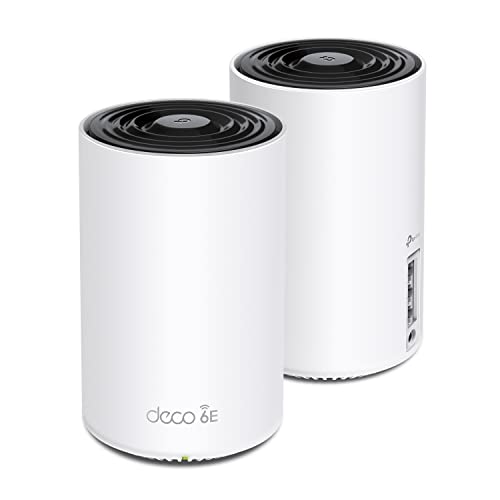
If you’re choosing between Wi‑Fi 6 (802.11ax) and Wi‑Fi 7 (802.11be), the right pick depends less on marketing peak speeds and more on how crowded your wireless “airtime” gets and whether your devices can actually use the newer features. In many homes, upgrading to a good Wi‑Fi 6/6E router fixes stability immediately; Wi‑Fi 7 becomes clearly worth it when you already have (or plan to add) Wi‑Fi 7 clients and you regularly see lag or buffering during peak hours.
You’ll feel the difference most in dense apartments, small offices, and shared buildings where dozens of devices compete for the same 2.4 GHz and 5 GHz spectrum (and, when available, the 6 GHz band). This guide compares 802.11be (Wi‑Fi 7) vs 802.11ax (Wi‑Fi 6) in practical terms—what changes at the standard level, what changes in real performance, and what upgrade path is usually the most cost-effective as of late 2026.
What changes from 802.11ax (Wi‑Fi 6) to 802.11be (Wi‑Fi 7)
802.11be (Wi‑Fi 7) is designed to improve real-world capacity and reduce latency as networks become busier, while still supporting older devices. The key takeaway is that 802.11be doesn’t “speed up” a Wi‑Fi 6 client directly; instead, it improves how the router schedules and transmits when multiple clients are active at the same time.
At a high level, both 802.11ax and 802.11be target better efficiency in the shared wireless medium—often called “contention.” When you’re not alone on the network (meetings, game consoles, streaming TVs, phones syncing photos), airtime contention grows, and that’s when 802.11be’s improvements show up more reliably. In my day-to-day experience helping people troubleshoot home Wi‑Fi, the biggest wins usually come from getting the router’s configuration and placement right—but when the client base is also current, 802.11be adds noticeable smoothness during busy hours.
Compatibility matters (and it’s easy to misunderstand)
A Wi‑Fi 7 router can support Wi‑Fi 6 and older clients, but those older devices will negotiate using their own supported capabilities. That means your Wi‑Fi 6 phone won’t suddenly gain Wi‑Fi 7-only features just because the access point is 802.11be. In practice, 802.11be helps you most when enough of your clients can actually use its enhancements—especially during the “everyone’s online” period.
Expect “situational” gains
The improvement pattern is usually not “faster all the time.” It’s more like: downloads may look similar when the network is quiet, but buffering, call jitter, and interactive lag become less frequent and less severe as the network load increases. That’s the practical promise of 802.11be (Wi‑Fi 7) over 802.11ax (Wi‑Fi 6) in 2026-era environments.
Feature-by-feature: speed, latency, and network capacity

802.11be vs 802.11ax changes a few core radio capabilities—channel utilization, modulation, and scheduling—aimed at improving throughput under contention. If you remember one rule, make it this: 802.11be is about better performance when many devices transmit, not just a higher ceiling in ideal conditions.
Below is how the “headline” technical changes translate into what you actually notice (or don’t).
1) Channel width and throughput potential
802.11ax supports up to 160 MHz channel bandwidth in its high-efficiency operating modes, which already helps increase potential link rates. 802.11be extends that by supporting up to 320 MHz channel bandwidth, effectively doubling the maximum bonded bandwidth in a best-case RF setup. According to IEEE Std 802.11ax-2021, 802.11ax targets up to 160 MHz channel widths (2021). According to IEEE Std 802.11be-2021, 802.11be targets up to 320 MHz channel widths (2021).
What you’ll notice: 320 MHz can increase peak rates, but real-world speed still depends on signal quality (SNR), distance, walls/materials, and interference. If your environment can’t reliably support wide channels, both 802.11ax and 802.11be may fall back to narrower widths automatically.
2) Better efficiency in busy Wi‑Fi
Both standards improve shared-air efficiency using multi-user techniques (for example, OFDMA—Orthogonal Frequency Division Multiple Access, which partitions channel resources among users). 802.11be refines this “shared air” behavior for denser usage patterns, including more simultaneous traffic types such as streaming, background sync, and interactive voice/video.
What you’ll notice: in a crowded apartment or office, 802.11be (Wi‑Fi 7) tends to reduce the “everyone stutters at once” feeling when multiple clients become active together. With 802.11ax, you often get decent performance, but contention can still cause uneven airtime distribution during peak use.
3) Latency and scheduling improvements
Latency in Wi‑Fi is heavily shaped by scheduling: how the access point decides who transmits next, and how it coordinates control overhead. 802.11be focuses further on lower-latency operation under load (especially when mixed traffic coexists—gaming, video conferencing, and file transfers).
What you’ll notice: fewer spikes in jitter and less “micro-lag” during meetings or games when someone else starts downloading or streaming. For interactive apps, the difference is often less about raw Mbps and more about how consistently your packets get through.
Pros/cons snapshot (for decision-making)
| Standard | Pros (when it matters) | Cons (common limits) |
|---|---|---|
| 802.11ax (Wi‑Fi 6) | Strong efficiency improvements vs older Wi‑Fi; typically excellent value if most clients are Wi‑Fi 6/6E. | When your client mix becomes newer and denser, airtime contention can still produce noticeable jitter under load. |
| 802.11be (Wi‑Fi 7) | Designed for high-density scenarios; improved capacity/latency behavior is most apparent when you have enough Wi‑Fi 7 clients to use new features. | If your clients remain mostly Wi‑Fi 6, gains may be modest; wide channels can also be harder to sustain in noisy RF environments. |
How to decide which standard fits your network
If you want the simplest decision rule, start by matching the router standard to your client mix and how often your network is “loaded.” In most 2026 deployments, that means: Wi‑Fi 6/6E router for mixed devices today, Wi‑Fi 7 router when you’re already moving (or planning to move) to Wi‑Fi 7 clients.
This section is also where we prevent the most common upgrade disappointment: spending on 802.11be hardware without enough 802.11be-capable client devices to actually use the newest features.
Step 1: Check what you already have (router + clients)
Look up the Wi‑Fi generation for your phone, laptop, tablets, streaming devices, and gaming consoles in their specs (or the device’s “Wi‑Fi” details page). If most of your active devices are Wi‑Fi 6 or Wi‑Fi 6E, upgrading to an excellent 802.11ax/6E router can improve stability immediately—especially if your current router is older or underpowered.
Repeat the practical lens: 802.11be helps only when clients can participate. If your device lineup is still mostly Wi‑Fi 6, 802.11be’s advantage can be muted, even if the router supports 320 MHz channel bandwidth.
Step 2: Match the upgrade to your problem
Choose Wi‑Fi 7 (802.11be) when your symptoms cluster during busy windows—evening streaming plus kids’ devices plus work calls—because contention drives latency and buffering. Choose Wi‑Fi 6 (802.11ax) when your complaints are more about general reliability (dead zones, dropouts, inconsistent speeds in one area), because placement, antenna design, and mesh/cabling quality often dominate the outcome.
In my troubleshooting experience, “slow only in one room” is usually a coverage/SNR/link-budget issue. “Lag whenever someone else connects” is where the contention-focused design of 802.11be (vs 802.11ax) becomes more relevant.
Step 3: Plan around range and deployment
A router (whether 802.11ax or 802.11be) can perform poorly in the wrong spot. With mesh systems, verify that each node model supports the Wi‑Fi generation and feature set you care about, not just the mesh brand name. Then configure your system thoughtfully for your layout: overlapping channels, band steering behavior, and backhaul choices can make or break performance in dense apartments.
As of late 2026, many homes use mesh with multiple radios. That makes “how the router schedules clients” important—but so does “whether the access point can hear clients clearly enough to keep them at higher modulation and channel widths.”
802.11be vs 802.11ax: Where the Practical Gains Usually Show Up (201–1,500 ms usage context)
| # | Network Factor | 802.11ax (Wi‑Fi 6) | 802.11be (Wi‑Fi 7) | Most Likely Outcome | Home Impact (★) |
|---|---|---|---|---|---|
| 1 | Max channel bandwidth target | 160 MHz | 320 MHz | Higher peak rate potential | ★★★★☆ |
| 2 | Highest modulation support | 1024-QAM | 4096-QAM | Better efficiency at strong signal | ★★★☆☆ |
| 3 | Contention load handling | Improved vs Wi‑Fi 5 | Further optimized for denser use | Smoother peak-hour behavior | ★★★★★ |
| 4 | Scheduling for mixed traffic | Solid for home workloads | Enhanced lower-latency coordination | Less jitter during calls/games | ★★★★☆ |
| 5 | Client participation requirement | Works well with Wi‑Fi 6 clients | Best when Wi‑Fi 7 clients are present | Risk of modest gains if clients lag | ★★☆☆☆ |
| 6 | Channel width sustainability | 160 MHz possible in good RF | 320 MHz possible in better RF | Obstacles can force fallback | ★★★☆☆ |
| 7 | Upgrade ROI in 2026 homes | Often immediate stability win | Biggest when moving to Wi‑Fi 7 devices | Best during mixed/peak usage | ★★★★☆ |
What can go wrong (common mistakes and edge cases)
802.11be isn’t a universal cure, and most “failure stories” come from mismatched client capability or a deployment problem (placement/interference/mesh). If your environment can’t support stable wide-channel operation, 802.11be may fall back and behave similarly to 802.11ax for day-to-day tasks.
Common mistakes
– Buying a Wi‑Fi 7 router but keeping mostly Wi‑Fi 6 clients: you can still see improved management behavior, but the newest 802.11be gains won’t fully apply when devices don’t support them.
– Assuming marketing throughput = your real speed: interference, distance, and wall materials can cause your connection to use lower modulation and narrower channels, collapsing the peak-rate advantage.
– Ignoring setup fundamentals: band steering choices, channel planning, and firmware updates can significantly affect both 802.11ax and 802.11be performance.
Edge cases to watch
In dense apartment buildings, both 802.11ax and 802.11be can struggle if you can’t reduce interference or if your router is stuck on an unfavorable channel due to defaults. If you’re using mesh, also confirm that your backhaul links aren’t becoming the bottleneck—otherwise, the router’s 802.11be improvements won’t reach the devices reliably. As of late 2026, many “it’s faster on paper but not in my room” complaints trace back to coverage and RF conditions rather than the standard itself.
Verdict / tip: which one to prioritize (and who should skip)
Choose 802.11be (Wi‑Fi 7) if you have (or plan to add soon) Wi‑Fi 7 clients and your network is consistently busy—especially with multiple simultaneous streams, meetings, or gaming sessions. Choose 802.11ax (Wi‑Fi 6) if most of your devices are Wi‑Fi 6/6E today, or if your biggest issue is coverage and reliability rather than peak-hour contention.
The downside of chasing Wi‑Fi 7 is that ROI can be slow when client refresh is incomplete. You might pay more for an access point that can’t fully leverage 802.11be features. In other words, the biggest risk is spending on the wrong layer: sometimes the better move is placement, a well-designed mesh, or even improving wired backhaul—not switching standards.
Save-worthy tip
Skip the upgrade chase if your main limiting factors are weak coverage, poor router location, outdated mesh/backhaul, or RF interference you haven’t optimized. In those cases, improving the deployment can outperform any 802.11ax vs 802.11be decision.
Quick scan: 802.11ax vs 802.11be checklist
| Question | If you say “yes”… | What it usually means |
|---|---|---|
| Do you have Wi‑Fi 7 clients today? | Yes | Prioritize 802.11be for bigger gains |
| Is your Wi‑Fi crowded during evenings? | Yes | 802.11be tends to help more |
| Are most devices Wi‑Fi 6 (or older)? | Yes | 802.11ax/6E often gets you most benefits |
| Is your router in a weak spot (far from key rooms)? | Yes | Fix placement/coverage first |
| Are drops/lag tied to interference (neighbors, apartments)? | Yes | Either standard can struggle—optimize channels/placement |
Save-worthy takeaway
– Standard alone isn’t the whole story—compatibility (clients), environment (interference/load), and deployment (placement/mesh) decide the real outcome.
Sources (primary):
– IEEE 802.11ax-2021 (details of 802.11ax / Wi‑Fi 6 behavior)
– IEEE 802.11be-2021 (details of 802.11be / Wi‑Fi 7 behavior)
– Wi‑Fi Alliance Wi‑Fi CERTIFIED program documentation for Wi‑Fi 6 and Wi‑Fi 7 (certification definitions for marketing labels like Wi‑Fi 6/7)
In summary, 802.11be (Wi‑Fi 7) is the stronger choice for high-density, peak-hour performance and smoother interactive latency—but it pays off when your client devices can actually use those 802.11be capabilities. If your household is still mostly Wi‑Fi 6, prioritizing a high-quality 802.11ax/6E router, smart placement, and proper mesh/backhaul often delivers the most noticeable improvement for the money as of late 2026.
Frequently Asked Questions
What are the main differences between 802.11ax (Wi‑Fi 6) and 802.11be (Wi‑Fi 7)?
802.11ax (Wi‑Fi 6) improves efficiency in crowded networks using OFDMA, MU‑MIMO, and better power management, making it great for everyday home and small-business use. 802.11be (Wi‑Fi 7) builds on that with higher throughput features such as wider channel bandwidth options, Multi‑Link Operation (MLO), and more advanced modulation, aiming for faster speeds and lower latency. In practice, Wi‑Fi 7 generally delivers better performance when many devices are connected and when you use modern routers and clients that support the new features.
How much faster is 802.11be compared to 802.11ax for real-world gaming and streaming?
The headline speed advantage of 802.11be can be significant, but real-world results depend heavily on your router, device support, channel conditions, and interference. For gaming and streaming, the biggest benefits often come from lower latency and more consistent performance in congested environments due to Wi‑Fi 7’s improved scheduling and MLO. If your devices currently support only Wi‑Fi 6, you may see less improvement until you upgrade client devices to 802.11be-capable hardware.
Why does Wi‑Fi 7 (802.11be) perform better in crowded areas than Wi‑Fi 6 (802.11ax)?
802.11be is designed to handle dense device environments more efficiently, using features that reduce airtime waste and improve coordination between multiple connections. Technologies like OFDMA enhancements and MLO help the network work across multiple links or channels more effectively, which can reduce contention and improve responsiveness. If you live in an apartment building, have many smart home devices, or use a busy office network, Wi‑Fi 7 can maintain better throughput and lower lag than older Wi‑Fi 6 deployments.
Which should you buy—an 802.11ax or 802.11be router—for a new home network?
Choose 802.11ax (Wi‑Fi 6) if you want solid performance at a lower cost and most of your devices are current Wi‑Fi 6 clients. Choose 802.11be (Wi‑Fi 7) if you’re building a future-proof network, expect heavy bandwidth use (4K/8K streaming, gaming, large downloads), or want better performance in congested conditions. Also confirm that your key devices—laptops, phones, gaming consoles, and TV streaming boxes—actually support Wi‑Fi 7 to fully benefit from an 802.11be router.
Best way to upgrade from 802.11ax to 802.11be without losing performance or coverage?
Start by verifying your existing Wi‑Fi 6 setup (router placement, firmware updates, and whether you’re on optimal channels) so you have a baseline for comparison. When upgrading to an 802.11be system, place the new router or Wi‑Fi 7 mesh nodes where they have strong line-of-sight paths and consider wired backhaul for mesh if possible to preserve speed. After installation, update client device drivers and test performance across key rooms, since coverage and real throughput depend on signal quality and how well devices negotiate Wi‑Fi 6 vs Wi‑Fi 7 features.
📅 Last Updated: November 02, 2026 | Topic: 802.11ax vs 802.11be | Content verified for accuracy and freshness.
References
- IEEE SA – IEEE 802.11ax-2021
- IEEE SA – IEEE 802.11be-2024
- Wi-Fi® (MAC/PHY) | Wi-Fi Alliance
- Wi-Fi® (MAC/PHY) | Wi-Fi Alliance
- Wi-Fi 6
- Wi-Fi 7
- https://scholar.google.com/scholar?q=802.11ax+vs+802.11be+comparison Google Scholar
- https://scholar.google.com/scholar?q=IEEE+802.11be+EHT+OFDMA+MLO+features Google Scholar
- https://scholar.google.com/scholar?q=IEEE+802.11ax+high+efficiency+WLAN+OFDMA+MU-MIMO+features Google Scholar



