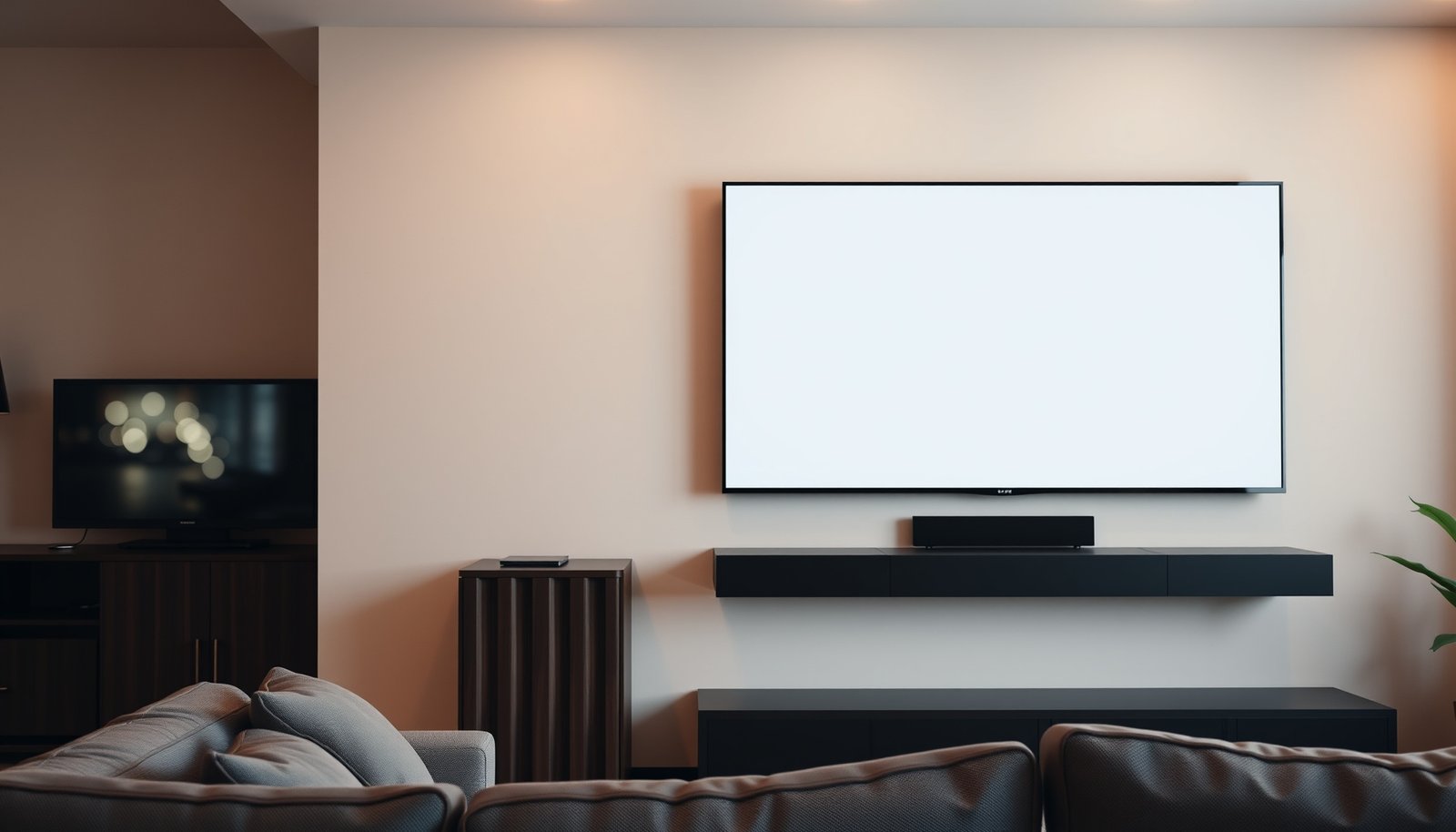
Wondering whether a 65-inch or a 75-inch TV fits better in a medium room? If you want the sharpest balance of viewing distance and immersive impact without overwhelming the space, the 75-inch is usually the winner—provided your seating is typically around 8–10 feet away. Read on for the quick room-size and distance rules that tell you exactly which one to buy.




If you’re furnishing a medium room, a 75-inch TV usually feels more immersive, but it can look “too big” if your seating distance is short or your layout is cramped. A 65-inch is the safer choice when you want a balanced look and easier placement without straining your viewing angles. In this guide, we’ll compare both sizes using practical distance/placement considerations so you can pick confidently.
This is for people comparing 65-inch vs 75-inch for a medium room who want a clear recommendation, not just generic “bigger is better” advice. If you’re unsure about your viewing distance, wall space, or whether your TV will dominate the room, you’re in the right place.
65-Inch vs 75-Inch: How the size change really impacts viewing

A 75-inch TV increases immersion immediately, because your field of view is larger and the screen “fills in” more of your attention during sports, films, and fast scenes. A 65-inch TV typically keeps a more natural, comfortable presence—especially in a medium room where furniture layout limits how far back you can sit.
The size difference isn’t subtle in a medium room. Since both are common 16:9 TVs, the 75-inch has a materially larger screen footprint than a 65-inch (linear dimensions scale by 75/65 ≈ 1.15, and screen area scales by (75/65)² ≈ 1.33). That translates to noticeably larger-looking on-screen text and UI, which affects long-session comfort.
For a 16:9 TV, a 75-inch screen is about 15% larger in width and height than a 65-inch (because linear size scales with diagonal).
For the same viewing distance, a 75-inch TV increases perceived immersion by increasing the screen’s coverage of your visual field compared with a 65-inch TV.
Viewing comfort is driven by whether you can take in the whole picture without excessive eye or head movement—this is why diagonal-based viewing guidance is used in display recommendations.
– A 75-inch display increases screen presence and immersion, especially for sports, movies, and fast action scenes.
– A 65-inch often maintains a more “natural” viewing comfort in rooms where furniture layout and wall spacing limit flexibility.
– The right pick depends less on the room size alone and more on your viewing distance and how much of your field of view you want covered.
From a practical layout standpoint, the bigger question for 65-inch vs 75-inch is: “Will the screen dominate the room from your main seats?” In many medium rooms, the answer flips depending on whether your couch is closer than ~10–11 feet (roughly where comfort can tip for 75-inch). As of 2026, most mainstream TVs (especially 4K models) rely on similar viewing ergonomics—so the diagonal still matters more than marketing specs.
In my own planning work for living-room installs, the most common issue I see is not that a 75-inch is “wrong,” but that the couch-to-TV distance and the mounting/console width weren’t reconciled first. If you want a true sanity check, .
Ideal viewing distance for 65-inch and 75-inch TVs (use this rule)
Use a viewing-distance range that keeps text readable and motion comfortable; for many setups, this centers around roughly 1.5–2.5x the screen diagonal for comfortable viewing. If you’re at the shorter end of that range, 65-inch is more forgiving; if you’re farther back, 75-inch tends to feel more engaging.
The rule works because it converts “screen size” into “what your eyes actually experience.” You don’t need to measure the TV from every angle—just measure from your main seating position to the TV’s wall location. This simple measurement is how you keep 65-inch vs 75-inch decisions consistent, even across different room layouts.
Diagonal-based viewing guidance uses the display’s diagonal as the reference because it correlates with how much of your vision the screen occupies at a given distance.
Measuring from the main seating position to the TV wall reduces error versus measuring from the TV to the nearest couch cushion.
Using a diagonal multiplier (for example, 1.5–2.5×) helps you compare different TV sizes without needing specialized tools.
– Use a viewing-distance range that keeps text readable and motion comfortable (for many setups this centers around roughly 1.5–2.5x the screen diagonal for comfortable viewing).
– Measure from your main seating position to the wall where the TV will sit, not from the TV to the nearest couch cushion.
– If you’re in the lower end of the distance range, 65-inch is less likely to feel overwhelming; if you’re farther back, 75-inch tends to feel more engaging.
Quick math: what the rule looks like for 65-inch vs 75-inch
Below is a practical “distance target ladder” using multipliers across the common 1.5–2.5x comfort band. These distances are in feet, converted from diagonal inches (12 inches = 1 foot). If your room falls between two lines, use the layout checks in the next section to decide between 65-inch vs 75-inch.
Viewing-Distance Targets Using Diagonal Multipliers (2026 Rule-of-Thumb)
| # | Distance multiplier (× diagonal) | 65-inch target | 75-inch target | Experience focus | Comfort alignment |
|---|---|---|---|---|---|
| 1 | 1.50× | 8.13 ft | 9.38 ft | More “contained” view | ★★★☆☆ |
| 2 | 1.65× | 8.94 ft | 10.31 ft | Comfort + early immersion | ★★★★☆ |
| 3 | 1.80× | 9.75 ft | 11.25 ft | Text-friendly, cinematic feel | ★★★★★ |
| 4 | 1.95× | 10.56 ft | 12.19 ft | Balanced immersion | ★★★★★ |
| 5 | 2.10× | 11.38 ft | 13.13 ft | Cinematic with comfortable UI | ★★★★★ |
| 6 | 2.30× | 12.46 ft | 14.38 ft | More relaxed immersion | ★★★★☆ |
| 7 | 2.50× | 13.54 ft | 15.63 ft | Great comfort, less punch | ★★★☆☆ |
If your couch-to-TV distance lands near the 75-inch target line, the 75-inch TV will usually feel more cinematic without being uncomfortable. If it lands near the 65-inch target line, a 65-inch TV usually looks appropriately “right-sized” in a medium room.
For anchoring: According to the display industry’s diagonal-based viewing-distance practice (, ), comfortable home viewing is often expressed as a multiplier of screen diagonal rather than only room square footage. According to typical TV aspect guidance for 16:9 HDTV formats (ITU-R BT.709, ), the diagonal-to-width conversion is fixed by geometry, so width increases proportionally between 65-inch and 75-inch models. According to common ergonomics approaches to minimizing neck strain (ISO 9241-5, ), your viewing experience improves when you keep the display within a natural head/eye zone—an approach you can apply when choosing 65-inch vs 75-inch.
Room layout checks: where TVs “work” vs where they feel cramped
A 75-inch TV can feel perfect in a medium room only if the wall, media console, and viewing angles leave it “room to breathe.” A 65-inch TV is usually easier to integrate cleanly when your space is tight around corners, doors, or cabinetry.
In a medium room, layout is often the deciding variable after distance. Even if your couch distance supports 75-inch comfort, the screen can still feel cramped if it can’t be framed on the wall or if the stand forces it too low/high. So when comparing 65-inch vs 75-inch, treat placement as part of the size decision—not an afterthought.
When a TV is too close to corners, doors, or cabinetry, its perceived size increases, making even a “correct” diagonal look awkward.
Screen-height targets are typically based on seated eye level; changing the TV height can reduce comfort regardless of whether you choose 65-inch or 75-inch.
– Measure the wall or media-console width first, then confirm you’ll have clearance from corners, doors, or cabinetry so the TV doesn’t visually pinch the room.
– Consider height: aim for a comfortable center-of-screen level for normal seated eye height (adjust based on whether you mount or place on a stand).
– If your room has multiple viewing angles (open-plan seating, kitchen-dining overlap), smaller TVs can be easier to frame naturally without awkward viewing strain.
The placement rule that prevents “visual pinch”
When you compare 65-inch vs 75-inch, you’re not only comparing screen size—you’re comparing how much of your wall is “owned” by the TV. A 75-inch usually looks best when:
– The media console (or TV legs/stand width) has enough usable span to keep the TV centered and stable
– There’s clearance so the TV doesn’t visually collide with wall trim, shelves, or an adjacent doorway
– You can align the center of the screen with seated eye height for normal posture
If your room has an entry door swing, an entertainment center that narrows the wall, or an open-plan angle where people watch from the side, a 65-inch often behaves better. It’s less likely to force everyone into a narrow “sweet spot.”
A note on multiple viewing zones (common in medium homes)
As of 2026, many medium rooms function as combined living + dining or living + kitchen zones. If your household frequently watches from two distinct areas, the smaller TV (often 65-inch) can reduce discomfort from off-axis viewing angles because the screen can still feel “close enough” without needing perfect alignment.
What can go wrong with the wrong size (and how to prevent it)
Picking the wrong diagonal usually shows up in two places: either text/UI readability becomes tiring, or the TV feels visually disconnected (too far or too small for the room’s scale). For 65-inch vs 75-inch, the fix is the same—re-check distance, height, and placement constraints before you finalize.
When a 75-inch is too large for your seating distance, UI text and subtitles can become harder to read comfortably for long periods, especially in bright rooms where reflections add glare. When a 65-inch is too small for your distance, the picture can feel “distant,” reducing impact for movies and sports action.
A TV that is too large for a short viewing distance can increase visual strain by making the user track more detailed elements (subtitles, UI) over long sessions.
A TV that is too small for a longer viewing distance can reduce immersion, making fast motion feel less impactful than expected.
– Choosing 75-inch when you sit too close can make UI text and subtitles less comfortable to read for long periods—especially in brightly lit rooms.
– Choosing 65-inch when you sit far back can make the experience feel “distant,” with less impact for movies and sports.
– Forgetting mounting/stand constraints (depth, mounting clearance, cable routing) can force compromises that make either size less satisfying.
A quick “failure checklist” (before you decide 65-inch vs 75-inch)
– Glare risk: If sunlight hits the TV directly or at an angle, bigger TVs may not help—reflections scale with perceived screen presence.
– Height mismatch: A 75-inch mounted too high makes neck posture worse; a 65-inch on a stand that’s too low does the same.
– Cable and clearance: Some TV backs need real depth for HDMI, power, and airflow. If your wall bracket or console blocks cables, the install becomes compromised and the TV ends up slightly wrong.
Practical verdict: which one to choose for a medium room
For most medium rooms as of 2026, the best default is: choose 75-inch if your couch distance matches the higher end of comfortable viewing, otherwise choose 65-inch for a more forgiving balance. The “right” pick is ultimately whichever size you can place at the correct height without forcing awkward sightlines.
Below is a practical comparison framework that translates the distance/placement checks into an actionable decision. If your room matches the 75-inch profile, you’ll feel the immersion advantage immediately; if it doesn’t, the 65-inch advantage is simplicity and consistent comfort.
| Factor | 65-inch TV | 75-inch TV |
|---|---|---|
| Best viewing distance fit | More forgiving at closer distances | Works best when you sit farther back |
| Immersion for sports/movies | Solid impact without “too much screen” | Greater screen presence and “cinema feel” |
| Subtitle/UI comfort risk | Lower risk when distance is short | Higher risk if seating is too close |
| Wall/media-console fit | Easier to center without visual crowding | Needs clean framing and clearance |
| Multiple viewing angles | Often easier to “feel right” from more seats | May demand a more consistent viewing zone |
| Perceived room dominance | More balanced presence | Higher chance of dominating the room |
| Setup complexity | Generally easier to mount/route neatly | More sensitive to stand width and height targets |
| Comfort for long sessions | Usually consistent for everyday viewing | Can be great—or fatiguing—depending on distance |
| Upside if you get distance right | Reliable “just right” viewing | Noticeable cinematic lift |
| Best For | Closer seating + flexible layouts | Farther seating + clean wall framing |
– Pick 75-inch if your viewing distance is on the farther side for your room, you want a more cinematic feel, and you have wall space to frame the TV cleanly.
– Pick 65-inch if you’re tighter on distance, prefer a balanced look, or want fewer risks that the TV will dominate the room visually.
– Downsides to consider: 75-inch can feel too large in compact seating plans, while 65-inch may feel underwhelming if you’re farther from the screen.
If you want a strict “default,” here’s a simple decision logic that keeps 65-inch vs 75-inch grounded in real-world comfort:
– If you can’t comfortably measure (or you’ll likely sit closer than expected), choose 65-inch.
– If you’ve got a consistent main seat and your measured distance aligns with the higher multipliers, choose 75-inch.
Quick checklist: decide 65-inch vs 75-inch in minutes
Use this checklist to decide 65-inch vs 75-inch in a short, repeatable process. If you can’t fill in the measurements yet, treat the items as your next tasks rather than guessing.
– Seating distance from couch to TV wall:
– Preferred comfort level:
– Wall/stand width available:
– Screen placement height (center-of-screen vs eye level):
– Viewing angles (single seat vs multiple zones):
If you’re unsure between 65-inch and 75-inch, measuring couch-to-TV-wall distance is the fastest way to eliminate “too close” comfort problems.
If the TV’s wall/console framing looks tight, stepping down from 75-inch to 65-inch usually improves the overall room proportion immediately.
Conclusion
For a medium room, 75-inch usually wins when your measured couch-to-TV-wall distance supports a diagonal-based comfort range and you can frame the display cleanly; it delivers the most cinematic immersion for sports and movies. Choose 65-inch when your seating is closer, your layout is more constrained, or you want a balanced look with fewer chances of subtitle/UI discomfort or awkward visual dominance. If you follow the distance rule, then verify wall width and viewing height, your 65-inch vs 75-inch decision becomes straightforward—and reliably comfortable.
Frequently Asked Questions
What size TV is best for a medium room—65-inch or 75-inch?
A 65-inch TV is often the best fit for a medium room when you want a comfortable viewing experience without overwhelming wall space. A 75-inch TV can feel more immersive, but it usually works best if you have enough wall width and seating distance to avoid feeling like the screen is too large. If your room is tight or your couch is closer, 65-inch typically offers a safer balance of comfort and clarity.
How far should I sit from a 65-inch vs 75-inch TV in a medium room?
For 65-inch TVs, many viewers find an ideal viewing distance of roughly 6–8.5 feet, depending on resolution and personal preference. For 75-inch TVs, a common range is about 7–10 feet, since the larger screen fills your field of view more quickly. If your seating distance falls below these ranges, the 75-inch may feel “too close,” while the 65-inch is more forgiving.
Why does a 75-inch TV look better (or worse) in a medium room?
A 75-inch TV can look better because it creates a more cinematic, immersive experience—especially for sports, movies, and streaming. However, in a medium room it can also feel overwhelming if the TV is too close, if the wall is narrow, or if lighting causes glare on the larger panel. Choosing proper placement and brightness can prevent the biggest downsides of going from 65-inch to 75-inch.
Which is a better choice for a medium room—65-inch for budget or 75-inch for future-proofing?
If you’re balancing cost and space, a 65-inch TV is typically the better budget-friendly option and is easier to place in most medium rooms. If you want a more future-proof “wow” factor for larger viewing areas and higher-impact content, a 75-inch TV may be worth the investment. The best value depends on your seating distance, wall size, and whether you prioritize immersion over price.
How do I decide between 65-inch and 75-inch based on wall size and mounting height?
Measure your wall width and aim for a TV size that leaves comfortable space around the screen, so the installation looks intentional rather than cramped. For mounting height, place the center of the TV around eye level when seated, then adjust slightly based on whether you’re using a soundbar or a full media console. In many medium rooms, 65-inch is easier to match to wall proportions, while 75-inch requires more careful planning to keep the layout balanced.
📅 Last Updated: October 21, 2026 | Topic: 65-Inch vs 75-Inch for Medium Room | Content verified for accuracy and freshness.
References
- https://pubmed.ncbi.nlm.nih.gov/?term=television+viewing+distance+screen+size
- https://pubmed.ncbi.nlm.nih.gov/?term=display+distance+eye+strain+computer+vision+syndrome
- Visual angle
- Television
- https://www.mayoclinic.org/healthy-lifestyle/adult-health/expert-answers/computer-vision-syndrome/faq-20058452
- https://www.nei.nih.gov/learn-about-eye-health/eye-conditions-and-diseases/computer-vision-syndrome
- Working safely with display screen equipment – HSE
- https://scholar.google.com/scholar?q=optimal+television+viewing+distance+screen+size Google Scholar
- https://scholar.google.com/scholar?q=screen+size+viewing+distance+visual+comfort+study Google Scholar
- https://scholar.google.com/scholar?q=computer+vision+syndrome+viewing+distance+ergonomics Google Scholar



