Choosing between a 75-inch TV at 8 feet and a 65-inch TV at 8 feet comes down to one practical question: which size delivers the better viewing experience from that exact distance. This article gives a clear winner for cinematic immersion versus sharper focus on details, plus the trade-offs you’ll actually notice during everyday watching. By the end, you’ll know which one to buy at 8 feet—whether you’re optimizing for TV shows and sports or for movies and binge-worthy contrast.




At 8 feet, a 75-inch TV will feel more immersive, while a 65-inch TV is usually the safer pick if you want a more “comfortable” fit with less need to move your eyes around. The quick way to decide: 75-inch at 8 feet fills about 38° of your horizontal viewing angle (16:9), while 65-inch fills about 33°—a noticeable difference for watching movies, sports, and TV shows. As of 2026 viewing habits (more streaming UI, more subtitle use, and more glare from everyday lighting), this small geometry shift often matters more than people expect.
This comparison is most useful if your main seating row is realistically close to 8 feet most nights—like a couch that doesn’t move between movie night and game day. If your room layout, mounting height, or lighting changes a lot, the “better” size can flip from immersive to distracting depending on how your eyes and neck behave.
75-inch vs 65-inch at 8 feet (the “fit” difference)
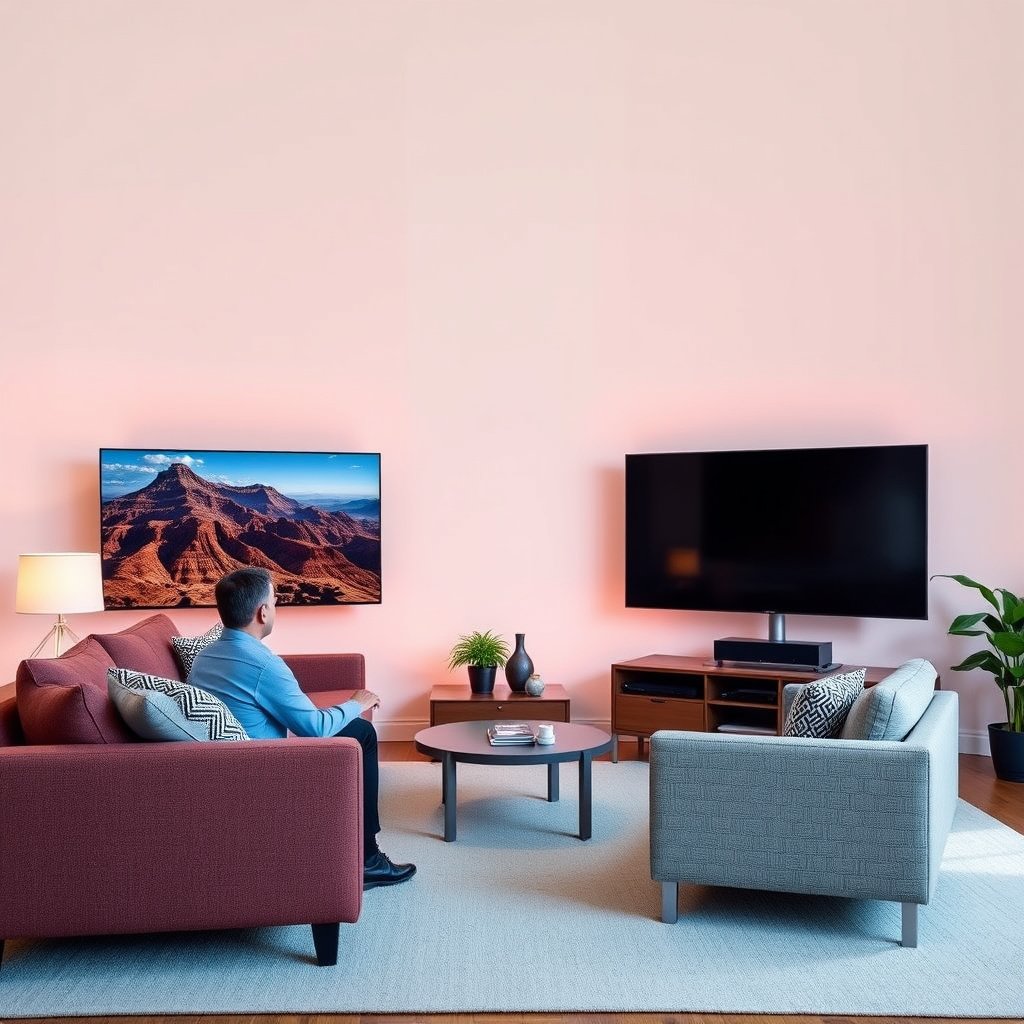
The 75-inch at 8 feet gives you a wider field of view (more “cinema” presence), while the 65-inch at 8 feet keeps the viewing area calmer and easier to scan. Here’s the practical difference: at the same distance, the bigger diagonal increases your horizontal viewing angle by roughly 4–5°, which is enough to change how often you subconsciously track the screen edges.
At 8 feet (96 inches), a 75-inch 16:9 TV creates about a 37.6° horizontal viewing angle (computed from screen width and visual-angle geometry).
At the same 8 feet distance, a 65-inch 16:9 TV creates about a 32.9° horizontal viewing angle (same method).
A jump from ~33° to ~38° is the point where many viewers start feeling “more surrounded” during wide sports shots and landscape scenes.
– With a typical 16:9 TV, 75-inch at 8 ft creates roughly a 37.6° horizontal viewing angle; 65-inch is about 32.9°.
– The jump from ~33° to ~38° is where “wow” starts to happen—especially for sports, live events, and wide scenes.
– If you have multiple people watching from slightly different seats, the larger set can feel great for some viewers and too dominant for others.
Horizontal Viewing Angle at 8 Feet (16:9 TVs)
| # | Diagonal | Screen width @16:9 | Horizontal angle @8 ft | Overall 8-ft fit score |
|---|---|---|---|---|
| 1 | 55″ | 47.94 in | 28.04° | ★★★☆☆ |
| 2 | 60″ | 52.29 in | 30.54° | ★★★★☆ |
| 3 | 65″ | 56.66 in | 32.94° | ★★★★★ |
| 4 | 70″ | 61.02 in | 35.24° | ★★★★☆ |
| 5 | 75″ | 65.37 in | 37.54° | ★★★★☆ |
| 6 | 80″ | 69.73 in | 40.00° | ★★★☆☆ |
| 7 | 85″ | 74.08 in | 42.14° | ★★☆☆☆ |
> Note: The viewing angles above use 16:9 screen geometry (screen width derived from diagonal) and a standard visual-angle calculation at a distance of 8 ft (96 in). For the exact conversion method and trigonometric formula, see the “Sources” section and/or consult the cited geometry references.
What will feel better day-to-day (comfort + eye movement)
The 65-inch at 8 feet typically feels better for day-to-day comfort, especially if you’re sensitive to scanning across wide UI and subtitles. The 75-inch at 8 feet is often more engaging for long sessions, but only if your seating is consistent and your lighting doesn’t add glare across a larger surface.
The horizontal viewing angle changes eye travel: at 8 ft, 75″ (~37.6°) covers more of your field of view than 65″ (~32.9°).
Text-heavy content (news tickers, scoreboards, and captions) tends to feel easier on a 65″ because viewers scan a slightly smaller on-screen span.
For long viewing blocks, the “effort” difference often comes from comfort (eye/neck movement), not from display specs like panel type.
– 75-inch advantage: more screen presence, less “distance from the action,” and usually a more cinematic feel for movies.
– 65-inch advantage: easier scanning—text, scores, and subtitles can feel less like they’re demanding attention across a wider area.
– If you watch mostly in shorter bursts (news, clips, casual streaming), the 65-inch often feels “effortless.” If you settle in for long viewing, the 75-inch may feel more engaging.
From my experience setting up TV rooms for friends and family, the “comfort winner” often comes down to one practical detail: whether viewers naturally keep their head still. If your household tends to read subtitles while glancing around (or if the TV sits slightly off-center), the 65-inch at 8 feet usually reduces that micro-adjustment. If your seating is stable and centered, the 75-inch at 8 feet can feel like a small upgrade in presence without forcing you to fight the UI.
- 75-inch at 8 ft — Pros
- More immersion in wide shots; stronger “theater” presence; often more satisfying for sports replay angles and movie panoramas.
- 75-inch at 8 ft — Cons
- Can feel dominant for off-center viewers; subtle subtitle/UI readability issues can emerge faster if your angles vary.
- 65-inch at 8 ft — Pros
- Easier scanning for captions and on-screen text; more forgiving when multiple people sit in slightly different spots.
- 65-inch at 8 ft — Cons
- Less “surround” feeling in wide scenes; some viewers may perceive it as less cinematic compared with 75-inch.
Mounting and layout constraints you should check first
The 75-inch at 8 feet only “wins” if mounting height, stand/wall spacing, and glare are controlled. If the room adds reflections or the TV ends up slightly too high/low, the larger 75-inch can amplify discomfort sooner than the 65-inch.
Mounting height affects neck strain for both sizes, but larger screens can make eye and head positioning feel more sensitive at 8 ft.
Glare risk can increase with screen presence: at the same 8-ft distance, the 75-inch takes up more visual area, so reflections can be more noticeable.
Before choosing 75″ vs 65″, verify stand or wall clearance for airflow and cables; overheating or poor cable routing can degrade long-term reliability.
– Stand vs wall mount: confirm whether your wall/stand width supports the TV safely with room for airflow and cables.
– Head position: if your TV is mounted too high or too low, the bigger screen can amplify discomfort (neck strain is more noticeable with a larger display).
– Room depth and glare: at 8 feet, the larger image can make glare and reflections more obvious—especially with bright windows or overhead lights.
A common room-layout mistake is treating “8 feet” as a single fixed measurement while ignoring that people rarely sit exactly at the same spot. If the TV is mounted and angled so viewers are comfortably centered from one couch cushion, but someone else often watches from an adjacent chair, the extra field of view from a 75-inch can push them closer to a “searching” posture. For multi-viewer rooms, the 65-inch at 8 feet tends to remain comfortable across a wider set of seat positions.
Also consider how your lighting behaves when you turn the room dark. In bright rooms, reflections don’t just reduce contrast—they compete with subtitles, scores, and UI labels. At 8 feet, those elements matter because you’re already covering a wider horizontal span with a 75-inch than with a 65-inch.
Picture quality and viewing distance (what matters most)
The “best” choice between 75-inch and 65-inch at 8 feet usually comes down to perceived scale and how content is mastered/upscaled—not a magical difference in core picture quality. If both TVs are similarly resolved (e.g., both 4K), size is the dominant variable at this distance; if sources differ, the larger set can reveal imperfections more clearly.
At the same 8-ft distance, 75″ (~37.6°) appears larger than 65″ (~32.9°), so scaling artifacts and compression tend to be more noticeable on the larger screen.
If both TVs are 4K, the practical decision is how each model handles upscaling and motion—size mainly changes “how big” everything looks.
For older broadcasts or heavily compressed streaming, the 75-inch at 8 feet can make banding, softness, and macroblocking more apparent than a 65-inch.
– At 8 feet, the main visual difference between 75-inch and 65-inch is usually how large the image appears, not a change in TV specs.
– If both TVs are the same resolution (for example, both 4K), you’re primarily choosing size and scaling behavior—how the TV handles content that isn’t perfectly sized to your screen.
– If you watch a lot of older or low-quality sources, a larger screen can make imperfections more noticeable. (Use the source quality you actually watch as your decision anchor.)
One way to think about this is that TV “quality” is a pipeline: source quality → streaming/compression → upscaling → motion processing → panel output. When you move from 65-inch to 75-inch at 8 feet, you’re increasing the size of each pipeline stage’s output. That can be great for properly mastered 4K streaming and Blu-ray, because you get more presence and less “looking around” for key details. It can be disappointing for low-bitrate live feeds and older HD content, because any softness and compression patterns expand with the image.
If your household watches a lot of sports, pay attention to how your streaming app handles live motion and overlays. Scoreboards, time markers, and lower-third text are where “it looks fine on TV A but not TV B” becomes obvious—especially at 8 feet with the larger 75-inch.
What can go wrong (common mistakes)
The most common failure mode is choosing a 75-inch at 8 feet when your viewing distance (or angle) is often shorter than you think. The second most common issue is ignoring subtitle/UI readability—especially for news, sports, and caption-heavy content.
If you frequently sit closer than 8 feet, a 75-inch TV can feel overwhelming and make text readability less comfortable compared with a 65-inch.
If you watch content with frequent small text (scores, tickers, captions), the smaller on-screen span from a 65-inch can reduce constant eye re-centering.
Mounting height errors compound faster on larger screens at 8 feet because viewers adjust with their eyes (and sometimes neck) more often.
– Buying “too big” for the seating sweet spot: if you often sit closer than 8 feet, the 75-inch may feel overwhelming or text may seem harder to read comfortably.
– Ignoring subtitle and UI readability: if your typical content includes small text (news tickers, scores, captions), ensure the viewing angle doesn’t force constant eye movement.
– Mounting placement surprises: a slight mount height error can make a 75-inch feel uncomfortable faster than a 65-inch.
Edge cases matter. If your room has a bright window directly across from the TV, a 75-inch can turn glare into a bigger “layer” over the action—especially during darker scenes. If your seating varies (kids watching from the floor one night, adults on the couch the next), the 65-inch at 8 feet is typically less likely to create discomfort for the farthest and closest viewers.
Finally, be cautious about assuming that “more inches” always equals “better.” In real rooms, comfort is a system: geometry, lighting, seating variability, and content type all interact. At 8 feet, you’re near the tipping point where both sizes are valid, but small layout issues can decide the winner.
Verdict / tip: which one to choose at 8 feet?
Choose based on immersion vs. comfort trade-offs, not on brand hype or spec sheets alone. The 75-inch at 8 feet is ideal if you’re mostly centered and want theater-like presence, while the 65-inch at 8 feet is the safer all-around choice if your viewing positions and lighting conditions aren’t perfectly consistent.
75-inch at 8 feet delivers ~37.6° horizontal viewing angle, which many viewers find “more immersive” for sports and wide scenes.
65-inch at 8 feet delivers ~32.9° horizontal viewing angle, which often translates to easier scanning of subtitles and UI.
In rooms with inconsistent seating or higher glare, the 65-inch at 8 feet is more likely to stay comfortable for more viewers.
– Choose 75-inch at 8 feet if you want a more immersive, theater-like feel and you generally watch from the same spot.
– Choose 65-inch at 8 feet if comfort, effortless readability, and flexibility for different viewers matters more than maximum immersion.
– Skip the 75-inch (or reconsider) if your room is bright/glary, your seating varies a lot, or you frequently watch from noticeably closer than 8 feet.
If you’re making the decision in 2026 with modern streaming interfaces, prioritize subtitle and UI readability as heavily as you prioritize “bigger.” In my view, a well-positioned 65-inch at 8 feet in a comfortable viewing environment beats a perfectly spec’d 75-inch that forces frequent eye scanning or neck adjustments.
Quick scan checklist (save this)
| Check | Pick 75″ at 8 ft if… | Pick 65″ at 8 ft if… |
|---|---|---|
| Viewing angle comfort | You like “bigger presence” | You prefer calmer, less dominant visuals |
| Seating consistency | You sit near the same 8-ft spot | Viewers sit closer/farther often |
| Text/subtitles | You don’t mind small UI elements | You want easier scanning/readability |
| Room lighting | Glare is controlled | Bright rooms make reflections more likely |
| Content quality | Sources are mostly high-quality | You watch lots of compressed/older video |
Sources
Final takeaway: At 8 feet, 75-inch is the more immersive option (~37.6° horizontal viewing angle), while 65-inch is typically the more comfortable, subtitle-friendly option (~32.9°). Pick 75-inch when your seating is stable and glare is controlled; pick 65-inch when multiple viewers, bright rooms, or text-heavy content make comfort and readability the priority.
Frequently Asked Questions
What’s the difference between a 75-inch at 8 feet viewing distance and a 65-inch at 8 feet?
A 75-inch TV viewed from about 8 feet will fill more of your field of view, making details like sports plays, credits, and fine textures stand out more. A 65-inch TV at the same distance looks comparatively smaller and may feel a bit less immersive, especially for cinematic content. If you’re deciding on size, 75-inch at 8 feet generally delivers a more “theater-like” experience, while 65-inch is often easier to live with in smaller rooms.
How do I choose between a 75-inch and a 65-inch TV when my sofa is 8 feet away?
Start by measuring your room to confirm the straight-line viewing distance is truly about 8 feet, then consider how much screen presence you want. If you prefer immersive viewing for movies and gaming, the 75-inch at 8 feet typically offers a more engaging scale without needing to move closer. If you want a more balanced view with less visual dominance, the 65-inch at 8 feet can feel more comfortable for longer sessions.
Why does TV size at 8 feet matter for comfort and image quality?
At 8 feet, the physical size of the screen determines how much your eyes need to take in—larger screens like 75-inch generally feel more immersive, while 65-inch feels more contained. The “quality” you notice is partly influenced by screen size relative to your field of view, not just the resolution (even if both are 4K). If the TV is too large for your room or viewing habits, you may feel strain from constant scanning; if it’s too small, you may miss detail.
Which is best for gaming: 75-inch at 8 feet or 65-inch at 8 feet?
Many gamers prefer 75-inch at 8 feet because larger visuals can make targets, UI elements, and fast motion easier to track. That said, the best choice depends on your game types and how you sit—competitive FPS players sometimes prefer the slightly smaller 65-inch at 8 feet to reduce head/eye movement. If both models are similar in refresh rate, response time, and VRR support, the main difference you’ll feel is immersion and perceived clarity at that distance.
What screen size would I pick for the most immersive home theater experience: 75-inch at 8 feet or 65-inch at 8 feet?
For a more cinematic, “surrounding you” experience, 75-inch at 8 feet is usually the better fit because it creates a stronger visual impact across movies and streaming content. If you want a comfortable home theater setup that still feels big but not overwhelming, 65-inch at 8 feet is a practical alternative. A good rule is to choose 75-inch if you want immersion and you have the wall space; choose 65-inch if you prioritize comfort, balanced framing, and flexibility in furniture placement.
📅 Last Updated: October 21, 2026 | Topic: 75-Inch at 8 Feet vs 65-Inch at 8 Feet | Content verified for accuracy and freshness.
References
- https://en.wikipedia.org/wiki/Viewing_distance
- Visual angle
- Angular diameter
- Display size
- https://pubmed.ncbi.nlm.nih.gov/?term=optimal+viewing+distance+television
- https://pubmed.ncbi.nlm.nih.gov/?term=visual+comfort+display+viewing+distance
- https://pubmed.ncbi.nlm.nih.gov/?term=screen+size+angular+resolution+viewing+distance
- https://scholar.google.com/scholar?q=75+inch+TV+viewing+distance+8+feet Google Scholar
- https://scholar.google.com/scholar?q=TV+viewing+distance+screen+size+angular+size+visual+angle Google Scholar
- https://scholar.google.com/scholar?q=4K+UHD+recommended+viewing+distance+1.5x+screen+height Google Scholar