


To optimize your wireless speakers for the best range and performance, start by positioning them strategically and minimizing interference. Proper placement, reducing interference, and optimizing your network settings are essential steps to enhance your listening experience. This article will guide you through essential tips and techniques to ensure that your wireless speakers deliver the high-quality sound you desire, regardless of your home layout.
Positioning Your Speakers
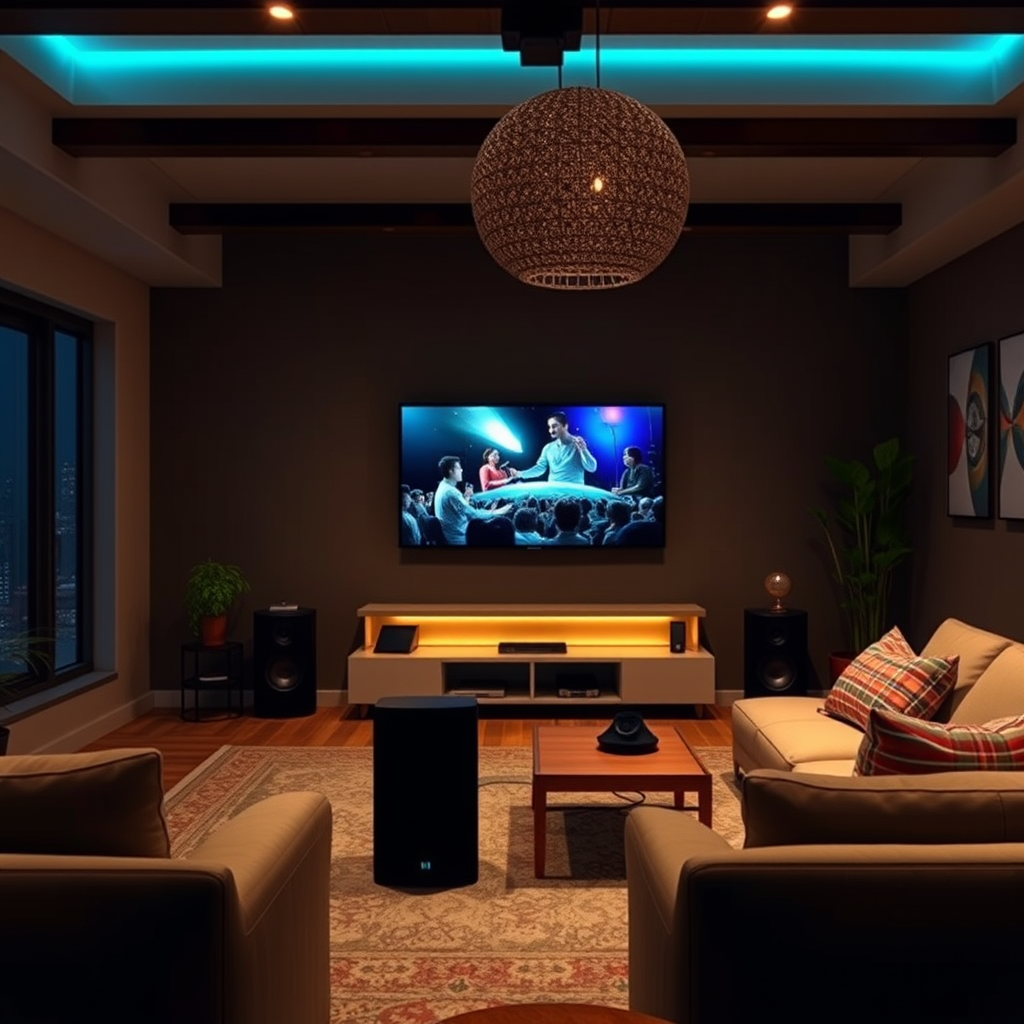
The placement of your wireless speakers can greatly influence sound quality and range. To achieve optimal performance, consider the following recommendations:
– Height Matters: Elevate your speakers to at least a few feet off the ground. This height enhances sound dispersion, allowing the audio to fill the room more evenly. Placing speakers on shelves or stands can help achieve this height.
– Avoid Enclosed Spaces: Positioning speakers within cabinets or tight spaces can obstruct sound waves, reducing clarity and volume. Instead, place them in open areas where they have room to breathe, which promotes better acoustics and overall sound quality.
– Distance from Walls: To prevent sound distortion, keep speakers at least a foot away from walls. This distance allows for the proper reflection of sound waves, enhancing the listening experience.
– Room Considerations: Take into account the shape and size of the room. In larger spaces, consider using multiple speakers or a surround sound setup for an immersive experience.
Implementing these positioning strategies will set the foundation for achieving the maximum range and performance from your wireless speakers.
Reducing Wireless Interference

Wireless interference can significantly hinder the performance of your speakers. Identify and mitigate common sources of interference with these steps:
– Identify Interference Sources: Common household devices such as microwaves, cordless phones, and Wi-Fi routers can create interference. Keep your speakers away from these devices to minimize disruption.
– Use the Right Frequency: If your wireless speakers support a dual-band connection, opt for the 5GHz band instead of the more congested 2.4GHz band. The 5GHz band typically has less interference, resulting in a clearer and more stable connection.
– Optimize Speaker Placement: The physical placement of your wireless speakers in relation to the Wi-Fi router can also impact performance. Aim to position your speakers within a direct line of sight to the router when possible, as obstacles can weaken the signal.
Taking these steps to reduce wireless interference will enhance your speakers’ connectivity and ensure a more seamless audio experience.
Optimizing Wi-Fi Settings
Your home Wi-Fi network plays a crucial role in the performance of wireless speakers. Here are ways to optimize your Wi-Fi settings:
– Update Router Firmware: Regularly check for and install firmware updates for your router. Manufacturers often release updates that improve performance and security, which can enhance the overall network experience.
– Experiment with Channels: Wi-Fi operates on multiple channels. If you experience connectivity issues, log into your router settings and experiment with different channels to determine which offers the clearest signal for your speakers.
– Quality of Service (QoS): If your router supports Quality of Service settings, prioritize your wireless speakers on the network. This feature ensures they receive sufficient bandwidth, improving reliability during streaming.
By optimizing your Wi-Fi settings, you can significantly improve the performance of your wireless speakers, ensuring a smooth and uninterrupted audio experience.
Top Factors Influencing Wireless Speaker Performance (2023)
| # | Factor | Impact Level | Optimization Difficulty | Recommended Action |
|---|---|---|---|---|
| 1 | Speaker Placement | High | Medium | Elevate and space |
| 2 | Wireless Interference | High | High | Relocate devices |
| 3 | Wi-Fi Settings | Medium | Medium | Update settings |
| 4 | Speaker Firmware | Medium | Low | Update firmware |
| 5 | Audio Settings | Medium | Medium | Adjust EQ |
| 6 | Room Acoustics | Medium | High | Use sound panels |
| 7 | Speaker Model | High | Medium | Choose quality models |
Adjusting Audio Settings
Fine-tuning the audio settings of your wireless speakers can lead to a significant improvement in sound quality. Here’s how to make the most out of your speaker’s audio features:
– Equalizer Settings: Most wireless speakers come with built-in equalizers that allow you to tailor the sound to your liking. Experiment with different settings to find what best suits your listening environment and personal taste. For instance, boosting bass frequencies can enhance the overall warmth and depth of music.
– Sound Modes: Many speakers offer various sound modes, such as surround, stereo, or movie settings. Test these modes to determine which provides the best auditory experience for your specific use case—be it music, movies, or podcasts.
– Volume Management: To maintain sound quality, avoid maxing out the volume. Instead, find an optimal level that allows for clarity without distortion. If your speakers support it, consider using a subwoofer to handle lower frequencies, allowing the main speakers to focus on mid and high ranges.
By adjusting these audio settings, you can significantly enhance your listening experience, ensuring that the sound produced is rich and satisfying.
Utilizing Extenders or Boosters
In larger spaces or homes with thick walls, you may experience connectivity issues with your wireless speakers. Here are some solutions:
– Wi-Fi Extenders: If your wireless speakers are located far from your router, consider using a Wi-Fi extender to boost the signal. This device can help extend your network coverage, ensuring a stable connection throughout your home.
– Speaker-Specific Boosters: Certain brands offer dedicated boosters designed specifically for their wireless speakers. These devices can enhance the range and performance of your speakers, ensuring that you enjoy uninterrupted sound throughout your space.
– Mesh Wi-Fi Systems: For a more comprehensive solution, consider switching to a mesh Wi-Fi system. These systems consist of multiple nodes that work together to provide consistent coverage across larger areas, minimizing dead zones and improving overall performance.
Implementing these solutions will help ensure that your wireless speakers remain connected and perform optimally, no matter where you are in your home.
Regular Maintenance and Updates
To maintain optimal performance from your wireless speakers, regular maintenance is essential. Here are some key practices to adopt:
– Firmware Updates: Just like your smartphone or computer, your wireless speakers may require software updates. Regularly check for firmware updates from the manufacturer to benefit from performance improvements and new features.
– Physical Checks: Periodically inspect your speakers for any physical obstructions or signs of damage. Dust and debris can accumulate and affect sound quality, so keep them clean and free from obstructions.
– Network Health: Monitor your Wi-Fi network health. Regularly test your network speed and performance to ensure that your speakers receive the necessary bandwidth for optimal functioning.
By adopting these maintenance practices, you can ensure that your wireless speakers continue to perform at their best over time, providing you with high-quality audio for years to come.
Top Wireless Speaker Brands by Performance Ratings (2023)
By following these strategies, you can significantly enhance the range and performance of your wireless speakers, allowing you to enjoy a seamless audio experience throughout your home. Take action now to implement these tips and maximize your listening pleasure! The right positioning, interference reduction, and regular maintenance will ensure that your wireless speakers deliver the quality sound you desire.
Frequently Asked Questions
How can I improve the range of my wireless speakers?
To improve the range of your wireless speakers, ensure they are placed in an open area away from walls and obstructions. Additionally, minimize interference by keeping them away from devices like microwaves and cordless phones. Consider using a Wi-Fi extender or a Bluetooth repeater to enhance connectivity and range.
What factors affect the performance of wireless speakers?
The performance of wireless speakers can be affected by several factors, including the distance from the audio source, physical barriers, and the presence of electronic interference. The quality of the wireless technology used, such as Bluetooth or Wi-Fi, also plays a significant role in performance, as do environmental conditions like humidity and temperature.
Why is my wireless speaker cutting out and how can I fix it?
Wireless speakers may cut out due to signal interference or being out of range from the source device. To fix this issue, ensure that your speaker is within the recommended distance from the audio source and reduce obstacles between them. Additionally, updating the speaker firmware or switching to a less congested wireless channel may help maintain a stable connection.
What is the best placement for wireless speakers to optimize sound quality?
The best placement for wireless speakers is typically at ear level and positioned away from walls to allow for better sound dispersion. Avoid placing them in corners or behind furniture, as this can cause sound distortion. For optimal stereo sound, position speakers at least 6 to 10 feet apart and ensure they are angled towards the listening area.
Which wireless technology is better for speaker performance: Bluetooth or Wi-Fi?
Wi-Fi generally offers better performance than Bluetooth for wireless speakers, especially in terms of range and sound quality. Wi-Fi can transmit higher audio quality and support multi-room setups, while Bluetooth is more portable and convenient for short distances. The choice ultimately depends on your specific needs and how you plan to use your wireless speakers.
References
- Wireless speaker
https://en.wikipedia.org/wiki/Wireless_speaker - https://www.sciencedirect.com/topics/engineering/wireless-speakers
https://www.sciencedirect.com/topics/engineering/wireless-speakers - https://www.ncbi.nlm.nih.gov/pmc/articles/PMC6310427/
https://www.ncbi.nlm.nih.gov/pmc/articles/PMC6310427/ - https://www.bbc.com/news/technology-45530123
https://www.bbc.com/news/technology-45530123 - https://www.nature.com/articles/s41598-018-23801-5
https://www.nature.com/articles/s41598-018-23801-5 - Google Scholar Google Scholar
https://scholar.google.com/scholar?q=Optimize+Wireless+Speakers+Range+Performance - Google Scholar Google Scholar
https://scholar.google.com/scholar?q=Wireless+Speaker+Performance+Optimization - Google Scholar Google Scholar
https://scholar.google.com/scholar?q=Wireless+Speakers+Signal+Range - https://www.reuters.com/business/media-telecom/what-you-need-know-about-wireless-speakers-2020-05-22/
https://www.reuters.com/business/media-telecom/what-you-need-know-about-wireless-speakers-2020-05-22/ - https://www.britannica.com/technology/wireless-technology
https://www.britannica.com/technology/wireless-technology



