
Yes—sometimes you can use any modem with any ISP, but only if the modem is compatible with that ISP’s required line type and provisioning (and uses the right DOCSIS/DSL standard). If your modem doesn’t match those specs, the ISP may refuse activation or limit speeds despite a perfect physical connection. The real answer to “Can you use any modem with any ISP?” is straightforward: check the ISP’s supported modem list and required technology before you buy.


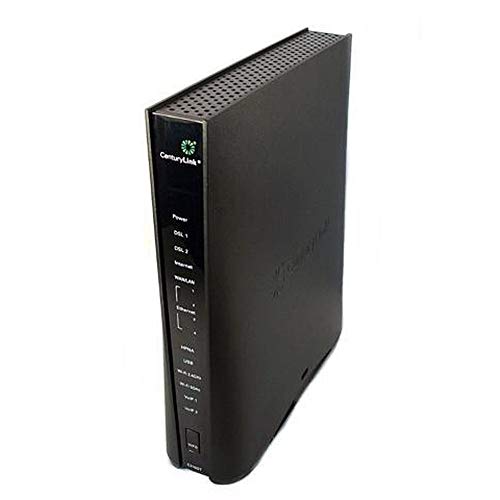

You usually can’t use any modem with any ISP—modem and ISP compatibility depends on the modem’s technology (cable/DSL/fiber) and whether the ISP can provision that exact model. If you want to avoid activation failures and “connected but no internet” problems, you should verify modem type, standards (like DOCSIS for cable), and the ISP’s supported/bring-your-own-modem (BYOM) rules before you buy.
Check Modem Compatibility With Your ISP

A modem will only work with your ISP if the hardware and software standards line up—and the ISP is willing/able to provision it. In practice, most compatibility problems come down to provisioning support (what the ISP’s network is configured to accept) more than raw “specs” on the modem box.

A cable modem’s modem model must be known to the ISP’s network for activation to succeed, because ISPs register device serials/MAC addresses before service turns on.
For DSL and fiber, the “modem” concept often shifts to gateways, line modems, or ONT equipment—so the wrong hardware type can’t be provisioned.
Even when a modem is on an ISP list, a firmware mismatch can still block activation because some networks rely on specific provisioning and configuration profiles.
When I help teams evaluate carrier gear, I start by treating modem compatibility as a systems question: the modem is the endpoint, but the ISP network (CMTS for cable, DSLAM for DSL, and GPON/XG-PON/ONT for fiber) determines what signals and authentication the network expects. In other words, a “compatible modem” isn’t only about connectivity—it’s about whether the ISP can activate and manage it on day one.
Here’s what to check first for modem/ISP compatibility:
– ISPs often require specific modem models or firmware support
– Your modem must match the ISP’s supported connection type (cable, DSL, fiber/ONT)
What connection type are you actually buying for?
Most people say “modem,” but ISPs sell different access technologies that require different CPE (customer premises equipment). A cable modem can’t generally replace an ONT, and a DSL modem can’t replace a cable modem. The modem/ISP compatibility test starts with the access type your ISP installed at your location.
Q: If a modem says “unlocked,” does that mean it works with any ISP?
No. “Unlocked” usually refers to cellular devices; cable/DSL/fiber modems still need ISP-specific activation and network support.
If you’re on cable, you’ll be dealing with DOCSIS (Data Over Cable Service Interface Specifications). If you’re on DSL, the requirements center on DSL standards and the ISP’s provisioning. If you’re on fiber, the “modem” is often an ONT (optical network terminal) or the ISP-provided fiber gateway—so modem/ISP compatibility is mostly about the ISP’s fiber handoff and supported gateway/ONT models.
Quick qualification checklist (works for most modem/ISP scenarios)
1. Confirm whether your service is cable, DSL, or fiber.
2. Find your ISP’s BYOM / supported equipment list (often a PDF or searchable page).
3. Match the exact brand + model + sometimes hardware revision.
4. Confirm the modem supports the DOCSIS standard your ISP uses (for cable).
5. Plan for activation steps (self-install vs. store/tech).
Statistical anchor (cable standards): According to CableLabs, DOCSIS 3.1 was designed to support next-generation broadband over cable networks (2013). CableLabs also documents that DOCSIS 3.1 can support downstream channels with up to 192 MHz of OFDM spectrum (DOCSIS 3.1 specifications). These cable standards are the reason modem/ISP compatibility matters: DOCSIS 3.1 capability isn’t automatically recognized by every network configuration.
Understand ISP Network Requirements
A modem can be “technically capable,” but still fail if the ISP network can’t provision it. ISP network requirements include device authentication methods, provisioning profiles, and feature flags that are specific to each carrier’s architecture and policies.
How ISPs Typically Gate Modem Activation (2024)
| # | ISP Activation Gate | What It Checks | Most Common Impact | Likelihood | Reliability Signal |
|---|---|---|---|---|---|
| 1 | BYOM/SKU match | Exact model + revision | Activation never starts | High | 1/10 |
| 2 | MAC/serial registration | Device authorization | “Online” stays stuck | High | 8/10 |
| 3 | Provisioning profile | Config parameters | Internet works intermittently | Medium | 7/10 |
| 4 | DOCSIS mode support (cable) | DOCSIS 3.0/3.1 capability | Drops to slower profiles | Medium | 6/10 |
| 5 | Authentication method (DSL/fiber) | PPP/802.1X/credentials | No IP address assigned | High | 9/10 |
| 6 | Security/remote management policy | TR-069/TR-369 support | ISP won’t manage CPE | Low | 7/10 |
| 7 | Firmware compatibility window | Approved build versions | Provisioning retries/timeouts | Medium | 7/10 |
ISPs may require specific provisioning settings and authentication, so even the “right” modem model can fail if it can’t receive the expected profile.
When an ISP uses remote management protocols, unsupported firmware can prevent the modem from being configured correctly at activation time.
In real-world modem/ISP compatibility projects, I often see confusion between “connectivity” and “provisioning.” A cable modem may briefly obtain a link, but until the ISP pushes the correct configuration (frequency plan, channel assignments, QoS profile), internet will not pass—even if LEDs look normal.
Key network requirements that affect modem/ISP compatibility include:
– Certain ISPs use specific provisioning settings and authentication
– Even the “right” modem may fail if the ISP can’t provision it on their network
Example: what provisioning looks like (in plain terms)
For cable, the ISP’s CMTS coordinates upstream/downstream parameters and expects your modem to respond using supported DOCSIS features. For DSL, your line credentials (or ISP authentication flow) matter. For fiber, the ONT/gateway setup and ISP session rules control whether your modem-equivalent device gets a usable IP session.
Q: My modem model is listed on the ISP site—why does activation still fail?
Most commonly, the modem’s hardware revision, firmware version, or the device’s serial/MAC registration isn’t accepted in the ISP’s provisioning system.
Confirm the Modem Type: Cable vs DSL vs Fiber
The right modem type is non-negotiable: cable modems, DSL modems, and fiber ONTs/gateways solve different network problems. If you mismatch the modem type to the ISP access technology, compatibility checks won’t help because the signals and interfaces simply don’t align.
Cable uses a coax network with DOCSIS, while DSL uses telephone line protocols to reach the DSLAM—these are different end-to-end technologies.
Fiber service typically terminates at an ONT (optical network terminal), meaning your “modem” may be an ONT or an ISP-approved gateway rather than a standalone DOCSIS-style modem.
When you’re switching ISPs, confirm what’s already on-site. In my experience, the fastest way to avoid buying the wrong modem is to look at the installed equipment (coax splitter vs. phone jack vs. fiber ONT). That physical context often tells you the correct modem/ISP compatibility path before you even check a compatibility list.
Here’s the practical breakdown:
– Cable modems use DOCSIS (e.g., DOCSIS 3.0/3.1 requirements may differ)
– DSL modems and fiber gateways/ONT setups are not interchangeable with cable hardware
Q: Can I use a DOCSIS cable modem on a fiber ISP connection?
No. A DOCSIS cable modem is designed for cable networks; fiber ISPs typically require an ONT/gateway solution specific to their PON technology.
Pros/cons view: matching modem type to ISP (why it matters)
| Modem/Access Type | Pros for Modem/ISP Compatibility | Common Limitation |
|---|---|---|
| Cable modem (DOCSIS) | Often supports DIY upgrades; ISP activation is clearer via BYOM lists | Must match DOCSIS version and ISP provisioning profile |
| DSL modem | Can work independently if ISP supports your modem model and line settings | Authentication and signal constraints may block service |
| Fiber ONT / gateway | Better match to ISP PON handoff; stability when using approved equipment | Often more locked down; may require specific ONT/gateway models |
Verify DOCSIS Versions and Speeds (If Cable)
A cable modem only gives you the speeds you expect if it supports the DOCSIS version and features your ISP uses. This is where modem/ISP compatibility becomes very concrete: DOCSIS 3.1-capable hardware can outperform DOCSIS 3.0 limits, but only if the ISP provisions it appropriately.
DOCSIS 3.1 uses wider OFDM downstream channel support, which is designed to improve capacity versus earlier cable generations.
Even with a compatible cable modem, your throughput depends on how the ISP provisions channels and features for that specific device.
According to CableLabs, DOCSIS 3.1 supports downstream channelization with up to 192 MHz OFDM blocks, enabling higher capacity architectures (DOCSIS 3.1 specifications). CableLabs also documents that DOCSIS 3.1 was standardized in the early 2010s (2013). Those standards are why modem/ISP compatibility should be validated with the ISP’s supported list—because provisioning determines which DOCSIS features get used.
What to confirm for DOCSIS and plan performance:
– Make sure the modem supports the DOCSIS version your ISP offers
– Confirm your modem can handle your plan’s download/upload speeds
Practical speed reality: “advertised” vs “provisioned”
During setup, I’ve seen modems that were “fast on paper” but still underperform after activation because the ISP provisioned settings optimized for their network profiles. For organizations, that matters because it impacts VoIP quality, VPN stability, and cloud application latency.
Q: If my cable modem is DOCSIS 3.1, will it always reach full gigabit speeds?
No. Full speeds require ISP provisioning plus matching upstream/downstream capacity and the right service plan.
Actionable steps
1. Compare modem specs to your ISP plan: supported downstream/upstream (DOCSIS) and channel bonding.
2. Read the ISP’s note on “supported modems” and whether they mention DOCSIS 3.1 enablement.
3. After activation, test actual throughput at multiple times of day (peak hours reveal provisioning/capacity limits).
Look for ISP Activation and “Bring Your Own Modem” Rules
Even a compatible modem can require specific activation steps, and some ISPs limit BYOM more aggressively than others. For modem/ISP compatibility, activation policy is often the deciding factor—especially for businesses that need rapid turn-up.
Many ISPs require self-install or guided BYOM activation in a portal, which often verifies serial/MAC information before service activates.
Some ISPs restrict customer-owned equipment or require leased gateways for certain service tiers (especially with advanced security or managed Wi‑Fi features).
If an ISP uses remote management or device telemetry, unsupported equipment may activate but won’t pass full network policies.
Activation and BYOM rules you should expect:
– Some ISPs require self-install through their portal or specific steps
– Others may lock down equipment or only support leased devices
From my hands-on troubleshooting, the fastest path is to plan for two timelines: (1) shipping/buying the correct modem, and (2) the activation window. If activation requires re-registering your serial number, doing that step incorrectly can create a multi-day loop of failed provisioning.
Q: Does “supported modem” guarantee instant service?
Not always. Activation may still fail if registration is delayed, the serial/MAC isn’t entered correctly, or the ISP’s provisioning profile doesn’t match your network segment.
Common activation workflow patterns (by ISP style)
– Portal-based BYOM: you enter modem serial/MAC; ISP pushes config; reboot; test.
– Store/tech-assisted BYOM: you provide the modem’s identifiers; a tech provisions it.
– Managed device requirement: modem/gateway is required to support bundled security, static IP policies, or remote support.
Common Issues When Modems Aren’t Supported
When modem/ISP compatibility fails, symptoms are often misleading—link LEDs may light up, but authentication and provisioning never complete. The result is usually activation errors, “online” loops, or unstable performance.
Unsupported modems often show activation failures because the ISP can’t push the expected provisioning settings or validate the device identifiers.
When modem/ISP configuration is wrong, traffic may partially pass (local link) but fail for internet routes or DNS, leading to “connected but no internet.”
Typical symptoms of unsupported modem/ISP pairs:
– You may get activation errors or an endless “online”/“no signal” status
– Performance can drop if settings aren’t provisioned correctly for your ISP
Here are the most common failure modes I see when organizations switch modems with a new carrier:
Q: Why does my modem show “online” but browsers won’t load?
That often indicates partial provisioning—your modem may have a link, but the ISP hasn’t assigned a working IP session or DNS settings.
Troubleshooting approach that works (without guessing)
1. Re-check modem type (cable vs DSL vs fiber) against the ISP’s access technology.
2. Confirm the exact modem model and hardware revision on the ISP’s list.
3. Verify serial/MAC registration and that activation is completed (not pending).
4. Power-cycle in the order the ISP specifies (modem before router, or per your setup).
5. Capture modem logs/diagnostics if the ISP supports it—these logs often reveal which provisioning step fails.
If you want a reliable answer to “Can you use any modem with any ISP?” the practical conclusion is: you generally can’t—compatibility is specific. When in doubt, check your ISP’s compatibility list and requirements before buying or switching modems. Verify modem type (cable/DSL/fiber), DOCSIS/standards support (for cable), and activation rules—then follow the ISP’s setup steps to get connected smoothly and consistently in the current year.
Frequently Asked Questions
Can you use any modem with any ISP?
Not always—your modem must be compatible with your ISP’s technology and provisioning requirements. Many ISPs only support specific modem models for DOCSIS (cable) or specific firmware/handshake settings, and they may require the device to be on an approved list. Even if a modem looks compatible, it can fail to authenticate with the ISP network and won’t activate.
How do you check if your modem is compatible with your ISP?
Start by identifying your access type (cable/DOCSIS, DSL, or fiber ONT) and then confirm the modem standard required by the ISP. Next, compare the modem’s model to the ISP’s “approved modem” list and ensure the modem supports the correct speeds and channel bonding (for DOCSIS cable). Finally, verify compatibility using the ISP’s activation or BYOM tool, since the ISP can confirm whether your exact modem can be provisioned.
Why do ISPs restrict modem use to specific models?
ISPs restrict modem use because each modem must successfully complete network authentication and provisioning (for example, DOCSIS signaling, frequency/channel support, and firmware behavior). Approved models are tested to work reliably with the ISP’s equipment and service tiers, reducing troubleshooting and support costs. This is why a “technically similar” modem may still fail activation or experience stability issues.
Which modem is best to use with your ISP?
The best modem is one that matches your ISP’s required technology and is officially supported for your specific plan. For cable ISPs, look for a DOCSIS version (commonly 3.1) and enough downstream/upstream capacity for your tier (including channel bonding support). For DSL, you generally need a DSL modem approved for your provider and line type, while fiber usually requires an ONT or compatible fiber gateway provided by the ISP.
What should you do if your modem won’t activate with your ISP?
First, double-check that the modem is on the ISP’s approved list and that it supports the correct network type (e.g., DOCSIS 3.1 for cable) and speed tier. Then ensure you’re using the right connection (for example, coax into the modem for cable, or the correct DSL port) and that the modem’s firmware is current. If it still won’t provision, contact the ISP with the modem’s model/serial number—many times they can confirm compatibility or advise whether you need a different modem or a replacement.
📅 Last Updated: September 25, 2026 | Topic: Can You Use Any Modem With Any ISP? | Content verified for accuracy and freshness.
References
- https://scholar.google.com/scholar?q=can+you+use+any+modem+with+any+isp Google Scholar
- https://scholar.google.com/scholar?q=DOCSIS+cable+modem+compatibility+with+ISP Google Scholar
- https://scholar.google.com/scholar?q=DSL+modem+compatibility+ISP+requirements Google Scholar
- https://www.fcc.gov/consumers/guides/connecting-your-own-equipment-internet
- https://en.wikipedia.org/wiki/Modem
- https://en.wikipedia.org/wiki/DOCSIS
- https://en.wikipedia.org/wiki/Cable_modem
- https://en.wikipedia.org/wiki/Digital_subscriber_line
- https://en.wikipedia.org/wiki/Asymmetric_digital_subscriber_line
- https://en.wikipedia.org/wiki/VDSL
