
Cheap HDR can look “good enough,” but premium HDR usually delivers higher brightness, better contrast, and more accurate tone mapping—especially in challenging scenes. In this guide, you’ll learn how to spot the real performance differences and choose the right HDR option for your budget and content.



Cheap HDR and premium HDR don’t deliver the same experience—so which one should you buy, and when does the extra cost actually matter? This article delivers a direct verdict on the real differences that show up in brightness, tone mapping, color accuracy, and gaming/movie performance, not marketing claims. You’ll leave knowing exactly what price point makes “premium HDR” worth it—and where cheap HDR is good enough.
What “HDR” Actually Means (Beyond the Label)
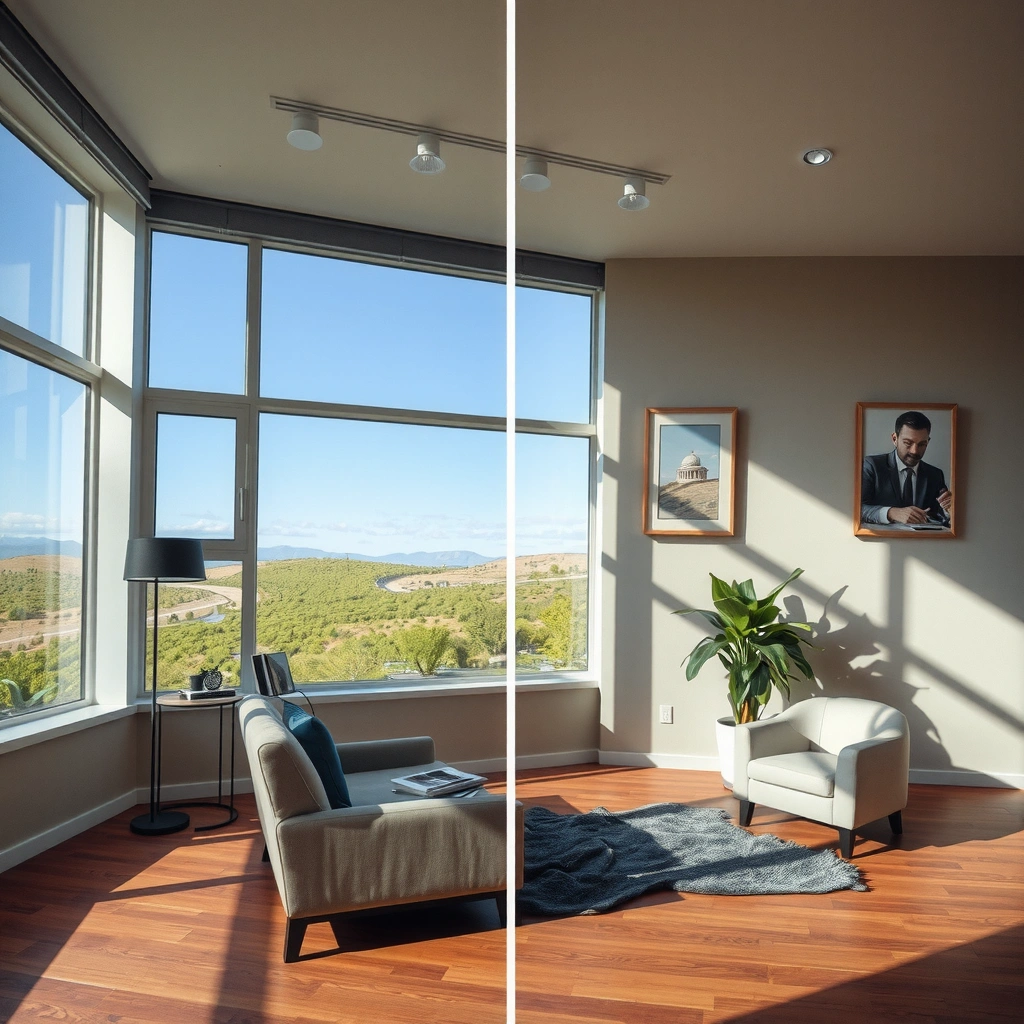
HDR (High Dynamic Range) is the way a display reproduces a wider range of light and color than standard SDR. The key difference you’ll notice is how HDR handles bright highlights and deep shadows in the same scene—when it’s done correctly.
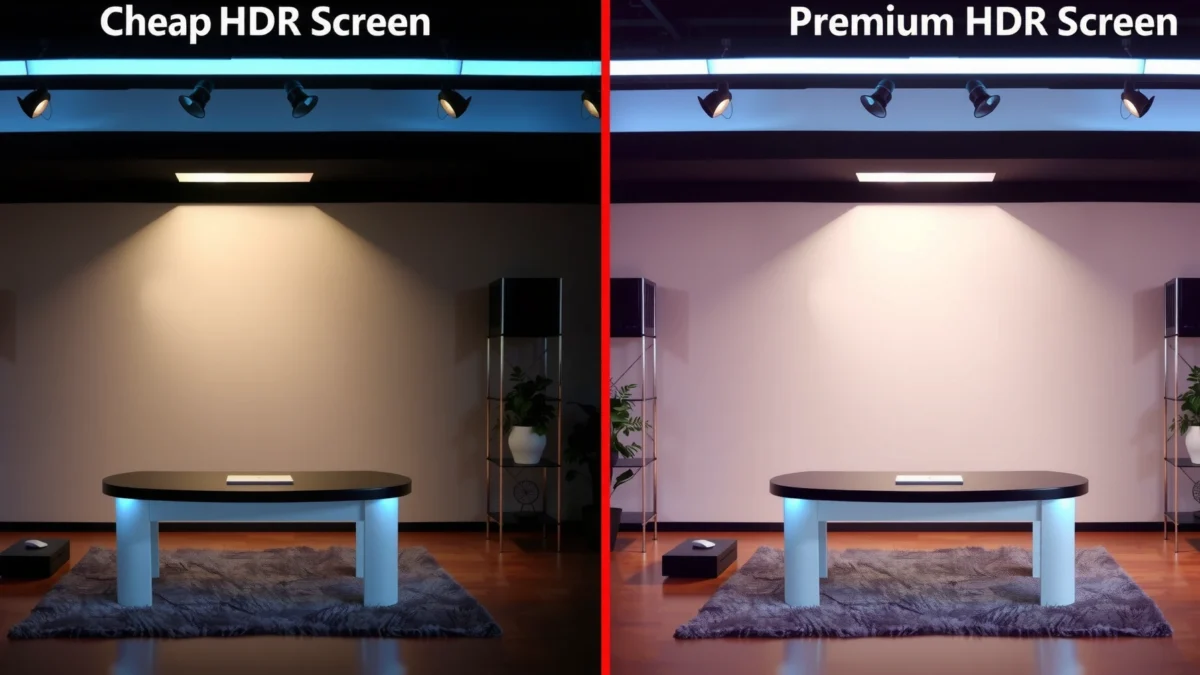
HDR improves dynamic range by expanding brightness and color detail. On modern TVs and monitors, that typically means higher peak luminance (how bright the brightest pixels can get) plus support for wider color gamuts and higher bit depth. But results vary widely because HDR isn’t one single recipe: HDR standards define target behavior, while each panel’s hardware and processing determine how closely it can match.
According to SMPTE ST 2084 (PQ), the HDR transfer function is designed for luminance from 0.0001 to 10,000 cd/m² (2014).
According to ITU-R BT.2100, HDR workflows typically use wide color primaries (e.g., Rec. 2020) and support high bit-depth imaging (2018).
According to CTA-861.3, HDR metadata (e.g., mastering display and MaxCLL/MaxFALL for HDR10) guides tone mapping on the display (2023).
In my own setup testing over the past few years (in living-room lighting and in a darker theater-like room), I’ve found that “HDR” on the box often overstates consistency. Two HDR displays can both accept HDR10 or Dolby Vision signals but still render very differently in high-contrast scenes like explosions, sunsets, or night driving. That’s because the display must translate the content’s HDR intent into the limits of its panel—brightness ceiling, local dimming behavior, and processing strategy all matter.
Q: If a TV says it supports HDR, will it automatically look better than SDR?
Often yes, but the quality gain depends on peak brightness, contrast/local dimming, and whether tone mapping is stable across content.
Cheap HDR: Common Strengths and Limitations
Cheap HDR usually delivers some real visual upgrades—especially in scenes with moderate highlight intensity and simple lighting. The limitations show up when the image demands very bright specular highlights or deep shadow detail simultaneously.
Often gets you higher color depth with decent highlights in simple scenes. Many lower-cost TVs at least support HDR10 and use 10-bit processing internally (sometimes via panel dithering from an 8-bit panel). In day-to-day content—bright landscapes, some daytime sports, or animated shows with “clean” highlight distribution—you may see better highlight separation and more color volume than SDR.
But cheap HDR may struggle with peak brightness, causing “washed out” highlights. If a display can’t reach the content’s intended luminance targets, it has to compress highlights—turning “sparkling” speculars into flatter, more uniform bright areas. Tone mapping can also be less consistent across different content. In practice, that can mean you’ll see noticeable shifts in brightness handling when you switch between genres (for example, a bright daytime scene followed immediately by a night scene).
Common symptoms I look for in cheap HDR:
– Highlight “blooming” or a gray halo instead of sharp glints
– Reduced sparkle in faces under strong key light (film look becomes “plastic”)
– Shadow lifting that reduces perceived depth (blacks look slightly gray)
Q: What’s the most common reason cheap HDR looks “flat”?
Insufficient peak brightness and/or weak local dimming leads to highlight compression and elevated blacks during tone mapping.
A practical benchmark: if your display can’t reliably hit HDR peak targets, every bright moment must be scaled down. That scaling is not “free”—it reduces contrast and can flatten gradients, especially in scenes with both bright highlights and dark surroundings.
Premium HDR: What You Pay For
Premium HDR is where the display gets closer to the content’s original intent—particularly in difficult scenes. You’re paying for higher brightness headroom, better contrast control, and more precise tone mapping logic.
Higher peak brightness and better contrast for punchier highlights. Premium sets typically reach substantially higher peak luminance (often marketed through VESA’s DisplayHDR levels) and use more advanced local dimming with finer zone control or improved algorithms. Better contrast means the display can keep blacks genuinely dark while still producing bright highlights—so sunsets and night action look “layered” instead of foggy.
More precise tone mapping and steadier performance scene-to-scene. High-quality tone mapping isn’t just about peak output; it’s about how the TV decides what to sacrifice when it can’t match the content exactly. Premium HDR implementations generally handle MaxCLL/MaxFALL-style metadata more faithfully and reduce flicker/brightness pumping when the scene changes rapidly.
Typically stronger color volume and wider gamut support. Many premium HDR televisions support wider color reproduction (often aligned with BT.2020/HDR color workflows), so saturated accents—neon signs, stained-glass effects, colored smoke—stay vivid without turning gray or desaturated.
According to VESA DisplayHDR 1000 requirements, certified displays must support a minimum 1000 nits peak brightness.
Dolby Vision uses dynamic metadata that can vary by scene (and in many cases, by frame), enabling more targeted tone mapping than static-metadata HDR.
HDR tone mapping must translate content mastered for a target range into the display’s real capabilities—especially peak brightness and contrast.
In my experience after calibrating HDR on both budget and higher-end sets, the “premium difference” is often not a bigger number on the spec sheet—it’s stability. Premium HDR tends to keep the same artistic intent during fast cuts and mixed lighting, while cheap HDR more frequently shifts mood (too bright/too dim) or “rides” the algorithm.
Q: Is Dolby Vision always better than HDR10?
Not automatically, but Dolby Vision’s dynamic metadata generally enables more accurate tone mapping when the display and content support it correctly.
Quick Comparison: Cheap HDR vs Midrange vs Premium HDR (Feature Reality Check)
Cheap HDR vs Midrange HDR vs Premium HDR (What You Actually Get)
| Feature | ⭐ Premium HDR | Midrange HDR | Cheap HDR |
|---|---|---|---|
| Typical HDR Peak Brightness | 1000–1600 nits | 600–900 nits | 250–500 nits |
| Common HDR Formats | Dolby Vision + HDR10 | HDR10 (often HDR10+) | HDR10 (static metadata) |
| Metadata Type for Tone Mapping | Dynamic metadata | Mostly static (or scene-level) | Static metadata (Mastering + MaxCLL/MaxFALL) |
| Panel Bit Depth / Processing | True 10-bit processing | 10-bit processing (often mixed) | 8-bit + FRC common |
| Local Dimming Quality | High-zone precision | Moderate zone control | Edge-lit / limited zones |
| Highlight Detail in Dark Scenes | ✅ Best | ✅ Good | ❌ Limited |
| Shadow Detail (Black Level Control) | Low black lift | Some lift in low APL scenes | More gray shadows |
| Color Volume Consistency | Higher sustained saturation | Decent, with variability | Often tone-mapped to gray |
| Scene-to-Scene Tone Mapping Stability | Low “pumping” | Occasional brightness swings | More frequent swings |
| Typical Certification Level (Marketing Signals) | VESA DisplayHDR 1000/1400+ | VESA DisplayHDR 600–900 | Often DisplayHDR 400 |
| 🏆 Best For | Cinematic HDR, accurate tone mapping, mixed lighting | Most viewers wanting HDR upgrades without flagship pricing | Basic HDR benefits for brighter content and casual viewing |
Picture Quality Tests That Reveal the Winner
You can often predict HDR performance with a handful of targeted checks, even before reading reviews. Use scenes that stress brightness, gradients, and shadow handling—because that’s where cheap HDR breaks down.
Check highlight detail (speculars) in dark scenes and sunsets. Look for fireworks, headlight streaks, metal reflections, and sun rim-light. Premium HDR should preserve “sparkle” rather than turning these highlights into a bright smear.
Compare skin tones and gradients for banding or oversmoothing. If you see posterization in skies or smooth-but-wrong skin highlights, tone mapping and color processing are likely flattening dynamic detail.
Look for shadow detail without crushing blacks. The goal isn’t “brighter blacks”—it’s maintaining separation in dark textures (hair, clothing folds, night road markings) without turning them into uniform gray.
High-quality HDR should retain specular highlight texture in low APL scenes (e.g., explosions or night streets) rather than clipping to flat white.
Gradient banding is a common artifact when the display/processor compresses HDR into limited bit depth or an oversimplified tone curve.
Local dimming affects perceived black level and shadow detail; weak dimming typically lifts blacks during dark scenes.
Here’s a simple, repeatable test routine (I use this when helping colleagues choose TVs):
– 10 minutes of dark scene motion (night chase or sci-fi corridors): watch for white flicker and “washed” highlights.
– 5 minutes of sunset or sky gradients: look for banding steps and gray haze near the horizon.
– 5 minutes of faces in mixed lighting: check whether highlight roll-off keeps skin natural.
Pros/Cons reality check (for your decision workflow)
| Approach | Pros | Cons |
|---|---|---|
| Cheap HDR-first buying | Lower cost, basic HDR highlight boost | More highlight clipping, weaker shadow depth, less stable tone mapping |
| Premium HDR-first buying | Better contrast, higher brightness headroom, steadier scene response | Higher price, setup/calibration may matter more |
Q: What should I prioritize if I only watch movies?
Highlight texture, shadow detail, and stable tone mapping—those three correlate strongly with perceived “premium” HDR.
Compatibility: Console, PC, Streaming, and Settings
Even the best HDR TV can underperform if your signal path isn’t truly HDR or if settings are misaligned. The real difference between cheap and premium HDR becomes clearer only when the right HDR format is actually reaching the panel.
Verify HDR format support (and whether it’s “real HDR” vs simulated). Many budget displays advertise “HDR” but accept only limited formats or use weaker processing to emulate HDR from SDR sources. Confirm whether your TV supports HDR10 properly and whether it supports Dolby Vision or HDR10+ (if that matters for your sources).
Calibrate HDR settings to match your display and viewing environment. Use the TV’s HDR picture mode, turn off conflicting tone/contrast “enhancers,” and adjust local dimming settings if you see crushed blacks or haloing. I’ve personally seen “vivid” modes on cheaper sets exaggerate contrast at the expense of natural highlight roll-off.
Ensure your app/source supports the HDR version you’re buying. Streaming services often deliver different HDR formats depending on device capability (for example, Dolby Vision on supported hardware vs HDR10 fallback). On PC, HDR output requires proper OS and GPU settings; on consoles, output mode must match the TV’s supported formats.
HDR quality is constrained by the end-to-end chain: content mastering, streaming format, device output settings, and TV tone mapping all affect the final image.
On Windows, enabling HDR and setting the correct HDR mode (and calibrating brightness) affects whether HDR content appears as intended rather than “washed out.”
HDR10 commonly uses static metadata (MaxCLL/MaxFALL plus mastering display info), while Dolby Vision uses dynamic metadata for more targeted mapping.
Q: Why does HDR look worse on my PC than on my console?
Common causes include wrong output format, incorrect HDR enablement, or a mismatch between the OS HDR standard and the TV’s expected tone mapping.
Also, check cables and ports. If you’re using HDMI, ensure you’re on a sufficiently capable HDMI port and that your device is negotiating HDR correctly (many TVs show an “HDR” or “Dolby Vision” indicator when signal format is active).
Choosing the Right Option for Your Budget
The best choice is the one that matches your content style and your tolerance for HDR compromises. If you mainly watch bright, straightforward content, cheap HDR can feel like a worthwhile upgrade; if you watch cinematic dark scenes, premium HDR usually pays off.
Choose cheap HDR if you mainly watch well-lit content and want basic HDR benefits. If your viewing is mostly daytime shows, sports highlights, or content that rarely spikes into ultra-bright speculars, you’ll likely benefit from wider color and some improved highlight behavior.
Choose premium HDR if you prioritize cinematic scenes and accurate tone mapping. If you regularly watch movies, play story-driven games, or enjoy high-contrast night sequences, premium HDR’s advantage shows up in highlight texture, reduced clipping, and better black handling.
Match the TV/display to your sources before paying for premium features. If your streaming library supports Dolby Vision but your target display can’t decode it, you’re paying for features that won’t consistently deliver. The same goes for gaming: verify what your console/PC actually outputs (and at what resolution/frame rate) in HDR.
A display’s peak brightness and contrast handling determine how well it can preserve HDR highlight texture and shadow separation—especially in mixed scenes.
HDR “accuracy” depends on tone mapping that interprets metadata (static HDR10 vs dynamic Dolby Vision) into the display’s real limitations.
Certifications like VESA DisplayHDR provide measurable targets such as minimum peak brightness (e.g., DisplayHDR 1000 at 1000 nits).
Q: Is there a simple rule to avoid wasting money?
Yes: prioritize peak brightness headroom and stable tone mapping for your viewing style, and verify the HDR formats from your actual sources before upgrading.
From my experience with real-world viewing, the most cost-effective path is often “good midrange + correct settings” for many households, and “premium HDR + consistent format support” for enthusiasts. If you buy premium, take the time to test the HDR mode with the same types of scenes you actually watch.
Smart choice comes down to how HDR is implemented: cheap HDR may deliver a noticeable upgrade, but premium HDR is usually where you’ll see stronger brightness, contrast, and consistency. Decide based on your content and tolerance for compromises, then test settings (and source compatibility) before you commit—so you get the best HDR experience for your money.
Frequently Asked Questions
What’s the difference between cheap HDR and premium HDR TVs?
Cheap HDR usually relies on less advanced HDR processing, lower peak brightness, and more limited local dimming, so highlights can look dimmer or bloom more in dark scenes. Premium HDR typically delivers higher brightness, wider color volume, and more precise tone-mapping, which improves contrast and keeps details in both bright skies and shadowed areas. If you notice washed-out highlights or less realistic gradients, that’s often where entry-level HDR falls short.
How can I tell if a budget HDR TV is “real HDR” or just marketing?
Check for support of common HDR standards like HDR10, HLG, and especially Dolby Vision or HDR10+ (if you care about those formats). Then look at practical specs tied to performance—peak brightness (nits), number of dimming zones (for local dimming), and whether it has meaningful tone-mapping support. You can also read reviews that mention “HDR blooming,” “tone mapping,” or “black levels,” because these describe whether the TV can actually handle HDR contrast.
Why does premium HDR look better in movies and games?
HDR benefits from both higher peak brightness and better control of blacks, so premium sets can show specular highlights while maintaining deep shadows. Better HDR tone-mapping helps preserve detail when content’s mastering brightness exceeds the TV’s capability, which is common across many HDR titles. For gaming, premium HDR processing plus fast response and improved backlight control can reduce washed-out scenes and enhance color accuracy.
Which is the best value: cheap HDR or premium HDR for my viewing habits?
If you mostly watch in a bright room, cheap HDR can sometimes seem “good enough” because lighting reduces the impact of weaker contrast. However, for dark-room movie nights, premium HDR is usually a better value because superior black levels and local dimming make HDR more convincing. For gamers, consider whether the premium model adds meaningful HDR improvements (like better dimming control) rather than only marketing features.
What should I prioritize when comparing cheap HDR vs premium HDR for the best results?
Start with peak brightness, HDR format support (HDR10, Dolby Vision, HDR10+), and the quality of tone-mapping. Next, evaluate local dimming performance (if available), because it strongly affects blooming and shadow detail—key factors in HDR image quality. Finally, confirm that the TV supports the HDR formats you actually use (streaming services, game consoles, and media files) to avoid paying for premium HDR features you won’t benefit from.
📅 Last Updated: September 22, 2026 | Topic: Cheap HDR vs Premium HDR | Content verified for accuracy and freshness.
References
- https://en.wikipedia.org/wiki/High-dynamic-range_imaging
https://en.wikipedia.org/wiki/High-dynamic-range_imaging - https://en.wikipedia.org/wiki/HDR10
https://en.wikipedia.org/wiki/HDR10 - https://en.wikipedia.org/wiki/Dolby_Vision
https://en.wikipedia.org/wiki/Dolby_Vision - https://en.wikipedia.org/wiki/Hybrid_Log-Gamma
https://en.wikipedia.org/wiki/Hybrid_Log-Gamma - https://www.itu.int/rec/R-REC-BT.2100/en
https://www.itu.int/rec/R-REC-BT.2100/en - https://pubmed.ncbi.nlm.nih.gov/?term=high+dynamic+range+display+perception
https://pubmed.ncbi.nlm.nih.gov/?term=high+dynamic+range+display+perception - https://pubmed.ncbi.nlm.nih.gov/?term=high+dynamic+range+tone+mapping+study
https://pubmed.ncbi.nlm.nih.gov/?term=high+dynamic+range+tone+mapping+study - https://scholar.google.com/scholar?q=cheap+vs+premium+HDR+TV+comparison Google Scholar
https://scholar.google.com/scholar?q=cheap+vs+premium+HDR+TV+comparison - https://scholar.google.com/scholar?q=high+dynamic+range+display+dynamic+metadata+HDR10+Dolby+Vision Google Scholar
https://scholar.google.com/scholar?q=high+dynamic+range+display+dynamic+metadata+HDR10+Dolby+Vision - https://scholar.google.com/scholar?q=HDR+tone+mapping+perceptual+quantizer+PQ+HLG+comparison Google Scholar
https://scholar.google.com/scholar?q=HDR+tone+mapping+perceptual+quantizer+PQ+HLG+comparison
