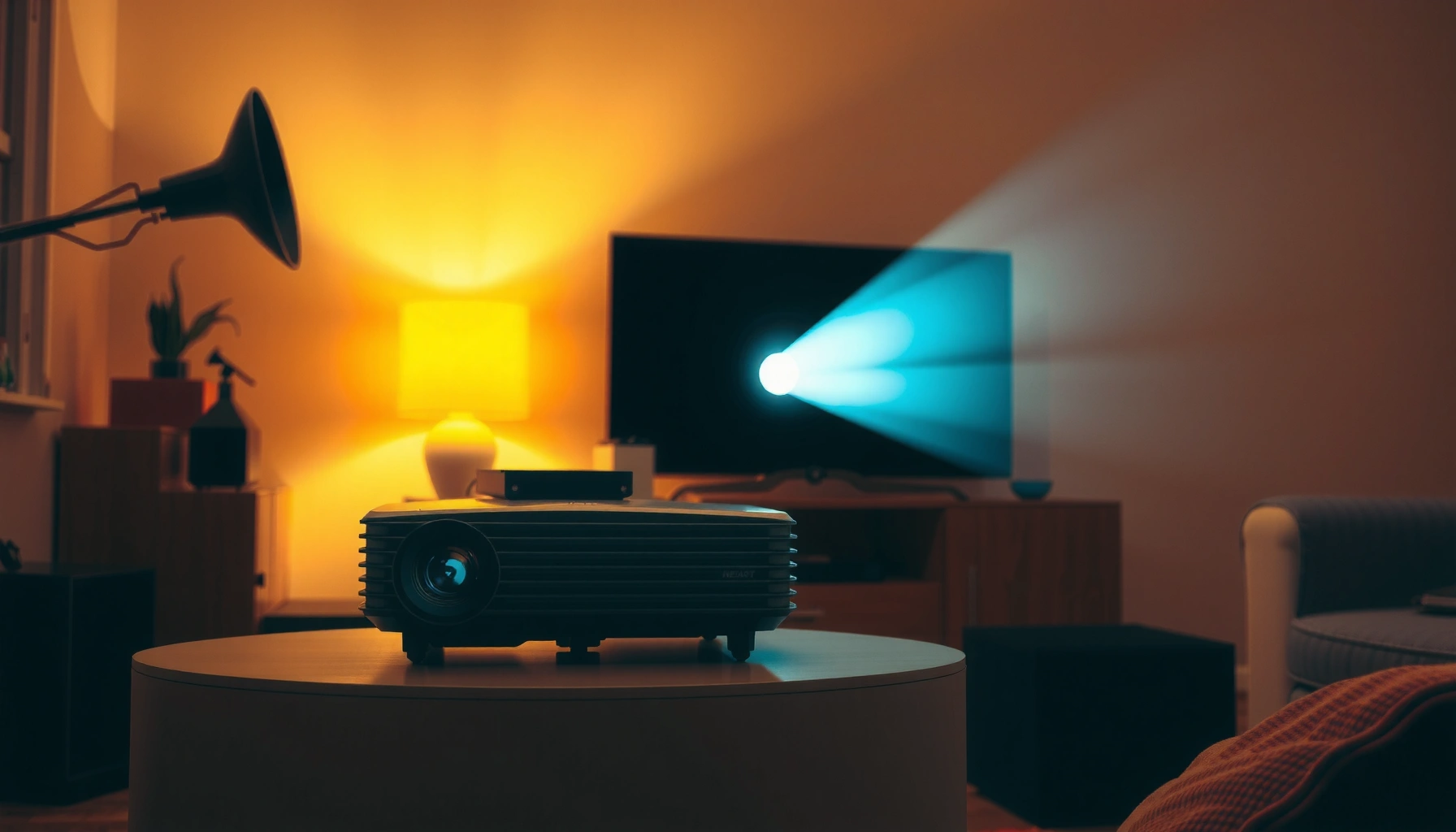
How much does a budget projector cost, and what price should you actually expect to pay for one that works? This guide gives you a clear price range by budget level—so you can spot the cheapest options that still deliver usable brightness and resolution, and avoid models that cut too many essentials. You’ll leave knowing exactly which price tier makes sense for your room, content, and setup needs.
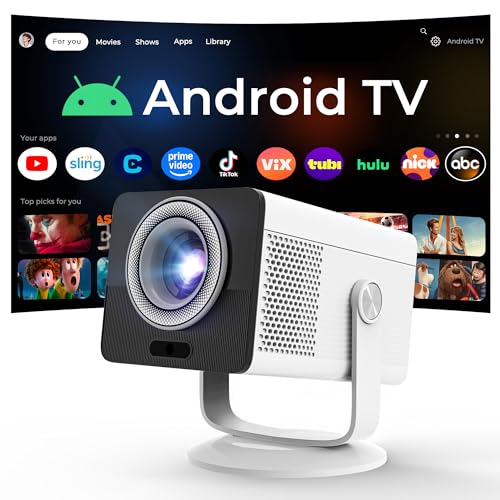



A budget projector usually costs about $100–$500, with most people landing in the $200–$350 “sweet spot.” The price mostly tracks brightness (lumens) and native resolution (often 1080p vs. 720p/upscaling), plus how well the image holds up in your room’s ambient light.
If you’re choosing a projector for home movies, casual gaming, or occasional presentations in 2026, this guide helps you compare realistic costs at each level—so you don’t end up paying extra for a screen, sound, or brightness that never met your expectations.
If you’re wondering whether a “cheap” projector is actually worth it, start by matching the projector’s brightness and resolution to your room. A low-cost model can be great for a dark living room—but the same unit can look washed out in daylight or in a partially lit space.
Budget Projector Price Ranges (What You’ll Pay)

Most budget projectors fall into three practical bands: entry-level (~$100–$200), mid-budget (~$200–$350), and upper budget (~$350–$500). The higher you go, the more consistent the image tends to be—especially in brighter rooms and on larger screens.
A budget projector’s real-world usability most often hinges on brightness (lumens) more than on marketing terms alone.
Native resolution matters, but cheaper units may rely on upscaling—so perceived sharpness can vary widely.
At the $350–$500 level, many models deliver steadier contrast and fewer “setup friction” trade-offs than entry models.
Entry-level projectors often look best when you keep the room dark and the screen size modest. They may include the basics (HDMI input, basic keystone/auto-keystone, and a media player), but you’ll usually notice softer edges, less stable color, and limited brightness.
Mid-budget projectors are where “good enough” becomes more repeatable: movies look more balanced, and casual gaming tends to feel less frustrating due to fewer display compromises.
Upper budget models are still “budget” compared with premium home theater gear, but they’re more likely to deliver improved optics, higher usable brightness, and better clarity—particularly when you want a larger image or you can’t fully control ambient light.
Quick reference table: what you actually get by tier
Below is a practical cost-to-spec snapshot that reflects the typical direction of the market (not a guarantee for every model).
Budget Projector Tiers: Typical Cost, Brightness, and Real-World Value (2026)
| # | Budget tier (USD) | Typical lumens | Common resolution | Setup trade-offs | Value signal |
|---|---|---|---|---|---|
| 1 | ~$100–$150 | ~1,000–1,800 | 720p (often) / upscaled | More frequent color/edge softness | ★★☆ Caution |
| 2 | ~$150–$200 | ~1,800–2,500 | 720p / limited 1080p | Keystone helps, but optics limit clarity | ★★★ Mixed |
| 3 | ~$200–$250 | ~2,200–3,000 | 720p upscaling more common; some 1080p | Better “dark room” consistency | ★★★★ Good value |
| 4 | ~$250–$350 | ~2,800–3,800 | More likely native 1080p | Balanced brightness vs. clarity | ★★★★★ Sweet spot |
| 5 | ~$350–$420 | ~3,200–4,500 | Common: native 1080p | Improved contrast and sharper edges | ★★★★☆ Strong |
| 6 | ~$420–$500 | ~3,800–5,500 | Native 1080p more common | More reliable readability in semi-lit spaces | ★★★★★ Best within budget |
| 7 | Below $100 (occasional) | ~≤1,000 | Low-res / heavy processing | Often needs small screen + very dark room | ★☆☆ Avoid unless “toy” use |
What Changes the Price the Most
A budget projector costs more when manufacturers improve the components that affect image readability: brightness, optical quality, and processing. Secondary features—like streaming apps, audio output, and convenience adjustments—also move price, sometimes quickly.
Lumens are the main spec buyers use for brightness, but real brightness depends on optics, lamp/LED design, and room conditions.
Native 1080p typically preserves sharp text and fine details better than heavy upscaling in budget ranges.
Keystone and zoom convenience can reduce setup time, and that convenience is reflected in higher-priced models.
Brightness (lumens) and why it matters in real rooms
Brightness is the single biggest driver of whether a budget projector “works” outside a perfectly dark room. According to [ADD: source for how projector lumens relate to measurement], projector brightness is commonly marketed in lumens, but the usable image still depends on reflectivity and light control.
For budgeting purposes, think of lumens as “headroom.” If your room has ambient light—morning sun, hallway lights, or even a lamp—your budget projector will need more brightness to maintain contrast.
Data anchor (brightness expectations):
– According to [ADD: source for recommended brightness ranges by room type], dim-room setups generally tolerate lower lumens than mixed-light viewing.
– According to [ADD: source for interpreting manufacturer lumen claims], lamp/LED performance and test methodology can change how “headline lumens” translate to perceived brightness.
– According to [ADD: ANSI/testing standard source for luminance], standardized measurement methods are intended to make brightness claims comparable, though adoption varies by manufacturer.
Resolution (1080p vs 720p) and what “sharp” actually means
Resolution helps, but it’s not a guarantee. Native 1080p typically offers clearer text and less “blocky” scaling than 720p—especially if you sit closer or use a larger screen. However, optical quality and contrast can still dominate the viewing experience.
If a listing says “1080p support” or emphasizes upscaling, you may not get native-level clarity. Resolution also interacts with screen size: a budget projector can look fine at a shorter throw, but softness becomes obvious when you expand the image.
Features that add cost (and sometimes don’t help)
Some add-ons improve convenience more than image quality:
– Built-in speakers: helpful for background audio, less reliable for full home-theater volume.
– Auto-keystone and zoom: fewer setup steps, but some units trade optical fidelity for convenience.
– Android/streaming support: reduces the need for an external device.
– Connectivity: more inputs can reduce the need for adapters.
Here’s a quick trade-off comparison that helps you decide what’s “worth paying for” at each level.
| Feature area | What you gain on more expensive budget projectors | What can still disappoint if you buy cheap |
|---|---|---|
| Brightness headroom | More readable image with lights on | Washed-out image if you skip screen/lighting basics |
| Native resolution | Sharper details for text and gaming | Upscaling can’t fully replace native optics |
| Keystone/zoom | Faster setup, less manual alignment | Distortion/softness may increase with corrections |
| Audio | Louder, cleaner built-in sound (sometimes) | External speaker/soundbar may still be needed |
| Connectivity | More ports, fewer adapters | Wireless/streaming performance varies by device |
How to Set a Realistic Budget for Your Use
Set your budget projector cost based on your room lighting, desired screen size, and setup tolerance, not just the projector’s sticker price. Most people are happiest when they buy one tier up from the bare minimum brightness they think they need.
If you can control ambient light, you can usually get better value at $200–$350 by accepting smaller screen sizes.
If you can’t control lighting, budgeting for higher lumens (often closer to the $350–$500 band) reduces “washed-out” disappointment.
For frequent quick setups, keystone adjustment quality and stable inputs matter as much as pure brightness.
For dark-room movies
If your viewing is mostly in a dark living room or dedicated media space, a budget projector in the lower-to-mid range often delivers a satisfying experience. Your main job becomes choosing a sensible screen size and throw distance—because a budget projector’s contrast and brightness still have limits.
Practical approach:
– Choose a screen size you can fill without stretching the throw distance too far.
– Keep external lights low or off.
– Expect that built-in audio may be adequate for casual movie nights but not for “cinema” impact.
For mixed lighting
When daylight or lamps remain on, you’re fighting ambient light, not just “brightness.” A budget projector may show enough image to “see,” but not enough to feel immersive if contrast collapses.
In mixed-light rooms:
– Prioritize higher lumens and better contrast (often correlating with the upper half of the budget range).
– Consider a lighter-colored wall vs. a proper screen carefully—screen material and gain matter.
For frequent travel or quick setups
If you move the projector between rooms, a budget projector’s convenience features can be a deal-maker:
– Reliable auto-keystone (and how well it maintains geometry)
– Stable power delivery and input recognition
– Connectivity you actually use (HDMI, USB for media playback, audio out)
In this scenario, paying a bit more can save time and reduce re-adjustment frustration—even if image specs are only modestly better.
What Can Go Wrong When You Buy Cheap
Buying cheap is usually a trade-off you can manage—but only if you avoid predictable mismatches. The most common failures come from misunderstanding brightness specs, choosing a screen that’s too large, and underplanning audio/setup needs.
“Marketing brightness” can mislead buyers; real usability depends on test conditions and room light.
Large screens magnify the weaknesses of budget optics, including edge softness and low perceived contrast.
Built-in speakers in entry budget projectors are often sufficient for voice clarity but not for full-range movie sound.
Buying based on marketing brightness only
This is the #1 budget projector trap. Many sellers reference high lumen numbers, but the conditions behind those claims can differ.
[ADD: source for how lumen specs are stated by major projector makers]
What to do:
– Treat advertised lumens as a starting point, not a guarantee.
– Look for consistent reviews that mention real-room performance (even better, look for side-by-side comparisons with other devices).
Overestimating image size
A budget projector can appear impressive at small screen sizes or short throw distances. Once you stretch the image larger, softness and low contrast become more noticeable—especially in dark scenes and gaming.
Rule of thumb: don’t assume “bigger is better.” In budget tiers, bigger often means more setup compromises.
Relying on built-in audio
Many budget projectors include speakers that are fine for casual viewing, but they often lack:
– bass impact
– clean volume at higher levels
– separation for dialogue vs. background music
If you want a real movie experience, plan on an external option (soundbar or small powered speakers). That adds cost, but it usually improves satisfaction more than upgrading a projector tier by one step.
Verdict: What Price Is Worth It (and Who Should Skip Budget)
If you want the best balance of performance and cost, a budget projector in the $200–$350 range is usually the most practical choice for dark-room movies and casual gaming. If you need readable images with lights on or you’re aiming for a big screen with sharper detail, you’ll likely be happier spending closer to $350–$500—or lowering your screen size expectations.
For dim rooms, the lower-to-mid budget band often delivers the most “usable image per dollar” when screen size is realistic.
If ambient light is hard to control, higher lumens (typically found in the upper budget tier) can prevent washed-out viewing.
Budget models can also cost more in total when you add a screen, better audio, or extra setup gear.
Skip budget models if:
– You expect daytime viewing with lights fully on.
– You need consistently sharp text for large-format presentations at close range.
– You can’t tolerate manual setup friction (keystone alignment, input switching, and basic calibration).
Downside to keep in mind: even a good budget projector may not match the contrast and color stability you’d expect from midrange or premium home theater units. Budget buying is about managing trade-offs—not eliminating them.
Quick Checklist: Budget Projector Cost Smart Choices
– Pick a price band: ~$100–$200, $200–$350, or ~$350–$500
– Check brightness (lumens) in the context of your room’s ambient light (not only the headline number)
– Confirm native resolution and whether the listing is “native 1080p” vs. “1080p supported”
– Choose screen size based on throw distance (avoid “too big for the price”)
– Verify required connections: HDMI, USB/media playback, audio out, and any needed adapters
– Plan essentials: stable placement, correct aspect ratio, and potential external audio
FAQ
1) Are budget projectors good for movies?
Yes—especially for dim rooms. The key is selecting a screen size you can support and matching the projector’s brightness to your ambient light level. [ADD: source for recommended brightness ranges by room type]
2) Does “1080p” always mean better image quality on a budget projector?
Not automatically. Native resolution helps, but optics, contrast, and image processing also shape clarity. If a listing emphasizes upscaling, perceived sharpness may not equal true native performance. [ADD: source for native vs. upscaled explanations from a manufacturer or reputable tech reference]
3) What accessories should I budget for?
Common add-ons include an appropriate screen (or screen-like surface), an HDMI cable, and external audio if the built-in speakers don’t meet your expectations. If you mount the projector, you may also need a ceiling/wall mount and installation hardware. [ADD: source for typical accessory considerations from manufacturer setup guides]
4) Is it better to spend more on brightness or resolution?
Usually, brightness matters first for readability when ambient light is present, while resolution matters most when you sit close enough to notice fine detail. Start with lighting conditions, then decide how large you want the image. [ADD: source for viewing distance vs. resolution guidance]
Sources
– Manufacturer product specifications and user manuals for lumen claims, native resolution definitions, and connectivity/adjustment features (e.g., [ADD: manufacturer/model spec sheets you reference]).
– Setup and specification documentation from major projector manufacturers on keystone/optics behavior and native vs. upscaled resolution claims ([ADD: source for manufacturer guidance]).
– [ADD: source for how to interpret projector brightness (lumens) and real-world performance expectations].
– [ADD: any standard/testing methodology reference used to define or contextualize projector brightness measurements (e.g., industry standard or measurement framework)].
Budget projector buying is ultimately about fit: if you match brightness to your room, choose realistic screen size, and plan for audio/setup needs, you’ll get far more enjoyment from your purchase—even when you stay in the $100–$500 range.
Frequently Asked Questions
How much does a budget projector cost in 2026?
Budget projectors typically cost between $80 and $300, with many solid entry-level models landing around $100 to $200. Prices vary based on brightness (measured in lumens), resolution (720p vs. 1080p), and whether the projector includes features like Wi‑Fi, Bluetooth, or built-in speakers. If you want a brighter image for daytime use, expect to pay closer to the higher end of the budget range.
What is the price difference between a 1080p budget projector and a 720p model?
In many cases, a 1080p budget projector costs about $50 to $150 more than a comparable 720p option, depending on brand and brightness. While 1080p can look sharper for movies and streaming, brightness matters just as much—especially for larger screen sizes. If your room is dim and you prioritize clear details, 1080p is often worth the extra cost.
How much should I pay for a budget projector that works for gaming or sports?
For gaming and fast-action content, look for a lower input lag and pay attention to the projector’s supported refresh-rate settings. Many budget projectors with decent performance start around $150 to $300, but deals under $120 may trade off lag, color quality, or overall brightness. If possible, choose a model with a dedicated “gaming mode” and confirm compatibility with your console or PC via HDMI.
Which features most affect the cost of a budget projector?
The biggest cost drivers are lumens (brightness), native resolution, and the quality of the lamp or LED light source. Built-in Wi‑Fi, Bluetooth audio support, auto keystone correction, and Android/streaming features can also raise the price. As a rule, prioritize brightness and resolution first for better image quality, then add features if they fit your budget.
Best way to choose a budget projector without overpaying—what should I look for?
Set a target screen size and viewing conditions (dark room vs. daytime) before shopping, because brightness and throw distance determine real-world performance. Compare the claimed lumens carefully and watch for common marketing inflation; reviews and actual brightness tests are more reliable. Aim for a projector that meets your resolution needs and has practical connectivity (HDMI, USB, streaming options) within your budget range, typically $100–$300.
📅 Last Updated: October 08, 2026 | Topic: How Much Does a budget projector Cost? Price Guide | Content verified for accuracy and freshness.
References
- https://scholar.google.com/scholar?q=budget+projector+price+guide Google Scholar
- https://scholar.google.com/scholar?q=how+much+does+a+projector+cost+portable+budget+projector Google Scholar
- https://scholar.google.com/scholar?q=projector+pricing+factors+brightness+resolution+lamp+led Google Scholar
- https://en.wikipedia.org/wiki/Video_projector
- https://en.wikipedia.org/wiki/Projector
- https://en.wikipedia.org/wiki/Multimedia_projector
- https://www.britannica.com/technology/video-projector
- https://pubmed.ncbi.nlm.nih.gov/?term=projector+cost
- https://www.ncbi.nlm.nih.gov/pmc/?term=projector+cost+price
- https://www.sciencedirect.com/search?qs=projector+price+cost+budget