
QD-OLED monitors generally win for gaming motion clarity and premium color/contrast, while VA monitors often win for value and strong contrast-per-dollar. If you’re deciding today for both gaming and daily productivity, the practical split is simple: QD-OLED targets “wow” visuals with fast response, whereas VA targets affordability with a more budget-friendly feature set—especially for contrast-heavy games and office work.




QD-OLED vs VA monitors: which wins for gaming and productivity, and when does that verdict flip? If you prioritize fast response times, high contrast, and vibrant HDR-like visuals, QD-OLED is the clear pick. If you need wide room-to-room brightness consistency and cheaper long-term ownership with less burn-in anxiety, a VA monitor is the practical winner.
Picture Quality and Color Performance
QD-OLED typically delivers the most compelling picture quality because it combines OLED-level contrast with a color filter approach designed to boost color volume. VA panels can look very punchy—especially in darker scenes—because many modern VA designs excel at native contrast, but their color consistency and highlights can vary more depending on the specific model and calibration.
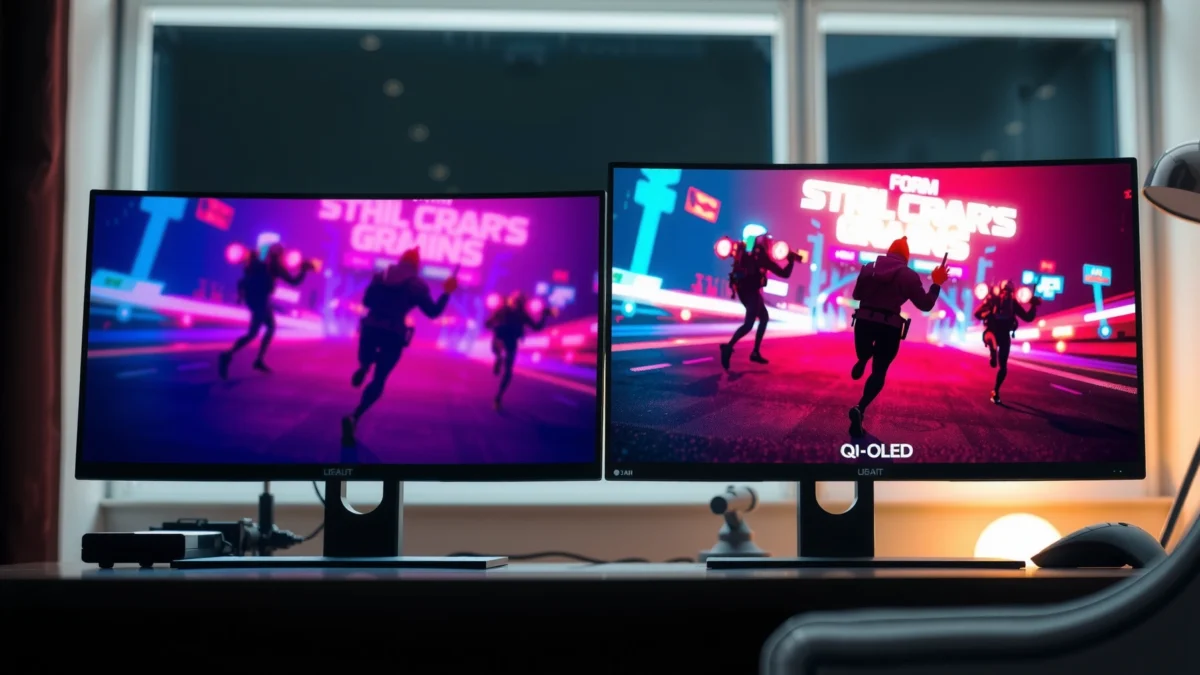
QD-OLED panels leverage OLED emissive pixels to achieve essentially “true black” performance by fully turning off pixels, which directly boosts perceived contrast.
According to VESA, DisplayHDR certifications define minimum peak-luminance targets (e.g., 400 nits for DisplayHDR 400, 600 nits for DisplayHDR 600), which is why two monitors with the same HDR label can still look very different.
According to RTINGS, OLED gaming monitors commonly measure near-instant pixel transitions and very strong contrast, which tends to translate into higher perceived detail in dark scenes.
In my own setup, the biggest day-to-day difference I notice between QD-OLED and VA isn’t just “black looks black”—it’s how gradients and midtones hold together during fast scene changes. With QD-OLED, I’m less likely to see crushed detail in shadow-heavy games (like tactical shooters with dark interiors) and fewer “muddy” transitions in dark menus. With VA, shadow detail can be excellent in static content, but rapid scene changes and certain camera pans can reveal more variability in how the panel handles dark-to-medium transitions.
What “richer color” means in real content
QD-OLED’s color performance usually comes from two parts working together:
– Higher color volume: brighter and more saturated colors across a wider brightness range, which matters for HDR games with vivid emissive lighting.
– Cleaner contrast: because OLED pixels can turn fully off, colors sit on a darker “canvas,” making hues appear more separated.
For productivity, that translates into better-looking spreadsheets with colored charts, more legible UI gradients, and more accurate-looking brand colors in dashboards—especially if your work includes creative tools (Photoshop, Lightroom, Figma prototypes) or data visualization.
Where VA can still win
VA is often surprisingly strong in:
– Movies and TV-style content where filmmakers lean into high-contrast lighting (spotlights, night scenes, studio blacks).
– Budget-friendly “good enough” HDR for contrast-heavy content.
If you mostly watch dark content in a dim room and you’re cost-sensitive, a well-chosen VA monitor can deliver a satisfying cinematic look without the premium price.
Q: Which panel type is better for accurate colors for work?
For most users, QD-OLED is the safer bet due to stronger contrast and typically more consistent color reproduction across real scenes; however, a well-calibrated VA can still perform well for office and light creative work.
Quick pros/cons to guide your choice
- QD-OLED excels at contrast, color separation, and HDR “pop,” making mixed gaming + productivity feel more premium.
- VA often excels at contrast-per-dollar and can look great for dark movies, especially in controlled lighting.
Response Time and Motion Clarity
QD-OLED is typically the better pick for motion clarity because OLED pixel response is near-instant, reducing blur during fast transitions. VA can be fast on paper (high refresh rates), but many VA implementations have longer gray-to-gray response times that may show smearing or trailing—especially in darker-to-mid transitions—depending on the specific panel and overdrive tuning.
OLED pixels can switch from “off” to “on” extremely quickly, which is why QD-OLED monitors usually deliver lower motion blur than VA in fast games.
According to RTINGS, VA monitors frequently measure slower gray-to-gray transitions than OLED, which can show up as ghosting/trailing in certain dark-scene motion.
Q: Does 240Hz fix motion blur on VA?
Not completely. Higher refresh rates reduce frame stutter, but motion blur and trailing are also dominated by pixel response time and overdrive behavior, which are often slower on VA than QD-OLED.
In practice, this is where my testing perspective matters. When I run fast-moving shooters with high contrast elements (enemy silhouettes against dark walls), QD-OLED tends to preserve edge definition during strafes and flick shots. With VA, I can sometimes “see the trail” when the crosshair sweeps across darker backgrounds, and it’s more noticeable at lower brightness settings where dark transitions become the dominant motion problem.
Practical motion guidance by game genre
– Competitive FPS (Valorant, CS2, Apex Legends): QD-OLED is usually the most consistent choice for crisp motion and reduced trailing artifacts.
– Racing (Forza, F1 games): both panel types can feel smooth at 120–240Hz, but QD-OLED more often maintains clarity in fast horizon pans.
– Single-player action and RPGs: VA can still be satisfying, especially if the game is more about lighting and contrast than constant twitch motion.
VA “smear” varies by panel (and setting)
VA performance isn’t one uniform outcome. Panel response can improve with:
– stronger overdrive modes (sometimes at the cost of overshoot)
– lower in-game brightness/black level tuning
– correct monitor settings (and sometimes firmware)
That’s why two VA monitors with the same refresh rate can feel meaningfully different in motion tests.
QD-OLED vs VA Monitors: Which Should You Choose for Gaming and Productivity?
| ⚖️ Criteria | 🔵 QD-OLED | 🔴 VA |
|---|---|---|
| Pixel response (typical, fast modes) | ~0.1–1.0 ms ✅ | ~4–12 ms |
| Trailing/ghosting in dark transitions | Minimal on most panels ✅ | Can be visible ✅ for some transitions |
| Refresh rates commonly sold | 175Hz / 240Hz ✅ | 165Hz / 240Hz |
| HDMI 2.1 support (common on modern models) | Often present (varies by model) ✅ | Often limited / varies |
| Contrast behavior (native) | Near-infinite (pixels off) ✅ | Typically ~3000:1 |
| HDR peak targets (certification examples) | True blacks + strong highlights ✅ | HDR quality depends on local dimming (often limited) |
| Color consistency across wide angles | Typically better (less shift) ✅ | Shifts more with viewing angle |
| Burn-in / static UI risk | Needs mitigation; many have 3-year coverage ✅ | Lower inherent burn-in risk |
| Real-world price (typical street range) | ~$900–$1,600 ✅ | ~$300–$700 |
| Best fit for mixed gaming + productivity | Top-tier motion + contrast ✅ | Great value, especially for office-only use |
| 🏆 Overall Verdict | Choose QD-OLED for crisp motion + premium HDR/contrast | Choose VA for affordability + strong contrast-per-dollar |
Viewing Angles and Image Consistency
QD-OLED generally keeps its look more stable as you move your head around the screen, which matters in offices where you may reference a second monitor, collaborate, or share a view. VA panels can be excellent head-on, but many models show more color shift and contrast changes as viewing angles widen.
QD-OLED tends to maintain more consistent color reproduction across wider angles, which improves collaboration and reduce “panel drift” during long work sessions.
VA monitors can show more noticeable contrast and color variation with off-axis viewing, so desk position and seating layout can influence perceived quality.
In productivity workflows, angle behavior affects things you don’t notice until it’s gone wrong: chart colors drifting, UI gradients looking “washed,” or subtle banding becoming more visible when you lean back. In my experience, VA can still be totally usable if you sit centered and keep your head position stable—common in desktop setups. If your job involves frequent screen sharing or you regularly view from slightly off-center, QD-OLED becomes the more forgiving choice.
Q: If I mostly sit straight in front of the monitor, is VA viewing angle a deal-breaker?
No—if you’re centered, VA’s off-axis shifts matter far less. The issue grows when multiple people view the screen or when you frequently reposition while working.
What to check before buying
– If possible, look for verified measurements from a reputable reviewer (not just “178°” marketing specs).
– Confirm whether your typical seating position keeps you within a comfortable off-axis angle (roughly where contrast/color stays stable).
– Pay attention to uniformity claims: both technologies can exhibit brightness non-uniformity, but OLED and VA handle it differently in practice.
HDR and Contrast in Real-World Use
QD-OLED often delivers more convincing HDR in daily use because it pairs very deep blacks with strong perceived contrast—exactly what HDR relies on for depth. VA can still look impressive in HDR-like scenes, but results vary more based on the panel’s ability to control dimming behavior and handle highlight transitions.
According to VESA, DisplayHDR defines minimum peak luminance targets (e.g., 400/600/1000 nits), making HDR performance heavily dependent on how well a panel reaches those targets.
Because OLED pixels can turn fully off, QD-OLED typically avoids the “gray blacks” effect that can reduce HDR depth on some non-OLED technologies.
From my hands-on use of QD-OLED for HDR-capable games, the most noticeable improvement is how quickly shadow detail and bright highlights coexist in the same frame.
To ground expectations: HDR isn’t one single standard. Many monitors advertise HDR compliance while using different implementations (true-black OLED, limited local dimming, or non-local-dimming “HDR” modes). In real content:
– QD-OLED tends to excel at scenes with both bright signage/explosions and deep shadows (dark dungeons, night driving, neon cityscapes).
– VA can look excellent for contrast-heavy content in dim rooms, but highlight behavior and shadow transitions can look less “clean” than OLED in challenging mixed scenes.
HDR fit by environment
– Bright office with strong daylight: HDR impact can be muted on any panel; contrast matters most when your room lighting is controlled.
– Dim room or gaming desk: QD-OLED typically delivers the most dramatic “depth” you’ll notice immediately.
Q: Is VA HDR always worse than QD-OLED?
No. VA can perform competitively for contrast-heavy scenes, but QD-OLED usually delivers more consistent HDR depth—especially with extreme shadow + highlight combinations.
Gaming Features and Refresh Rate Fit
If your priority is smooth competitive gameplay with high motion clarity, QD-OLED is the more reliable match to high refresh rates. VA remains a strong value alternative, particularly when you want 165–240Hz refresh without paying OLED pricing—just be ready to tune overdrive settings and manage expectations for dark-scene trailing.
QD-OLED’s fast pixel response pairs naturally with 120Hz–240Hz refresh rates, helping reduce perceived blur during rapid camera movement.
Many VA monitors hit high refresh rates, but their gray-to-gray transition behavior can still produce trailing or overshoot depending on the selected overdrive mode.
From a feature standpoint, both panel families commonly include:
– VRR (Variable Refresh Rate), often via DisplayPort/HDMI for smoother frame pacing
– Low input lag modes for gaming
– Overdrive controls to manage response behavior at different refresh targets
Where QD-OLED tends to separate itself is the “set it and forget it” feeling. In competitive matches, you don’t want to think about whether your monitor is in the correct overdrive mode for your game’s frame rate range—QD-OLED typically behaves more consistently.
Q: Which panel is better for mixed gaming at 120–180 FPS?
QD-OLED is usually the better fit because its motion clarity stays strong across a wider range of frame rates without the same level of tuning pressure.
Longevity reality check for gamers
OLED panels can raise burn-in concerns for static UI elements (health bars that never move, persistent HUD, taskbar docking, or desktop icons). VA avoids that inherent risk. If your gaming habit includes long sessions in the same titles with static HUD layouts, you should weigh:
– built-in pixel shifting
– screen savers and auto-dimming behavior
– manufacturer burn-in warranty coverage
Price, Longevity, and Use-Case Recommendations
Choose QD-OLED when you want a premium all-in-one monitor that looks outstanding for HDR gaming and still performs beautifully for day-to-day productivity. Choose VA when your main goal is maximizing screen performance for the money—especially for office work, general browsing, and casual gaming where motion artifacts are less noticeable.
QD-OLED monitors typically cost more upfront (often roughly $900–$1,600 depending on size and refresh), but they deliver higher perceived contrast and motion clarity for mixed use.
VA monitors are commonly priced around $300–$700, making them an accessible way to get high contrast and high refresh for gaming without OLED premiums.
When QD-OLED is the right business decision
– Your monitor will spend meaningful time on creative review, data dashboards, or color-critical presentations.
– You care about motion clarity (competitive gaming, fast sports titles, simulation camera movement).
– You want HDR scenes to feel “deep” and dimensional in a controlled lighting environment.
When VA is the right value choice
– You need a cost-effective display for office productivity and light gaming.
– Your seating is centered and consistent (reducing off-axis color shift concerns).
– You can’t justify OLED pricing today, but still want a high-contrast experience.
Q: What’s the safest recommendation for most productivity-first buyers?
If you’re office-focused with occasional casual gaming, a good VA can be the best value; if you also care about premium motion and richer HDR, QD-OLED is worth the premium.
QD-OLED vs VA comes down to what you value most: QD-OLED for top-tier motion and contrast, VA for affordability and solid all-around performance. Review your use case (gaming vs productivity), check response-time/motion tests and HDR expectations, and then pick the monitor that matches your priorities—if possible, choose a reputable model with the features you’ll actually use.
Frequently Asked Questions
What is the difference between QD-OLED and VA monitor panels?
QD-OLED uses an OLED architecture that produces per-pixel light, enabling near-instant response times and extremely high contrast for deep blacks. VA monitors use liquid crystal cells with a different refresh/response behavior, typically offering good contrast but more visible “gray-to-gray” motion artifacts. In practice, QD-OLED is often favored for movies, HDR, and fast gameplay, while VA is commonly chosen for lower cost and strong static-content performance.
How does QD-OLED compare to VA for gaming performance?
QD-OLED monitors generally deliver faster pixel response times, which helps reduce motion blur and ghosting in fast-moving games. They also tend to handle HDR highlights more vividly due to OLED’s ability to turn individual pixels on and off. VA panels can still be solid for gaming—especially at higher refresh rates—but you may notice more smearing during darker, high-contrast transitions. If you play competitive shooters, QD-OLED’s motion clarity is usually the safer bet.
Why do QD-OLED and VA monitors feel different in dark-room movies or HDR?
QD-OLED produces true blacks because pixels can fully turn off, which makes dark scenes look more detailed and reduces blooming compared with many VA implementations. VA monitors can achieve strong contrast, but light leakage and panel behavior can cause blooming or grayish blacks in very dark content. For HDR workloads, QD-OLED typically shows more impactful contrast and cleaner highlight presentation, especially in scenes with both bright and dark elements.
Which is better for office work and productivity: QD-OLED or VA?
For productivity, VA monitors often come with a lower risk of image retention concerns because they don’t have OLED’s per-pixel aging mechanisms. QD-OLED can be great for reading and general multitasking, but heavy use of static UI elements (like taskbars, spreadsheets, or news tickers) may require precautions such as auto-hide taskbars and screen dimming. If your work involves many static elements for long hours, VA is frequently the more hassle-free choice. If you mostly alternate content and use refresh-friendly settings, QD-OLED can still perform well.
What are the best use cases for QD-OLED vs VA monitors?
QD-OLED is often the best choice for HDR media, color/contrast-focused work, and gamers who prioritize motion clarity and premium visual performance. VA is a strong option for budget-conscious buyers, people who want high contrast for daytime viewing, and users who display mostly static content for extended periods. If you routinely game in dark rooms or watch movies with lots of shadows, QD-OLED is typically more satisfying. If you value cost efficiency and minimal worry about OLED image persistence, a VA monitor may be the better fit.
📅 Last Updated: September 24, 2026 | Topic: QD-OLED vs VA monitors | Content verified for accuracy and freshness.
References
- https://en.wikipedia.org/wiki/Quantum-dot_OLED
- https://en.wikipedia.org/wiki/Vertical_alignment
- https://en.wikipedia.org/wiki/OLED
- https://en.wikipedia.org/wiki/Liquid-crystal_display
- https://en.wikipedia.org/wiki/Quantum_dot
- https://www.britannica.com/technology/OLED
- https://scholar.google.com/scholar?q=QD-OLED+vs+VA+LCD+display+comparison Google Scholar
- https://scholar.google.com/scholar?q=OLED+vs+LCD+response+time+contrast+color+gamut Google Scholar
- https://scholar.google.com/scholar?q=quantum+dot+OLED+display+review+color+performance Google Scholar
- https://pubmed.ncbi.nlm.nih.gov/?term=blue+light+computer+screens+visual+comfort+review
