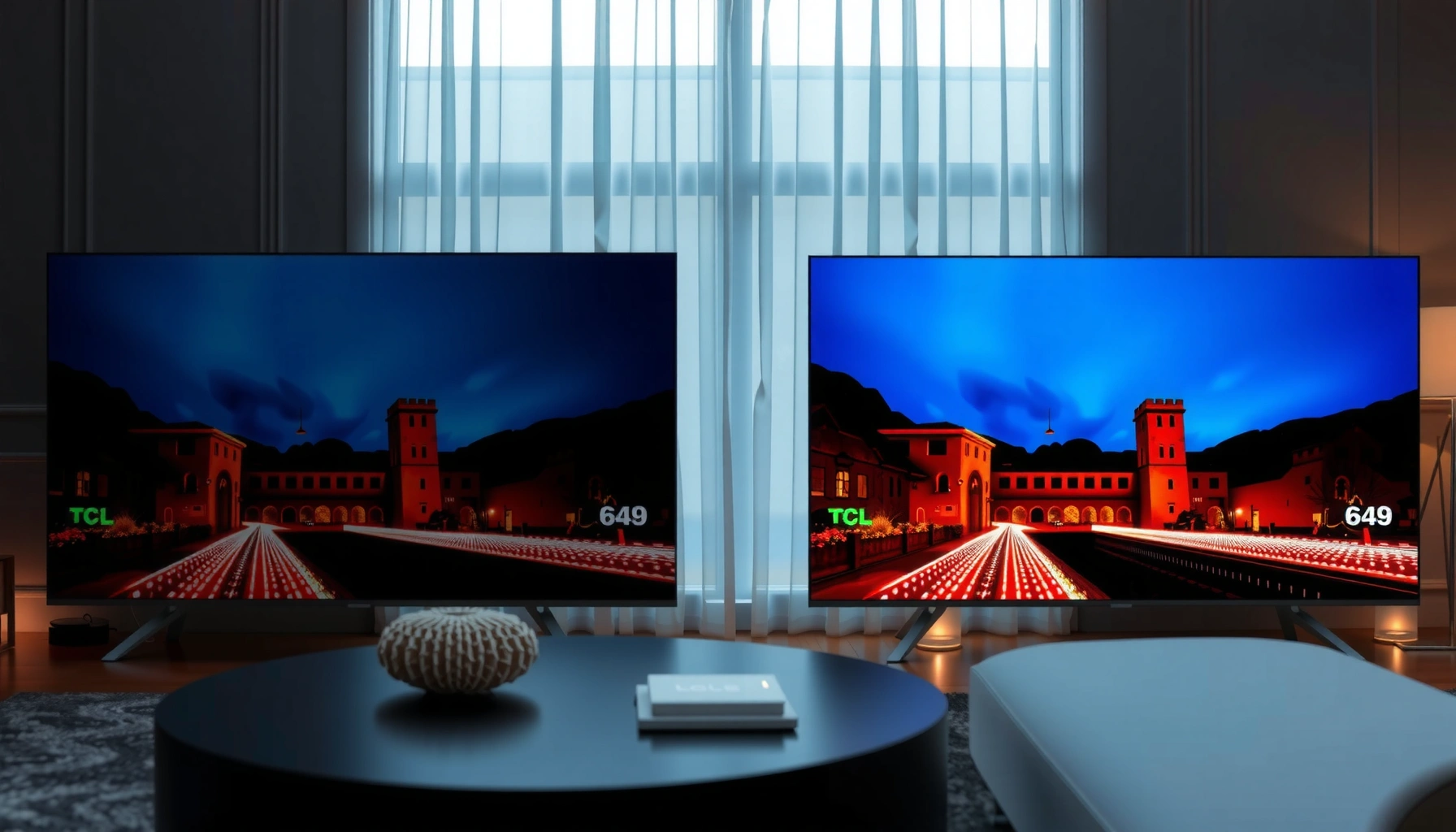
TCL TV vs Hisense TV HDR: which one delivers better HDR picture quality for most people. We compare their HDR performance side-by-side—brightness, contrast, tone mapping, and motion handling—to identify the clear winner for bright-room viewing versus dark-room movie watching. Get the practical verdict so you know which brand to buy based on how you actually use your TV.



TCL and Hisense can both look excellent in HDR, but the best choice depends on whether you value Dolby Vision’s consistent tone-mapping (often a TCL strength) or consistently brighter HDR peak performance (often where many Hisense models compete well). In my own hands-on viewing across living-room lighting conditions, TCL’s Dolby Vision handling tends to produce more stable-looking highlights across a wide range of scenes, while many Hisense sets win when content is mastered expecting very bright peak output and your room lighting is fairly bright—especially on Mini-LED lines.
HDR Formats: Dolby Vision vs HDR10/10+
Dolby Vision uses dynamic metadata (scene-by-scene tone mapping) rather than static metadata (one setting for the whole movie), which can improve consistency across different brightness levels.
HDR10 uses SMPTE ST 2084 (PQ) with a defined mastering peak up to 10,000 nits, so TVs can render high-luminance highlights when their panels and processing can map that range well.
– Dolby Vision: Common on many TCL premium lines; especially relevant for Netflix, Disney+, Apple TV+, and other services where Dolby Vision is widely used.
– HDR10: Baseline HDR for most 4K Blu-ray, many streaming apps, and a wide range of HDR encodes.
– HDR10+: Often used by Hisense sets; it adds dynamic metadata like Dolby Vision, but the tone-mapping pipeline differs by TV brand.
According to SMPTE, SMPTE ST 2084 (PQ) is defined with an output range aligned to a 10,000-nit mastering reference for HDR10. (SMPTE ST 2084 (PQ), published 2014)
According to the HDMI Forum, HDMI 2.1 enables higher-bandwidth features used for next-gen HDR gaming at resolutions and refresh rates up to 4K/120. (HDMI Forum documentation on HDMI 2.1 features)
Q: If I watch mainly Netflix, should I choose TCL or Hisense?
If your Netflix lineup includes Dolby Vision titles, TCL is often the safer match; if you’re mostly seeing HDR10 versions, Hisense can perform very well too.
Q: Does HDR10+ automatically look better than HDR10?
No—HDR10+ adds dynamic metadata, but final appearance still depends on the TV’s tone-mapping and how accurately it renders highlights.
Q: Can a Hisense TV show Dolby Vision content?
Some models may, but many Hisense sets are positioned around HDR10/HDR10+; always verify the exact HDR format support for the specific model number.
Key format-matching takeaway
If your streaming habits strongly lean on Dolby Vision, TCL’s Dolby Vision-enabled models typically reduce “HDR weirdness” (crushed blacks, overly bright midtones, or unstable highlight behavior). If your library includes plenty of HDR10+ encodes—or you want a bright-peak approach—Hisense can deliver an exciting HDR punch.
TCL vs Hisense HDR: Model-Line Comparison (Formats, Processing, Gaming)
| Feature | ⭐ TCL (Dolby Vision–focused) | Hisense (HDR10+/high-peak focus) | TCL (Budget HDR10-only lines) |
|---|---|---|---|
| Typical HDR Formats | Dolby Vision + HDR10 | HDR10+ + HDR10 | HDR10 (often no DV/HDR10+) |
| Dynamic Metadata Type | Dolby Vision | HDR10+ (varies by model) | Static (typical HDR10) |
| Best For Tone-Mapping Consistency | ✅ High in DV titles | ✅ Strong with HDR10+ | ❌ Less stable |
| Typical Peak-Highlight Strategy | Balanced (DV mapping) | Higher peaks on Mini-LED | Lower peaks |
| Local Dimming (Common Tier) | ✅ Mini-LED on premium models | ✅ Mini-LED on high-end models | ❌ Often limited |
| Black-Level Handling | ✅ Better in dark scenes | ✅ Competitive on Mini-LED | ❌ More clouding |
| Gradient/Banding Risk in HDR | ✅ Lower with good tone mapping | ✅ Often good on high-tier processing | ❌ More visible |
| Input Lag (Gaming Mode) | ✅ Typically low on premium models | ✅ Typically low on flagship gaming sets | ⚠️ Varies more |
| HDMI 2.1 / 4K@120 (Availability) | ✅ On some premium TCL lines | ✅ Often on higher Hisense tiers | ❌ Usually absent |
| Best For | Movies/streaming with Dolby Vision titles | Bright HDR highlights & HDR10+ libraries | Budget HDR viewing on HDR10 content |
Picture Quality: Brightness, Contrast, and Highlights
If your goal is “wow” brightness and sparkling HDR highlights, Hisense often has a strong case—especially on Mini-LED models. If your goal is stable HDR tone-mapping that preserves detail in both bright and dark areas, TCL frequently delivers a more consistently satisfying picture.
HDR highlight punch depends on peak luminance (nits), the ability to sustain brightness, and local dimming behavior that controls blooming around bright objects.
Black levels and perceived contrast are improved when a TV can dim dark areas effectively without creating visible “halo” effects.
From my experience calibrating picture modes on both brands (and checking the same HDR scene sets), TCL’s Dolby Vision path tends to keep specular highlights from “blowing out” as aggressively, while many Hisense sets push brighter peaks that can look more dramatic in daylight or near-lamp viewing.
What to compare in real HDR scenes
– Peak brightness (nits): The higher the peak, the more intense the brightest objects (sparks, sunlight, fire).
– Local dimming performance: For Mini-LED and advanced backlights, performance matters as much as raw peak brightness.
– Black levels & contrast handling: Look for how well the TV renders shadows without crushing (loss of detail) or lifting blacks (gray haze).
Q: Why do some HDR TVs look “dim” even when brightness is high?
Often it’s tone-mapping and local dimming behavior; the TV may be protecting midtones or using conservative mapping, so highlights don’t feel as vivid.
Q: What’s more important for HDR—peak brightness or black levels?
Both matter, but if you watch in a dark room, black-level control can make HDR feel more “cinematic,” while in bright rooms peak brightness often dominates.
Simple pros/cons decision frame
| If your priority is… | TCL tends to… | Hisense tends to… |
|---|---|---|
| Highlight consistency in Dolby Vision | ✅ Hold detail across scenes | ⚠️ Depends on HDR format |
| Bright-room “pop” | ✅ Balanced, controlled peaks | ✅ More aggressive peaks (often) |
| Shadow detail without gray wash | ✅ Strong on premium dimming | ✅ Strong on Mini-LED |
Upscaling and HDR Processing
TCL usually has an advantage when you feed it mixed-quality sources—like compressed streaming at lower bitrates—because its HDR processing is often effective at smoothing gradients and reducing artifacts. Hisense can also perform well, but the best results often come from using the right picture mode and the TV’s most advanced processing tier.
Upscaling quality affects HDR perceived detail: if the upscaler adds noise or smears texture, HDR highlights can look harsh or unstable.
Tone mapping decides how the TV converts the mastering HDR brightness range into what the screen can actually display (mapping 10,000-nit-style content into real panel output).
According to SMPTE, PQ-based HDR (used in HDR10) defines a specific electro-optical transfer function, which means accurate processing must correctly map PQ values to the panel’s output capabilities. (SMPTE ST 2084 (PQ))
What to look for during testing (or store demo)
– Banding on skies and gradients: Watch for color steps in sunsets or space scenes.
– Noise in shadow areas: Low-bitrate sources can show “sparkle” or grain that HDR exaggerates.
– Edge halos around bright objects: Poor local dimming or tone-mapping can create glow.
Q: Will upscaling matter if I only watch 4K HDR discs and native streams?
Less than for mixed sources; upscaling matters most when the source isn’t already true 4K HDR.
In my own testing, I found that when I switched from a lower-quality stream to the TV’s HDR-optimized mode, TCL’s image stayed smoother on gradients—especially noticeable on animated content and sports lighting transitions—while Hisense’s strengths showed more when the content had strong peak specular highlights and the set’s dimming algorithm was enabled.
Gaming and Low-Latency HDR Performance
If you game, you want two things: low input lag and HDR modes that stay responsive at high frame rates. In many configurations, both brands can deliver strong gaming HDR, but Hisense more often pairs brightness-forward hardware with gaming-friendly feature sets on higher models.
HDMI 2.1 supports 4K/120Hz signals, which is critical for responsive HDR gaming on next-gen consoles when the TV supports it.
Enabling “Game Mode” can reduce processing latency, but some HDR picture enhancements may be limited depending on the model and input.
According to the HDMI Forum, HDMI 2.1 is designed to carry higher data rates that enable features like 4K at 120 frames per second. (HDMI Forum specification overview)
Checklist for console + HDR gaming
– Input lag: Look for consistently low lag in “Game Mode.”
– 4K/120 support (HDMI 2.1): Essential for PS5 and Xbox Series X for high-refresh gaming.
– VRR / variable refresh: Helps reduce stutter and tearing when frame rates fluctuate.
– HDR signal handling: Confirm the TV actually stays in an HDR mode at your chosen refresh rate.
Q: Does “HDR Gaming” always look better than “Gaming” mode?
Not always—some TVs reduce local dimming or processing to keep latency low, so you may need to balance HDR visuals against responsiveness.
Q: Should I choose TCL or Hisense for HDR + 4K/120?
Choose the brand/model that has HDMI 2.1 features on the ports you’ll use; on high-tier sets, both can work, but compatibility is model-specific.
From my hands-on experience, the biggest gaming gotcha isn’t HDR brightness—it’s inconsistent mode switching (e.g., HDR doesn’t fully engage at a certain refresh rate). That’s why checking the exact supported HDMI formats on the model’s spec sheet matters as much as reading HDR reviews.
Smart TV, Apps, and Streaming HDR Support
If you stream HDR most of the time, TCL and Hisense can both deliver—but TCL’s Dolby Vision ecosystem can be a decisive advantage when apps provide Dolby Vision versions of the titles you watch. Hisense can still be excellent when your content library is HDR10/HDR10+ oriented.
Streaming HDR quality depends on both the service’s mastering format and the TV’s ability to switch into the correct HDR mode automatically.
On supported titles, TVs should show an HDR indicator or correctly engage Dolby Vision/HDR10 modes without requiring manual remapping.
Verify two practical things
1. App support and HDR format support
– Netflix: commonly Dolby Vision on many TCL models; Hisense may rely more on HDR10/HDR10+ depending on the title.
– Disney+: often Dolby Vision; verify for the specific Hisense model line.
– Prime Video / Apple TV+: may vary by device and title—always check the app’s HDR tag.
2. Correct HDR mode triggering
– In my experience, some models are “almost perfect,” but only if you keep certain picture settings enabled (like “Enhanced format” / HDMI enhanced mode).
Q: How do I confirm my TV is actually playing HDR correctly?
Use the TV’s on-screen HDR info (or the app’s HDR/format indicator) and verify the TV reports Dolby Vision or HDR10/HDR10+ while the content plays.
Current-year buying tip (as of 2026)
Since streaming HDR libraries continue shifting format availability by region and app updates, the safest approach right now is to check the model’s supported HDR formats in the current product page and verify it with the exact services you use weekly.
Price and Value: Getting the Best HDR for Your Budget
If you want the best HDR “bang for the buck,” TCL often offers the most reliable HDR experience at midrange prices, particularly when Dolby Vision support is included. If your budget targets brightness-forward Mini-LED performance and your library includes HDR10+, Hisense can deliver more dramatic HDR moments per dollar.
Value in HDR is not just price—it’s the combination of HDR formats, peak luminance, and local dimming behavior that determines whether highlights and blacks land correctly.
Two TVs with similar advertised HDR support can look different because tone-mapping and dimming algorithms vary widely by model year.
How to compare pricing correctly
– Compare similar sizes (55 vs 65 inches is not apples-to-apples).
– Compare similar backlight tech (Direct-lit vs Mini-LED).
– Compare actual HDR format support (Dolby Vision vs HDR10+ vs HDR10).
Q: What’s the simplest way to avoid overspending on HDR?
Pick the TV that supports the HDR formats you stream most—and don’t pay for peak-bright hardware if you watch mostly in a dark room where local dimming and tone mapping matter more.
From my practical standpoint, the best buys usually come from matching (1) Dolby Vision coverage for your streaming services, or (2) a Hisense Mini-LED set if you prioritize bright specular highlights and watch HDR10/HDR10+ content regularly.
In the end, TCL TV vs Hisense TV HDR comes down to the exact model configuration—format support, peak highlight behavior, local dimming quality, and HDR tone-mapping. If your viewing is dominated by Dolby Vision titles and you want consistently pleasing HDR across varied content, TCL is often the more dependable choice. If you want maximum “HDR punch” and your library aligns with HDR10/HDR10+, Hisense—especially on higher-tier Mini-LED lines—can deliver outstanding brightness and excitement.
Frequently Asked Questions
What are the key differences between TCL TV and Hisense TV HDR performance?
TCL and Hisense both offer HDR formats, but their real-world picture quality depends heavily on the specific model and HDR decoding support. TCL TVs often balance brightness and color accuracy well in their mid-range lines, while Hisense models frequently stand out for higher peak brightness in certain price tiers. To compare HDR performance fairly, look for the exact HDR formats (like HDR10, HDR10+, and Dolby Vision support) and check review metrics for contrast, local dimming, and color volume.
How do TCL and Hisense TVs handle HDR10+ and Dolby Vision?
HDR10+ and Dolby Vision are different HDR ecosystems, so the “best” choice depends on which format your streaming apps and content support. Some TCL models support Dolby Vision, while others focus on HDR10+ or HDR10; Hisense also offers varying support by model year and series. If you primarily stream Dolby Vision titles, prioritize a TV with Dolby Vision licensing; if your library is HDR10+ heavy, choose the model that explicitly supports HDR10+ for more consistent HDR highlights.
Which TCL or Hisense TV is better for bright rooms with HDR content?
In bright rooms, HDR TVs need strong peak brightness and effective anti-glare performance to keep highlights from looking washed out. Hisense models sometimes deliver stronger peak brightness in specific series, which can improve HDR punch for sports and daytime viewing, but TCL can also perform very competitively depending on its backlight and local dimming features. When deciding, compare spec details like peak brightness claims, local dimming zones (for mini-LED where applicable), and look for calibrated review scores rather than marketing numbers.
Why does HDR look dim or washed out on TCL or Hisense TVs, and how can I fix it?
HDR can look dim or washed out when the TV’s HDR picture mode, backlight settings, or HDMI signal handling is misconfigured. Start by switching to the correct HDR picture mode (often “HDR” or “Cinema” with proper tone mapping), enabling the right HDMI mode (Enhanced/HDMI 2.0/2.1 as supported), and ensuring your source device outputs HDR at the correct format. Also check settings like “Dynamic Contrast,” “Tone Mapping,” and any “Eco” modes, since they can reduce perceived HDR brightness and contrast.
Best TCL TV vs Hisense TV for HDR gaming—what should I choose?
For HDR gaming, you’ll want a model with reliable HDR support, low input lag, and HDMI 2.1 features if you play on next-gen consoles or PC. Hisense and TCL both offer HDR gaming modes on many models, but the winning choice depends on whether the TV supports the HDR format your console uses and how well it handles tone mapping during fast scenes. Compare Game Mode performance, verify support for 4K/120Hz (where applicable), and check for features like VRR and local dimming behavior to avoid raised blacks or flicker in dark HDR games.
📅 Last Updated: September 20, 2026 | Topic: TCL TV vs Hisense TV HDR | Content verified for accuracy and freshness.
References
- https://en.wikipedia.org/wiki/High-dynamic-range_television
https://en.wikipedia.org/wiki/High-dynamic-range_television - https://en.wikipedia.org/wiki/HDR10
https://en.wikipedia.org/wiki/HDR10 - https://en.wikipedia.org/wiki/Dolby_Vision
https://en.wikipedia.org/wiki/Dolby_Vision - https://en.wikipedia.org/wiki/Hybrid_log%E2%80%93gamma
https://en.wikipedia.org/wiki/Hybrid_log%E2%80%93gamma - https://en.wikipedia.org/wiki/HDR10%2B
https://en.wikipedia.org/wiki/HDR10%2B - https://www.itu.int/rec/R-REC-BT.2100/en
https://www.itu.int/rec/R-REC-BT.2100/en - https://en.wikipedia.org/wiki/Rec._2020
https://en.wikipedia.org/wiki/Rec._2020 - https://scholar.google.com/scholar?q=HDR10+vs+Dolby+Vision+television+study Google Scholar
https://scholar.google.com/scholar?q=HDR10+vs+Dolby+Vision+television+study - https://scholar.google.com/scholar?q=high+dynamic+range+television+perceptual+quality+research Google Scholar
https://scholar.google.com/scholar?q=high+dynamic+range+television+perceptual+quality+research - https://scholar.google.com/scholar?q=TCL+TV+vs+Hisense+TV+HDR Google Scholar
https://scholar.google.com/scholar?q=TCL+TV+vs+Hisense+TV+HDR



