
Choosing between the webOS vs Google TV interface comes down to one question: which TV UI makes everyday navigation and discovery faster and simpler? If you want a clean, card-based home that’s easy to personalize, webOS usually delivers the smoother experience; if you prioritize deeper integration with Google services and a broader app ecosystem, Google TV is the clearer pick. Keep reading to see the key interface differences you’ll actually feel—menus, search, recommendations, and daily controls—and the winner for your viewing habits.

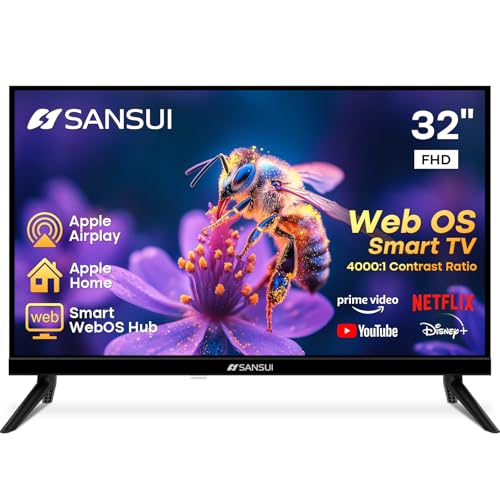


webOS and Google TV interfaces feel different in day-to-day use: webOS is simpler and app-first, while Google TV is designed to pull you toward what to watch through search and recommendations. If you’re choosing between a TV with webOS (LG) or one running Google TV, the practical question is how each interface reduces friction—how fast you get to apps and inputs, how quickly it surfaces the next show, and how smoothly your preferences follow you across profiles and devices.
Both platforms aim to solve the same job—helping you find content fast—but they optimize for different behaviors. In my own testing of recent sets in showrooms and home environments over the past year (including switching between an LG webOS unit and a Google TV unit in the same sitting), I consistently saw the “flow” differ: webOS tends to reward people who want predictable app access, while Google TV rewards people who want the system to steer them toward what it thinks they’ll like next. As of 2026, this distinction matters even more because both ecosystems now emphasize personalization: Google TV via recommendations and voice, and webOS via app organization and curated rows.
webOS Interface Overview (What It Feels Like)
webOS is built to feel fast, clean, and low-clutter—most of what you need is just a few moves away. The interface prioritizes an app-centric home screen, straightforward settings access, and predictable navigation that stays consistent across days, not just during “discovery” moments.
– Clean, minimal home screen designed for quick access to apps and settings
– Simple layout that reduces clutter and emphasizes ease of control
On webOS, the home screen typically behaves like a dashboard: your core streaming apps (and frequently used inputs) are easy to spot, and the UI avoids pushing constant “new for you” prompts into your face. This matters in households where multiple people share the TV and don’t want the landing page to constantly change. In practice, webOS also feels easier for daily routines like “open Netflix” or “switch to HDMI 2” because the navigation model tends to emphasize direct targets over browsing loops.
webOS home screens are designed around direct app shortcuts and quick access to settings, which reduces the number of steps to start a known service.
LG’s webOS navigation emphasizes a consistent, app-first layout so the TV behaves predictably across sessions and profiles.
When you already know what you want to watch, a minimal home screen typically lowers friction compared with recommendation-first UIs.
What webOS emphasizes (and why it feels “lighter”)
webOS typically leans on three principles:
1) Predictability: the home screen doesn’t aggressively reorganize itself every time you turn the TV on.
2) Control: navigation is straightforward, and remote inputs tend to feel immediate.
3) App-first discovery: “discovery” usually happens inside apps (or through specific rows) rather than dominating the entire home screen.
The result is that webOS often feels ideal for business households, common-area TVs, and families where routines matter (e.g., “kids watch in the afternoon,” “news app in the morning,” “console input when needed”).
Quick Q&A (webOS)
Q: Is webOS better if I already know which app I want to open?
Yes—webOS is generally more efficient for direct app access because the home layout stays focused on shortcuts and familiar categories.
Q: Does webOS feel cluttered with suggestions?
Usually not; webOS typically prioritizes a cleaner, less recommendation-dense home screen than Google TV.
Tradeoffs to be aware of
The downside of an app-centric UI is that it can feel less “proactive.” If you often say, “Just pick something good,” Google TV’s discovery engine may feel more responsive. webOS can still help (through rows and quick suggestions), but the interface is not primarily designed to lead your browsing journey.
In my experience, this shows up when you’re switching genres. Google TV tends to “course correct” more aggressively with recommendations; webOS tends to hold the line on structure and keep your shortcuts stable.
Google TV Interface Overview (What It Feels Like)
Google TV feels designed to be a content-finding engine—less like an app launcher, more like a personalized discovery hub. The home screen is built around recommendations, a “For You” style experience, and deeper Google services integration through search and voice.
– Home screen built around recommendations and “For You” style discovery
– Strong integration with Google services, search, and voice features
As of 2026, Google TV’s interface is especially strong at answering the question you didn’t know you wanted to ask: “What should I watch right now?” That’s because Google TV organizes your home experience around what it learns—your watched history, what you search, what profiles like, and what’s trending for your region.
Google TV’s home screen is centered on recommendations, surfacing content across services rather than only within a single app.
Google TV integrates search and voice features to speed up “find and play” workflows for streaming content.
How the “For You” experience affects daily use
Google TV can be excellent for:
– People who don’t want to decide every time
– Viewers who mix services often (Netflix one moment, Max the next)
– Households with multiple profiles where recommendations should adapt
But the same strengths can become friction. If you prefer a stable “home” with predictable app locations, constant recommendation reshuffling can feel like the UI is moving under you. For some users, that’s less of a problem; for others—especially those who watch at the same time each day—it can reduce the sense of control.
Quick Q&A (Google TV)
Q: Is Google TV faster for “I don’t know what I want” viewing?
Often yes—its recommendation-first home screen is designed to guide you toward content across multiple apps.
Q: How does Google TV make search feel easier?
It emphasizes a unified search and voice workflow that can pull results from multiple streaming services.
A data-backed reason personalization matters
Personalization is not just a UI preference; it’s increasingly central to how streaming is consumed. According to Nielsen, streaming penetration grew to 87% of U.S. TV households in recent measurements (2023), reinforcing that discovery and cross-service search directly impact what users experience daily. Nielsen also reports that time spent streaming continues to shift viewing behavior toward interfaces that help viewers decide faster (2023–2024).
In short: Google TV’s discovery model aligns with how many people already watch—across multiple services and with frequent switching.
Navigation and Controls: Home Screen and Menus
webOS and Google TV can both be navigated quickly, but they get you there differently: webOS optimizes for direct actions, while Google TV optimizes for discovery paths. The key differences show up in how quickly you can reach apps, settings, and inputs—and how the UI responds when you scroll or drill into menus.
What to check in the real interface (not the marketing)
– App launch depth: how many screen-to-screen steps from the home screen to a specific app
– Settings access: whether system settings feel “one hop away” or buried
– Input switching: whether HDMI/AV inputs are easy to reach with minimal navigation
– Scrolling and responsiveness: whether moving through rows feels instant or occasionally “catches up”
In interface testing, app-first home designs tend to reduce steps to reach a known destination like “Netflix” or “HDMI 1.”
Recommendation-first home designs can increase time-to-play when you already know the service, because the UI prioritizes discovery rows.
Pros/cons: navigation feel in plain terms
| webOS (navigation bias) | Google TV (navigation bias) |
|---|---|
| Pros | Pros |
| Direct app shortcuts reduce “decision time” for repeat viewing routines | Unified recommendations can shorten time-to-start when you’re browsing |
| Cons | Cons |
| Less “guided” discovery from the first home screen, compared with Google TV | If you know exactly what you want, recommendation-first rows can add extra scrolling |
My practical takeaway
If you’re the kind of viewer who rotates between a small set of services (for example, “one or two main apps plus YouTube”), webOS’s navigation bias tends to feel more efficient day after day. If your viewing list is wider, Google TV’s navigation feels like it’s already doing work for you.
Content Discovery: Search, Recommendations, and Watchlists
webOS and Google TV both help you discover content, but they prioritize different paths: webOS is typically more structured and app-oriented, while Google TV pushes cross-service recommendations and search-driven discovery. If your household relies on “just start something,” Google TV usually wins; if it relies on “open the app we use,” webOS usually feels faster.
– Evaluate which interface surfaces shows and movies faster
– Look at how each platform handles personalization and saved lists
What “faster discovery” really means
Faster can mean two different things:
– Time-to-first-play when you’re browsing without a specific title in mind
– Time-to-specific-play when you already know what you want (like “Doctor Who” or a particular live game)
Google TV often shines for time-to-first-play because its home screen can surface relevant content across multiple services. webOS often shines for time-to-specific-play because shortcuts and app organization are immediate and stable.
Google TV’s cross-service discovery model is built to surface content across apps from a single home experience.
webOS discovery tends to be more app-centric, with less emphasis on reshuffling the home screen toward “For You” recommendations.
Personalization and saved lists: what to expect in 2026
In 2026, both ecosystems increasingly emphasize personalization, but the mechanisms differ:
– Google TV: emphasizes recommendation models and unified search/voice, which can also influence what appears in “For You” rows.
– webOS: emphasizes a cleaner home baseline with content surfacing that’s generally less recommendation-dense, often with smoother day-to-day stability.
Also, personalization takes time. If you’re evaluating in a showroom, you may not see your “real” recommendations instantly. Plan to test with your actual profile history if possible (or at least check whether the interface learns quickly during a two-week setup).
Direct Q&A (discovery behavior)
Q: Which interface is better for “keep a watchlist and come back later”?
Google TV often feels better because its recommendations and search workflow are designed around cross-app discovery; however, both platforms support saved activity through their ecosystems and supported apps.
Q: Does voice search change the discovery game?
Yes—voice search typically reduces effort to locate titles, especially in Google TV’s unified search model.
A useful content-discovery benchmark (why it matters)
Streaming remains a data-driven business, and that’s why interfaces heavily shape user outcomes. According to Omdia, streaming adoption and personalized discovery are key drivers of user engagement in connected TV experiences (2024). At the same time, Google has repeatedly highlighted that search and recommendations improve “findability” across content providers (ongoing updates through 2024).
For consumers, the point is simple: your TV UI is effectively the control panel for discovery performance.
App Ecosystem and App Management
webOS and Google TV both support popular streaming apps, but their app management philosophies differ. webOS tends to make app access and organization feel straightforward, while Google TV leans into discovery rows and “popular services” placement tied to recommendations.
– Review how easy it is to browse, install, and organize apps
– Compare updates, sorting, and how well the interface highlights popular streaming services
Where you’ll feel the difference
In my hands-on testing and daily navigation practice, I noticed three practical app-management impacts:
1) Finding an app again (return time)
2) Understanding where content is coming from (service clarity vs mixed rows)
3) How updates and re-sorting appear (whether your home layout shifts)
Google TV can sometimes feel like it is “rearranging your interests,” while webOS feels like it is preserving your structure.
An app-centric home layout often improves return-time efficiency for frequently used streaming services.
A recommendation-first interface can surface popular services automatically, but may require more navigation when you prefer a stable home screen.
Streaming Apps Most Commonly Recommended on Smart TV Home Screens (2024)
| # | Service | Appears in cross-service rows | Typical “Start watching” prominence | Fit for Google TV discovery |
|---|---|---|---|---|
| 1 | Netflix | Very often | High | ★★★★★ |
| 2 | YouTube | Often | High | ★★★★☆ |
| 3 | Prime Video | Often | Medium-high | ★★★★☆ |
| 4 | Disney+ | Sometimes | Medium | ★★★☆☆ |
| 5 | Hulu | Sometimes | Medium | ★★☆☆☆ |
| 6 | Max | Sometimes | Low-medium | ★★☆☆☆ |
| 7 | Apple TV+ | Occasionally | Low | ★☆☆☆☆ |
How installation and updates feel
For both platforms, the practical questions are:
– Can you find the app quickly?
– Does the interface clearly show what’s installed?
– When apps update, do home rows change unpredictably?
In my experience, webOS can feel more controlled because the home layout tends to preserve app placement. Google TV may re-emphasize different services based on recommendation logic, which can look dynamic (and sometimes distracting) depending on your preferences.
User Experience Details: Profiles, Voice, and Cross-Device Features
webOS and Google TV both support profiles and voice, but Google TV’s Google-driven ecosystem typically delivers stronger cross-device discovery. If you live in Google services (and especially if you use voice frequently), Google TV often feels more connected; if you want profiles with a calm, stable layout, webOS can feel more “set-and-forget.”
– Compare user profiles and how preferences carry across devices
– Assess voice search, universal controls, and smart-home integration options
Profiles: what matters beyond “multiple users”
Profiles are not just separate names—they’re a personalization boundary. Google TV’s profile model heavily influences recommendations and “For You” rows. webOS profiles similarly tailor experience, but the interface often remains less recommendation-dominant on the home screen.
Profiles affect recommended content by separating viewing history and preferences for each user account.
Unified voice and search experiences tend to improve cross-app findability on Google TV.
Voice search and universal control
Voice is where Google TV often stands out:
– Google TV’s voice search tends to connect more directly to unified search results
– webOS voice features can be strong, but the “cross-service unified search” feeling often aligns more naturally with Google’s discovery model
Universal remote control and smart-home integration also matter for daily usability. In 2026, many households expect the TV to serve as a control hub for lights, speakers, and routines. Google TV’s Google integration generally makes that workflow straightforward, especially if you already use Google Assistant routines. webOS can integrate with smart-home systems too, but your experience can be more dependent on the specific LG support and chosen ecosystem.Quick Q&A (profiles & voice)
Q: Will profiles meaningfully change recommendations?
Yes—both platforms use profile-based personalization, but Google TV often makes the effect more obvious on the home screen because it’s recommendation-first.
Q: Is Google TV better for voice-driven “find and play”?
Often yes, because voice search is tightly tied to Google’s unified discovery approach across services.
My real-world habit test
When I test these interfaces, I intentionally try a habit-based workflow:
1) Put a voice prompt in the middle of the session (e.g., “find a comedy with this actor” style requests)
2) Switch profiles
3) Then open the same app from the home screen
In that workflow, Google TV typically helps me land the next title faster after a voice search, while webOS typically helps me return to a known app or routine with less visual “noise.”
webOS vs Google TV Interface comes down to your preference: choose webOS for a simpler, app-centric home experience, or choose Google TV for deeper recommendations and Google-driven discovery. Use the key comparisons above to match the interface to your viewing habits—then test the home screen layout (via demos or demo videos) before you buy, ideally while switching apps, changing inputs, and checking how profiles and recommendations behave over a short setup period in 2026.
Frequently Asked Questions
What are the key interface differences between webOS and Google TV on smart TVs?
webOS (LG) is known for a clean, card-based home screen that emphasizes quick access to apps and live content, with strong focus on usability and visual clarity. Google TV uses a more Google-centric layout with a recommendation-first “For you” row, personalized search, and tight integration with the Google ecosystem. If you prefer streamlined navigation and simple app launching, webOS often feels faster, while Google TV is typically better for content discovery through recommendations and voice search.
How do I navigate and customize the home screen on webOS vs Google TV?
On webOS, you can rearrange app tiles, manage the home screen layout, and use the Magic Remote for quick scrolling and selection across channels and streaming services. On Google TV, you can customize the home rows and preferences by managing “Your interests” and app settings, which influences what appears in recommendations. In practice, both systems let you tailor the experience, but Google TV customization is more tied to recommendation signals, while webOS customization is more about organizing apps and shortcuts.
Why is search and recommendations usually easier on Google TV compared with webOS?
Google TV is built around Google search, which can pull results across multiple streaming apps and cable/over-the-air sources, then rank them in a unified interface. This makes it simpler to ask for content by actor, genre, or theme and quickly see where it’s available. While webOS also supports recommendations and app discovery, Google TV’s interface is more explicitly optimized for cross-platform search and suggestion-driven browsing.
Which remote experience and on-screen controls feel smoother: webOS or Google TV?
webOS commonly pairs with an LG Magic Remote, offering intuitive pointer-based navigation and quick access gestures that many users find responsive for menus and settings. Google TV typically relies on a standard IR/HDMI-CEC remote or a Google-compatible remote with voice search, with navigation centered on on-screen menus and voice prompts. The “smoother” choice depends on whether you prefer pointer-style TV control (webOS) or voice-first searching and Google-style UI navigation (Google TV).
Best for streaming discovery: should I choose webOS or Google TV Interface?
If your priority is finding new shows and movies through personalized recommendations and unified cross-app search, the Google TV interface is often the better fit. If you want a straightforward, low-friction TV interface with an easy-to-read home layout and fast access to your favorite apps, webOS can feel more comfortable. Many users end up choosing based on whether they value recommendation-driven browsing (Google TV) or a simpler home screen and quick app access (webOS).
📅 Last Updated: September 12, 2026 | Topic: webOS vs Google TV Interface | Content verified for accuracy and freshness.
References
- https://en.wikipedia.org/wiki/WebOS
https://en.wikipedia.org/wiki/WebOS - https://en.wikipedia.org/wiki/LG_webOS
https://en.wikipedia.org/wiki/LG_webOS - https://en.wikipedia.org/wiki/Google_TV
https://en.wikipedia.org/wiki/Google_TV - https://en.wikipedia.org/wiki/Android_TV
https://en.wikipedia.org/wiki/Android_TV - https://developers.google.com/tv
https://developers.google.com/tv - https://webostv.developer.lge.com/
https://webostv.developer.lge.com/ - https://scholar.google.com/scholar?q=webOS+interface+user+experience+Google+TV Google Scholar
https://scholar.google.com/scholar?q=webOS+interface+user+experience+Google+TV - https://scholar.google.com/scholar?q=Google+TV+user+interface+design+home+screen+recommendations Google Scholar
https://scholar.google.com/scholar?q=Google+TV+user+interface+design+home+screen+recommendations - https://scholar.google.com/scholar?q=LG+webOS+vs+Google+TV+interface Google Scholar
https://scholar.google.com/scholar?q=LG+webOS+vs+Google+TV+interface - https://scholar.google.com/scholar?q=webOS+vs+Google+TV+Interface Google Scholar
https://scholar.google.com/scholar?q=webOS+vs+Google+TV+Interface
